1. Pengenalan
This manual provides essential instructions for setting up, operating, and maintaining your ENHANCE Colmi V23 Smart Watch. Please read this manual thoroughly before using the device to ensure proper function and longevity.

Figure 1.1: ENHANCE Colmi V23 Smart Watch
2. Maklumat Keselamatan
Disclaimer: This device is not a medical device and is not intended to replace a Sphygmomanometer (an instrument for measuring blood pressure). Individuals with hypertension or other medical conditions should consult their doctor before using this device for health monitoring purposes.
3. Apa yang ada di dalam Kotak
- 1x ENHANCE Colmi V23 Smart Watch
- 1x Kabel Pengecasan
- 1x Manual Pengguna
4. Persediaan
4.1 Mengecas Jam Tangan Pintar
Before initial use, fully charge your smart watch. Connect the magnetic charging cable to the charging points on the back of the watch and plug the USB end into a power adapter (not included) or a computer's USB port. A full charge typically takes approximately 2 hours.

Rajah 4.1: Mengecas Jam Tangan Pintar
4.2 Pemasangan Apl dan Berpasangan
- Muat turun "Da Fit" application from your device's app store (compatible with iOS 9.0 and above, Android 4.0 and above). You can also scan the QR code provided in the included manual to download the app.
- Buka aplikasi Da Fit pada telefon pintar anda.
- Follow the in-app instructions to add a new device. Select the V23 Smart Watch from the list of available devices to pair.
- Ensure Bluetooth is enabled on your smartphone during the pairing process.
5. Mengendalikan Jam Tangan Pintar
5.1 Navigasi Skrin Sentuh
The ENHANCE Colmi V23 features a 1.3-inch HD color full touch screen for easy operation. Swipe left, right, up, or down to navigate through menus and functions. Tap to select options.

Figure 5.1: Touch Screen Interface Overview
5.2 Menyesuaikan Muka Jam
Personalize your smart watch with over 100 watch faces available through the Da Fit application. You can also create custom watch faces using your own photos.
- Buka aplikasi Da Fit pada telefon pintar anda.
- Navigate to "Add a Device" > "WATCH FACES".
- Select an existing watch face or choose "Edit" to customize with a picture.
- Select your desired picture, adjust its position, and save.
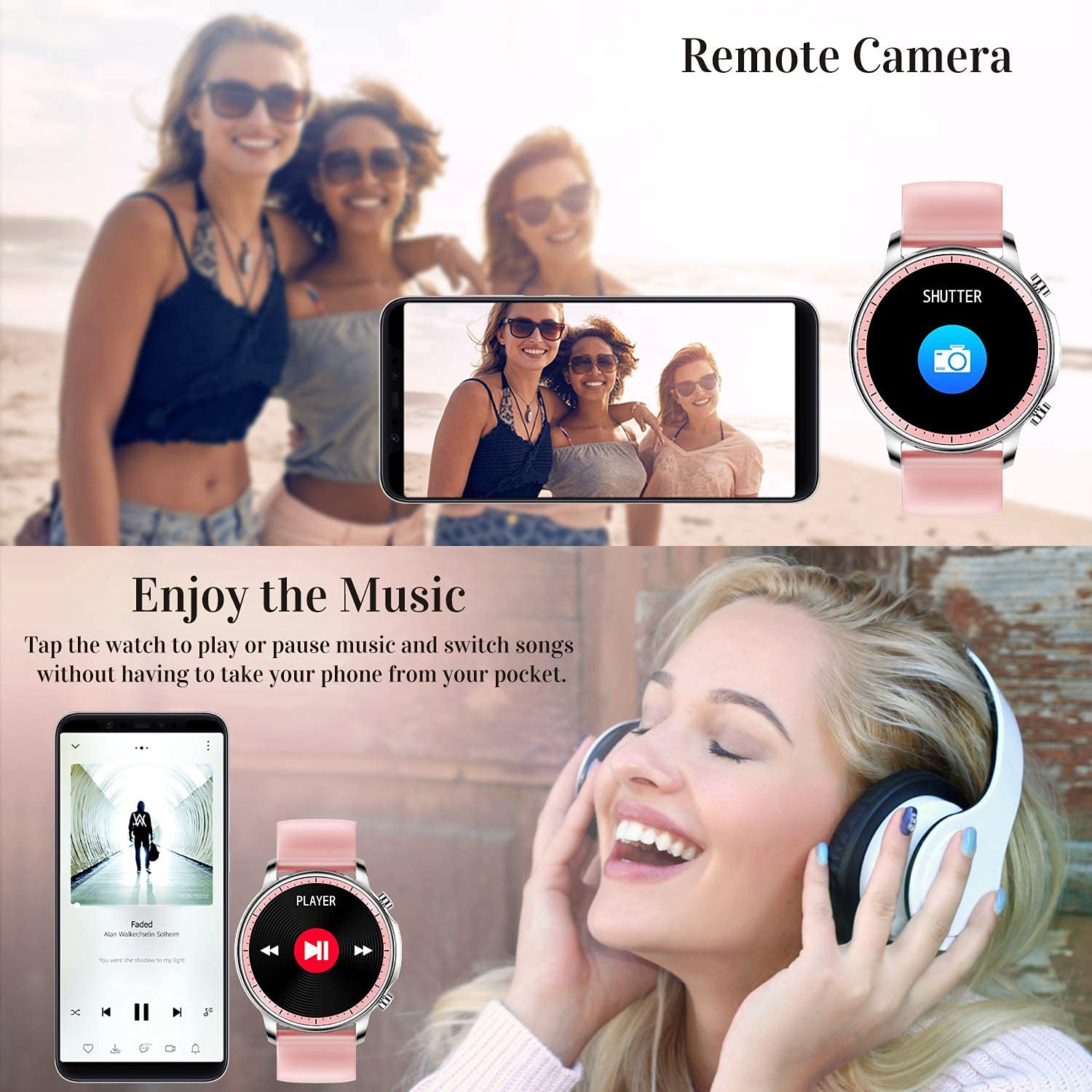
Figure 5.2: Customizing Watch Faces
5.3 Pemberitahuan
Receive call, message, email, and app notifications directly on your smart watch. (Note: The watch cannot answer or make calls.)

Figure 5.3: Call and Message Reminders
5.4 Kawalan Muzik
Control music playback on your smartphone directly from your watch. Tap to play/pause or switch songs without needing to access your phone.
5.5 Kamera Jauh
Use your smart watch as a remote shutter for your smartphone camera. This feature allows you to take photos from a distance.

Figure 5.4: Remote Camera and Music Control
6. Ciri-ciri
6.1 Pemantauan Kesihatan
- Heart Rate (HR) Monitor: Sentiasa pantau kadar denyutan jantung anda sepanjang hari.
- Blood Pressure (BP) Monitor: Provides blood pressure readings. (Refer to safety disclaimer in Section 2).
- Pemantau Oksigen Darah (SpO2): Mengukur tahap ketepuan oksigen darah.
- Penjejak Tidur: Records sleep information, including deep sleep, light sleep, and awake time, to help you understand your sleep patterns.
- Penjejakan Kesihatan Wanita: Offers features for tracking female health cycles.

Figure 6.1: Heart Rate and Blood Pressure Monitoring

Rajah 6.2: Pemantauan Tidur Pintar
6.2 Pengesanan Aktiviti
The smart watch offers 7 data record modes to track various sports activities:
- berjalan
- Berlari
- Berbasikal
- Bola keranjang
- bola sepak
- Badminton
- Melangkau
This feature helps you monitor your exercise data and gain insights into your fitness levels.

Figure 6.3: Smart Watch Functions Overview
6.3 Peringatan Pintar
- Peringatan Sedentari: Reminds you to move and stay active after periods of inactivity.
- Jam loceng: Tetapkan penggera terus pada jam tangan anda.
6.4 Fungsi Lain
- Jam randik
- Fun Game
7. Penyelenggaraan
7.1 Tahan Air
The ENHANCE Colmi V23 Smart Watch is IP68 waterproof, making it resistant to daily wet conditions such as hand washing or light rain. Avoid prolonged submersion in water, hot water, or steam, and do not operate buttons underwater.
7.2 Pembersihan
Lap jam tangan dan tali dengan kerap menggunakan kain lembut dan kering. Jika perlu, gunakan sedikit kainamp kain dan kemudian keringkan dengan teliti. Elakkan menggunakan bahan kimia yang keras atau bahan yang melelas.
7.3 Penjagaan Bateri
To prolong battery life, avoid fully discharging the battery frequently. Charge the watch when the battery level is low. Store the watch in a cool, dry place when not in use for extended periods.
8. Penyelesaian masalah
- Tonton tidak dihidupkan: Pastikan jam tangan dicas sepenuhnya. Sambungkannya ke pengecas selama sekurang-kurangnya 30 minit.
- Jam tangan tidak dipasangkan dengan telefon: Make sure Bluetooth is enabled on your phone and the watch is within range. Restart both the watch and your phone, then try pairing again through the Da Fit app.
- Data kesihatan tidak tepat: Ensure the watch is worn snugly on your wrist, not too tight or too loose. Clean the sensor on the back of the watch. Remember, this device is not a medical instrument.
- Pemberitahuan tidak muncul: Check notification settings in the Da Fit app and your phone's system settings to ensure permissions are granted for the app to display notifications.
9. Spesifikasi
| Jenama | MENINGKATKAN |
| Model | V23 Smart watch |
| Dimensi Produk | 1.03 x 2 x 4.15 cm |
| Berat Barang | 42 g |
| Saiz Skrin | 1.3 Inci |
| Resolusi | 240 x 230 |
| Jenis Paparan | LCD Digital |
| Kapasiti Bateri | 200 mAh (Lithium Polimer) |
| Kaedah Pengecasan | Magnetic Wire Charging |
| Jenis Wayarles | Bluetooth |
| Peranti Serasi | Mobile Phone (Android 4.0+ & iOS 9.0+) |
| Sistem Operasi | Android & iOS |
| Tahan Air | IP68 |
| bahan | plastik |
10. Waranti dan Sokongan
For warranty information and customer support, please refer to the documentation included with your product or contact ENHANCE customer service. The included user manual contains details regarding warranty terms and contact information.


