pengenalan
This manual provides detailed instructions for the safe and efficient operation, maintenance, and troubleshooting of your BE COOL Air Cooler, Model BCP5AC2101F. Please read this manual thoroughly before using the appliance and keep it for future reference.
Arahan Keselamatan Penting
- Sentiasa pastikan perkakas diletakkan pada permukaan yang stabil dan rata.
- Jangan rendam perkakas, kord, atau palam ke dalam air atau cecair lain.
- Cabut plag perkakas daripada salur keluar kuasa sebelum membersihkan, mengisi atau melakukan sebarang penyelenggaraan.
- Jauhkan perkakas daripada kanak-kanak dan haiwan peliharaan.
- Do not block air inlets or outlets. Ensure adequate ventilation around the unit.
- Use only clean tap water in the water tank. Do not add any chemicals or additives.
- Jika kord kuasa rosak, ia mesti diganti oleh pengilang, ejen servisnya, atau orang yang berkelayakan yang serupa untuk mengelakkan bahaya.
- Perkakas ini adalah untuk kegunaan isi rumah dalam rumah sahaja.
Produk Selesaiview
Familiarize yourself with the components of your BE COOL Air Cooler.

Rajah 1: Depan view of the BE COOL Air Cooler, showing the main fan grille, water level indicator, and "BE COOL" logo.

Figure 2: Top control panel with buttons for Timer, Cool, Speed, and On/Off, along with indicator lights.

Figure 3: Diagram illustrating key features: integrated dust filter, timer function, and remote control operation.
Persediaan
1. Membongkar
Carefully remove the air cooler from its packaging. Retain the packaging for future storage or transport.
2. Memasang Roda
The appliance comes with 4 castor wheels for easy mobility. Insert each wheel into the designated slots at the bottom of the unit until they click securely into place.
3. Mengisi Tangki Air
The BE COOL Air Cooler features a 5-liter water tank. For cooling and humidifying functions, the tank must be filled with water.
- Pastikan perkakas dicabut dari salur keluar kuasa.
- Locate the water tank opening, typically at the bottom rear or side of the unit.
- Carefully pour clean tap water into the tank. Do not exceed the "MAX" fill line indicated on the water level indicator.
- For enhanced cooling, you may add ice packs (not included) to the water tank if available.
- Close the water tank opening securely.
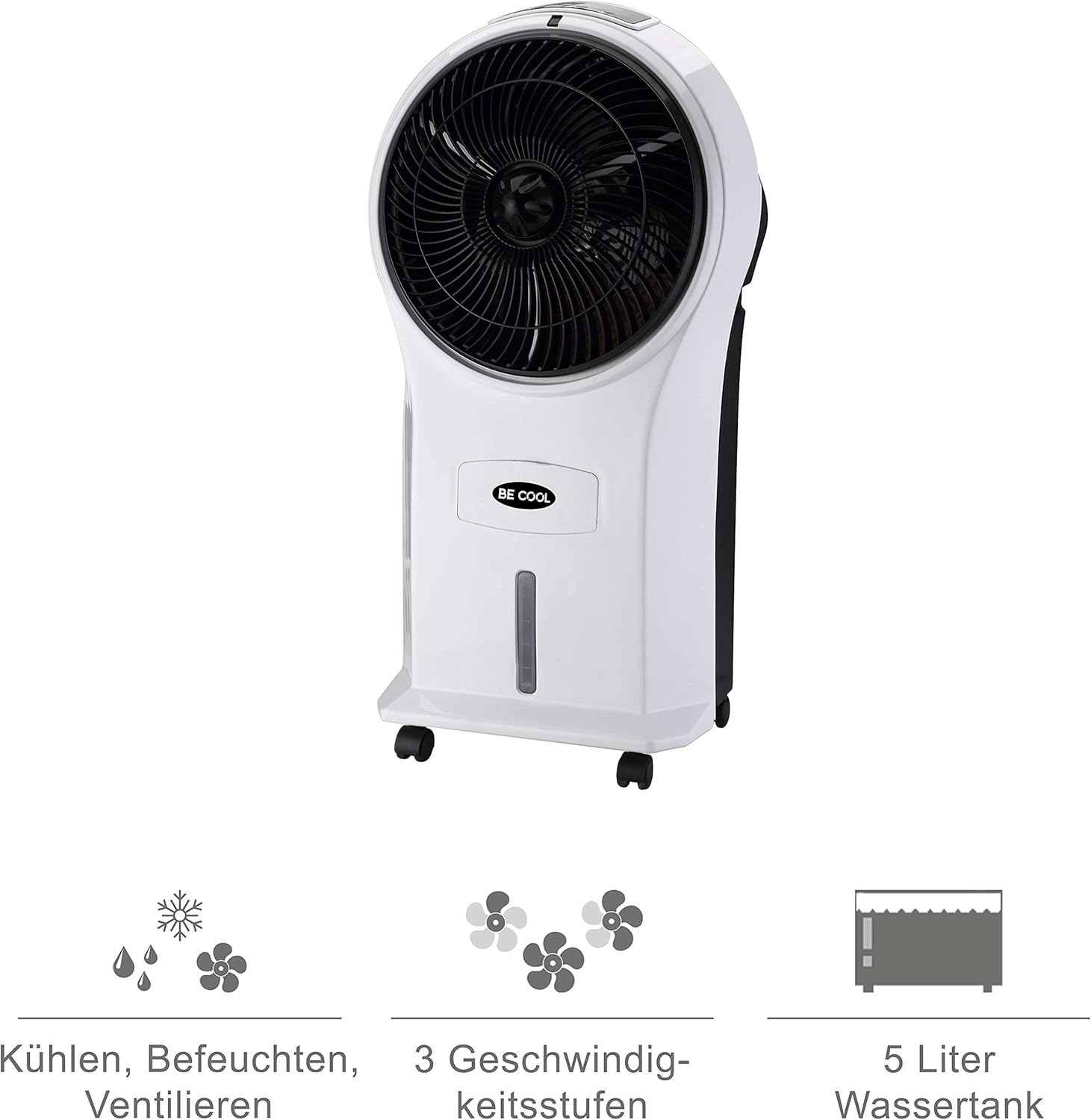
Figure 4: Visual representation of the 3-in-1 functions (cooling, humidifying, ventilating), 3 speed levels, and the 5-liter water tank capacity.
Arahan Operasi
1. Hidupkan/Mati Kuasa
Pasangkan kord kuasa ke soket elektrik yang sesuai. Tekan Hidup/Mati butang pada panel kawalan atau alat kawalan jauh untuk menghidupkan atau mematikan unit.
2. Melaraskan Kelajuan Kipas
Tekan ke Kelajuan button repeatedly to cycle through the three available fan speeds: Low, Medium, and High. The corresponding indicator light will illuminate.
3. Cooling and Humidifying Function
To activate the cooling and humidifying function, ensure the water tank is filled. Press the Sejuk button. The unit will begin to draw water from the tank to cool and humidify the air. This function can reduce room temperature by up to 8°C.
4. Fungsi Pemasa
The air cooler features a 7-hour timer. Press the Pemasa button repeatedly to set the desired operating time in increments (e.g., 1 hour, 2 hours, 4 hours, up to 7 hours). The unit will automatically turn off once the set time has elapsed.
5. Penggunaan Alat Kawalan Jauh
The included remote control allows for convenient operation from a distance. Ensure the remote control has batteries installed (batteries not included). Point the remote control towards the front of the air cooler when operating.
6. Air Purification
The integrated filter helps to purify the air by trapping dust, pollen, mites, bacteria, and unpleasant odors, contributing to a cleaner indoor environment.

Figure 5: The BE COOL Air Cooler positioned in a bedroom, demonstrating its compact size and portability.

Figure 6: The BE COOL Air Cooler in an office environment, highlighting its suitability for various indoor spaces.
Penyelenggaraan
Penyelenggaraan berkala memastikan prestasi optimum dan jangka hayat penyejuk udara anda.
1. Membersihkan Penapis Udara
The air filter should be cleaned regularly, especially if the unit is used frequently or in dusty environments.
- Cabut plag perkakas daripada salur keluar kuasa.
- Locate and remove the air filter, usually found at the back of the unit.
- Gently clean the filter with a soft brush or vacuum cleaner to remove dust. For deeper cleaning, rinse with lukewarm water and mild detergent.
- Benarkan penuras kering sepenuhnya sebelum memasukkannya semula ke dalam unit.
2. Membersihkan Tangki Air
To prevent mold and mildew growth, clean the water tank weekly or as needed.
- Unplug the appliance and empty any remaining water from the tank.
- Lap bahagian dalam tangki dengan kain lembut dampdisalut dengan larutan detergen lembut.
- Bilas tangki dengan teliti menggunakan air bersih untuk membuang sebarang sisa detergen.
- Biarkan tangki kering sepenuhnya sebelum mengisi semula atau menyimpan unit.
3. Pembersihan Luaran
Lap bahagian luar unit dengan lembut, damp kain. Jangan gunakan pembersih atau pelarut yang melelas.
4. Penyimpanan
If storing the air cooler for an extended period, ensure the water tank is empty and clean, and the unit is dry. Store it in a cool, dry place, preferably in its original packaging.
Menyelesaikan masalah
Rujuk bahagian ini untuk isu biasa dan penyelesaiannya.
| Masalah | Kemungkinan Punca | Penyelesaian |
|---|---|---|
| Unit tidak dihidupkan. | Tiada bekalan kuasa; Butang kuasa tidak ditekan. | Check if the power cord is securely plugged in. Press the On/Off button. |
| Tiada kesan penyejukan. | Water tank empty; Cool function not activated. | Fill the water tank. Press the Cool button. |
| Aliran udara yang lemah. | Air filter clogged; Fan speed set too low. | Clean the air filter. Increase the fan speed. |
| Bau yang tidak menyenangkan. | Stagnant water in tank; Dirty filter. | Empty and clean the water tank. Clean or replace the air filter. |
| Alat kawalan jauh tidak berfungsi. | Bateri mati atau salah dimasukkan; Halangan antara alat kawalan jauh dan unit. | Replace batteries. Ensure no obstructions and point directly at the unit. |
Spesifikasi
- model: BCP5AC2101F
- Jenis: 3-in-1 Evaporative Air Cooler (Cooler, Humidifier, Fan)
- Penggunaan Kuasa: 45 Watt
- Kapasiti Aliran Udara: 17.5 cubic meters per minute (1050 m³/h)
- Kapasiti Tangki Air: 5 Liter
- Kelajuan Kipas: 3 (Rendah, Sederhana, Tinggi)
- Pemasa: Sehingga 7 jam
- Jenis Kawalan: Remote Control, Manual Buttons
- Dimensi (L x W x H): 31.5 x 27 x 61 cm (12.4 x 10.6 x 24 inci)
- Berat: 2.9 Kilogram (6.4 lbs)
- warna: Putih/Hitam
- Komponen yang Disertakan: Main unit, Remote control, 4 Castor wheels
Waranti dan Sokongan
For warranty information or technical support, please refer to the warranty card included with your purchase or contact Be Cool customer service. Keep your proof of purchase for warranty claims.
For further assistance, you may visit the official Be Cool store on Amazon: Be Cool Store


