pengenalan
This manual provides essential information for the safe and efficient use of your Cecotec EnergySilence 3000 Pro Industrial Fan. Please read these instructions carefully before operating the appliance and retain them for future reference.
Ciri-ciri Utama
- Professional-grade fan with maximum power for high airflow.
- AirFlow3 Pro system with 3 metal blades (40 cm / 16 inches diameter) for efficient fresh air distribution.
- EnergySilence Technology for immediate fresh air with maximum quietness and comfort.
- CopperEngine: High-efficiency 100% copper motor for reliability and durability, including ThermoSafe safety system.
- 3Speed Function: Select from low, medium, or high operating speeds.
- TotalControl: Adjustable tilt for customized airflow direction.
- Comprehensive SecuritySystem: Safety grille preventing access to blades and a highly stable base.
- High-quality metallic finishes suitable for industrial, commercial, and outdoor environments.

Rajah 1: Depan view of the Cecotec EnergySilence 3000 Pro Industrial Fan.
This image shows the Cecotec EnergySilence 3000 Pro Industrial Fan from the front, highlighting its robust metal construction and three large blades. The central Cecotec logo is visible on the fan's hub.
Arahan Keselamatan Penting
Untuk mengurangkan risiko kebakaran, kejutan elektrik atau kecederaan, sentiasa ikuti langkah berjaga-jaga keselamatan asas ini:
- Baca semua arahan sebelum menggunakan kipas.
- Pastikan voltage indicated on the fan's rating label matches your local power supply.
- Jangan kendalikan kipas dengan kord atau palam yang rosak. Jika rosak, hubungi kakitangan servis yang berkelayakan.
- Keep fingers, pencils, or any other objects out of the fan grille when it is operating.
- Cabut plag kipas dari soket apabila tidak digunakan, apabila mengalihkannya dari satu lokasi ke lokasi lain dan sebelum membersihkan.
- Do not use the fan near a window, as rain may create an electrical hazard.
- Jangan rendamkan kipas di dalam air atau sebarang cecair lain.
- Perkakas ini tidak dimaksudkan untuk digunakan oleh orang (termasuk kanak-kanak) yang kurang keupayaan fizikal, deria atau mental, atau kurang pengalaman dan pengetahuan, melainkan mereka telah diberi pengawasan atau arahan mengenai penggunaan perkakas oleh orang yang bertanggungjawab untuk keselamatan mereka.
- Kanak-kanak harus diawasi untuk memastikan bahawa mereka tidak bermain dengan perkakas.
- The fan complies with current safety and environmental protection regulations.

Figure 2: Fan in a typical living room environment.
The fan is positioned on the floor in a modern living room, demonstrating its compact size and how it blends into a home environment. A person is seated on a sofa in the background.
Komponen Produk
The Cecotec EnergySilence 3000 Pro Industrial Fan typically includes the following main components:
- Fan Body (with motor and blades)
- Front Safety Grille
- Rear Safety Grille
- Control Dial (for speed selection)
- Stable Base/Stand
- Kord Kuasa
- Manual Pengguna

Figure 3: Close-up of fan motor and blades.
This detailed shot focuses on the fan's internal components, showing the robust motor housing and the metal blades behind the protective grille, emphasizing the CopperEngine technology.
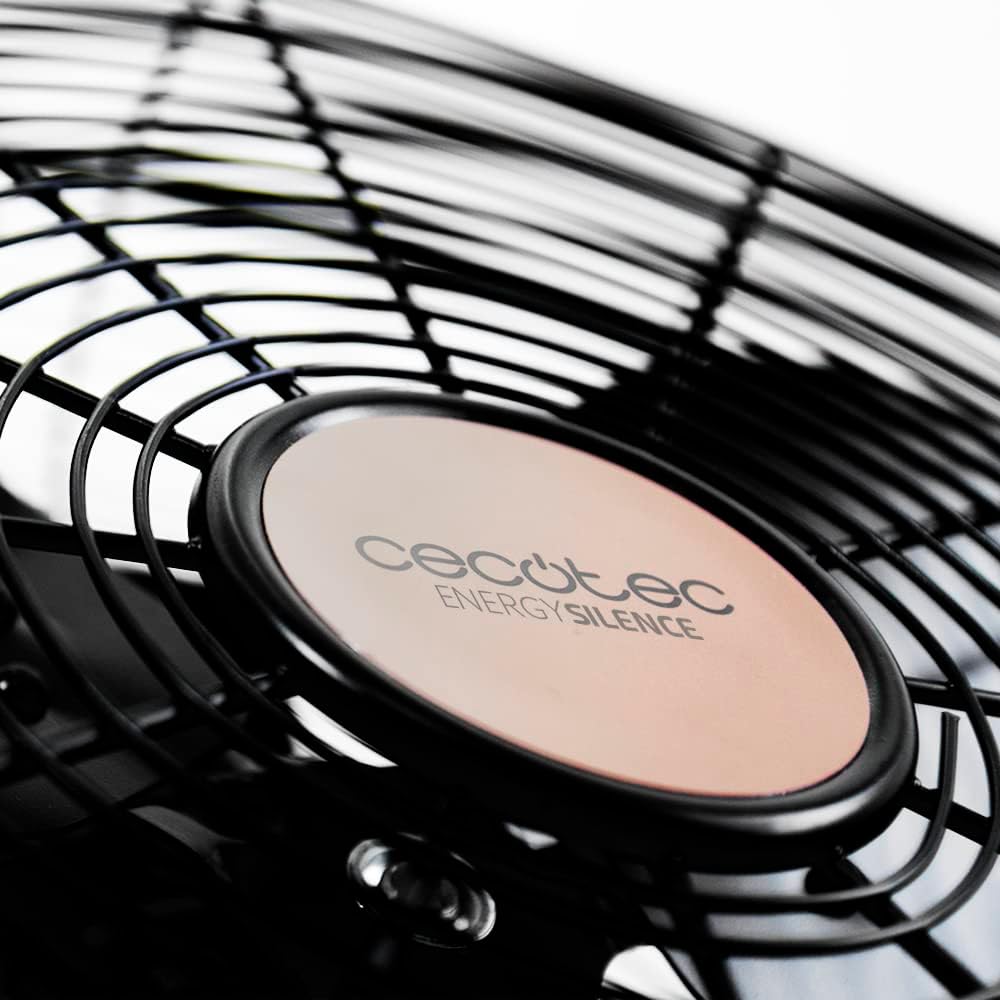
Figure 4: Cecotec EnergySilence logo on the fan hub.
Satu jarak dekat view of the fan's central hub, featuring the "Cecotec EnergySilence" branding, highlighting the product's design and brand identity.
Persediaan dan Perhimpunan
The Cecotec EnergySilence 3000 Pro Industrial Fan comes largely pre-assembled. Follow these steps for initial setup:
- Membongkar: Carefully remove the fan from its packaging. Retain packaging materials for future storage or transport.
- penempatan: Place the fan on a flat, stable, and dry surface. Ensure there is adequate space around the fan for proper air circulation and to prevent obstruction of the grilles.
- Sambungan Kuasa: Plug the power cord into a suitable electrical outlet. Ensure the outlet voltage matches the fan's requirements.
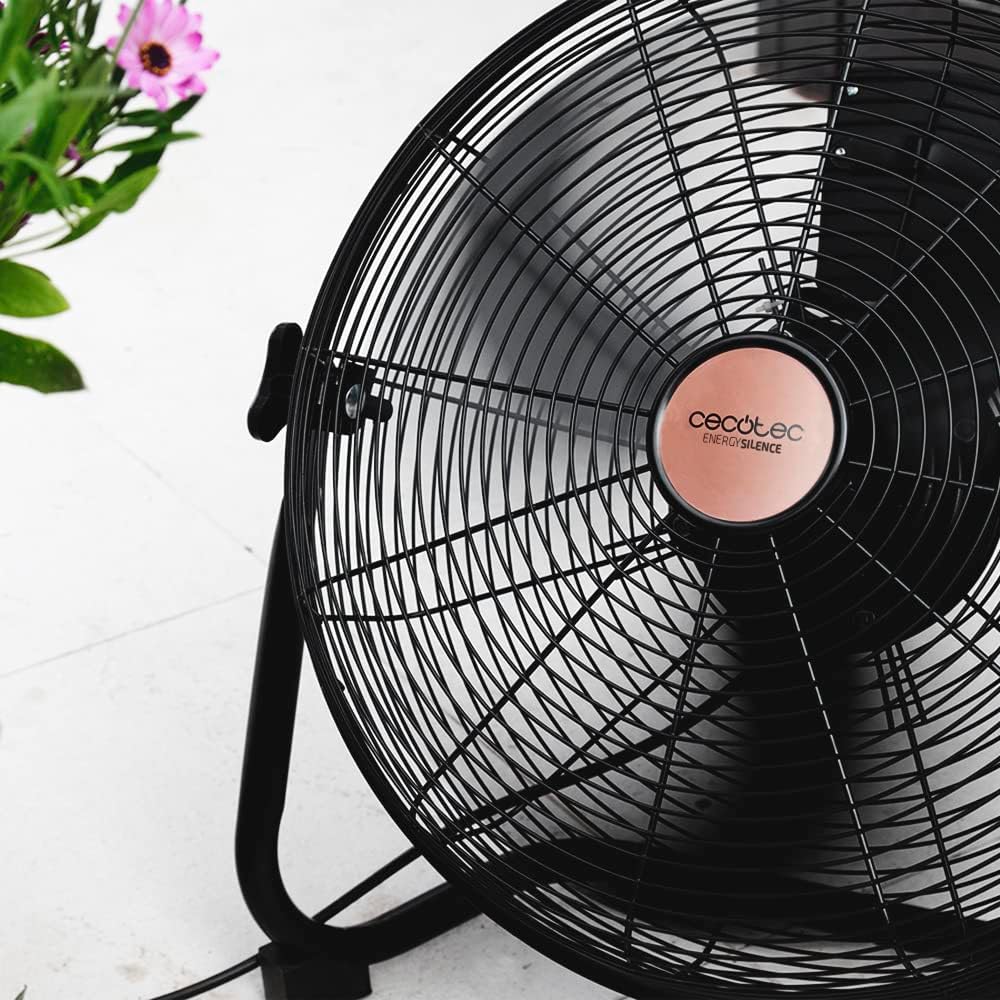
Figure 5: Fan showing its stable base.
Imej ini menyediakan a view of the fan from a low angle, emphasizing the sturdy and stable design of its base, which ensures secure placement during operation.
Arahan Operasi
Menghidupkan/Mematikan
To turn the fan on, rotate the control dial located on the fan body from the "0" (Off) position to your desired speed setting. To turn the fan off, rotate the dial back to "0".
Kawalan Kelajuan
The fan features 3 speed settings:
- V1 (Low): For gentle air circulation.
- V2 (Medium): Untuk aliran udara yang sederhana.
- V3 (High): For maximum air circulation.
Rotate the control dial to select the appropriate speed for your needs.

Figure 6: Adjusting the fan speed.
This image shows a hand turning the rotary dial on the fan, illustrating how to select between the different speed settings (V1, V2, V3) and the off position (0).
Melaraskan Kecondongan
The fan's head can be tilted to direct airflow. Gently push or pull the fan head to adjust its angle. Ensure the fan is stable after adjustment.

Figure 7: Fan on a wooden desk.
The fan is shown on a wooden desk, demonstrating its suitability for various environments, including home offices, and its ability to be placed on elevated surfaces.
Penyelenggaraan dan Penjagaan
Pembersihan dan penjagaan yang betul secara berkala akan memastikan jangka hayat dan prestasi optimum kipas anda.
Pembersihan
- Sentiasa cabut plag kipas daripada salur keluar kuasa sebelum dibersihkan.
- Gunakan yang lembut, damp kain untuk mengelap permukaan luar kipas. Jangan gunakan pembersih atau pelarut yang melelas.
- For dust accumulation on the grilles or blades, use a vacuum cleaner with a brush attachment or compressed air. Do not attempt to remove the grilles or blades unless specifically instructed by the manufacturer.
- Pastikan semua bahagian kering sepenuhnya sebelum memasang semula kipas.
Penyimpanan
Apabila tidak digunakan untuk tempoh yang lama, simpan kipas di tempat yang sejuk dan kering, sebaik-baiknya dalam pembungkusan asalnya, untuk melindunginya daripada habuk dan kerosakan.
Menyelesaikan masalah
If you encounter any issues with your Cecotec EnergySilence 3000 Pro Industrial Fan, refer to the table below for common problems and their solutions.
| Masalah | Kemungkinan Punca | Penyelesaian |
|---|---|---|
| Kipas tidak dihidupkan. | Not plugged in; Power outlet not working; Speed dial set to "0". | Ensure fan is securely plugged in; Test outlet with another device; Rotate speed dial to V1, V2, or V3. |
| Aliran udara yang lemah. | Fan speed too low; Grilles or blades are dirty. | Increase fan speed; Clean grilles and blades as per maintenance instructions. |
| Bunyi yang tidak biasa. | Fan not on a stable surface; Obstruction in blades/grille. | Place fan on a firm, level surface; Unplug and check for obstructions, remove if safe. |
| Kipas berhenti secara tiba-tiba. | Overheating (ThermoSafe system activated); Power interruption. | Unplug and let cool down for 30 minutes; Check power supply. |
Spesifikasi Teknikal
| Ciri | Spesifikasi |
|---|---|
| Model | EnergySilence 3000 Pro (05933) |
| kuasa | 90W |
| Diameter Bilah | 40 cm / 16 inci |
| Bilangan Bilah | 3 (Metal) |
| Jenis Motor | 100% Copper Engine |
| Tetapan Kelajuan | 3 (Rendah, Sederhana, Tinggi) |
| Dimensi Produk | 47.3 x 19.5 x 47.5 cm |
| Berat Produk | 1 Kilogram |
| Selesai | metalik |
| Tahap Kebisingan | 1 dB |
Waranti dan Sokongan
Your Cecotec EnergySilence 3000 Pro Industrial Fan comes with a manufacturer's warranty. Please refer to the warranty card included in your product packaging for specific terms and conditions.
For technical support, spare parts, or warranty claims, please contact Cecotec customer service through their official webtapak atau maklumat hubungan yang diberikan dalam dokumentasi produk anda.
You can also visit the official Cecotec store on Amazon for more information: Kedai Amazon Cecotec.


