1. Produk Lebihview
The Yaheetech Mesh Office Desk Chair is an ergonomic task chair designed for comfort and support during extended periods of use. It features adjustable lumbar support, a breathable mesh back, and a high-density foam padded seat. This manual provides detailed instructions for assembly, operation, and maintenance to ensure optimal performance and longevity of your chair.

Figure 1: Yaheetech Mesh Office Desk Chair (Purple)
2. Maklumat Keselamatan Penting
- Jangan berdiri di atas kerusi.
- Pastikan semua skru dan bolt diketatkan dengan selamat sebelum digunakan.
- Allow a ±1.5cm/0.6'' measurement tolerance during assembly.
- Kapasiti berat maksimum: 300 paun (136 kg). Jangan melebihi had ini.
- Jauhkan kanak-kanak daripada bahagian kecil semasa pemasangan.
3. Komponen Produk
Before beginning assembly, verify that all components are present and undamaged. Refer to the list below and the provided diagram.
- Mesh Backrest with Lumbar Support (A)
- Padded Seat Cushion (B)
- Armrests (C) - 2 pieces
- Mechanism Plate (E)
- Star Base (F)
- Gas Lift Cylinder (G)
- Casters (H) - 5 pieces
- Gas Lift Cover (I)
- Screws (J, K) and Hex Wrench

Figure 2: Chair Dimensions and Key Components
4. Arahan Perhimpunan
For a visual guide, please refer to the official installation video provided by Yaheetech.
Video 1: Yaheetech Office Desk Chair Installation Guide. This video provides a step-by-step visual walkthrough of the assembly process for the office chair.
Perhimpunan Langkah demi Langkah:
- Pasang Kastor ke Pangkalan Bintang: Insert the five casters (H) into the openings at the end of each leg of the star base (F). Push firmly until they click into place.
- Masukkan Pengangkat Gas: Place the gas lift cylinder (G) into the center hole of the star base (F). Cover it with the gas lift cover (I).
- Pasangkan Tempat Letak Tangan pada Tempat Letak Belakang: Secure the armrests (C) to the mesh backrest (A) using the appropriate screws (K) and the provided hex wrench. Ensure they are firmly attached.
- Attach Backrest Assembly to Seat Cushion: Align the armrests and backrest assembly (A+C) with the corresponding holes on the underside of the seat cushion (B). Use screws (K) to secure them.
- Attach Mechanism Plate to Seat Cushion: Position the mechanism plate (E) on the underside of the seat cushion (B), ensuring the "FRONT" label on the plate aligns with the front of the seat. Secure it with screws (J).
- Sambungkan Pemasangan Tempat Duduk ke Lif Gas: Carefully place the assembled seat (B+C+E) onto the gas lift cylinder (G) protruding from the star base. Press down firmly to ensure a secure connection.
Once assembled, test all functions and ensure stability before regular use.
5. Arahan Operasi
Kerusi pejabat Yaheetech anda menawarkan beberapa ciri boleh laras untuk keselesaan peribadi.
5.1. Pelarasan Ketinggian Tempat Duduk
To adjust the seat height, locate the lever beneath the seat on the right side. While seated, pull the lever upwards to lower the seat. To raise the seat, lift your weight off the chair and pull the lever upwards. Release the lever at your desired height.
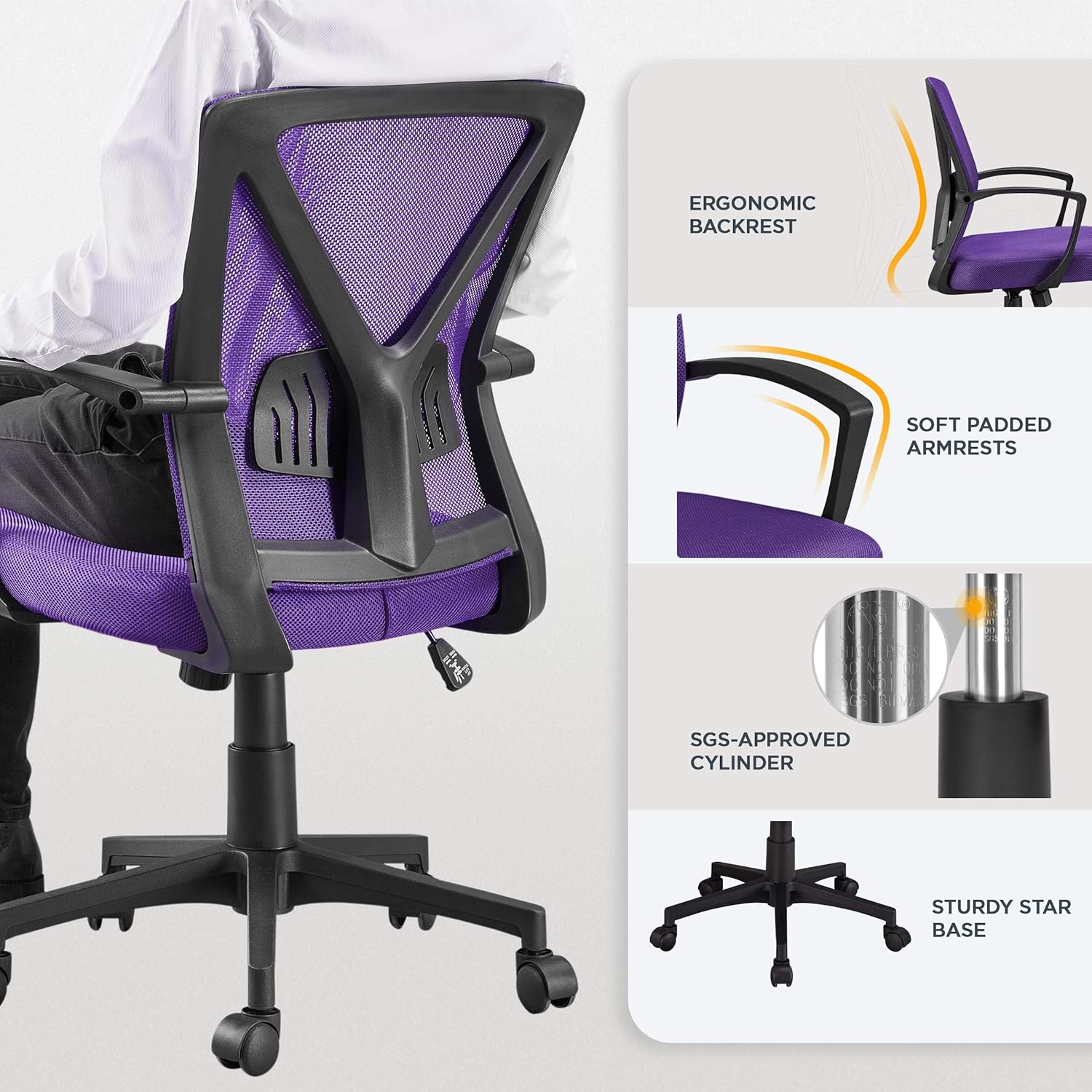
Figure 3: Seat Height and Reclining Controls
5.2. Back Height and Lumbar Support Adjustment
The backrest's lumbar support area can be positioned within a fixed range to provide customized support to your lower back. This feature helps alleviate pressure on your spine.

Figure 4: Adjustable Lumbar Support Detail
5.3. Center-Tilt Tension and Rocking Motion
Adjust the tilt tension by turning the knob located beneath the seat. Turn clockwise to tighten the tension (making it harder to recline) and counter-clockwise to loosen it (allowing easier recline). The chair supports a rocking motion between 90° and 105°.
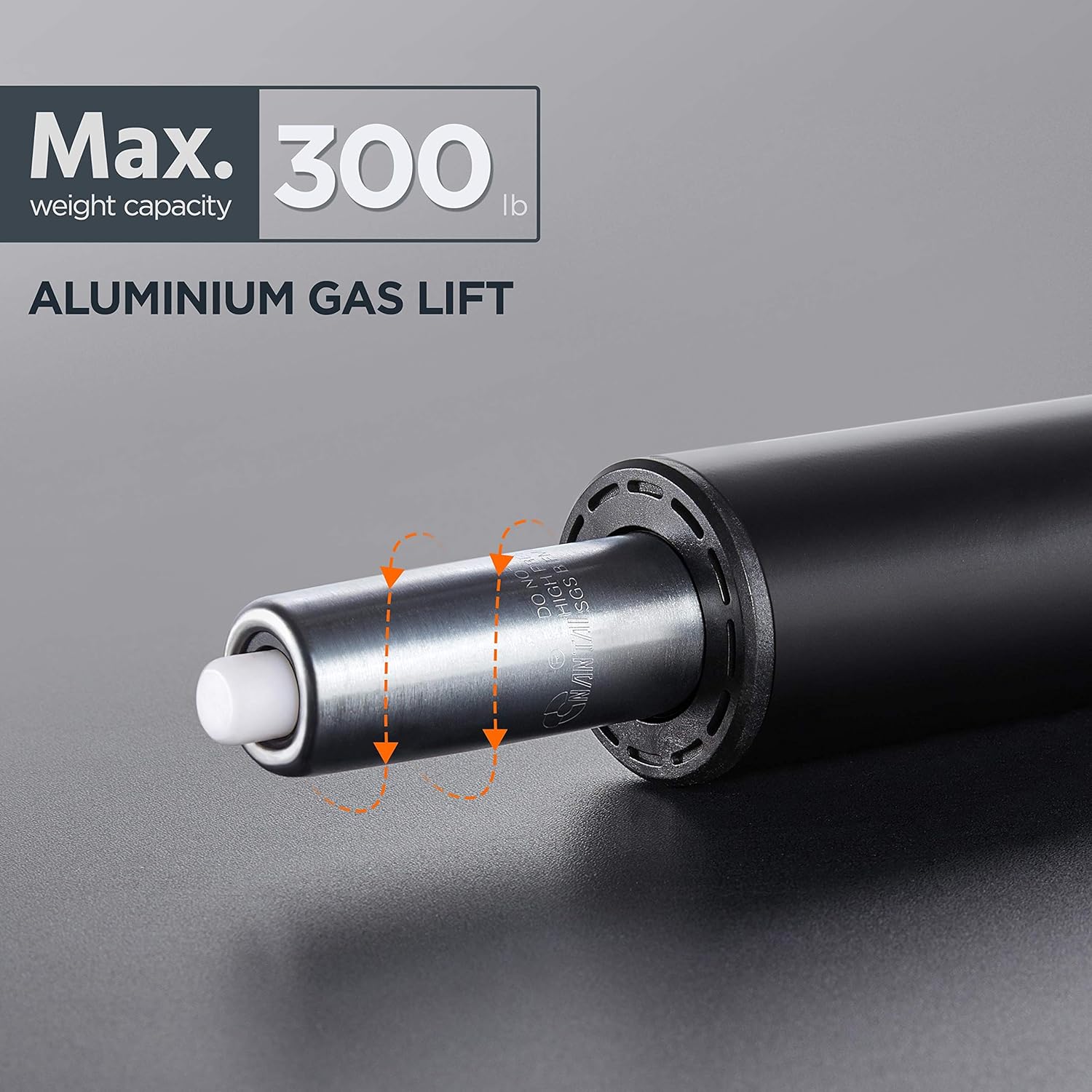
Figure 5: Rocking Motion and Tension Control
5.4. 360° Swivel and Mobility
The chair features a 360° swivel function and smooth-rolling casters on its nylon base, allowing for easy movement and rotation across various floor surfaces.
Video 2: Yaheetech Mesh Office Chair Features. This video highlights various features of the chair, including its mobility and ergonomic design.
6. Penyelenggaraan dan Penjagaan
To maintain the appearance and functionality of your chair, follow these simple care instructions:
- Pembersihan: Lap bersih dengan iklanamp kain. Elakkan bahan kimia yang keras atau pembersih yang kasar.
- Pemeriksaan biasa: Periksa semua skru dan bolt secara berkala untuk memastikan ia kekal ketat. Ketatkan semula jika perlu.
- Penjagaan Kastor: Pastikan roda bebas daripada serpihan (rambut, habuk, dll.) untuk memastikan penggelekkan yang lancar.
- Elakkan Cahaya Matahari Terus: Prolonged exposure to direct sunlight may cause fading of the mesh and fabric.
7. Penyelesaian masalah
Jika anda menghadapi sebarang masalah dengan kerusi anda, rujuk petua penyelesaian masalah biasa berikut:
| Masalah | Kemungkinan Punca | Penyelesaian |
|---|---|---|
| Kerusi bergoyang atau berasa tidak stabil | Skru longgar atau pemasangan tidak rata. | Check and tighten all screws. Ensure the chair is assembled correctly according to the manual. |
| Pelarasan ketinggian tidak berfungsi | Gas lift issue or lever malfunction. | Ensure the lever is fully engaged. If the issue persists, the gas lift may need replacement. |
| Roda tidak bergolek dengan lancar | Serpihan terperangkap dalam kastor atau kastor yang rosak. | Clean any debris from the casters. If damaged, consider replacing them. |
| Chair squeaks | Sambungan longgar atau geseran antara bahagian. | Tighten all screws. Apply a small amount of lubricant to moving parts if necessary. |
8. Spesifikasi Produk
- Jenama: Yaheetech
- Nama Model: Kerusi Pejabat
- Nombor Model Item: YT-0010373601
- warna: Ungu
- gaya: moden
- Dimensi Produk: 23.5"D x 23"W x 39.5"H
- Pelarasan Ketinggian Tempat Duduk: 17.7''-21.7'' (45-55cm)
- Saran Maksimum Berat: 300 paun (136 kg)
- Bahan: Mesh, High-Density Foam, Nylon Base, Steel Gas Spring
- Ciri Khas: Adjustable Height, Ergonomic, Arm Rest, Lumbar Support, Tilting
- Pergerakan Asas Perabot: Pusing
- Berat Barang: 18.9 paun
- Negara Asal: China
9. Waranti dan Sokongan
Yaheetech offers protection plans for your product. For detailed information regarding warranty coverage and to purchase extended protection plans, please visit the product page on Amazon or contact Yaheetech customer service.
Sokongan Pelanggan: For any questions, concerns, or assistance with your Yaheetech product, please visit the Kedai Yaheetech di Amazon or refer to the contact information provided with your purchase documentation.
Manual Pemasangan rasmi (PDF) juga boleh dimuat turun: Muat turun Manual PDF


