1. Pengenalan
The ROCAM CR1009 Emergency Weather Radio is a versatile and essential device designed to keep you informed and safe during various situations, including power outages, natural disasters, and outdoor activities. This radio features multiple power sources, comprehensive weather alerts, and integrated lighting functions to provide reliable communication and illumination when traditional utilities may be unavailable.

Image: The ROCAM CR1009 radio is designed for portability and emergency preparedness.
2. Komponen Produk
Familiarize yourself with the key components of your ROCAM CR1009 radio:
- Paparan LCD: Large screen showing time, battery level, band, frequency, and alert status.
- Telescoping Antenna: Extendable antenna for improved radio signal reception.
- Engkol Tangan: Engkol boleh dilipat untuk penjanaan kuasa manual.
- Panel Suria: Panel bersepadu untuk pengecasan solar.
- Lampu suluh: Front-facing LED light with two brightness levels.
- Membaca Lamp: Top-mounted LED panel light with two brightness levels.
- Butang Kawalan: Power, Band, WX Alert, Volume (+/-), Tune (up/down), Lock, Set Time, Backlight.
- Port Output USB-A: For charging external devices (e.g., smartphones).
- Micro-USB Input Port: For charging the radio via DC adapter.
- Bicu Fon Kepala 3.5mm: Untuk mendengar secara peribadi.
- Kompartmen Bateri AAA: Located on the back for optional AAA battery power.
- Butang SOS: Activates an emergency siren and flashing red light.
- Carry Strap & Hang Buckle: For portability and secure attachment.

Image: The large digital LCD screen provides clear information at a glance.

Image: The 3.5mm headphone jack allows for private audio listening.
3. Sumber Kuasa
The ROCAM CR1009 radio offers five reliable ways to stay powered:
- Bateri Li-ion Boleh Dicas Semula 5000mAh: The primary internal power source, capable of powering the radio for extended periods and serving as a power bank for other devices.
- Panel Suria: Located on top of the radio, this panel can trickle-charge the internal battery when exposed to direct sunlight. Ideal for maintaining charge during prolonged outdoor use.
- Engkol Tangan: A manual dynamo crank on the side of the radio. Cranking generates power to charge the internal battery, providing an unlimited power source in emergencies.
- 3 x AAA Batteries: An optional backup power source. Insert three AAA batteries into the compartment on the back of the radio.
- DC Adapter (Micro-USB Input): For faster charging, connect the radio to a wall adapter (not included) using the provided Micro-USB cable.
The built-in 5000mAh power bank allows you to charge your mobile phone, tablet, or other USB-powered devices via the USB-A output port, making it a crucial tool for keeping your communication devices active during emergencies.

Image: The radio can charge external devices like smartphones.

Image: The 5000mAh battery provides substantial power for various functions.
4. Persediaan
4.1 Pengecasan Awal
Before first use, it is recommended to fully charge the internal Li-ion battery. Connect the provided Micro-USB cable to the radio's Micro-USB input port and plug the other end into a USB wall adapter (not included) or a computer USB port. The battery indicator on the LCD display will show charging progress.
4.2 Inserting AAA Batteries (Optional)
For an additional power backup, open the battery compartment on the back of the radio and insert three new AAA batteries, ensuring correct polarity (+/-). Close the compartment securely.
5. Arahan Operasi
5.1 Hidupkan/Mati Kuasa
Tekan ke KUASA butang untuk menghidupkan atau mematikan radio.
5.2 Radio Tuning (AM/FM/SW)
- Tekan ke BAND button to cycle through AM, FM, and Shortwave (SW) bands.
- Extend the telescoping antenna for optimal reception, especially for FM and SW.
- Gunakan TALA + dan LAGU - butang untuk melaraskan frekuensi secara manual.
- Laraskan kelantangan menggunakan VOL+ dan VOL - butang.
5.3 Amaran Cuaca NOAA
The radio is pre-programmed with 7 NOAA weather bands. To activate the weather alert function:
- Tekan ke WX ALERT button to enter Weather Band mode.
- When a weather alert is received, a loud warning siren will sound, and the "ALERT" icon on the LCD display will flash to notify you of hazardous weather conditions in your area.
- Tekan WX ALERT again to disable the alert function.
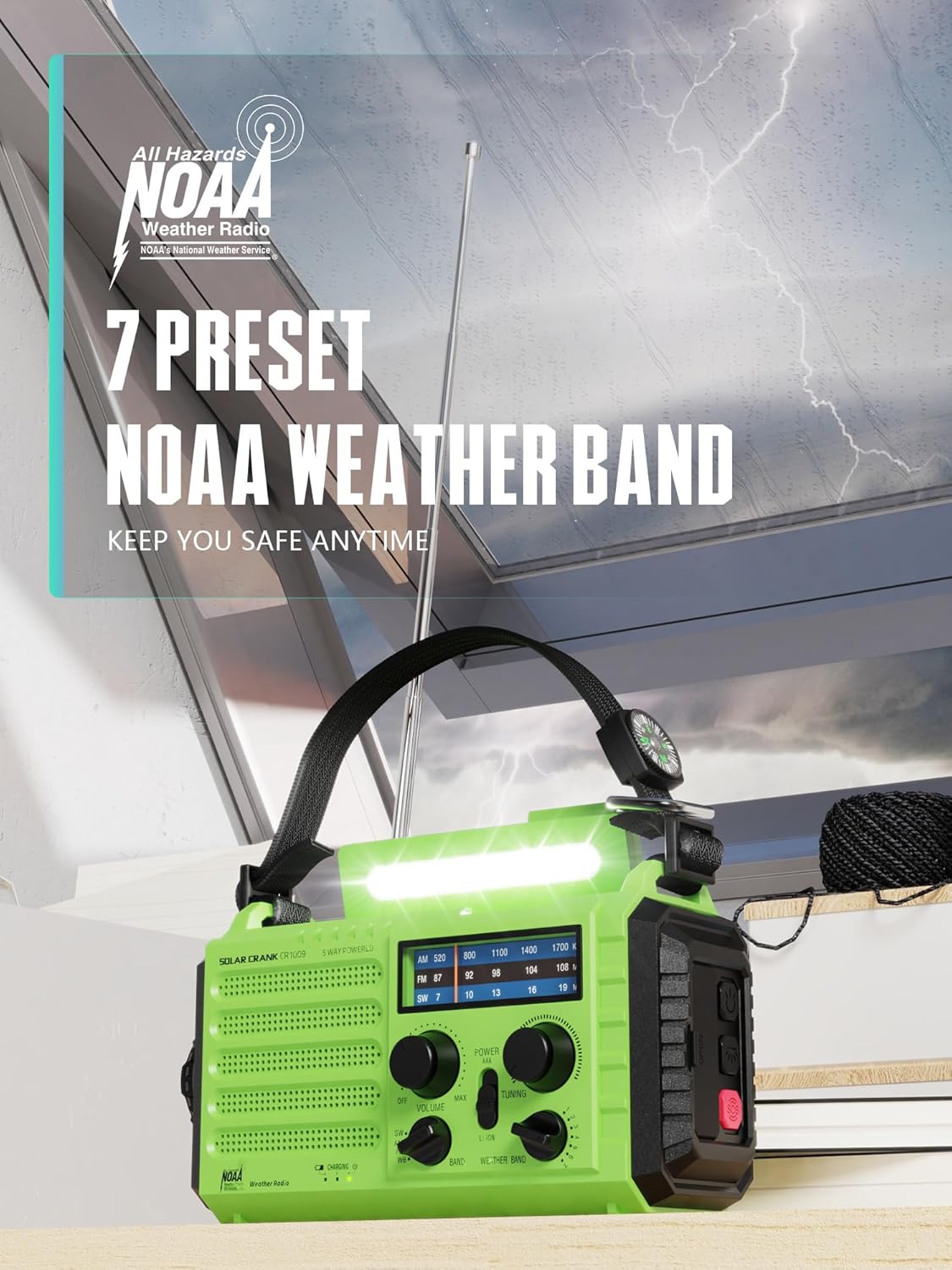
Image: The radio features 7 preset NOAA weather bands for comprehensive coverage.
5.4 Fungsi Pencahayaan
- Membaca Lamp: Flip up the top panel to reveal the reading lamp. Press the dedicated button (often labeled with a light icon) to toggle between two brightness levels.
- Lampu suluh: Press the flashlight button (usually on the side or front) to turn on the front-facing flashlight. Press again to cycle through two brightness levels.

Image: The radio provides both a reading lamp and a powerful flashlight for various lighting needs.
5.5 Fungsi SOS
Dalam keadaan kecemasan, tekan dan tahan SOS button (usually located on the side). This will activate a loud siren and a flashing red signal light to attract attention.
5.6 Mengecas Peranti Luaran
Connect your smartphone or other USB-powered device to the radio's USB-A output port using your device's charging cable. The radio's internal 5000mAh battery will begin charging your device.
6. Penyelenggaraan
- Pembersihan: Lap radio dengan lembut, damp kain. Jangan gunakan bahan kimia yang keras atau pembersih yang kasar.
- Storan: Store the radio in a cool, dry place away from direct sunlight and extreme temperatures. If storing for extended periods, ensure the internal battery is partially charged (around 50%) and recharge it every 3-6 months to maintain battery health.
- Tahan Air: The radio has an IPX3 water resistance rating, meaning it is protected against spraying water. Do not submerge the radio in water or expose it to heavy rain.
7. Penyelesaian masalah
| Masalah | Kemungkinan Punca | Penyelesaian |
|---|---|---|
| Radio tidak dihidupkan. | Low or depleted internal battery; AAA batteries (if used) are dead or incorrectly inserted. | Charge the internal battery via Micro-USB, hand crank, or solar panel. Replace AAA batteries if applicable and check polarity. |
| Penerimaan radio yang lemah. | Antenna not extended; weak signal in current location; interference. | Fully extend the telescoping antenna. Try moving to a different location, preferably outdoors or near a window. |
| NOAA Weather Alert not activating. | WX Alert function not enabled; no active alerts in your area; poor weather band signal. | Ensure WX Alert mode is active. Check local weather forecasts for active alerts. Extend antenna and try to improve signal. |
| External device not charging from radio. | Radio's internal battery is too low; incorrect cable or connection. | Ensure the radio's internal battery has sufficient charge. Use a compatible USB cable and ensure it is securely connected to the USB-A output port. |
8. Spesifikasi
- model: CR1009 / 1009 Pro
- Jenama: ROCAM
- Dimensi: 7.5"L x 3.5"W x 4.7"H
- Berat: Approximately 1.2 LB
- Sumber Kuasa: 5000mAh Li-ion Battery (rechargeable), Solar Panel, Hand Crank, 3 x AAA Batteries (not included), DC 5V Micro-USB Input
- Ketersambungan: USB (untuk mengecas peranti luaran)
- Teknologi Penala: FM, AM
- Pancaragam Radio Disokong: AM, FM, Shortwave (SW), NOAA Weather Band (7 preset channels)
- Ciri Khas: Solar Powered, Rechargeable, Emergency Weather Alert, Flashlight, Reading Lamp, SOS Siren, Power Bank, Headphone Jack, LCD Display, IPX3 Water Resistance.
- Komponen yang Disertakan: Radio, Micro-USB Charging Cable, Carry Strap, Hang Buckle.
9. Waranti dan Sokongan
ROCAM provides a 12-Months Replacement Warranty for your CR1009 Emergency Weather Radio. This warranty covers manufacturing defects and ensures your satisfaction with the product.
For any questions, technical support, or warranty claims, please contact ROCAM customer service. Refer to the product packaging or the ROCAM official webtapak untuk maklumat hubungan terkini.


