
1. Pengenalan
Terima kasih kerana membeliasing the QFX PBX-8080 Portable Bluetooth Speaker. This manual provides important information regarding the setup, operation, and maintenance of your device. Please read it thoroughly before use and retain it for future reference.
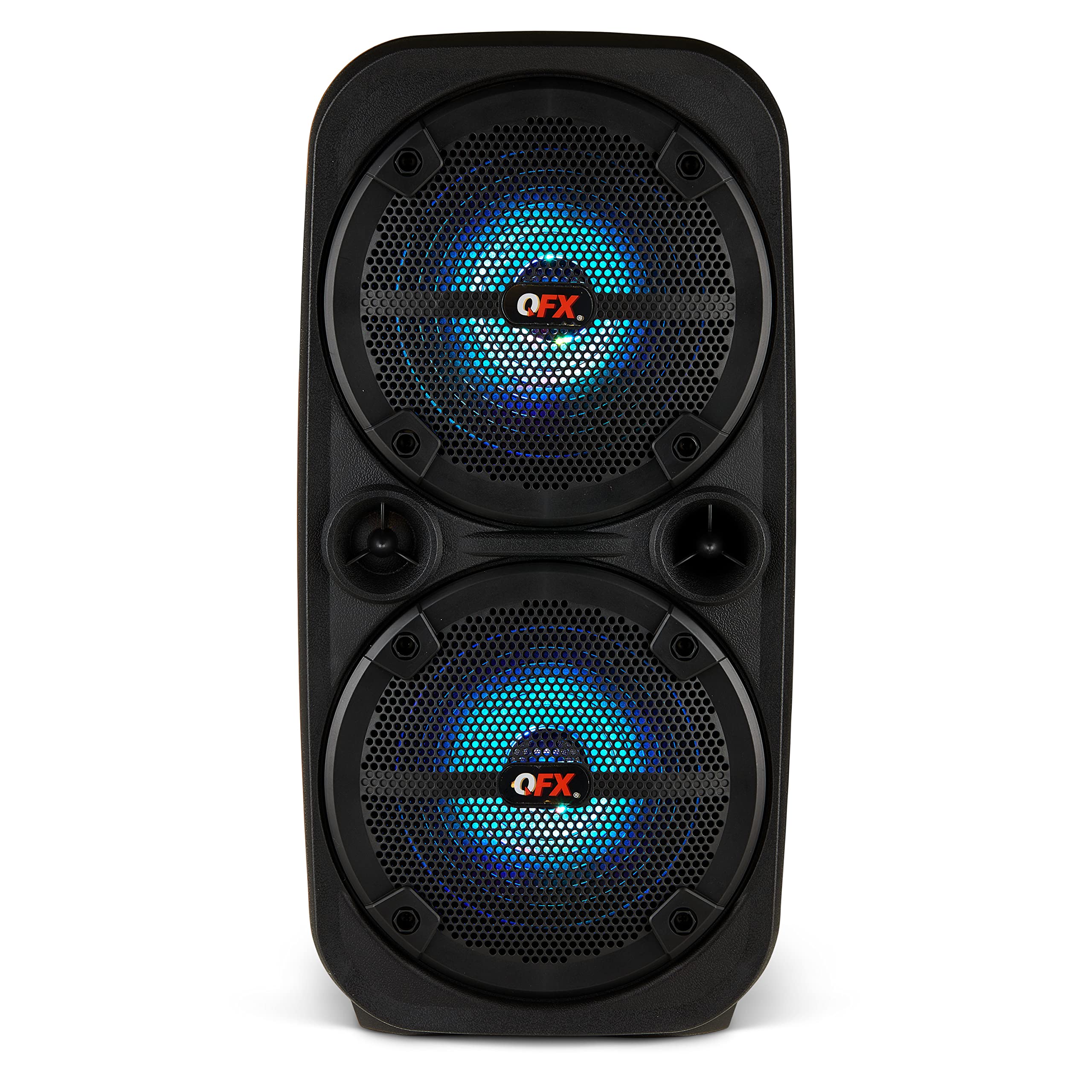
Imej 1.1: Depan view of the QFX PBX-8080 Portable Bluetooth Speaker. This image displays the speaker's robust design, featuring two 8-inch woofers, a central control panel, and illuminated LED party lights, indicating its readiness for use.
2. Arahan Keselamatan
- Baca Arahan: Baca semua arahan keselamatan dan pengendalian sebelum menggunakan produk ini.
- Kekalkan Arahan: Simpan arahan keselamatan dan pengendalian untuk rujukan masa hadapan.
- Perhatikan Amaran: Patuhi semua amaran pada produk dan dalam arahan pengendalian.
- Ikuti Arahan: Ikut semua arahan pengendalian dan penggunaan.
- Air dan Kelembapan: Jangan gunakan alat ini berhampiran air.
- Pembersihan: Bersihkan hanya dengan kain kering.
- Pengudaraan: Jangan sekat sebarang bukaan pengudaraan. Pasang mengikut arahan pengilang.
- haba: Jangan pasang berhampiran mana-mana sumber haba seperti radiator, daftar haba, dapur, atau radas lain (termasuk amppenghidup) yang menghasilkan haba.
- Perlindungan Kabel Kuasa: Lindungi kord kuasa daripada berjalan atau tersepit, terutamanya pada palam, bekas kemudahan dan tempat keluar dari radas.
- Lampiran: Gunakan hanya lampiran/aksesori yang ditentukan oleh pengilang.
- kilat: Cabut plag radas ini semasa ribut petir atau apabila tidak digunakan untuk jangka masa yang lama.
- Servis: Rujuk semua servis kepada kakitangan perkhidmatan yang berkelayakan. Servis diperlukan apabila radas telah rosak dalam apa jua cara, seperti kord bekalan kuasa atau palam rosak, cecair telah tertumpah atau objek jatuh ke dalam radas, radas telah terdedah kepada hujan atau lembapan, tidak beroperasi seperti biasa. , atau telah digugurkan.
3. Kandungan Pakej
Sila tandai kotak untuk item berikut:
- QFX PBX-8080 Portable Bluetooth Speaker
- Kabel Pengecas USB
- Manual Arahan (dokumen ini)
4. Produk Lebihview
The QFX PBX-8080 is a versatile portable speaker designed for powerful audio output and various connectivity options. It features dual 8-inch woofers, LED party lights, and multiple input methods.
Komponen Utama:
- Dwi Woofer 8-inci: For powerful bass and clear audio.
- Panel Kawalan: Located on the top or front, featuring buttons for power, mode selection, volume, playback control, and LED light control.
- Lampu Parti LED: Integrated lights that synchronize with music or can be set to various patterns.
- Pelabuhan Input: USB, Aux-in (3.5mm), Microphone input.
- Port Pengecasan: Untuk menyambungkan kabel pengecas USB.
- pemegang: Untuk mudah dibawa.
5. Persediaan
5.1 Mengecas Speaker
- Cari port pengecasan pada pembesar suara.
- Sambungkan kabel pengecas USB yang dibekalkan ke port pengecasan pembesar suara.
- Sambungkan hujung kabel USB yang satu lagi ke penyesuai kuasa USB yang serasi (tidak disertakan) atau port USB berkuasa.
- The charging indicator light (if present) will illuminate, typically red, during charging.
- Once fully charged, the indicator light may change color (e.g., turn off or turn green). A full charge typically takes several hours.
- The speaker supports "Charge & Play," allowing you to use it while it is charging.
5.2 Menghidupkan/Mematikan
- To power on the speaker, press and hold the Power button (usually marked with ⏻ or "POWER") for a few seconds until you hear an audible prompt or see the display/LEDs light up.
- Untuk mematikan kuasa, tekan dan tahan butang Kuasa sekali lagi sehingga pembesar suara dimatikan.
6. Arahan Operasi
6.1 Berpasangan Bluetooth
- Ensure the speaker is powered on and in Bluetooth mode. If not, press the "MODE" button until "Bluetooth" or "BT" is displayed/announced. The Bluetooth indicator will typically flash, indicating it's in pairing mode.
- Pada peranti mudah alih anda (telefon pintar, tablet, dll.), dayakan Bluetooth dan cari peranti yang tersedia.
- Select "QFX PBX-8080" from the list of found devices.
- Sebaik sahaja dipasangkan, pembesar suara akan mengeluarkan pengesahan yang boleh didengar dan lampu penunjuk Bluetooth akan berhenti berkelip dan kekal kukuh.
- Anda kini boleh memainkan audio daripada peranti anda melalui pembesar suara.
6.2 Fungsi Stereo Wayarles Sejati (TWS).
The TWS function allows you to connect two PBX-8080 speakers wirelessly for a stereo sound experience.
- Ensure both PBX-8080 speakers are powered on and in Bluetooth mode, but bukan disambungkan ke mana-mana peranti.
- On one of the speakers, press and hold the "TWS" button (or a similar button, refer to speaker markings) for a few seconds.
- The speakers will attempt to connect to each other. Once connected, you will hear a confirmation tone.
- Now, connect your mobile device to one of the paired PBX-8080 speakers via Bluetooth (as described in section 6.1). Both speakers will play audio in stereo.
6.3 Lampu Parti LED
The PBX-8080 features dynamic LED party lights. Use the "LIGHT" button (or similar) on the control panel to cycle through different light modes or to turn the lights off.
6.4 Input Mikrofon
- Connect a wired microphone (not included) to the "MIC IN" jack on the speaker.
- Adjust the microphone volume using the dedicated "MIC VOL" knob or buttons on the control panel.
- You can use the microphone while playing music from other sources.
6.5 Input Aux
- Connect an external audio device (e.g., MP3 player, laptop) to the "AUX IN" jack using a 3.5mm audio cable (not included).
- Press the "MODE" button on the speaker until "AUX" mode is selected.
- Control playback and volume from your connected device or the speaker's main volume control.
6.6 Input USB
- Insert a USB flash drive (containing MP3 audio files) into the "USB" port.
- The speaker will automatically switch to USB mode and begin playing music from the drive. If not, press the "MODE" button to select "USB" mode.
- Gunakan kawalan main balik (Main/Jeda, Trek Seterusnya/Sebelumnya) pada pembesar suara untuk mengurus muzik anda.
6.7 Radio FM
- Press the "MODE" button until "FM" radio mode is selected.
- Press the "PLAY/PAUSE" button (or a dedicated scan button) to automatically scan and save available FM radio stations.
- Use the "NEXT/PREVIOUS" buttons to navigate between saved stations.
- Untuk penerimaan yang lebih baik, pastikan pembesar suara berada di kawasan terbuka.
7. Penyelenggaraan
- Pembersihan: Gunakan kain lembut dan kering untuk membersihkan bahagian luar pembesar suara. Jangan gunakan pembersih yang melelas, lilin atau pelarut.
- Storan: Apabila tidak digunakan untuk tempoh yang lama, simpan pembesar suara di tempat yang sejuk dan kering, jauh dari cahaya matahari langsung dan suhu yang melampau.
- Penjagaan Bateri: Untuk memanjangkan hayat bateri, elakkan daripada kerap mencas sepenuhnya bateri. Cas pembesar suara secara berkala, walaupun tidak digunakan, untuk mengekalkan kesihatan bateri.
- Elakkan Air: This speaker is not waterproof. Keep it away from water and moisture to prevent damage.
8. Penyelesaian masalah
| Masalah | Penyelesaian yang Mungkin |
|---|---|
| Speaker tidak dihidupkan. |
|
| Tiada suara dari pembesar suara. |
|
| Gandingan Bluetooth gagal. |
|
| Penerimaan radio FM kurang baik. |
|
9. Spesifikasi
| Ciri | Perincian |
|---|---|
| Nama Model | PBX-8080 |
| Jenama | Qfx |
| Jenis Pembesar Suara | Woofer (2 x 8-inch) |
| Teknologi Ketersambungan | Bluetooth |
| Ciri Khas | Bluetooth, True Wireless Stereo (TWS), LED Party Lights, Microphone Input, Aux Input, USB Input, FM Radio, Rechargeable, Handles |
| Mod Keluaran Audio | Stereo |
| Sumber Kuasa | Corded Electric (for charging), Rechargeable Battery |
| Berat Barang | 5.73 paun (2.6 kg) |
| Dimensi Unit (WxDxH) | 9.65 x 7.36 x 19.69 inci (lebih kurang) |
| UPC | 606540039670 |
10. Waranti dan Sokongan
QFX products are designed and manufactured to the highest quality standards. For specific warranty information, please refer to the warranty card included with your purchase or visit the official QFX website. If you encounter any issues or require technical assistance, please contact QFX customer support.
QFX Customer Support:
- Untuk maklumat sokongan terkini, sila layari Kedai QFX di Amazon or the official QFX webtapak.