1. Pengenalan
The Fanvil PA3 is designed for internal installations, particularly for public broadcasting. It offers HD audio and rich interfaces, enabling real-time and fixed-time MP3 broadcasting, and one-touch intercom functionality when connected to external devices. The PA3 is suitable for integrated broadcasting solutions in various environments such as campuses, shopping malls, railway stations, and buildings.
2. Maklumat Keselamatan
- Baca semua arahan dengan teliti sebelum mengendalikan peranti.
- Jangan dedahkan peranti kepada air atau lembapan.
- Use only the specified power supply adapter (12-24V/2Amp, not included).
- Jangan cuba membuka atau membaiki peranti sendiri. Rujuk semua servis kepada kakitangan yang berkelayakan.
- Jauhkan peranti daripada sumber haba dan cahaya matahari langsung.
3. Kandungan Pakej
Sahkan bahawa semua item terdapat dalam pakej anda:
- Fanvil PA3 SIP Paging Gateway Unit
- Audio in/out cables
- Programmable keys with indicator light (likely integrated or included as accessories)
4. Produk Lebihview
The Fanvil PA3 features a compact design with various interfaces for connectivity and control. Key features include SIP lines, speaker and microphone interfaces, USB/TF card support, audio input/output, and programmable keys.

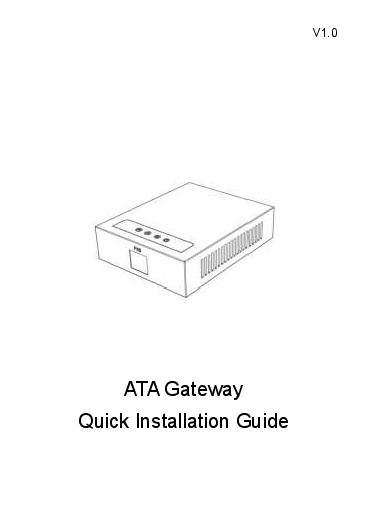
Image: Fanvil PA3 SIP Paging Gateway, front view.
Ciri-ciri Utama:
- 2 Talian SIP
- 1 Speaker Interface and 1 Microphone Interface
- Support for USB or TF card Connectivity (Max 32GB)
- 1 Audio in and 1 Audio out Interface
- 2 Interfaces of Programmable Keys with Indicator Light
5. Persediaan
5.1 Pemasangan Fizikal
- The Fanvil PA3 supports multiple mounting types. Choose a suitable location for installation, considering network and power access.
- The device is constructed from metal and plastic, suitable for indoor use.
5.2 Sambungan Kuasa
- Connect a compatible 12-24V/2Amp DC power supply adapter (not included) to the power input port on the PA3.
- Ensure the power source is stable and meets the device's requirements.
5.3 Sambungan Rangkaian
- Connect an Ethernet cable from your network switch or router to the LAN port on the PA3.
- The device will obtain an IP address via DHCP by default.
5.4 Sambungan Audio
- Connect external speakers to the speaker interface.
- Connect a microphone to the microphone interface for two-way communication.
- Utilize the audio in/out interfaces for connecting other audio sources or destinations as required by your broadcasting setup.
6. Arahan Operasi
6.1 SIP Line Configuration
- The Fanvil PA3 supports 2 SIP lines. Access the device's web interface to configure SIP accounts, server addresses, and authentication details.
- Refer to your SIP server documentation for specific configuration parameters.
6.2 Public Broadcasting
- The PA3 can be used for real-time and fixed-time MP3 broadcasting. Configure broadcasting schedules and audio sources through the device's management interface.
- Ensure audio input sources are correctly connected and configured.
6.3 One-Touch Intercom
- Connect external devices or configure SIP extensions to enable one-touch intercom functionality.
- The programmable keys can be assigned for quick intercom calls.
6.4 Kekunci Boleh Aturcara
- The PA3 features 2 programmable keys with indicator lights. These keys can be customized via the web interface to perform various functions, such as initiating broadcasts, intercom calls, or controlling external devices.
6.5 USB/TF Card Usage
- Insert a USB drive or TF card (up to 32GB) into the designated slot for media storage or playback. This can be used for pre-recorded announcements or background music.
7. Penyelenggaraan
7.1 Pembersihan
- Lap bahagian luar peranti dengan kain lembut dan kering.
- Jangan gunakan pembersih cecair, aerosol atau pelarut, kerana ia boleh merosakkan peranti.
7.2 Kemas Kini Perisian Tegar
- Periodically check the official Fanvil website for the latest firmware updates for the PA3.
- Firmware updates can improve performance, add new features, and resolve potential issues. Follow the instructions provided by Fanvil for the update process.
8. Penyelesaian masalah
8.1 Peranti Tidak Dihidupkan
- Pastikan penyesuai kuasa disambungkan dengan selamat pada kedua-dua peranti dan salur keluar kuasa yang berfungsi.
- Verify that the power adapter meets the specified voltage and current requirements (12-24V/2Amp DC).
8.2 Tiada Output Audio
- Check all speaker connections to ensure they are secure and correctly wired.
- Verify the volume settings on the PA3 and any connected audio equipment.
- Confirm that the audio source is active and properly configured.
8.3 Isu Ketersambungan Rangkaian
- Ensure the Ethernet cable is securely connected to the LAN port on the PA3 and your network device.
- Check your network settings (IP address, subnet mask, gateway) via the device's web antara muka.
- Verify that the SIP accounts are registered successfully.
8.4 Intercom Not Working
- Check the connections to external intercom devices.
- Verify the configuration of intercom extensions or programmable keys.
8.5 Isu Prestasi Umum
- Consider performing a firmware update as described in the Maintenance section.
- If issues persist, contact Fanvil support for further assistance.
9. Spesifikasi
| Ciri | Penerangan |
|---|---|
| Nama Model | PA3 |
| Jenama | Fanvil |
| Jenis Pemasangan | Multiple mounting types |
| bahan | Logam, Plastik |
| Ciri Khas | Programmable Keys with Indicator Light |
| Penggunaan yang Disyorkan | For Public Broadcasting, Integrated Broadcasting Solutions, and One-touch Intercom |
| Peranti Serasi | Desktop |
| Konfigurasi Saluran Bunyi Sekeliling | 2.0 (Audio output capability) |
| warna | Hitam |
| Komponen yang Disertakan | Audio in/out cables, Programmable keys with indicator light |
| Tahap Ketahanan Air | Bukan Tahan Air |
| Kaedah Kawalan | Sentuh |
| Teknologi Komunikasi Tanpa Wayar | Bluetooth (for auxiliary functions) |
| Sumber Kuasa | 12-24V/2Amp Power Supply adapter (Not Included) |
| Input Voltage | 12 Volt (DC) |
| Teknologi Ketersambungan | USB |
| Mod Keluaran Audio | Stereo |
| Berat Barang | 11.7 auns |
| Dimensi Pakej | 8.39 x 5.04 x 2.8 inci |
| Penggunaan Dalaman/Luar | Dalaman |
| UPC | 889837001608 |
10. Maklumat Waranti
For warranty details, please refer to the documentation provided with your purchase or contact Fanvil customer support directly. Keep your proof of purchase for warranty claims.
11. Sokongan
For technical assistance, product inquiries, or further support, please visit the official Fanvil website or contact their customer service department. You can typically find contact information and FAQs on their webtapak.