1. Pengenalan
This manual provides detailed instructions for the setup, operation, and maintenance of your AULA F2058 Mechanical Gaming Keyboard. Designed for an optimal gaming and typing experience, this keyboard features durable mechanical blue switches, customizable rainbow backlighting, and a comfortable magnetic wrist rest. Please read this manual thoroughly before using the product to ensure proper functionality and longevity.
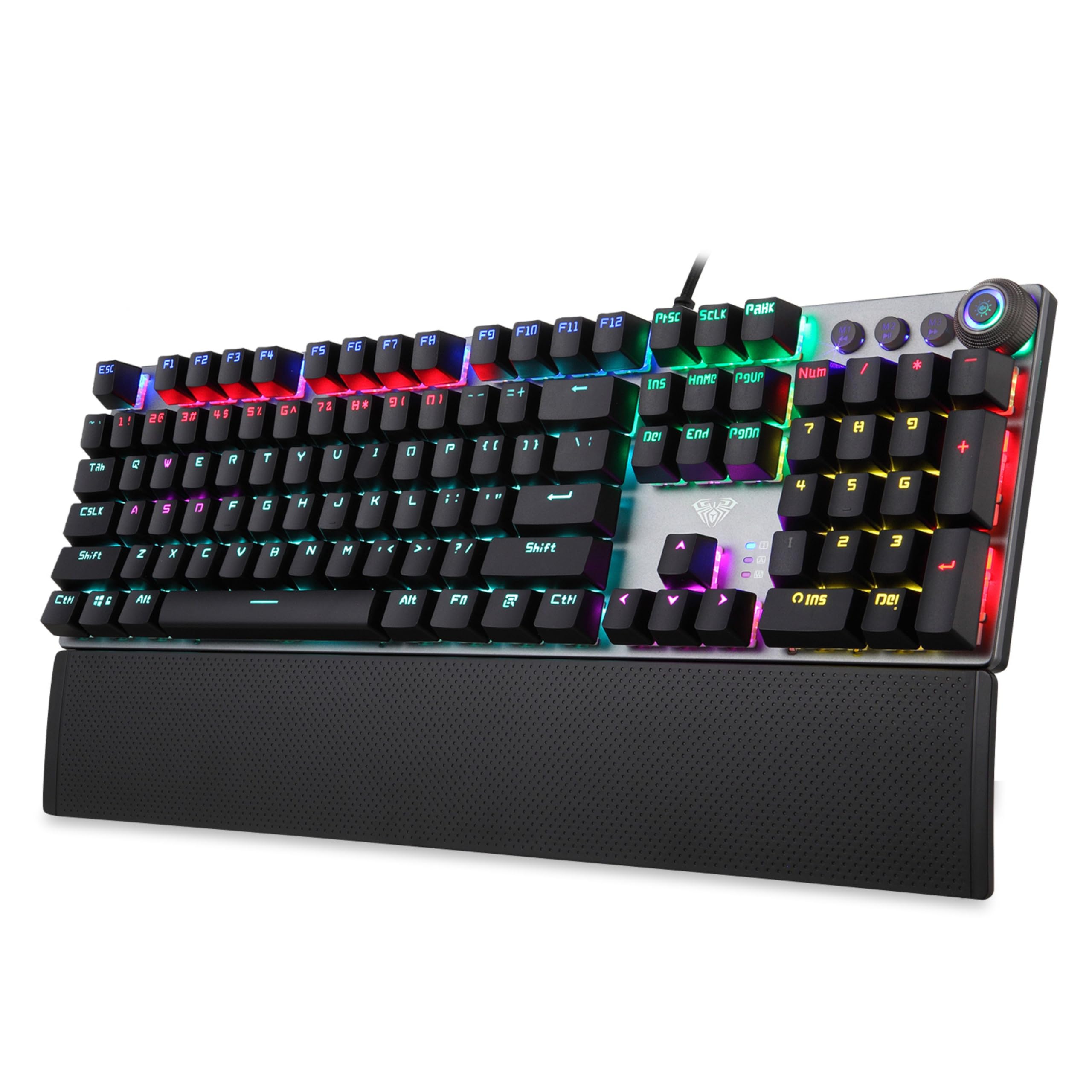
Image 1.1: AULA F2058 Mechanical Gaming Keyboard with its detachable wrist rest and vibrant rainbow backlighting.
2. Kandungan Pakej
Sahkan bahawa semua item terdapat dalam pakej:
- AULA F2058 Mechanical Gaming Keyboard
- Perehat Pergelangan Tangan Magnetik Boleh Tanggal
- Kabel USB (bersepadu)
- Manual Pengguna (dokumen ini)
3. Arahan Persediaan
- Sambungkan Papan Kekunci: Plug the integrated USB cable from the keyboard into an available USB port on your computer. The keyboard is plug-and-play and does not require additional drivers for basic functionality.
- Pasang Pergelangan Tangan Rehat: Align the magnetic wrist rest with the bottom edge of the keyboard. The magnets will secure it in place, providing ergonomic support.

Image 3.1: The detachable magnetic wrist rest provides comfort during extended use.
4. Ciri-ciri Utama
- Suis Biru Mekanikal: Experience tactile feedback and an audible click with each keystroke, ideal for gaming and typing.
- Lampu Latar Pelangi: Customizable lighting modes enhance visibility and aesthetics.
- Anti-Ghosting: Full N-key rollover ensures every keypress is registered accurately, even during simultaneous inputs.
- Kawalan Multimedia: Dedicated keys and a multi-function knob for easy access to volume and media playback.
- Pembinaan Tahan Lama: Built for longevity with a key life of up to 60 million keystrokes.

Image 4.1: Detail of the mechanical blue switches, known for their tactile and clicky response.
5. Arahan Operasi
5.1. Backlighting Control
The AULA F2058 keyboard features customizable rainbow backlighting with multiple effects and brightness levels.
- Menukar Mod Pencahayaan: Use the dedicated lighting control keys or the multi-function knob to cycle through 22 different backlighting modes.
- Melaraskan Kecerahan: Rotate the multi-function knob to increase or decrease the backlight brightness (5 adjustable levels).
- Kesan Pencahayaan Tersuai: The keyboard supports custom lighting effects. Refer to the specific key combinations or software (if applicable) for advanced customization.

Image 5.1: The keyboard features 22 backlighting modes, 5 adjustable brightness levels, and a knob for control.
5.2. Kawalan Multimedia
The keyboard includes a multi-function knob and dedicated keys for convenient control over media playback and volume.
- Kawalan Kelantangan: Rotate the multi-function knob to adjust the system volume.
- Redam/Nyahredam: Press the multi-function knob to mute or unmute audio.
- Kawalan Main Semula: Use the dedicated media keys (e.g., Play/Pause, Previous Track, Next Track) for media management.
5.3. Macro Programming
The AULA F2058 supports macro programming for enhanced gaming and productivity. Specific instructions for macro setup may vary. Typically, this involves:
- Accessing the macro recording function (often via a dedicated key or key combination, e.g., Fn + M1/M2/M3).
- Recording your desired key sequence.
- Saving the macro to a designated key.
For detailed macro programming instructions, please refer to the official AULA software or support resources, if available.
6. Penyelenggaraan
Penyelenggaraan yang betul memastikan ketahanan dan prestasi papan kekunci anda.
- Pembersihan: Gunakan kain lembut dan kering untuk mengelap permukaan papan kekunci. Untuk pembersihan yang lebih mendalam, gunakan udara termampat untuk menghilangkan habuk dan serpihan dari antara penutup kekunci. Elakkan penggunaan bahan kimia yang keras atau bahan yang kasar.
- Pembuangan Papan Kekunci: If necessary, keycaps can be carefully removed for cleaning or replacement using a keycap puller (not included). Exercise caution to avoid damaging the switches.
- Storan: Simpan papan kekunci di tempat yang sejuk dan kering, jauh daripada cahaya matahari langsung dan suhu yang melampau apabila tidak digunakan untuk tempoh yang lama.
7. Penyelesaian masalah
If you encounter issues with your AULA F2058 keyboard, refer to the following common solutions:
| Masalah | Penyelesaian yang Mungkin |
|---|---|
| Papan kekunci tidak bertindak balas |
|
| Pencahayaan latar tidak berfungsi atau tidak betul |
|
| Kekunci menaip dua kali atau tidak mendaftar |
|
| Wrist rest not attaching securely |
|
If these solutions do not resolve the issue, please contact AULA customer support for further assistance.
8. Spesifikasi
| Ciri | Perincian |
|---|---|
| Nombor Model | F2058 |
| Jenis Suis | Suis Biru Mekanikal |
| Pencahayaan latar | Rainbow LED, 22 Modes, 5 Brightness Levels |
| Ketersambungan | USB berwayar |
| Anti-Ghosting | Peralihan N-Key Penuh |
| Kehidupan Utama | Sehingga 60 juta ketukan kekunci |
| Rehat Pergelangan Tangan | Detachable Magnetic Palm Rest |
| Dimensi Produk | 43.4 x 12.3 x 3.8 cm |
| Berat Barang | 830 g |
| Negara Asal | China |
9. Waranti dan Sokongan
AULA products are designed for quality and performance. For warranty information, technical support, or service inquiries, please refer to the warranty card included with your product or visit the official AULA webtapak. Simpan resit pembelian anda sebagai bukti pembelian untuk tuntutan waranti.
Manufacturer: AULA, Dongguan Suoai Electronics Co Ltd
Importer: ODIOZONE PRIVATE LIMITED


