1. Pengenalan
This manual provides detailed instructions for the proper use and maintenance of your ORDRO AX65 4K Video Camera Camcorder. Please read this manual thoroughly before operating the device to ensure optimal performance and longevity. The ORDRO AX65 is designed for capturing high-quality video and still images, featuring 4K Ultra HD recording, 12x optical zoom, a 3.5-inch IPS touch screen, and Wi-Fi connectivity.
2. Kandungan Pakej
Sahkan bahawa semua item yang disenaraikan di bawah disertakan dalam pakej anda. Jika ada item yang hilang atau rosak, sila hubungi sokongan pelanggan.
- 1x ORDRO AX65 4K Video Camera Camcorder
- 1x Penutup Lensa
- 2x Rechargeable Lithium-Ion Batteries
- 1x External Microphone
- 1x Macro Lens
- 1x Wide-Angle Lens
- 1x Lens Hood
- 1x Camera Bracket
- 1x Kabel HDMI
- 1x 1-to-2 Adapter
- 1x Alat Kawalan Jauh
- 1x Pembaca Kad
- 1x Kabel USB
- 1x Manual Pengguna (dokumen ini)
- Kad SD 1x 64GB

Figure 2.1: ORDRO AX65 Package Contents
3. Persediaan
3.1 Pemasangan dan Pengecasan Bateri
- Open the battery compartment cover located on the bottom of the camcorder.
- Insert a fully charged lithium-ion battery, ensuring the contacts align correctly. Close the cover securely.
- To charge the battery, connect the camcorder to a power source using the provided USB cable and charger. The charging indicator light will illuminate. The camcorder can record video while charging.
3.2 Pemasangan Kad SD
- Locate the SD card slot on the side of the camcorder.
- Masukkan kad SD 64GB yang disediakan (atau kad SD lain yang serasi sehingga 256GB) ke dalam slot sehingga ia mengklik pada tempatnya. Pastikan kad dimasukkan dalam orientasi yang betul.
- To remove, gently press the SD card until it ejects.
3.3 Memasang Aksesori
- Mikrofon Luaran: Slide the external microphone onto the hot shoe mount on top of the camcorder and connect the audio cable to the MIC input port.
- Wide-Angle/Macro Lens: Screw the wide-angle lens onto the front of the camcorder's main lens. The macro lens component can be detached from the wide-angle lens for close-up videography.
- Tudung Lensa: Attach the lens hood to the front of the wide-angle lens to reduce glare.
- Camera Bracket: Attach the camera bracket to the bottom of the camcorder for enhanced stability and handling. The top handle of the bracket includes a built-in Allen key for adjustments.

Figure 3.1: ORDRO AX65 with accessories attached
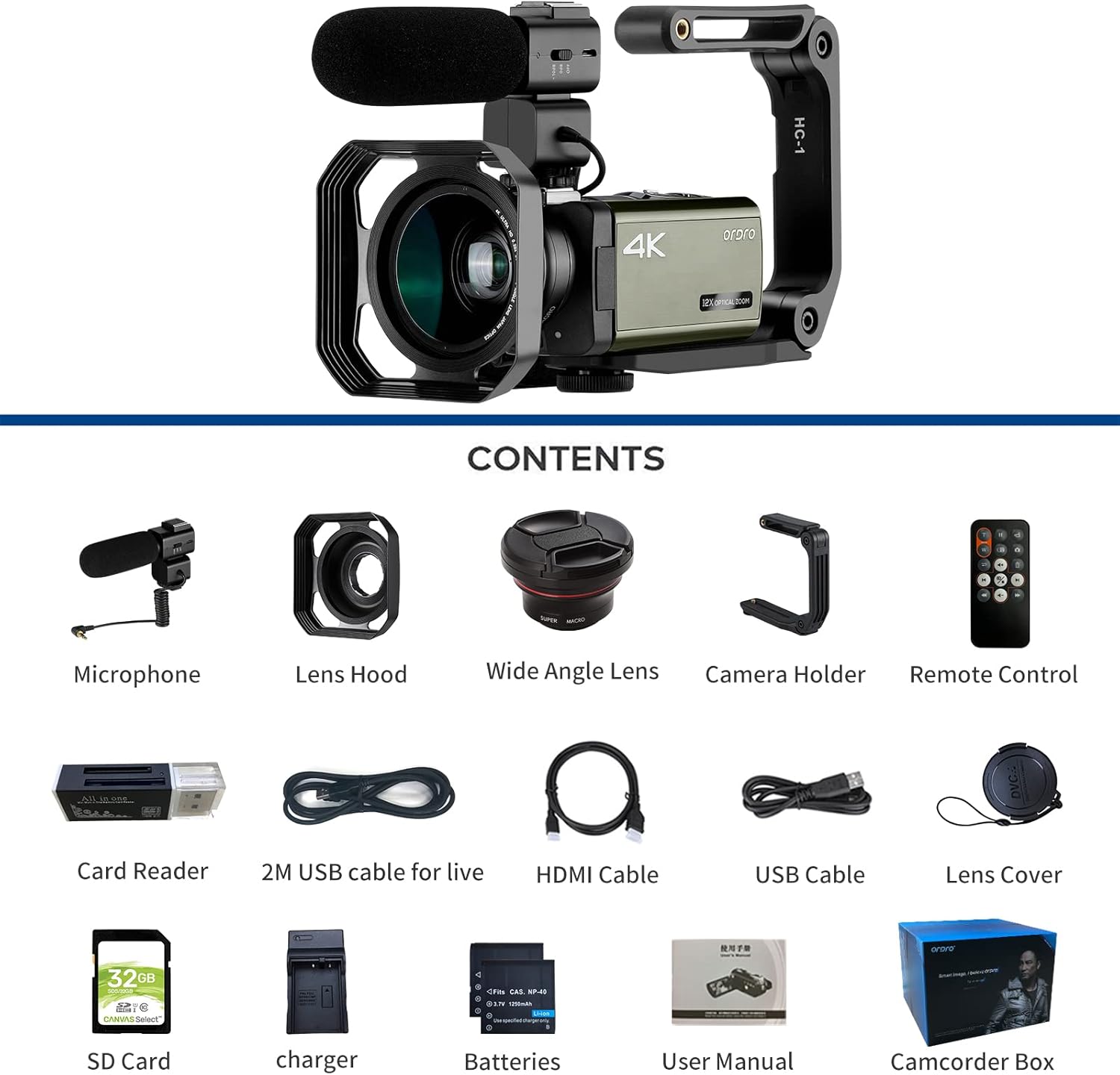
Figure 3.2: Attaching the Wide-Angle Lens
4. Arahan Operasi
4.1 Hidupkan/Mati Kuasa
Tekan dan tahan butang KUASA button to turn the camcorder on or off. The 3.5-inch IPS touch screen will activate upon power-on.
4.2 Rakaman Video Asas
- Ensure an SD card is inserted and the battery is charged.
- Hidupkan camcorder.
- Select the desired recording mode (e.g., 4K, 1080p) via the touch screen menu.
- Tekan ke Video Recording Start/Stop butang untuk mula merakam. Tekan sekali lagi untuk berhenti.

Figure 4.1: 4K and 2K Video Recording Quality
4.3 Pengambilan Gambar
Switch to photo mode using the MODE button or touch screen. Press the FOTO button to capture still images. The camcorder supports 30MP still photos.
4.4 Using Optical Zoom
Gunakan W/T (Zoom Out/Zoom In) lever to adjust the 12x optical zoom. This allows for close-up shots without compromising image quality.

Figure 4.2: 12x Optical Zoom in action
4.5 Advanced Recording Functions
- Fungsi Jeda: Semasa rakaman video, tekan butang FOTO button to pause the recording. Press it again to resume recording within the same file.
- Rakaman Selang Masa: Access this feature through the menu to capture long sequences of events over a short period. Adjustable intervals from 1 second to 30 minutes are available.
- Rakaman Gelung: Enables continuous recording by overwriting the oldest files apabila kad memori penuh.
- Continuous Photo Taking: Capture a series of photos rapidly.
- Timed Photo Taking: Set a timer for photo capture.
- Pemasa Kendiri: Delay the start of recording or photo capture.
- Anti gegaran: This feature helps stabilize footage, particularly useful when shooting handheld. For best results, consider using a tripod.
- Pengesanan Muka: Automatically detects and focuses on faces within the frame.
- AF Tracking and AF Locking: AF Tracking maintains focus on a moving subject. AF-L (Auto Focus Lock) allows you to lock focus on a subject, then recompose your shot.
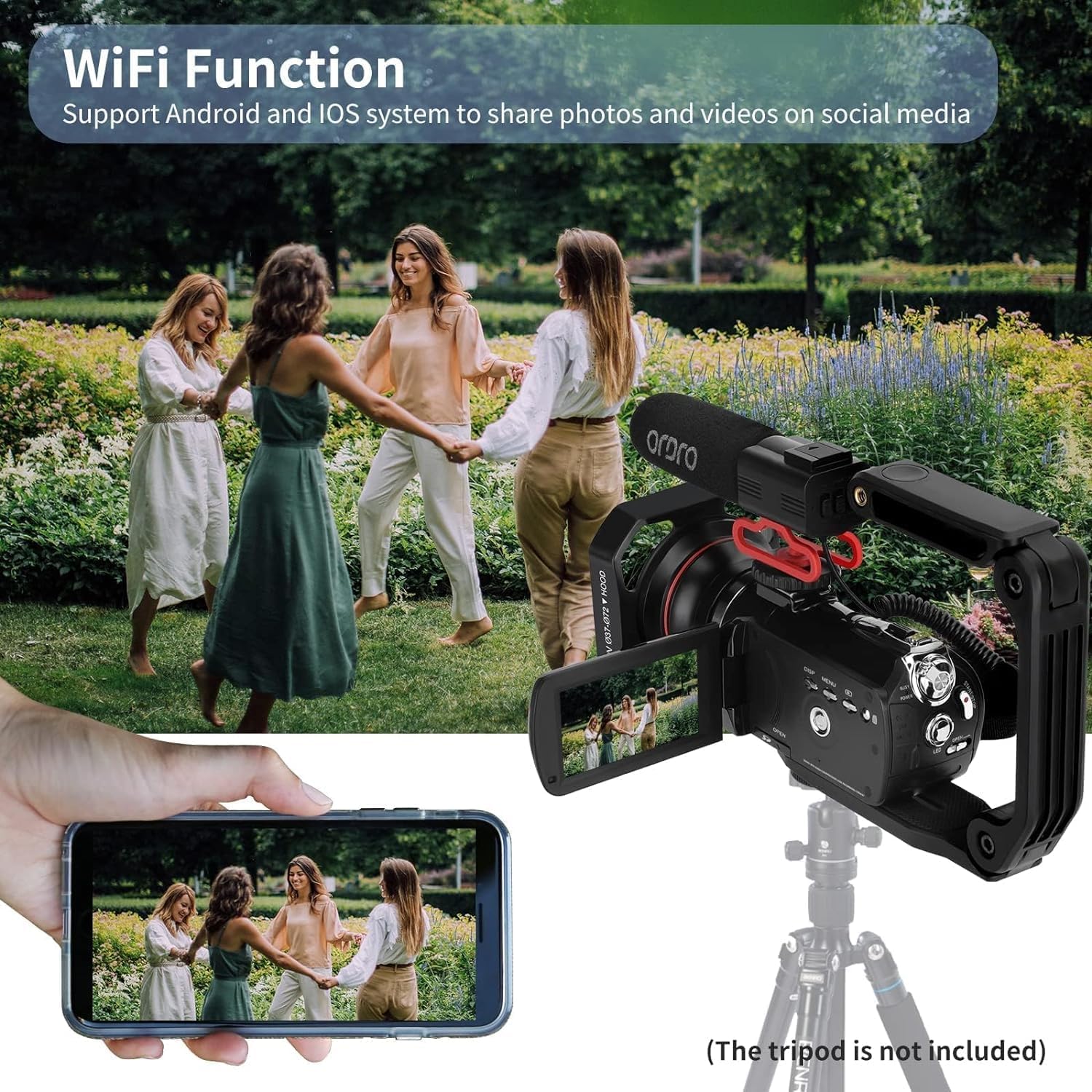
Figure 4.3: Pause Function

Figure 4.4: Various Recording Modes

Figure 4.5: AF Tracking and AF Locking
4.6 Ketersambungan
- HDMI TV Output: Connect the camcorder to a TV using the HDMI cable to view your recordings on a larger screen.
- Webcam and Livestream: Connect the camcorder to a computer via the USB cable. Select "PC Camera" from the options displayed on the camcorder screen to use it as a webcam for platforms like Facebook, YouTube, Instagram, Skype, or for livestreaming.
- Fungsi Wi-Fi: Enable Wi-Fi through the camcorder's menu. Use the dedicated app on your Android or iOS device to connect to the camcorder for remote control, photo/video transfer, and sharing.

Figure 4.6: TV & PC Connection / WebKefungsian cam
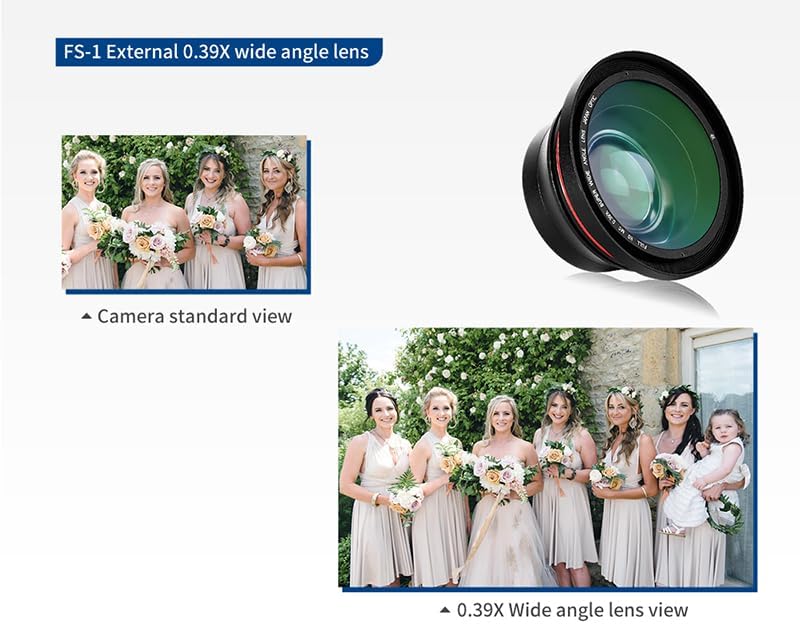
Figure 4.7: Wi-Fi Connectivity with Smartphone
4.7 Low Light Shooting
The camcorder features a built-in LED fill light to assist in dimly lit environments. Activate the LED light through the camcorder's menu or dedicated button. The 1/3-inch Sony CMOS sensor is designed to suppress noise in low-light conditions.

Figure 4.8: Low Light Performance with LED Fill Light
5. Penyelenggaraan
- Pembersihan: Use a soft, dry cloth to clean the camcorder body. For the lens, use a specialized lens cleaning cloth and solution. Avoid harsh chemicals.
- Penjagaan Bateri: Store batteries in a cool, dry place when not in use. Fully charge batteries before extended storage and periodically recharge them to maintain their lifespan.
- Storan: When not in use, store the camcorder in a protective case in a dry, dust-free environment away from extreme temperatures.
- Kemas kini Firmware: Semak pengeluar webtapak secara berkala untuk sebarang kemas kini perisian tegar yang tersedia untuk memastikan prestasi optimum dan akses kepada ciri baharu.
6. Penyelesaian masalah
| Masalah | Kemungkinan Punca | Penyelesaian |
|---|---|---|
| Camcorder tidak dihidupkan. | Bateri habis atau salah dimasukkan. | Ensure battery is fully charged and correctly installed. |
| Rakaman berhenti tanpa diduga. | SD card is full or corrupted. | Check SD card capacity, format if necessary, or replace. |
| Kualiti imej/video yang lemah. | Insufficient lighting, dirty lens, incorrect settings. | Ensure adequate lighting, clean the lens, adjust resolution and exposure settings. Use LED fill light in dark environments. |
| Isu sambungan Wi-Fi. | Incorrect Wi-Fi settings, app issues, distance from device. | Verify Wi-Fi settings on camcorder and smartphone. Ensure the app is updated. Reduce distance between devices. |
| Tiada rakaman audio. | External microphone not connected or faulty, internal microphone muted. | Check external microphone connection. Ensure audio recording is enabled in settings. |
| Viewfinder switches off when HDMI cable connected. | This is expected behavior for some camcorders when outputting to an external display. | Use the external display for monitoring. Adjust settings before connecting HDMI if necessary. |
7. Spesifikasi
| Ciri | Perincian |
|---|---|
| Jenama | ORDRO |
| Nombor Model | HDR-AX65 |
| Berat Barang | 11.3 auns |
| Dimensi Produk | 2.13 x 2.52 x 5 inci |
| Bateri | 1 bateri Lithium Ion diperlukan (termasuk) |
| Teknologi Penderia Foto | CMOS (1/3-Inch Sony CMOS Sensor, 5.0MP effective pixels) |
| Resolusi Tangkapan Video | 4K: 3840*2160 (24FPS), 2K: 2560x1440 (30FPS), 1080p (60fps) |
| Still Photo Resolution | 30MP |
| Zum Optik | 12x |
| Saiz Skrin | 3.5 Inches IPS Touch Screen (270-degree rotatable) |
| Teknologi Ketersambungan | USB, Wi-Fi, HDMI |
| Jenis Memori Denyar | SDHC (supports up to 256GB SD card) |
| Format Tangkapan Video | MP4 |
| Format Audio yang Disokong | AAC, MP3 |
| Ciri Khas | Anti-Shake, Face Detection, AF-L function, Pause function, Time-lapse, Loop recording, Continuous shooting, Timed photo, Self-timer, HDMI TV output, Webcam Function, Hot shoe mount, External microphone jack, Wide angle lens, Remote Control, LED Fill Light |
8. Waranti dan Sokongan
For warranty information, technical support, or service inquiries, please refer to the warranty card included in your package or visit the official ORDRO webtapak. Simpan resit pembelian anda sebagai bukti pembelian untuk tuntutan waranti.
Maklumat Hubungan: Please refer to the contact details provided on the ORDRO official website or your product packaging for the most up-to-date support channels.


