1. Pengenalan
Thank you for choosing the Baseus Smart Eye-Caring Desk Lamp. This portable and rechargeable LED lamp is designed to provide optimal illumination for various tasks, featuring intelligent auto-dimming, adjustable color temperature, and a flexible, space-saving design. This manual provides detailed instructions for setup, operation, maintenance, and troubleshooting to ensure you get the most out of your device.
2. Arahan Keselamatan
- Do not disassemble, repair, or modify the product. Unauthorized disassembly may cause electric shock or fire.
- Jangan dedahkan lamp to water or high humidity. This product is designed for indoor use only.
- Elakkan meletakkan lamp in direct sunlight or near heat sources to prevent damage to internal components.
- Use only the specified charging cable and adapter. Incorrect charging may lead to battery damage or fire.
- Jauhkan daripada kanak-kanak.
- Jika lamp exhibits abnormal behavior, such as smoke or unusual odors, immediately unplug it and contact customer support.
3. Kandungan Pakej
Sila semak pakej untuk item berikut:
- 1 x Baseus Smart Eye-Caring Desk Lamp
- 1 x Kabel Pengecasan USB-C
- 1 x Manual Pengguna (dokumen ini)

Figure 3.1: Product packaging showing the desk lamp.
4. Produk Lebihview
The Baseus Smart Eye-Caring Desk Lamp features a sleek, minimalist design with intuitive controls and advanced lighting technology.
4.1 Komponen
- Bar Cahaya: Houses the LED light source.
- Lengan boleh laras: Connects the light bar to the base, allowing 0-180° rotation.
- Pangkalan: Provides stability and contains the battery, control panel, and charging port.
4.2 Kawalan dan Ciri
- Panel Kawalan Sentuh: Located on the top of the base for power, brightness, and color temperature adjustments.
- Sensor Cahaya Ambien: Automatically adjusts brightness based on surrounding light conditions.
- Suis Hidup/Mati: A physical switch located on the bottom of the base to enable or disable the ambient light sensor.
- Port Pengecasan USB-C: Located at the back of the base for convenient charging.

Rajah 4.1: Depan view of the Baseus Smart Eye-Caring Desk Lamp.

Figure 4.2: Detail of the touch control panel and ambient light sensor on the lamp asas.

Figure 4.3: Bottom of the lamp base with the physical on/off switch for the ambient light sensor.
5. Persediaan
- Bongkar: Keluarkan l dengan berhati-hatiamp dan semua aksesori daripada pembungkusan.
- Caj Permulaan: Sebelum penggunaan pertama, cas sepenuhnyaamp using the provided USB-C cable and a compatible power adapter (not included). The charging indicator on the base will show charging status.
- penempatan: Letakkan lamp on a stable, flat surface. Ensure the physical switch on the bottom of the base is in the 'ON' position to enable the ambient light sensor for automatic brightness adjustment.
6. Arahan Operasi
6.1 Hidupkan/Mati Kuasa
- Untuk Menghidupkan: Tap the touch control button on the base.
- Untuk Mematikan: Tap the touch control button again.
6.2 Pelarasan Kecerahan
- Pelarasan Manual: Long press the touch control button to continuously adjust the brightness level. Release when the desired brightness is reached.
- Automatic Adjustment (Auto-Dimming): With the physical switch on the bottom set to 'ON', the built-in ambient light sensor will automatically detect surrounding light and adjust the lamp's brightness accordingly. This feature helps prevent eye strain by optimizing illumination for the environment.

Rajah 6.1: Ilustrasi lamp's smart recognition and auto-dimming feature in different ambient light conditions.
6.3 Pelarasan Suhu Warna
- Mod Kitaran: Manakala lamp is on, short press the touch control button (do not long press) to cycle through the three available color temperature modes:
- 6000K (White Light): Bright, cool light suitable for focused work.
- 4500K (Mixed Light): Neutral light for general use.
- 3000K (Cahaya Hangat): Soft, warm light ideal for relaxation or reading.
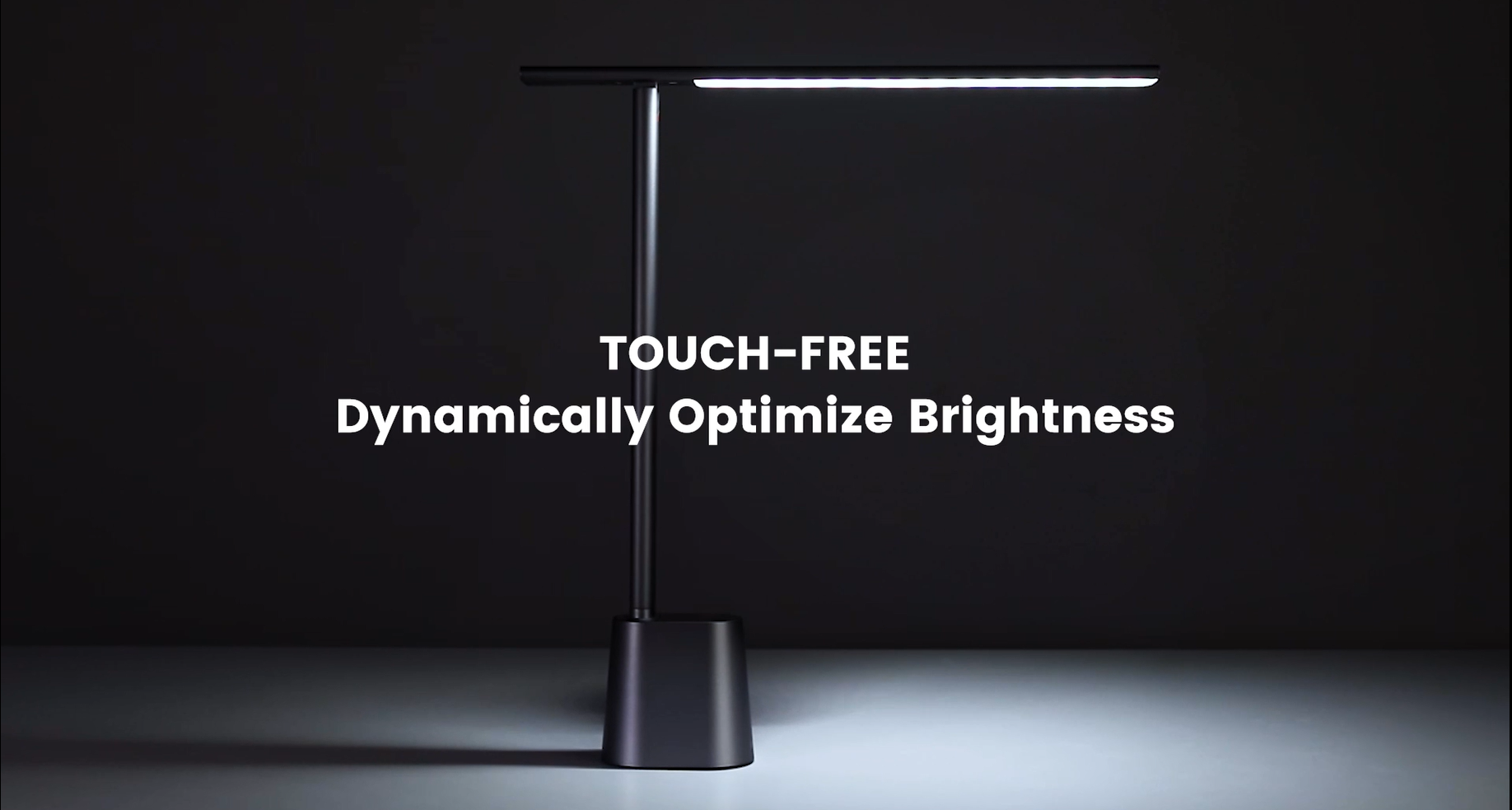
Video 6.1: Official demonstration of the auto-dimming and three color temperature modes (6000K, 4500K, 3000K) of the Baseus Desk Lamp.
6.4 Lamp Pelarasan Lengan
- Lamp arm can be manually adjusted from 0° to 180° to direct light precisely where needed. This flexibility allows for various lighting angles, including direct downward illumination for desktops or upward for ambient room lighting.
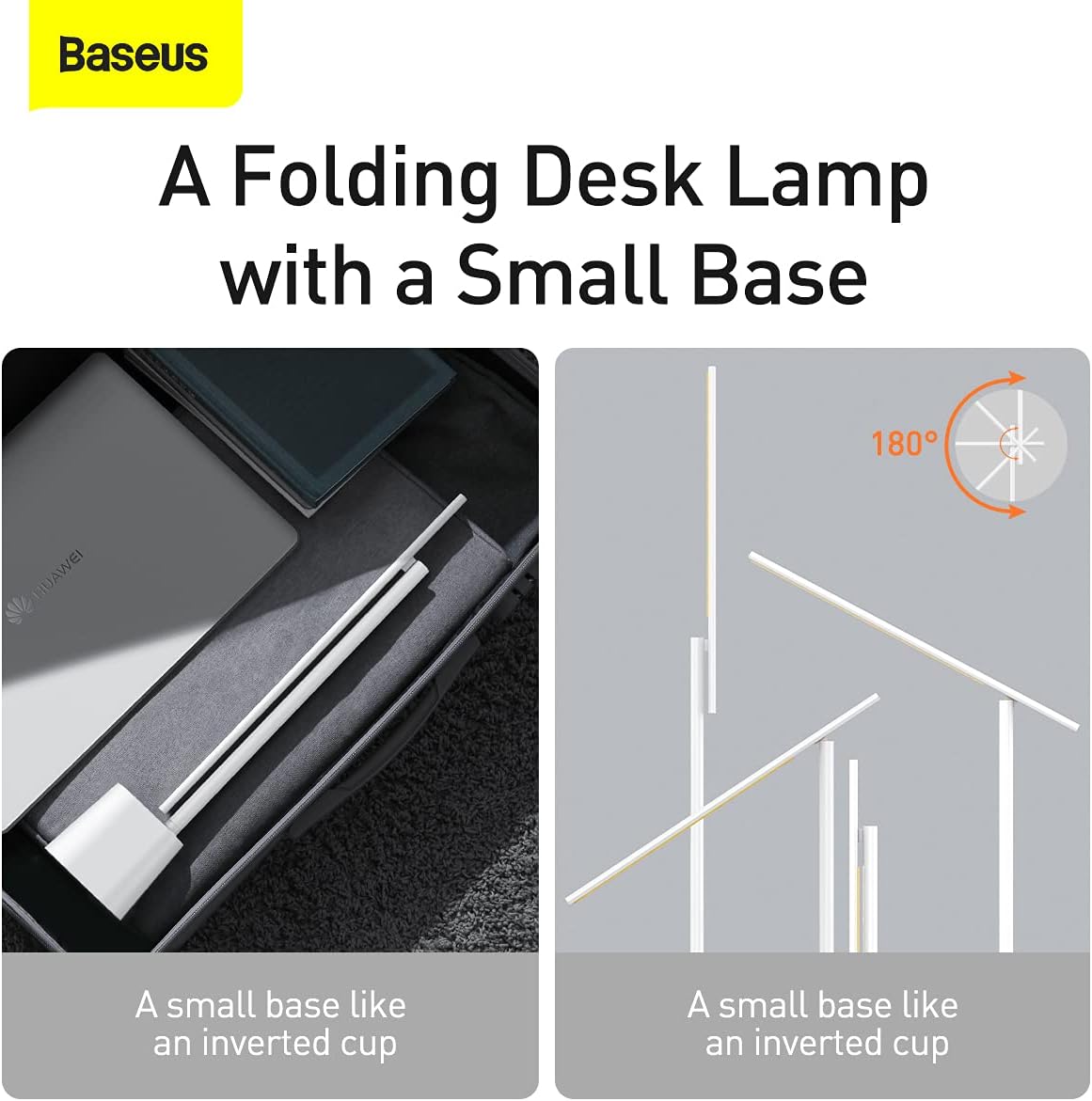
Rajah 6.2: lamp's foldable design and 180-degree adjustable arm for versatile positioning.
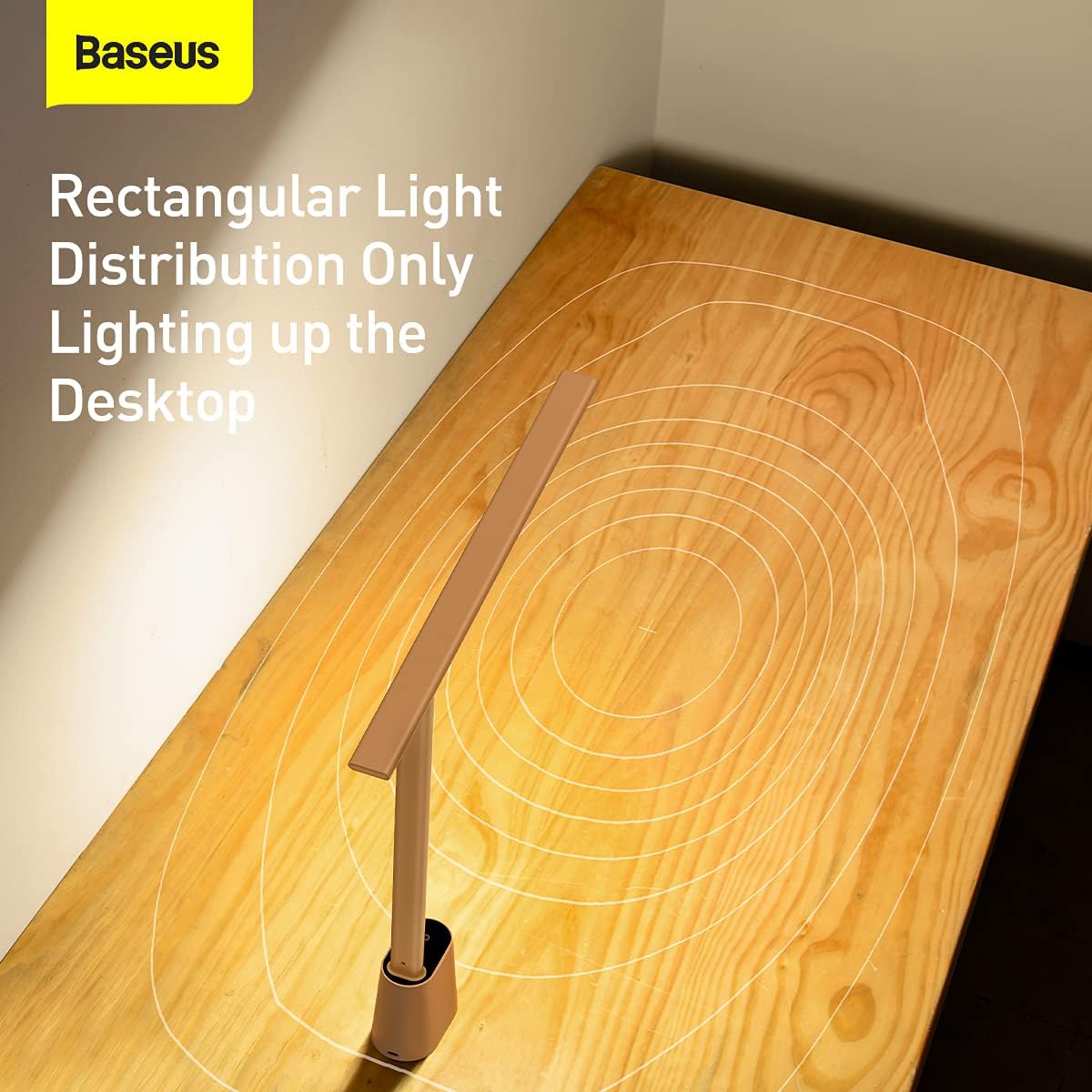
Rajah 6.3: lamp provides a rectangular light distribution, focusing illumination specifically on the desktop area.
7. Mengecas
The Baseus Smart Eye-Caring Desk Lamp is equipped with a built-in rechargeable Lithium-Ion battery (2200mAh capacity).
- Port Pengecasan: Connect the provided USB-C cable to the charging port on the back of the lamp base and to a USB power source.
- Penunjuk Pengecasan: The indicator light on the base will illuminate to show charging status (e.g., red for charging, green for fully charged).
- Hayat Bateri: A full charge provides approximately 3-4 hours of use at maximum brightness and up to 10 hours at the lowest brightness setting.
8. Penyelenggaraan
- Pembersihan: Lap lamp dengan kain lembut dan kering. Jangan gunakan pembersih atau pelarut yang melelas.
- Storan: Apabila tidak digunakan untuk tempoh yang lama, simpan lamp in a cool, dry place. It is recommended to fully charge the battery every 3 months to maintain battery health.
9. Penyelesaian masalah
| Masalah | Kemungkinan Punca | Penyelesaian |
|---|---|---|
| Lamp tidak menyala. | Bateri habis. | Cas lamp sepenuhnya. |
| Physical switch on bottom is OFF. | Flip the physical switch on the bottom of the base to the 'ON' position. | |
| Pelarasan kecerahan tidak berfungsi. | Not long-pressing the touch control. | Ensure you are long-pressing the touch control button for continuous adjustment. |
| Color temperature is not changing. | Not short-pressing the touch control. | Ensure you are short-pressing the touch control button to cycle modes. |
| Auto-dimming feature is not working. | Physical switch on bottom is OFF. | Flip the physical switch on the bottom of the base to the 'ON' position. |
| Ambient light sensor is obstructed. | Ensure the ambient light sensor on the base is not covered. |
10. Spesifikasi
- Nombor Model: DGZG-02
- Jenama: Baseus
- Lamp Jenis: Meja Lamp
- Jenis Sumber Cahaya: LED
- Bilangan Sumber Cahaya: 32
- Wattage: 5 watt
- Voltage: 6 Volt
- Sumber Kuasa: Dikuasakan Bateri (Boleh dicas semula)
- Bateri: 2 bateri Lithium Ion diperlukan (termasuk)
- Kapasiti Bateri: 2200mAh (lebih kurang)
- Teknologi Ketersambungan: USB (untuk mengecas)
- Kaedah Kawalan: Sentuh
- Bahan: Aluminium, Logam
- Jenis Selesai: Dilukis
- warna: putih
- Dimensi Produk: 13.78 x 2.08 x 15.15 inches (approx. when unfolded)
- Berat Barang: 1.87 paun (0.85 Kilogram)
- Ciri Khas: Full Spectrum, Adjustable (0-180°), Auto-Dimming, Eye-Caring
- Penggunaan Dalaman/Luar: Dalaman
- Tahap Rintangan Air: Bukan Tahan Air
11. Waranti dan Sokongan
Produk Baseus dihasilkan mengikut piawaian kualiti tertinggi. Untuk maklumat mengenai perlindungan jaminan, sokongan teknikal atau pertanyaan perkhidmatan, sila rujuk kad jaminan yang disertakan dengan pembelian anda atau lawati laman web rasmi Baseus. webtapak. Simpan resit pembelian anda sebagai bukti pembelian untuk tuntutan waranti.
For additional resources, you may find the official User Manual PDF di sini.


