1. Pengenalan
Thank you for choosing PowerLocus P6 Wireless Bluetooth Over-Ear Headphones. These headphones are designed to provide a high-fidelity audio experience with deep bass, extended playtime, and comfortable wear. This manual provides essential information for setting up, operating, maintaining, and troubleshooting your device.

Image 1.1: PowerLocus P6 Wireless Bluetooth Over-Ear Headphones in Blue. A front-facing view of the PowerLocus P6 wireless over-ear headphones in blue, showcasing cup telinga dan ikat kepala.
2. Kandungan Pakej
Sila sahkan bahawa semua item terdapat dalam pakej anda:
- PowerLocus P6 Wireless Bluetooth Over-Ear Headphones
- Kabel Audio 3.5mm
- Kabel Pengecas USB
- Manual Pengguna (dokumen ini)
- Sarung Bawa Pelindung

Image 2.1: PowerLocus P6 headphones package contents. A flat lay image showing the PowerLocus P6 headphones, 3.5mm audio cable, USB charging cable, user manual, and premium carry case.
3. Produk Lebihview
The PowerLocus P6 headphones feature a foldable design for portability, soft over-ear earmuffs for comfort, and intuitive controls for ease of use.
3.1 Ciri-ciri Utama
- Kesambungan Bluetooth 5.3: Ensures stable and low-latency wireless audio.
- Bunyi Stereo Hi-Fi: Delivers powerful crisp sound with deep bass.
- 50 Jam Masa Main: Hayat bateri yang lebih lama untuk penggunaan yang berpanjangan.
- Mikrofon HD terbina dalam: Untuk panggilan bebas tangan yang jelas.
- Foldable & Lightweight Design: Enhances portability and comfort.
- Sambungan Berbilang Titik: Sambung ke dua peranti serentak.

Image 3.1: PowerLocus P6 headphones features. An infographic displaying key features of the PowerLocus P6 headphones, including Hi-Fi stereo sound, stable wireless connectivity, HD microphones for clear calls, foldable design, and long battery life.
3.2 Komponen Fon Kepala
Rujuk imej di bawah untuk lebih lanjutview of the headphone's physical components and controls.

Imej 3.2: Sisi view of PowerLocus P6 headphones with control buttons. A side view of the PowerLocus P6 headphones, highlighting the control buttons located on the earcup for power, volume, and playback.
- Butang Kuasa: Tekan dan tahan untuk menghidupkan/mematikan kuasa.
- Jilid Naik / Laluan Seterusnya: Tekan pendek untuk kelantangan, tekan lama untuk trek seterusnya.
- Turunkan Volume / Lagu Sebelumnya: Tekan pendek untuk kelantangan turun, tekan lama untuk trek sebelumnya.
- Butang berbilang fungsi (MFB): Play/Pause, Answer/End Call, Activate Voice Assistant.
- Bicu Audio 3.5mm: Untuk sambungan berwayar.
- Port Pengecasan USB: Untuk mengecas fon kepala.
- mikrofon: Untuk panggilan bebas tangan.
4. Persediaan
4.1 Mengecas Fon Kepala
- Sambungkan kabel pengecas USB ke port pengecasan pada fon kepala.
- Sambungkan hujung kabel USB yang satu lagi ke sumber kuasa USB yang serasi (cth., port USB komputer, penyesuai dinding USB).
- The LED indicator will illuminate during charging. It typically takes approximately 2.5 hours for a full charge.
- Once fully charged, the LED indicator will change color or turn off, depending on the model. Disconnect the charging cable.
Caj penuh menyediakan sehingga 50 jam masa bermain.
4.2 Menghidupkan/Mematikan
- Untuk Menghidupkan: Tekan dan tahan Butang Kuasa selama lebih kurang 3 saat sehingga penunjuk LED berkelip.
- Untuk Mematikan: Tekan dan tahan Butang Kuasa selama lebih kurang 3 saat sehingga penunjuk LED dimatikan.
4.3 Berpasangan Bluetooth
The PowerLocus P6 headphones utilize Bluetooth 5.3 for quick and stable connections.
- Pastikan fon kepala dimatikan.
- Tekan dan tahan Butang Kuasa selama lebih kurang 5-7 saat sehingga penunjuk LED berkelip merah dan biru secara berselang-seli. Ini menunjukkan mod berpasangan.
- Pada peranti anda (telefon pintar, tablet, PC), dayakan Bluetooth dan cari peranti yang tersedia.
- Select "PowerLocus P6" from the list of found devices.
- Once connected, the LED indicator will typically flash blue slowly or remain solid blue.
The headphones will automatically attempt to reconnect to the last paired device when powered on. The Bluetooth range is approximately 39 feet (12 meters).
4.4 Sambungan Berbilang Titik
The P6 headphones can connect to two Bluetooth devices simultaneously.
- Pasangkan fon kepala dengan peranti pertama seperti yang diterangkan dalam Bahagian 4.3.
- Lumpuhkan Bluetooth pada peranti pertama. Fon kepala akan memasuki semula mod berpasangan.
- Pasangkan fon kepala dengan peranti kedua.
- Dayakan semula Bluetooth pada peranti pertama. Fon kepala harus bersambung secara automatik ke kedua-dua peranti.
You can now switch between audio sources from either connected device without re-pairing.
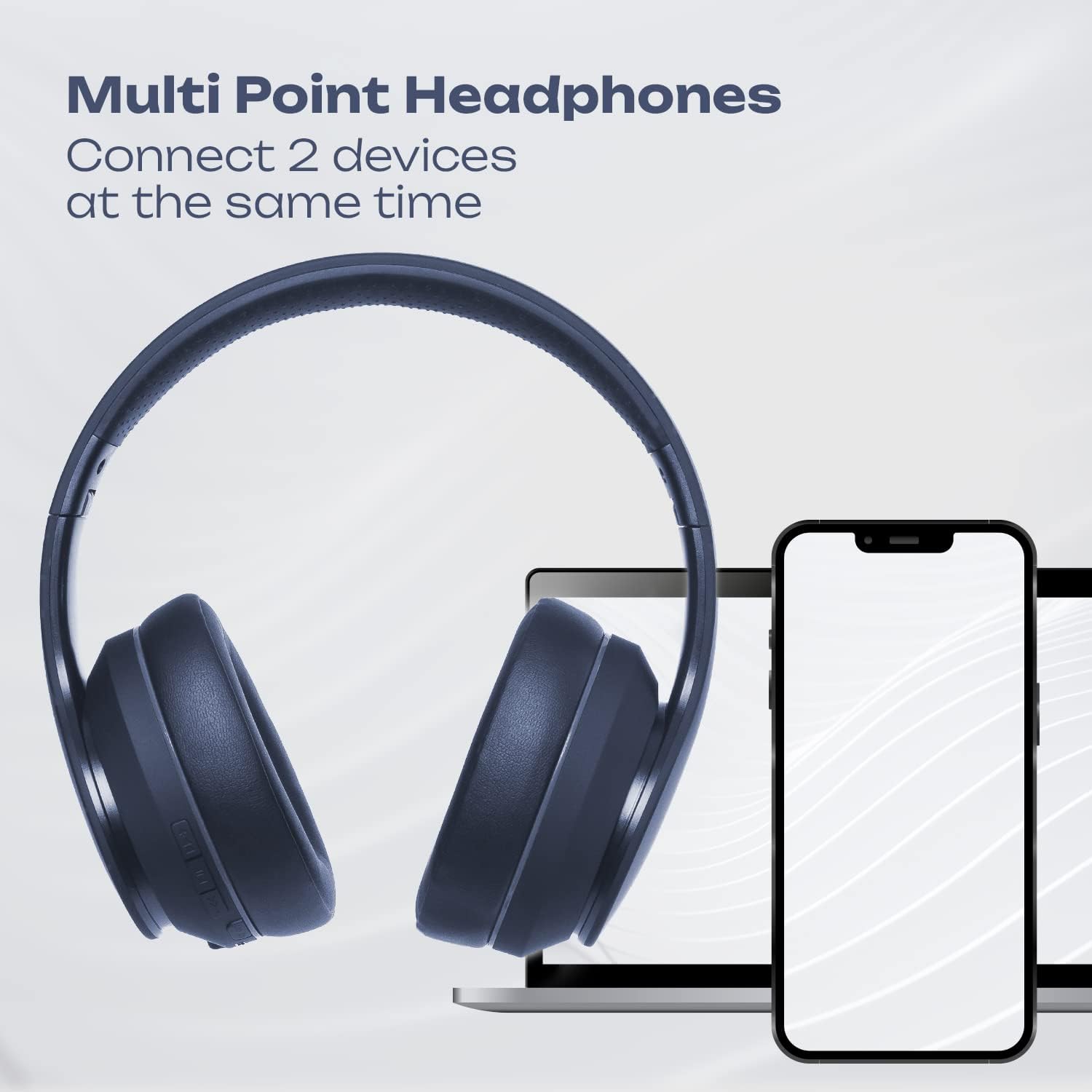
Image 4.1: Multi-Point Connection. An illustration showing the PowerLocus P6 headphones simultaneously connected to a laptop and a smartphone, demonstrating its multi-point connectivity feature.
5. Arahan Operasi
5.1 Main balik Muzik
- Main/Jeda: Tekan pendek MFB.
- Kelantangan: Tekan butang 'Kelantangan Naik' sebentar.
- Perlahankan suara: Tekan butang 'Kelantangan Turun' sebentar.
- Lagu Seterusnya: Tekan lama butang 'Kelantangan Naik'.
- Trek Sebelumnya: Tekan lama butang 'Kelantangan Turun'.
5.2 Panggilan Telefon
- Jawab Panggilan: Short press the MFB when an incoming call rings.
- Tamatkan Panggilan: Short press the MFB during a call.
- Tolak Panggilan: Long press the MFB when an incoming call rings.
- Dail Semula Nombor Terakhir: Tekan dua kali pada MFB.
5.3 Pembantu Suara
To activate your device's voice assistant (Siri, Google Assistant, etc.), short press the MFB twice quickly.
5.4 Mod Berwayar
You can use the PowerLocus P6 headphones with the included 3.5mm audio cable, even if the battery is depleted.
- Connect one end of the 3.5mm audio cable to the headphone's 3.5mm audio jack.
- Sambungkan hujung satu lagi ke bicu output audio peranti anda.
In wired mode, the headphone's built-in controls (volume, track skip, calls) will not function. Control audio directly from your connected device.
6. Penyelenggaraan
6.1 Pembersihan
- Lap fon kepala dengan kain lembut dan kering.
- Jangan gunakan pembersih yang melelas, pelarut atau bahan kimia yang kuat.
- Elakkan mendapatkan kelembapan ke dalam mana-mana bukaan.
6.2 Penyimpanan
When not in use, store the headphones in the provided protective carry case to prevent damage. The foldable design allows for compact storage.

Image 6.1: PowerLocus P6 headphones stored in their carry pouch. The PowerLocus P6 headphones partially visible inside their protective carry pouch, emphasizing portability and storage.
7. Penyelesaian masalah
| Masalah | Kemungkinan Punca | Penyelesaian |
|---|---|---|
| Fon kepala tidak dihidupkan. | Bateri lemah. | Charge the headphones for at least 30 minutes. |
| Tidak boleh berpasangan dengan peranti. | Fon kepala tidak berada dalam mod berpasangan; Bluetooth dinyahdayakan pada peranti; peranti terlalu jauh. | Ensure headphones are in pairing mode (flashing red/blue). Enable Bluetooth on your device. Move device closer to headphones (within 39 feet). |
| Tiada bunyi atau kualiti bunyi yang buruk. | Volume too low; headphones not connected; interference. | Increase volume on headphones and device. Re-pair headphones. Move away from sources of interference (e.g., Wi-Fi routers). |
| Mikrofon tidak berfungsi. | Headphones in wired mode; device settings. | Ensure headphones are in Bluetooth mode for microphone functionality. Check microphone input settings on your connected device. |
8. Spesifikasi
| Ciri | Perincian |
|---|---|
| Nama Model | P6 (pwl-6) |
| Teknologi Ketersambungan | Wayarles (Bluetooth) |
| Teknologi Komunikasi Tanpa Wayar | Bluetooth 5.3 |
| Julat Bluetooth | 39 Kaki (12 meter) |
| Hayat Bateri | Sehingga 50 Jam |
| Masa Mengecas | 2.5 Jam |
| Jack Fon Kepala | Jack 3.5 mm |
| Kawalan Bunyi | Pengasingan Bunyi |
| Jenis Pemacu Audio | Pemandu Dinamik |
| Julat Kekerapan | 20Hz-20000kHz |
| Impedans | 32 Ohm |
| bahan | Leather (earmuffs) |
| Ciri Khas | Foldable, Lightweight, Microphone Included, Wireless |
| Berat Barang | 12 auns |
| Pengeluar | PowerLocus |
9. Waranti dan Sokongan
9.1 Maklumat Waranti
PowerLocus P6 headphones come with a Waranti 24 bulan covering manufacturing defects from the date of purchase. Additionally, a Polisi pemulangan percuma 30 hari ditawarkan.
Waranti ini tidak meliputi kerosakan yang disebabkan oleh salah guna, kemalangan, pengubahsuaian tanpa kebenaran atau haus dan lusuh biasa.
9.2 Khidmat Pelanggan
For any questions, technical support, or warranty claims, please contact PowerLocus customer service. Our USA-based customer service team is available to assist you.
Please refer to the PowerLocus official webtapak atau dokumentasi pembelian anda untuk maklumat hubungan terkini.


