1. Produk Lebihview
The LENVII F510 is a wired 2D barcode scanner designed for efficient and accurate data capture. It supports both 1D and 2D barcodes, including QR codes, making it suitable for various applications such as retail, logistics, and inventory management. Its plug-and-play design ensures easy setup and immediate use with compatible systems.

Image: The LENVII F510 Wired 2D Barcode Scanner, a black handheld device with a scanning window.

Image: Various angles of the LENVII F510 barcode scanner, showcasinreka bentuk dan ciri-ciri ergonomiknya.
2. Kandungan Pakej
- LENVII F510 Wired 2D Barcode Scanner
- USB Cable (1.8 meters)
- Manual Pengguna (dokumen ini)
3. Arahan Persediaan
The LENVII F510 barcode scanner is designed for plug-and-play operation, requiring no driver installation for most operating systems.
- Sambungkan Kabel USB: Insert the smaller end of the provided USB cable into the port at the base of the scanner.
- Sambung ke Komputer: Plug the standard USB-A end of the cable into an available USB port on your computer (PC, Laptop, Mac).
- Pengecaman Sistem: Your operating system (Windows, Mac, Linux) will automatically detect and install the necessary device drivers. This process usually takes a few seconds.
- Sedia untuk Digunakan: Once the system recognizes the scanner, it is ready for immediate use. Open any application that accepts keyboard input (e.g., Notepad, Word, Excel) and scan a barcode to test. The barcode data should appear as typed text.
Nota: Connection with Square systems is not supported.
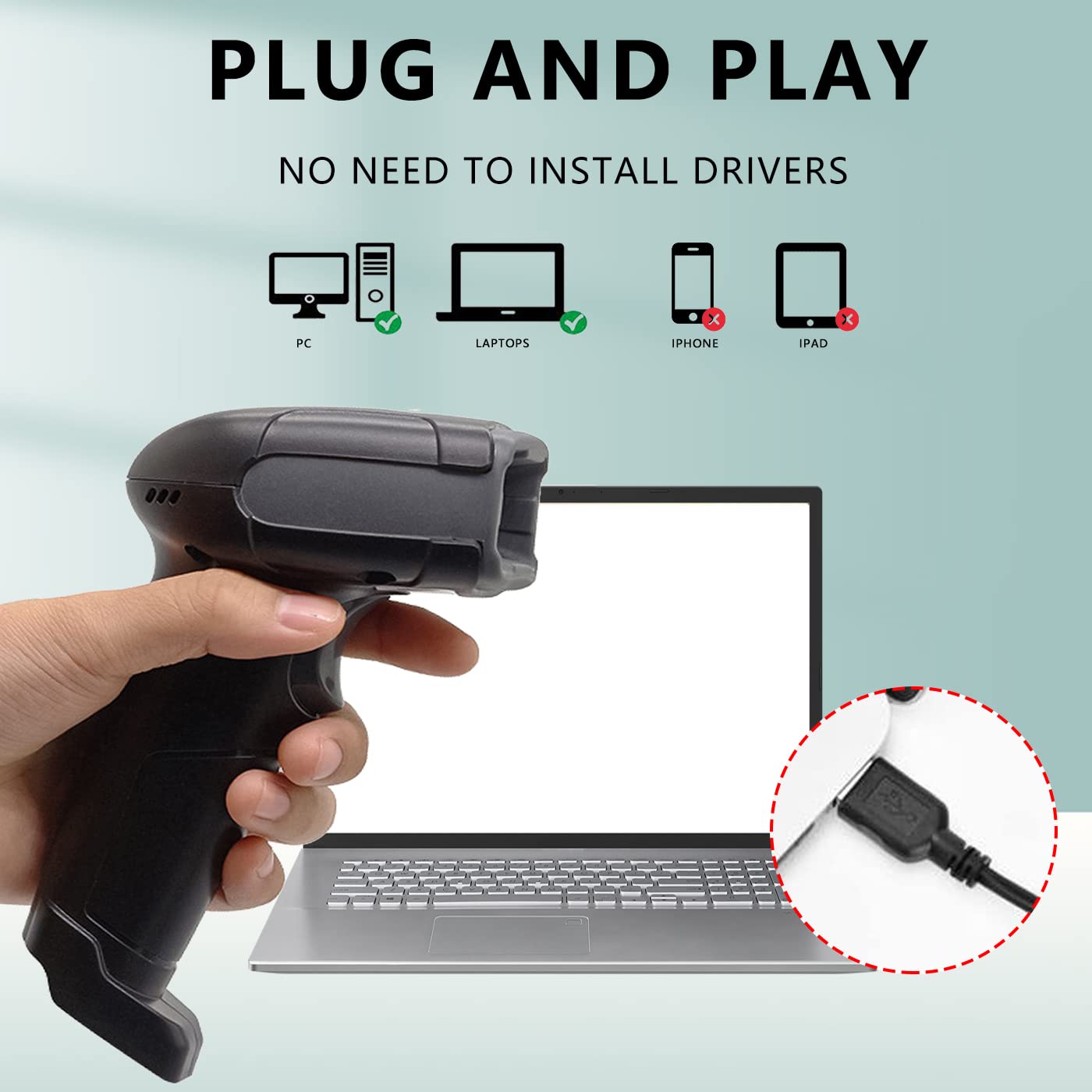
Image: A hand holding the LENVII F510 scanner, with illustrations showing compatibility with PCs and Laptops (green check) and incompatibility with iPhones and iPads (red X). A close-up of the USB connection is also shown.

Image: The LENVII F510 scanner connected via USB cable, with icons indicating compatibility with Windows (Win7, Win8, Win10, WinXP) and Mac operating systems.
Video: A demonstration of connecting the LENVII F510 scanner to a laptop and scanning various 1D and 2D barcodes from a phone screen and printed labels.
4. Arahan Operasi
The LENVII F510 is a versatile barcode reader capable of scanning a wide range of 1D and 2D barcodes.
4.1. Mengimbas Kod Bar
- Hold the scanner approximately 5-15 cm (2-6 inches) away from the barcode.
- Press the trigger button to activate the scanning light.
- Aim the scanning light directly at the center of the barcode.
- A successful scan will be indicated by an audible beep and the data appearing on your connected device.
4.2. Supported Barcode Types
The scanner supports the following barcode symbologies:
- Kod Bar 1D: UPC/EAN/JAN, UPC-A and UPC-E, EAN-8 and EAN-13, JAN-8 and JAN-13, ISBN/ISSN, Code 39 (with full ASCII), Codabar (NW7), Code 128 & EAN 128, Code 93, Interleaved 2 of 5 (ITF), Appendix 2 of 5, IATA Code, MSI/Plessy, China Postcode, Code 32 (Italian Pharmacode), RSS 14, RSS Limited, RSS Extension.
- Kod Bar 2D: QR Code, Data Matrix, PDF417, Aztec, Maxicode, MicroPDF417.

Image: A hand holding the LENVII F510 scanner, with examples of various 1D barcodes (one-dimensional, incomplete, high density, deformation) and 2D barcodes (QR code, DataMatrix, Minitype code, PDF417, Border code) that the scanner supports.
4.3. Scanning from Screens
The LENVII F510 is capable of reading barcodes displayed on mobile phone screens and computer monitors, making it ideal for digital coupons, tickets, and payment applications.
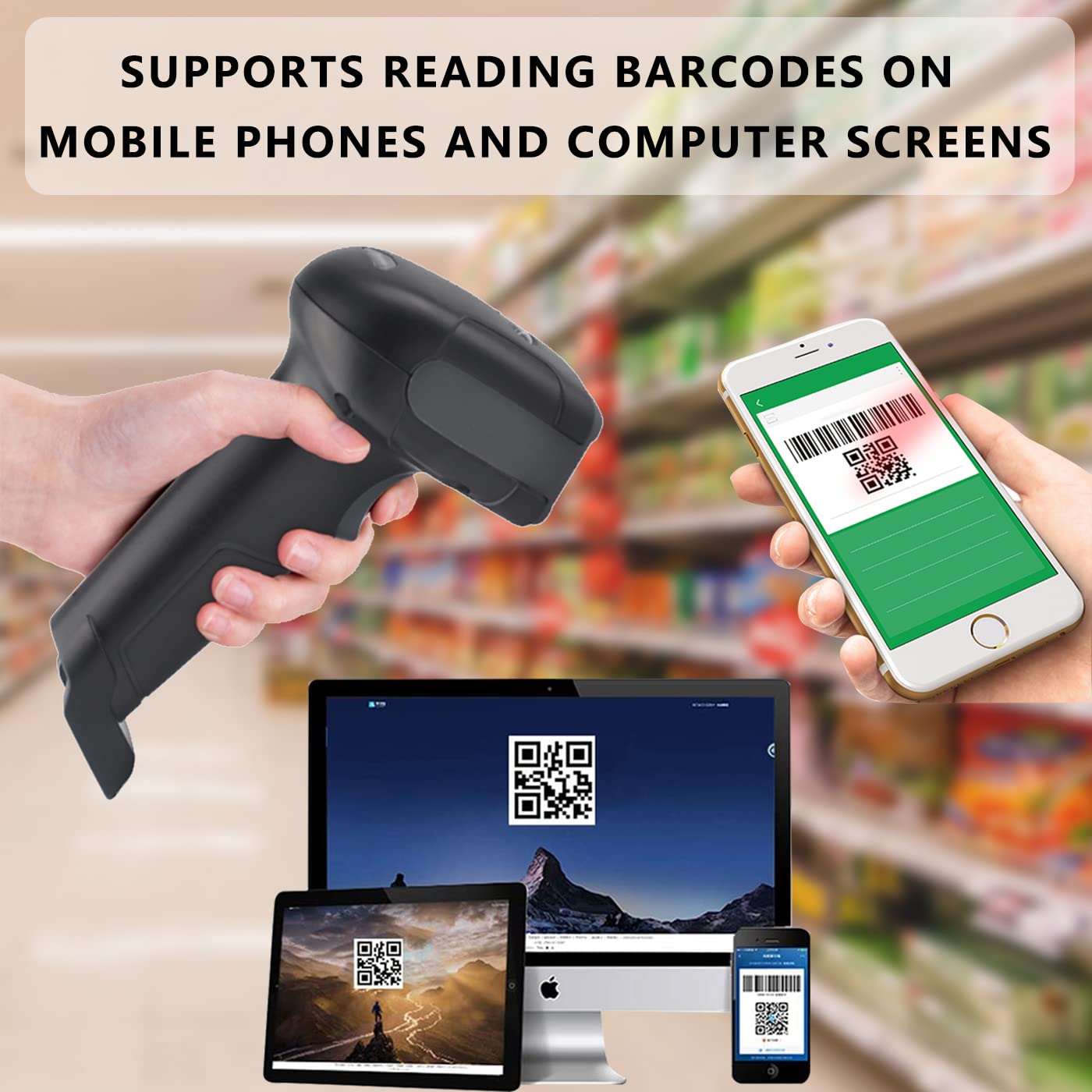
Image: The LENVII F510 scanner being used to scan a QR code displayed on a smartphone screen, with other screens (laptop, tablet) also showing barcodes.
5. Penyelenggaraan
To ensure optimal performance and longevity of your LENVII F510 barcode scanner, follow these maintenance guidelines:
- Pembersihan: Regularly wipe the scanning window and the scanner body with a soft, dry, lint-free cloth. For stubborn dirt, a slightly damp kain boleh digunakan, diikuti dengan pengeringan segera. Elakkan pembersih atau pelarut yang melelas.
- Storan: Simpan pengimbas di tempat yang sejuk dan kering, jauh daripada cahaya matahari langsung dan suhu yang melampau.
- Pengendalian: While the scanner is designed with anti-shock material, avoid unnecessary drops or impacts to prevent damage. The device has an anti-fall height rating of 5 meters.

Image: The LENVII F510 scanner lying on a cracked surface, illustrating its anti-shock and anti-fall capability.
6. Penyelesaian masalah
If you encounter issues with your LENVII F510 barcode scanner, please refer to the following common troubleshooting steps:
- Scanner Not Responding:
- Pastikan kabel USB disambungkan dengan selamat pada kedua-dua pengimbas dan komputer.
- Try plugging the scanner into a different USB port on your computer.
- Mulakan semula komputer anda.
- No Data Output After Scanning:
- Verify that the application you are using (e.g., Notepad, Word) is active and ready to receive input.
- Check if the barcode is damaged or poorly printed. Try scanning a known good barcode.
- Ensure the scanning light is properly aimed at the barcode.
- Output Data Salah:
- This can sometimes occur with specific barcode types or settings. Refer to the full programming manual (if available from the manufacturer) for advanced configuration options.
For further assistance, please contact LENVII customer support.
7. Spesifikasi
| Ciri | Perincian |
|---|---|
| Nombor Model | F510 |
| Ketersambungan | Wired USB Cable (1.8 meters) |
| Kadar Imbasan | 200 imbasan sesaat |
| Penderia Imej | 640 pixels (H) * 480 pixels (V) CMOS |
| Sumber Cahaya | Aiming: 617 nm LED; Illumination: 6500K LED |
| Keupayaan Menyahkod | 1D: UPC/EAN/JAN, Code 39, Code 128, etc. 2D: QR Code, Data Matrix, PDF417, etc. |
| Resolusi | Reads minimum 5mil barcode and maximum 13mil barcode |
| Dimensi (L*W*H) | 160mm * 64mm * 97mm (6.29in * 2.5in * 3.81in) |
| Berat badan | 190 gram (0.41 lbs) |
| Ketinggian anti-jatuh | 5 meter |
| OS yang serasi | Windows, Mac, Linux |
| Kawasan Permohonan | Supermarkets, convenience stores, warehouses, libraries, bookstores, drugstores, retail shops, file management, inventory tracking. |
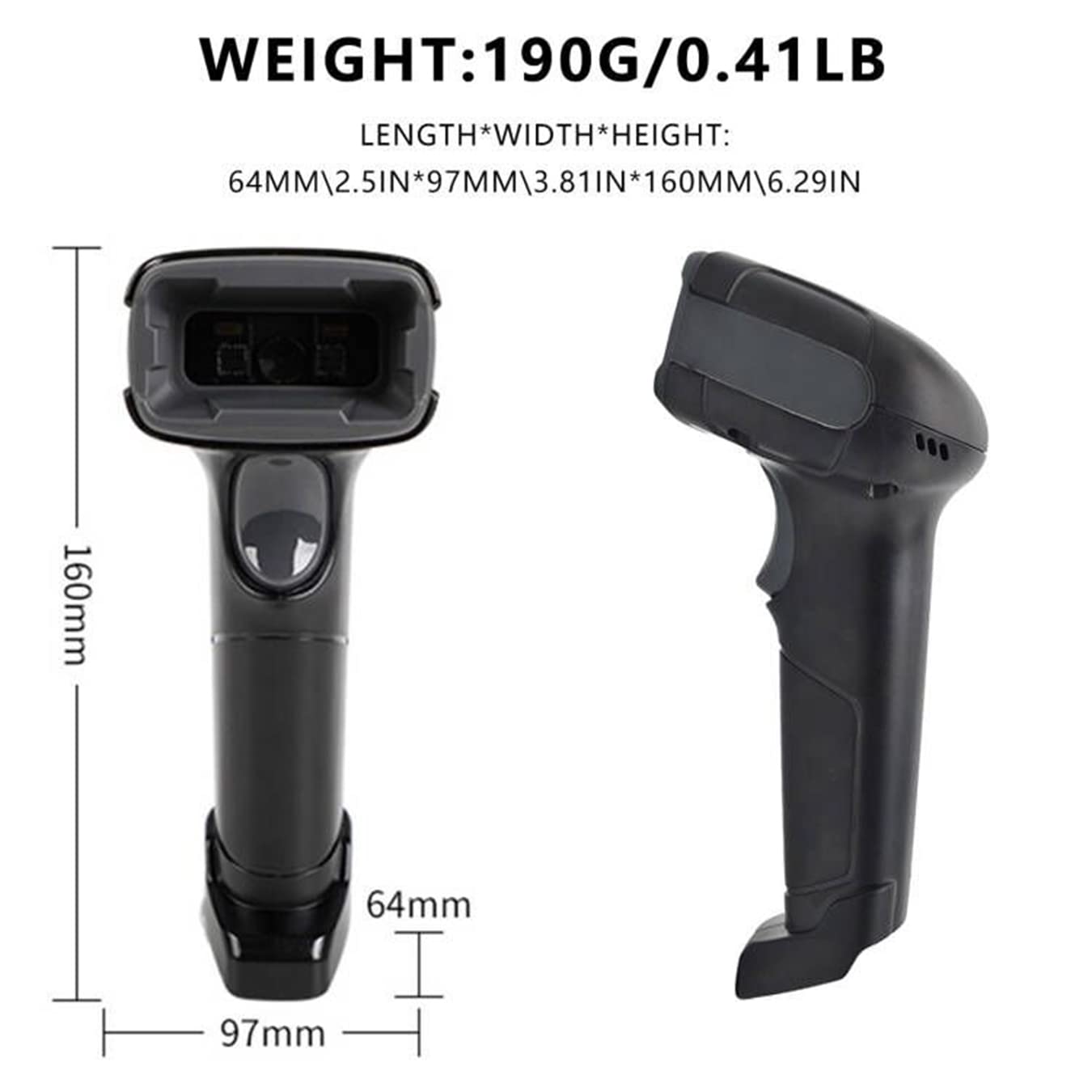
Image: Technical drawing of the LENVII F510 scanner showing its dimensions (160mm length, 64mm width, 97mm height) and weight (190g / 0.41lb).

Image: A collage showing various environments where the LENVII F510 scanner can be used, including a supermarket, storehouse, library, and pharmacy.
8. Waranti dan Sokongan
The LENVII F510 barcode scanner comes with a Waranti 6 bulan. For any product-related inquiries, technical support, or warranty claims, please contact the manufacturer or importer directly.
- Pengimport/Pembungkus: COOLPLAY TECHNOLOGY PRIVATE LIMITED
- E-mel Sokongan: support@lenvii.net
Sila simpan resit pembelian anda untuk tujuan jaminan.


