1. Pengenalan
Thank you for choosing the TecTake Portable Air Conditioner. This unit is designed to provide efficient cooling and air circulation for your home or office. Featuring a touch control panel, remote control, multiple speed levels, and wind modes, it offers a customizable and comfortable environment. This manual provides essential information for the safe and effective operation, maintenance, and troubleshooting of your new air conditioner.

The TecTake Portable Air Conditioner, highlighting its key features such as 3 fan speeds, 3 modes, touch control, remote control, integrated timer, large water tank, adjustable vent, and swivel castors.
2. Arahan Keselamatan
Sila baca semua arahan keselamatan dengan teliti sebelum menggunakan perkakas. Kegagalan mematuhi arahan ini boleh mengakibatkan renjatan elektrik, kebakaran atau kecederaan serius.
- Pastikan bekalan kuasa voltage sepadan dengan label penilaian pada unit.
- Jangan kendalikan unit dengan kord atau palam yang rosak.
- Jauhkan unit ini daripada air dan cecair lain. Jangan rendam unit ini di dalam air.
- Do not block the air inlets or outlets. Maintain adequate clearance around the unit for proper airflow.
- Cabut plag unit daripada soket kuasa sebelum membersihkan, menyelenggara atau apabila tidak digunakan.
- Jangan biarkan kanak-kanak mengendalikan perkakas ini tanpa pengawasan.
- Gunakan hanya aksesori asli dan alat ganti.
- Jangan cuba membaiki atau mengubah suai unit sendiri. Hubungi kakitangan perkhidmatan yang berkelayakan untuk pembaikan.
- Pastikan unit diletakkan di atas permukaan yang stabil dan rata untuk mengelakkannya daripada terbalik.
3. Kandungan Pakej
Sahkan bahawa semua komponen ada dan dalam keadaan baik semasa membuka bungkusan:
- Unit Penyaman Udara Mudah Alih
- Alat Kawalan Jauh
- 2 Pek Ais
- Wall Mounting Materials (screws, bracket)
- Manual Pengguna

Berakhirview of the product dimensions and included accessories.
4. Persediaan
- Kedudukan Unit: Place the air conditioner on a firm, level surface. Ensure there is sufficient space around the unit for proper air circulation. The unit is equipped with four smooth-running double castors for easy mobility. Two of these castors have brakes to secure the unit in place.

The unit's fully swivelling double castors, two of which can be locked to prevent unwanted movement.
- Mengisi Tangki Air: For cooling and humidification, fill the 4-litre water tank with clean, cold water. The water tank has a readable fill level indicator. For enhanced cooling, place the two included ice packs in the freezer until frozen, then add them to the water tank.
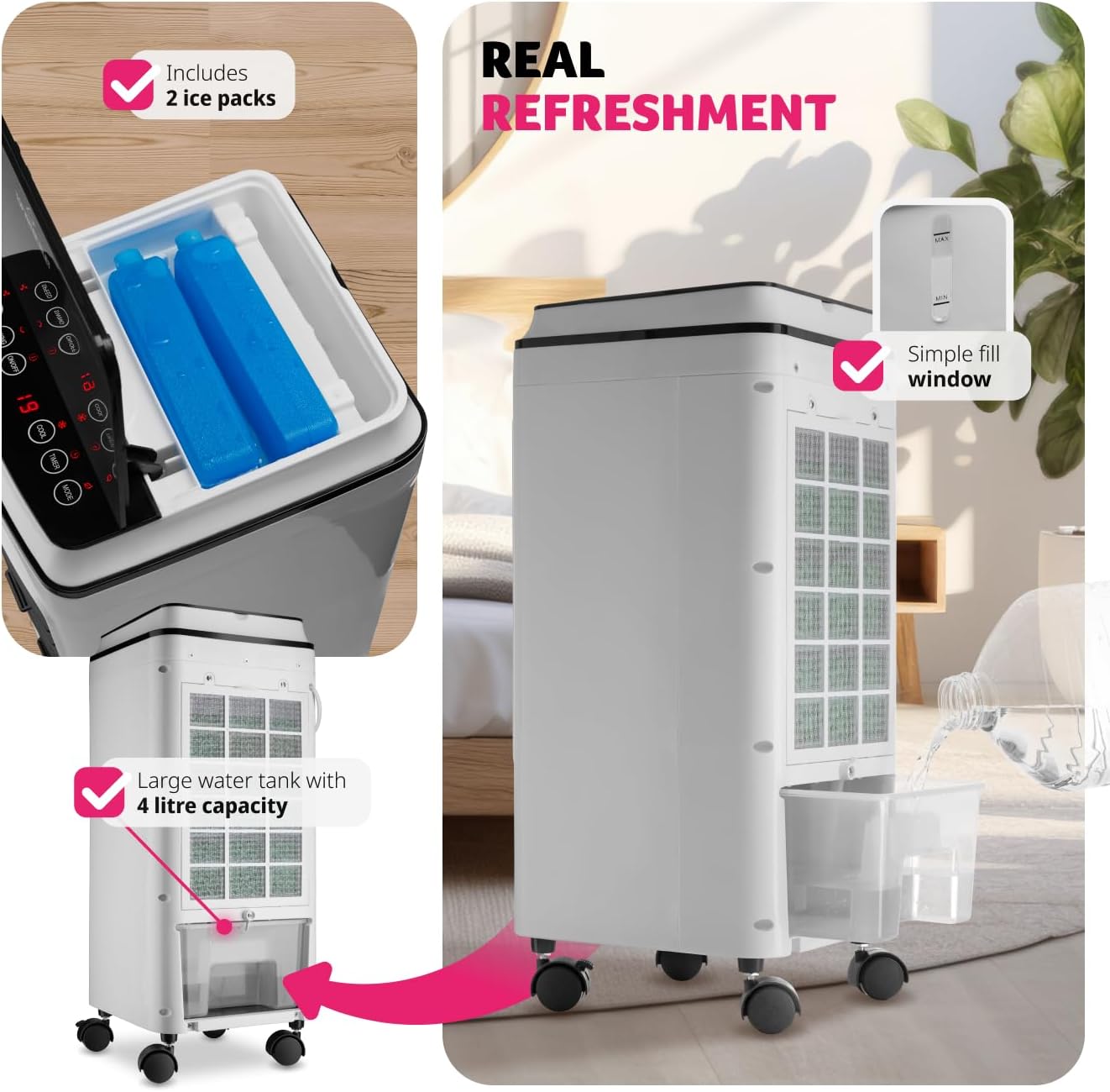
Instructions for filling the 4-litre water tank and adding the included ice packs for improved cooling.
- Sambungan Kuasa: Palamkan kord kuasa ke salur keluar elektrik yang sesuai (240 Volt).
- Pemasangan Dinding Pilihan: If desired, the unit can be wall-mounted using the provided materials. Refer to the separate wall mounting instructions for detailed steps.
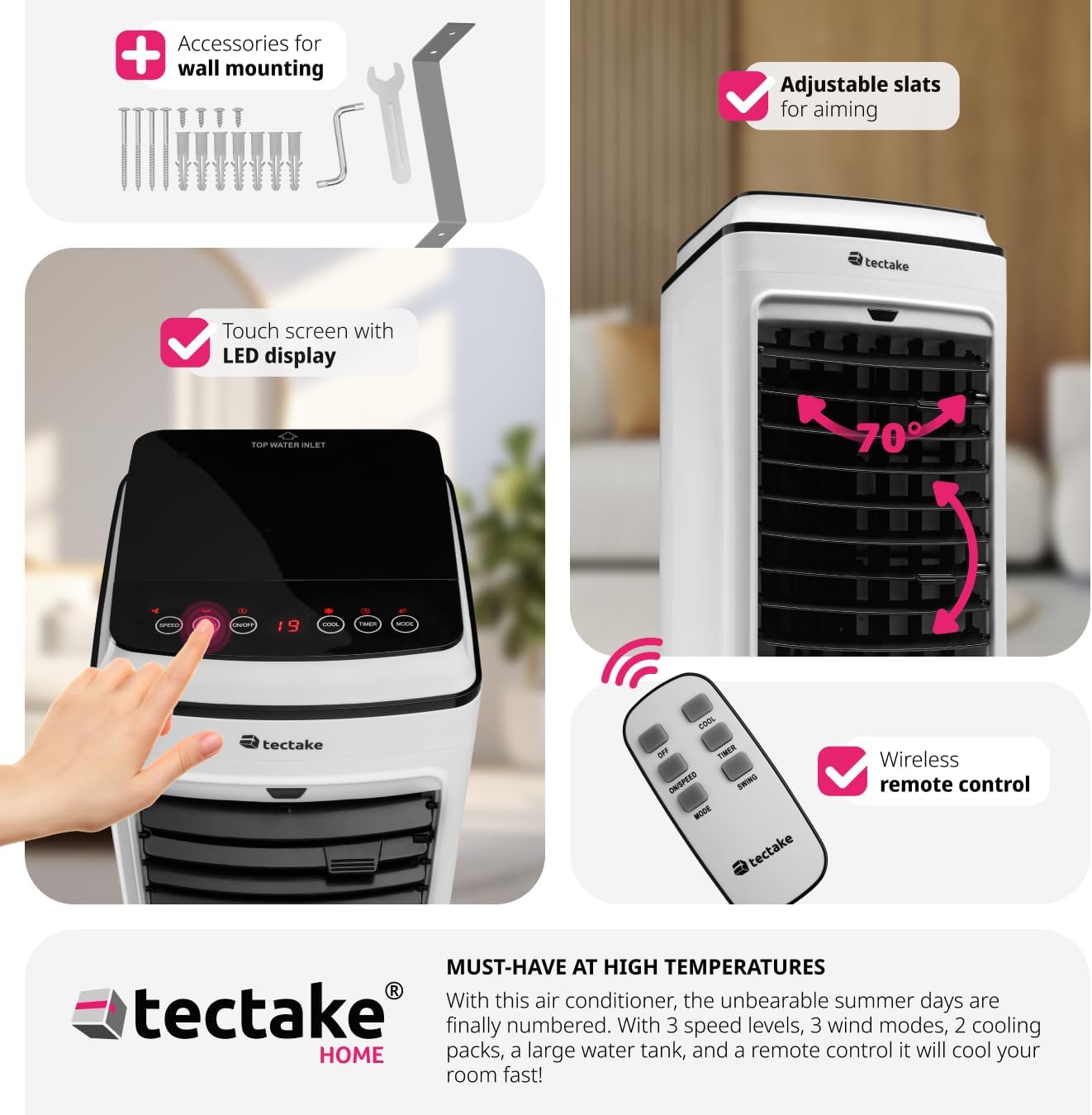
The unit can be wall-mounted using the included accessories.
5. Arahan Operasi
Your TecTake Portable Air Conditioner can be operated using the intuitive LED touch control panel on top of the unit or the included remote control.
5.1 Panel Kawalan dan Alat Kawalan Jauh
The touch control panel features LED lighting for easy operation, even in low light conditions. All functions available on the control panel are also accessible via the remote control.
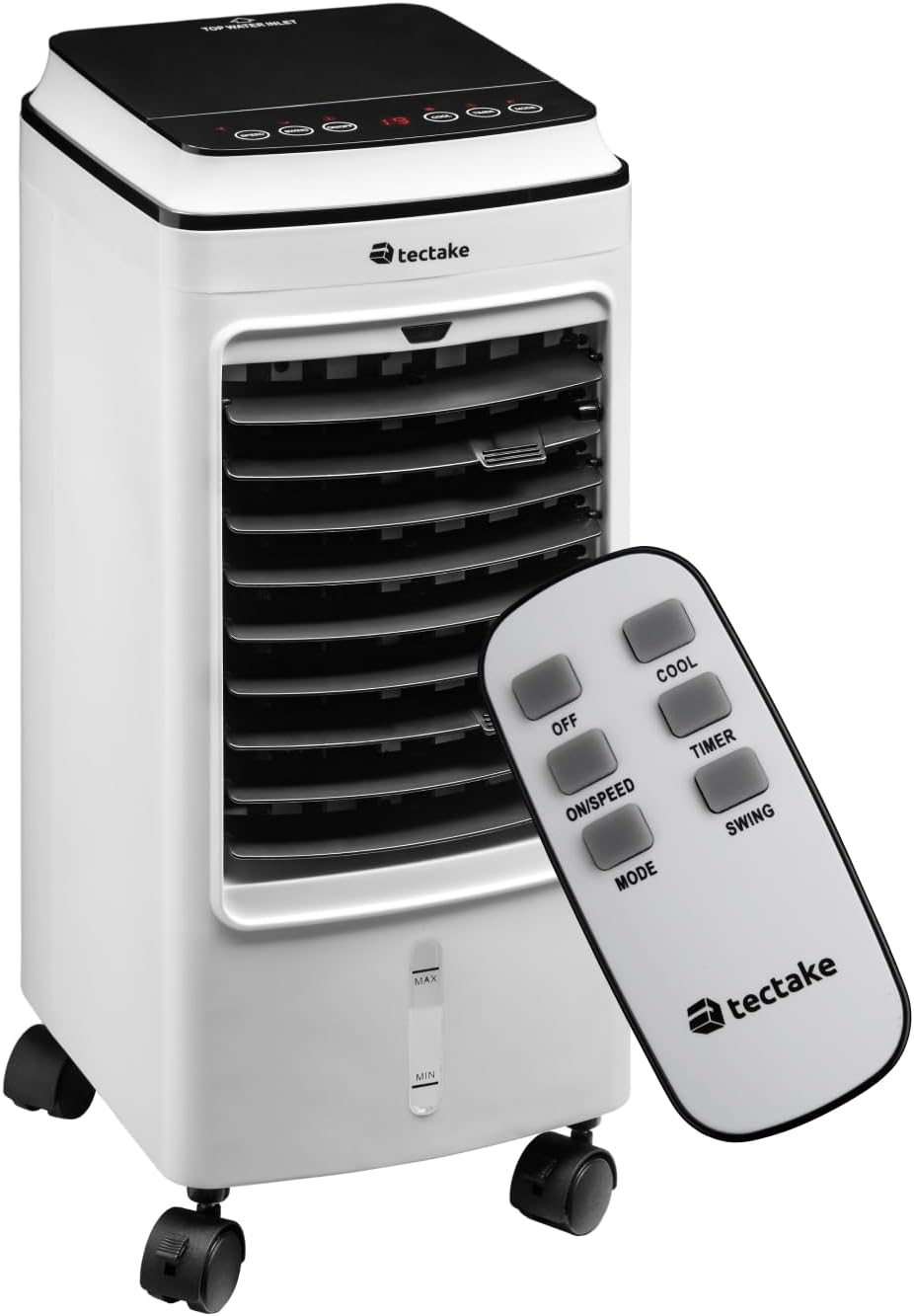
The portable air conditioner unit and its remote control.

The touch sensitive control panel is intuitive and user-friendly.

Remote control functions for easy adjustment from a distance.
5.2 Fungsi
- Hidupkan/Mati Kuasa: Tekan ke HIDUP/MATI butang untuk menghidupkan atau mematikan unit.
- Tahap Kelajuan: Tekan ke ON/LAJU button repeatedly to cycle through three fan speed levels (Low, Medium, High).
- Mod Angin: Tekan ke MODE button to select from three wind modes:
- Biasa: Aliran udara berterusan pada kelajuan yang dipilih.
- Semulajadi: Mensimulasikan angin semula jadi dengan kelajuan kipas yang berbeza-beza.
- Snooze (Sleep): Operates at a lower, quieter speed for comfortable sleep.
- Fungsi Sejuk: Tekan ke SEJUK button to activate the cooling function, utilizing the water tank and ice packs.
- Fungsi Pemasa: Tekan ke PEMASA button to set the operating time from 1 to 8 hours. The unit will automatically turn off after the set time. This function is ideal for ensuring comfortable sleep without continuous operation.
- Fungsi Ayunan: Tekan ke Swing button to activate the automatic oscillation of the vertical slats, distributing air across a wider area. The horizontal slats can be manually adjusted to direct airflow precisely.

Adjustable inner and outer slats allow you to direct the cold breeze.

The unit offers quiet operation (under 60 dB) and a timer function (1-8 hours) for comfortable use during sleep.
6. Penyelenggaraan
Regular maintenance ensures optimal performance and extends the lifespan of your air conditioner. Always unplug the unit before performing any maintenance.
- Membersihkan Penapis Udara: Penapis udara perlu dibersihkan dengan kerap, terutamanya jika unit digunakan dengan kerap.
- Cabut palam unit daripada salur keluar kuasa.
- Locate the air filter at the back of the unit.
- Loosen the two upper screws securing the filter cover.
- Remove the filter and gently clean it with a soft brush or vacuum cleaner. For a more thorough cleaning, rinse it under running water (ensure it is completely dry before reinserting).
- Reinsert the clean, dry filter and secure the screws.

Steps for easy air filter cleaning.
- Membersihkan Tangki Air: To prevent mold and mildew, the water tank should be cleaned regularly.
While the water tank is not designed for complete removal, it can be cleaned by draining any remaining water and wiping the interior with a damp cloth and mild detergent. Rinse thoroughly and allow to air dry before refilling. Regular draining of old water and refilling with fresh water is recommended.
- Pembersihan Luaran: Lap bahagian luar unit dengan lembut, damp kain. Jangan gunakan pembersih atau pelarut yang melelas.
- Storan: If storing the unit for an extended period, ensure the water tank is empty and dry, and the filter is clean. Store in a cool, dry place.
7. Penyelesaian masalah
Sebelum menghubungi sokongan pelanggan, sila rujuk jadual berikut untuk isu biasa dan penyelesaiannya.
| Masalah | Kemungkinan Punca | Penyelesaian |
|---|---|---|
| Unit tidak dihidupkan. | No power supply; power cord not plugged in; power outlet faulty. | Ensure the unit is properly plugged into a working power outlet. Check the circuit breaker. |
| No cool air / Insufficient cooling. | Water tank empty; ice packs not frozen; air filter dirty; room too large; windows/doors open. | Fill the water tank. Freeze and add ice packs. Clean the air filter. Ensure the room size is appropriate for the unit's capacity. Close windows and doors. |
| Unit bising. | Unit not on a level surface; air filter dirty; foreign object inside. | Place the unit on a stable, level surface. Clean the air filter. Check for any obstructions. |
| Alat kawalan jauh tidak berfungsi. | Bateri mati atau dimasukkan dengan salah; halangan antara alat kawalan jauh dan unit. | Replace batteries. Ensure line of sight to the unit's receiver. |
8. Spesifikasi
| Ciri | Perincian |
|---|---|
| Nombor Model | 403915 |
| Pengeluar | tectake |
| Dimensi Produk | 23.5 x 26.5 x 60 cm |
| Berat Barang | 5.2 kg |
| warna | putih |
| Sumber Kuasa | Elektrik Bertali |
| Voltage | 240 Volt |
| Wattage | 75 W |
| Kapasiti Tangki Air | 4 liter |
| Bilangan Kelajuan | 3 |
| Mod Angin | Normal, Natural, Snooze |
| Fungsi Pemasa | 1-8 jam |
| Jenis Kawalan | Jauh, Panel Sentuh |
| Ciri Khas | Portable, Adjustable Slats, Quiet Operation |
9. Waranti dan Sokongan
Your TecTake Portable Air Conditioner comes with a standard manufacturer's warranty. Please refer to the warranty card included in your package for specific terms and conditions.
For technical support, troubleshooting assistance beyond this manual, or warranty claims, please contact TecTake customer service. Contact details can typically be found on the product packaging, the official TecTake weblaman web, atau dokumentasi pembelian anda.
Apabila menghubungi sokongan, sila sediakan nombor model anda (403915) dan tarikh pembelian.


