pengenalan
Welcome to the instruction manual for your new lecover Touch Two C5 Wireless Earbuds. This guide provides detailed information on how to set up, operate, maintain, and troubleshoot your earbuds to ensure optimal performance and longevity. Please read this manual thoroughly before using the product.
Apa yang ada dalam Kotak
Carefully unpack your lecover Wireless Earbuds and ensure all items are present:
- 2 x Touch Two C5 Wireless Earbuds
- 1 x Kes Pengecasan
- 1 x Kabel USB
- 3 x Soft Silicone Earplugs (S/M/L)
- 1 x Manual Pengguna

Image: All components included in the lecover Wireless Earbuds package.
Produk Selesaiview
The lecover Touch Two C5 Wireless Earbuds are designed for a superior audio experience with convenience and durability. They feature advanced Bluetooth 5.0 technology, IP8 waterproof rating, and intuitive touch controls.

Image: The lecover Touch Two C5 Wireless Earbuds with their charging case.
Panduan Persediaan
1. Mengecas
Before first use, fully charge both the earbuds and the charging case. The earbuds provide 5-6 hours of music time on a single charge, and the portable charging case can recharge them up to 30 times, offering a total playtime of up to 150 hours.
- Letakkan fon telinga ke dalam bekas pengecasan. Pastikan mereka duduk dengan betul.
- Connect the USB cable to the charging case and a power source (e.g., computer USB port, wall adapter).
- The indicator lights on the case and earbuds will show charging status. Once fully charged, the lights will change or turn off.
2. Berpasangan
The earbuds feature one-step pairing for quick and easy connection.
- Pastikan Bluetooth diaktifkan pada peranti anda (telefon pintar, tablet, dll.).
- Keluarkan kedua-dua fon telinga daripada bekas pengecas. Mereka akan menghidupkan dan memasuki mod berpasangan secara automatik.
- On your device's Bluetooth settings, search for "Touch Two C5" (or similar name) and select it to connect.
- Once connected, you will hear a confirmation prompt, and the earbud indicator lights will stop flashing.

Image: Automatic pairing technology for seamless connection.
3. Memakai Earbud
For optimal sound quality and comfort, choose the correct size earplugs and ensure a secure fit.
- Select the earplug size (S, M, L) that best fits your ear canal. A snug fit enhances bass and noise isolation.
- Gently insert the earbud into your ear, twisting slightly until it feels secure and comfortable.
- The ergonomic design ensures the earbuds stay securely in place, even during sports or active use.
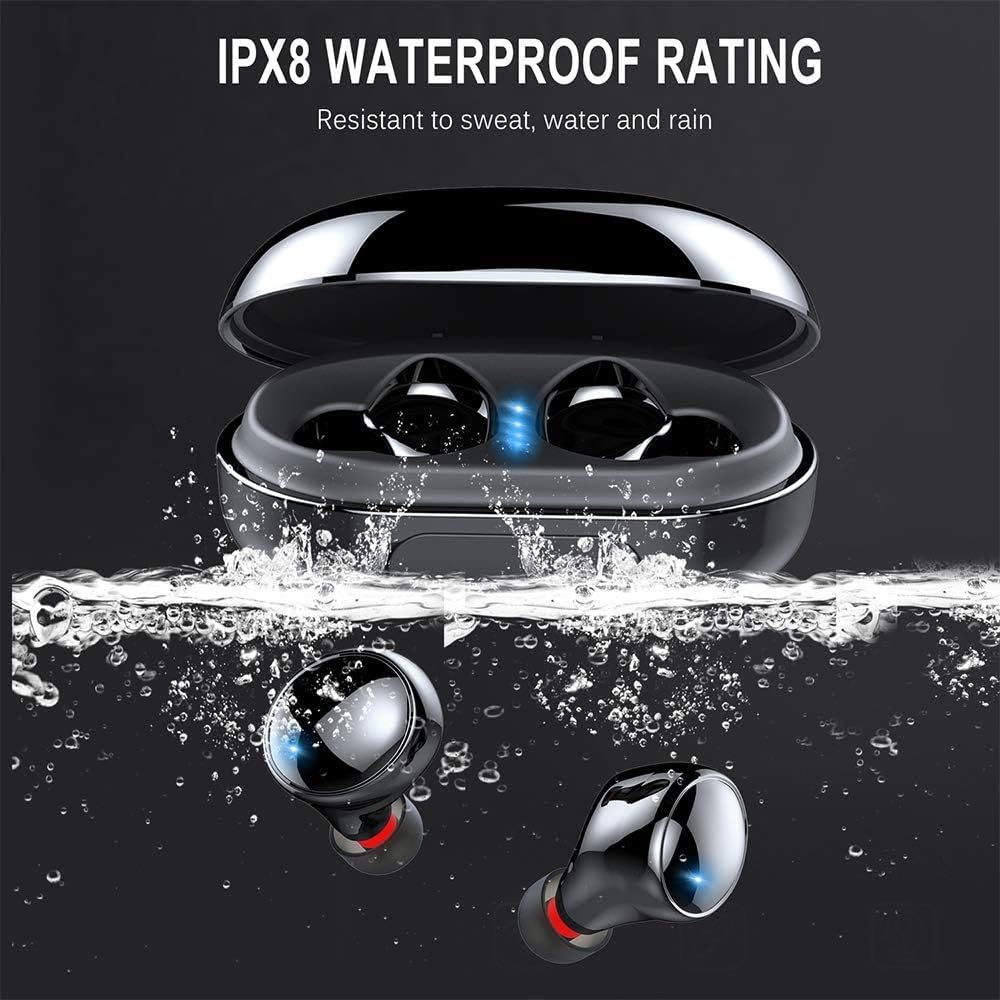
Image: Proper placement of the earbud for a comfortable and secure fit.
Arahan Operasi
Kawalan Sentuh
The lecover earbuds feature intuitive touch controls on each earbud. Lightly touch the earbud surface to perform various functions:
| Tindakan | Fungsi |
|---|---|
| Ketik Tunggal (Kiri/Kanan) | Main/Jeda Muzik, Jawab/Tamatkan Panggilan |
| Ketik Dua Kali (Kanan) | Trek Seterusnya |
| Ketik Dua Kali (Kiri) | Trek Sebelumnya |
| Ketik Tiga Kali (Kanan) | Kelantangan Naik |
| Ketik Tiga Kali (Kiri) | Kelantangan Kurang |
| Tekan lama (2 saat) | Activate Voice Assistant (Siri, Google Assistant), Reject Call |

Image: Demonstrating the touch control functionality of the earbuds.
Hidupkan/Mati Kuasa
- Hidupkan kuasa: Earbuds automatically power on when removed from the charging case.
- Matikan: Earbuds automatically power off when placed back into the charging case.
Penjagaan dan Penyelenggaraan
Pembersihan
Pembersihan tetap membantu mengekalkan kualiti bunyi dan kebersihan.
- Gunakan kain lembut, kering dan tidak berbulu untuk mengelap fon telinga dan bekas pengecas.
- Tanggalkan hujung telinga dan bersihkannya dengan sabun lembut dan air. Pastikan ia benar-benar kering sebelum dipasang semula.
- Gently clean any earwax or debris from the earbud mesh using a small, soft brush or cotton swab.
Rintangan Air (IP8)
Your lecover earbuds are IP8 waterproof, meaning they are protected against the effects of continuous immersion in water. This makes them ideal for sports and use in rainy conditions.
- While waterproof, avoid prolonged exposure to saltwater or chemicals.
- Pastikan fon telinga kering sebelum meletakkannya semula ke dalam bekas pengecasan untuk mengelakkan kerosakan pada sesentuh pengecasan.

Image: The earbuds demonstrating their IPX8 waterproof capability.
Penyimpanan
Apabila tidak digunakan, simpan fon telinga dalam bekas pengecasnya untuk melindunginya dan memastikan ia dicas.
- Simpan di tempat yang sejuk dan kering jauh dari suhu yang melampau.
- Avoid dropping or subjecting the earbuds and case to strong impacts.
Menyelesaikan masalah
Jika anda menghadapi masalah dengan fon telinga anda, rujuk masalah dan penyelesaian biasa berikut:
| Masalah | Penyelesaian yang Mungkin |
|---|---|
| Fon telinga tidak berpasangan | Ensure earbuds are fully charged. Turn off and on Bluetooth on your device. Forget the device in Bluetooth settings and re-pair. |
| Hanya satu fon telinga berfungsi | Letakkan kedua-dua fon telinga kembali ke dalam bekas pengecas, tutup penutup, tunggu beberapa saat, kemudian keluarkannya semula. Pastikan kedua-duanya dikenakan bayaran. |
| Tiada suara atau kelantangan rendah | Check volume levels on both earbuds and your connected device. Ensure earbuds are properly seated in your ears. |
| Isu pengecasan | Ensure the charging cable is securely connected. Clean the charging contacts on both earbuds and the case. Try a different USB port or charger. |
| Kualiti panggilan yang lemah | Ensure the microphone is not obstructed. Move closer to your connected device. Avoid noisy environments. |
Spesifikasi Produk
Detailed technical specifications for the lecover Touch Two C5 Wireless Earbuds:
| Ciri | Spesifikasi |
|---|---|
| Nama Model | Sentuh Dua C5 |
| Teknologi Ketersambungan | Wayarles (Bluetooth 5.0) |
| Julat Bluetooth | 10 Meter |
| Tahap Ketahanan Air | IP8 Kalis Air |
| Playtime (Total with Case) | Sehingga 150 Jam |
| Jenis Kawalan | Kawalan Sentuh |
| Kawalan Bunyi | Pembatalan Bunyi Aktif (CVC8.0) |
| Jenis Pemacu Audio | Pemandu Dinamik |
| Julat Kekerapan | 20 Hz - 20,000 Hz |
| Berat Barang | 0.141 auns (setiap fon telinga) |
| Dimensi Produk | 1.18 x 1.18 x 0.79 inci |
| Bateri | 2 bateri Litium Polimer (termasuk) |
Waranti dan Sokongan
For warranty information or technical support, please refer to the contact details provided on the product packaging or visit the official lecover webtapak. Simpan resit pembelian anda sebagai bukti pembelian untuk sebarang tuntutan waranti.


