pengenalan
Welcome to the AEEZO Kids Tablet TK701 user manual. This guide provides essential information for setting up, operating, maintaining, and troubleshooting your new tablet. Designed for children, this 7-inch tablet features a Full HD IPS touch screen, Android 10 operating system, and pre-installed Kidoz for a safe and engaging experience.
Produk Selesaiview
Komponen Tablet

Penerangan Imej: A detailed diagram of the AEEZO Kids Tablet TK701, highlighting its various ports and buttons. The tablet is shown from the front, side, and top views, with numbers indicating specific components.
- Tetapkan semula: Small pinhole for device reset.
- Hidupkan/matikan kuasa: Button to turn the tablet on or off.
- Jilid+: Button to increase volume.
- Jilid-: Butang untuk mengurangkan kelantangan.
- Kamera menghadap hadapan: Camera located on the front of the tablet.
- Jack fon kepala: Port 3.5mm untuk fon kepala.
- Slot Kad SD: Slot for inserting a microSD card for expanded storage.
- Port Jenis C: USB Type-C port for charging and data transfer.
- Kamera Belakang: Camera located on the back of the tablet.
- Penceramah: Audio output speaker.
- mikrofon: Mikrofon terbina dalam.
Ciri-ciri Utama

Penerangan Imej: An image comparing 1080p FHD image quality (right, showing Red from Angry Birds clearly) with a lower resolution (left, showing a blurry green pig), illustrating the superior display of the AEEZO tablet.
- paparan: 7-inch FHD IPS Touch Screen with 1920x1200 resolution, 323 PPI, offering a 178° wide viewsudut ing.
- Sistem pengendalian: GMS-certified Android 10.0.
- Pemproses: 1.6 GHz Quad-Core processor.
- Memori & Storan: 2GB RAM, 32GB ROM (expandable up to 128GB via microSD card, not included).
- Kamera: Dual cameras (2MP front, 5MP rear).
- Bateri: 2,600mAh battery, providing approximately 4 hours of average use.
- Ketersambungan: WiFi.
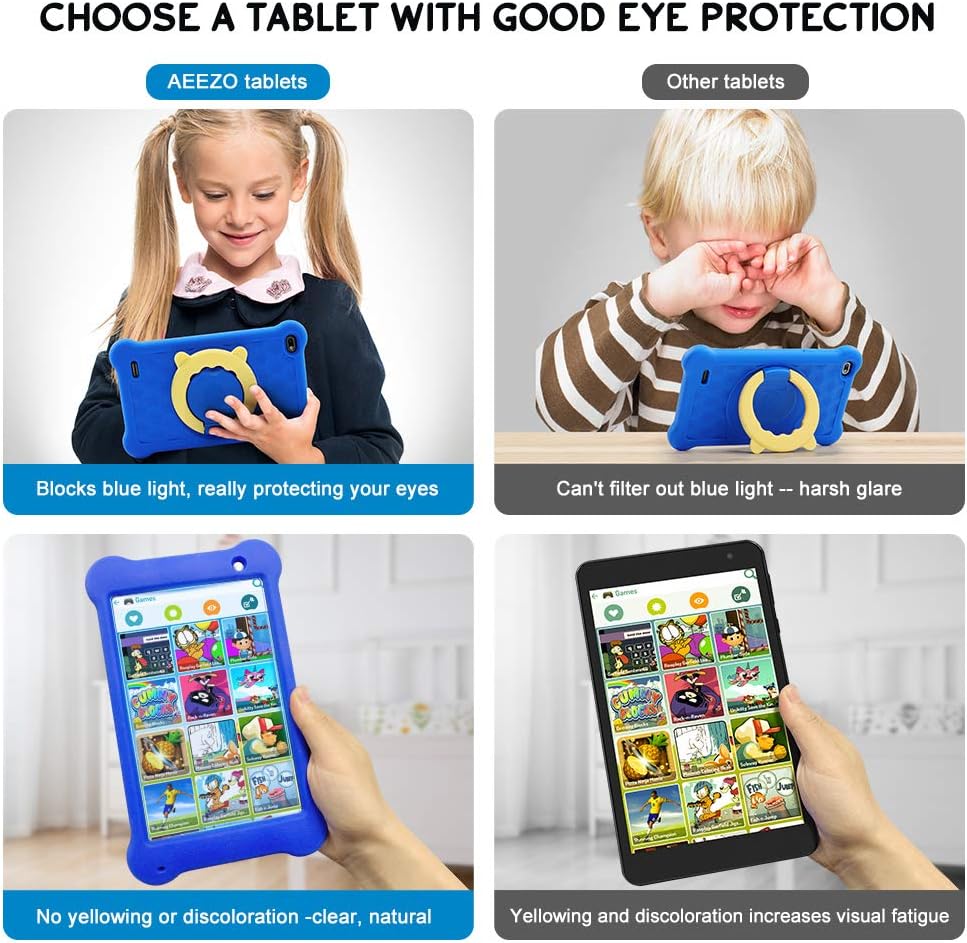
Penerangan Imej: A four-panel image demonstrating the AEEZO tablet's eye protection features. Two top panels show a child comfortably using an AEEZO tablet (blocking blue light) versus a child squinting at another tablet (harsh glare). Two bottom panels show the AEEZO tablet's clear display versus another tablet's yellowed display, highlighting the absence of discoloration.
- Ciri-ciri perlindungan: Food-grade silicone cover designed to prevent damage from falls and collisions, and a pre-applied screen protection film that blocks harmful blue light for eye protection. The cover includes a 360-degree adjustable ring stand.
- Child-Friendly Software: Pre-installed Kidoz app, a COPPA-certified platform for kids, with parental controls.
Persediaan
1. Pengecasan Awal
Before first use, fully charge the tablet. Connect the provided USB Type-C cable to the tablet's Type C Port (8) and to a compatible 5V 2A charger (not included). The charging indicator will show the charging status.
2. Menghidupkan/Mematikan
- Untuk Menghidupkan: Press and hold the Power on/off button (2) until the screen lights up.
- Untuk Mematikan: Press and hold the Power on/off button (2) until a power-off menu appears. Select "Power off" to shut down the device.
3. Wizard Persediaan Awal
Upon first power-on, follow the on-screen instructions to complete the initial setup. This includes selecting your language, connecting to a Wi-Fi network, and setting up your Google account.
4. Memasukkan Kad MicroSD (Pilihan)
To expand storage, insert a microSD card (up to 128GB, not included) into the SD Card Slot (7). Ensure the tablet is powered off before inserting or removing the card.
Arahan Operasi
Navigasi Asas
- Skrin Sentuh: Navigate the tablet by tapping, swiping, and pinching on the screen.
- Skrin Utama: Access apps and widgets from the main home screen.
- Pemberitahuan: Leret ke bawah dari bahagian atas skrin ke view pemberitahuan dan tetapan pantas.
Using Google Play

Penerangan Imej: A young child smiling next to the AEEZO tablet, surrounded by icons for Google Play, Kidoz, Family Link, and FamilyGroup, indicating the tablet's software capabilities.
The tablet provides full access to Google services, including the Google Play Store. Parents can download a wide range of educational apps, games, and other content suitable for children. Ensure your Google account is set up and parental controls are configured within Google Play for content filtering.
Kidoz App

Penerangan Imej: The AEEZO Kids Tablet, encased in its blue protective cover, displays the colorful Kidoz app interface. Various icons representing kid-friendly games, videos, and creative tools are shown floating above the tablet.
Kidoz is a pre-installed, COPPA-certified application designed for children. It offers a curated selection of age-appropriate content. Navigate through Kidoz to find games, videos, and educational activities.
Kawalan Ibu Bapa

Penerangan Imej: A mother and child are comfortably seated on a sofa, with the child holding the AEEZO Kids Tablet. On the right side of the image, three circular icons represent key parental control features: Child Lock, Content Filter, and Time Limits.
The AEEZO Kids Tablet is equipped with robust parental control features to ensure a safe digital environment for children.
- Kidoz Parental Control: The pre-installed Kidoz app includes an advanced parental control system. Parents can set up a password to manage access to content, filter age-inappropriate material, and monitor usage.
- Penapisan Kandungan: Utilize the age filter within Kidoz to ensure children only access content suitable for their age group.
- Had Masa: Set daily time limits for tablet usage to promote healthy screen habits.
- Pengurusan Apl: Control which applications your child can access.
- Google Family Link: For more comprehensive device management, consider using Google Family Link, which allows parents to manage app downloads, screen time, and device location from their own device.
Penyelenggaraan
- Pembersihan: Use a soft, lint-free cloth to clean the screen and tablet body. Avoid abrasive cleaners or solvents.
- Penjagaan Bateri: To prolong battery life, avoid extreme temperatures. Do not allow the battery to fully discharge frequently. Charge the tablet regularly.
- Kemas Kini Perisian: Periodically check for system updates in the tablet's settings to ensure optimal performance and security.
- Penutup Pelindung: The food-grade silicone cover provides protection against drops and impacts. Keep it clean and ensure it is properly fitted.
- Pelindung Skrin: The pre-applied screen protection film helps block harmful blue light and protects the screen. If it becomes damaged, consider replacing it with a similar eye-protective film.
Menyelesaikan masalah
Tablet Does Not Turn On
- Ensure the tablet is sufficiently charged. Connect it to a power source for at least 30 minutes.
- Press and hold the Power on/off button (2) for 10-15 seconds.
- If unresponsive, use a thin object (like a paperclip) to press the Reset button (1) and then attempt to power on.
Prestasi Perlahan
- Tutup aplikasi yang tidak digunakan yang berjalan di latar belakang.
- Clear cache data for frequently used apps.
- Ensure there is sufficient storage space. Uninstall unnecessary apps or move files ke kad SD.
- Mulakan semula tablet.
Isu Ketersambungan Wi-Fi
- Ensure Wi-Fi is enabled in the tablet's settings.
- Mulakan semula penghala Wi-Fi anda.
- Lupakan rangkaian dan sambung semula, masukkan kata laluan sekali lagi.
- Ensure the tablet is within range of the Wi-Fi signal.
Bateri Cepat Habis
- Kurangkan kecerahan skrin.
- Close background apps and disable unnecessary notifications.
- Matikan Wi-Fi atau Bluetooth apabila tidak digunakan.
- Check for apps consuming excessive battery in settings.
Spesifikasi
| Ciri | Perincian |
|---|---|
| Nama Model | TK701 |
| Saiz Skrin | 7 Inci |
| Resolusi Skrin | 1920 x 1200 (FHD IPS) |
| Pemproses | 1.6 GHz Quad-Core (ARM) |
| RAM | 2 GB |
| Storan Dalaman | 32 GB |
| Storan Boleh Dikembangkan | Up to 128 GB (MicroSD, not included) |
| Sistem Operasi | Android 10.0 (GMS Certified) |
| belakang Webresolusi cam | 5 MP |
| Kamera menghadap ke hadapan | 2 MP |
| Bateri | 2,600mAh Litium Ion |
| Purata Hayat Bateri | Lebih kurang 4 Jam |
| Ketersambungan | WiFi |
| Berat Barang | 1.43 paun (lebih kurang 648g) |
| Dimensi Produk | 9.06 x 6.69 x 1.97 inci |
| warna | Biru |
Waranti dan Sokongan
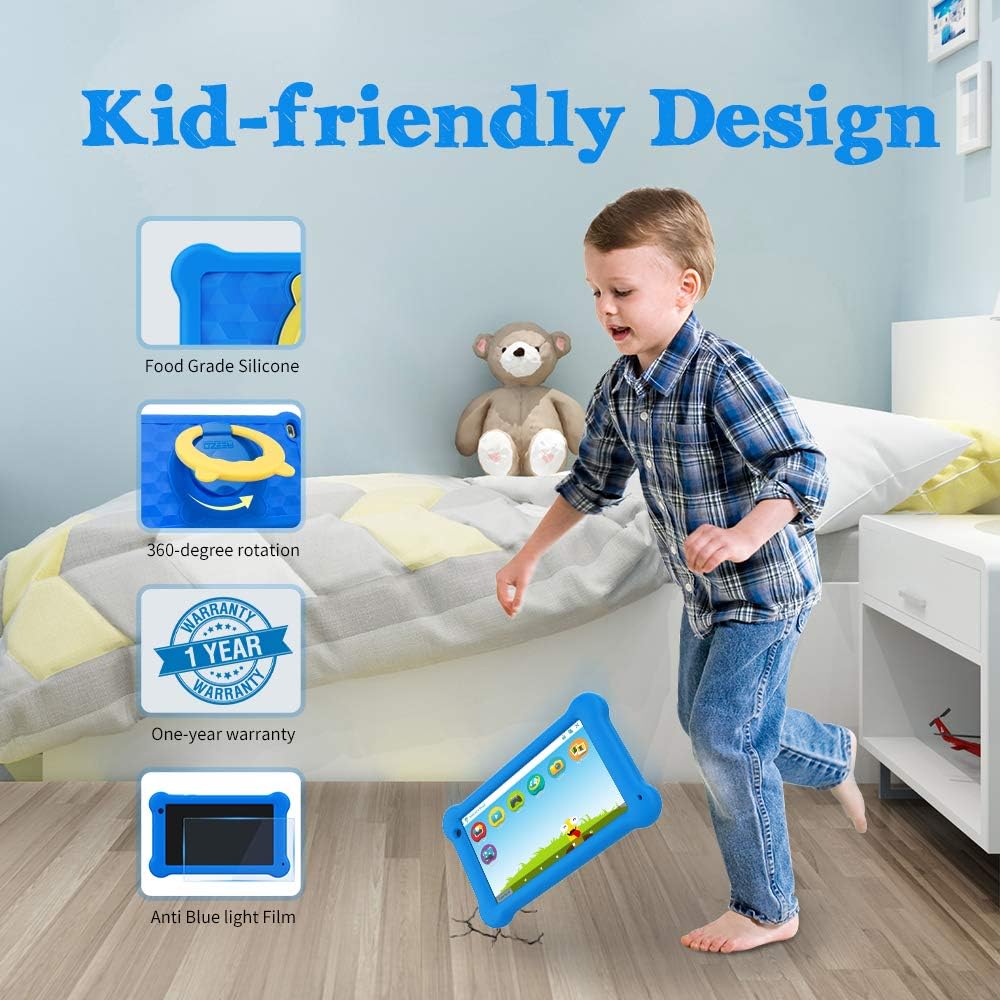
Penerangan Imej: A young boy is shown playing with the AEEZO Kids Tablet, which is protected by a blue silicone case and features a yellow rotating stand. Insets highlight key features: Food Grade Silicone, 360-degree rotation, a "1 Year Warranty" badge, and "Anti Blue Light Film."
The AEEZO Kids Tablet TK701 comes with a Waranti 1 tahun dari tarikh pembelian. Waranti ini meliputi kecacatan pembuatan di bawah penggunaan biasa. Sila simpan bukti pembelian anda untuk tuntutan waranti.
For technical support, warranty service, or any questions regarding your tablet, please contact AEEZO customer service through the retailer where you purchased the product or visit the official AEEZO webtapak untuk maklumat hubungan.


