pengenalan
This manual provides essential information for the safe and effective use of your Zipro Flame Exercise Bike. Training on the ZIPRO FLAME stationary bike strengthens abdominal and leg muscles and promotes weight loss. It features an advanced computer that connects to your phone via Bluetooth, offering a reliable and quiet fitness experience thanks to reinforced bearings and a robust resistance system. For an enhanced experience, download the iConsole+ and Kinomap applications.

Rajah 1: Depan view of the Zipro Flame Exercise Bike.
Maklumat Keselamatan
Sila baca semua arahan dengan teliti sebelum menggunakan produk ini. Simpan manual ini untuk rujukan pada masa hadapan.
- Rujuk doktor anda sebelum memulakan sebarang program senaman.
- Pastikan semua bahagian dipasang dengan betul dan diketatkan sebelum setiap penggunaan.
- Letakkan basikal senaman di atas permukaan yang rata dan stabil.
- Jauhkan kanak-kanak dan haiwan peliharaan daripada peralatan semasa operasi.
- Jangan melebihi berat pengguna maksimum 150 kg.
- Pakai pakaian senaman dan kasut yang sesuai.
- Berhenti bersenam serta-merta jika anda berasa pitam, pening, atau mengalami kesakitan.
- Periksa peralatan secara berkala untuk haus dan lusuh. Jangan gunakan jika rosak.
Kandungan Pakej
Verify that all components are present and undamaged. If any parts are missing or damaged, contact customer support.
- Pemasangan Bingkai Utama
- Hendal dan Perhimpunan Konsol
- Pelana dan Pos Tempat Duduk
- Pedal (Kiri dan Kanan)
- Penstabil Depan dan Belakang
- Kit Perkakasan (bolt, pencuci, nat, alatan)
- Penyesuai Kuasa
- Manual Pengguna
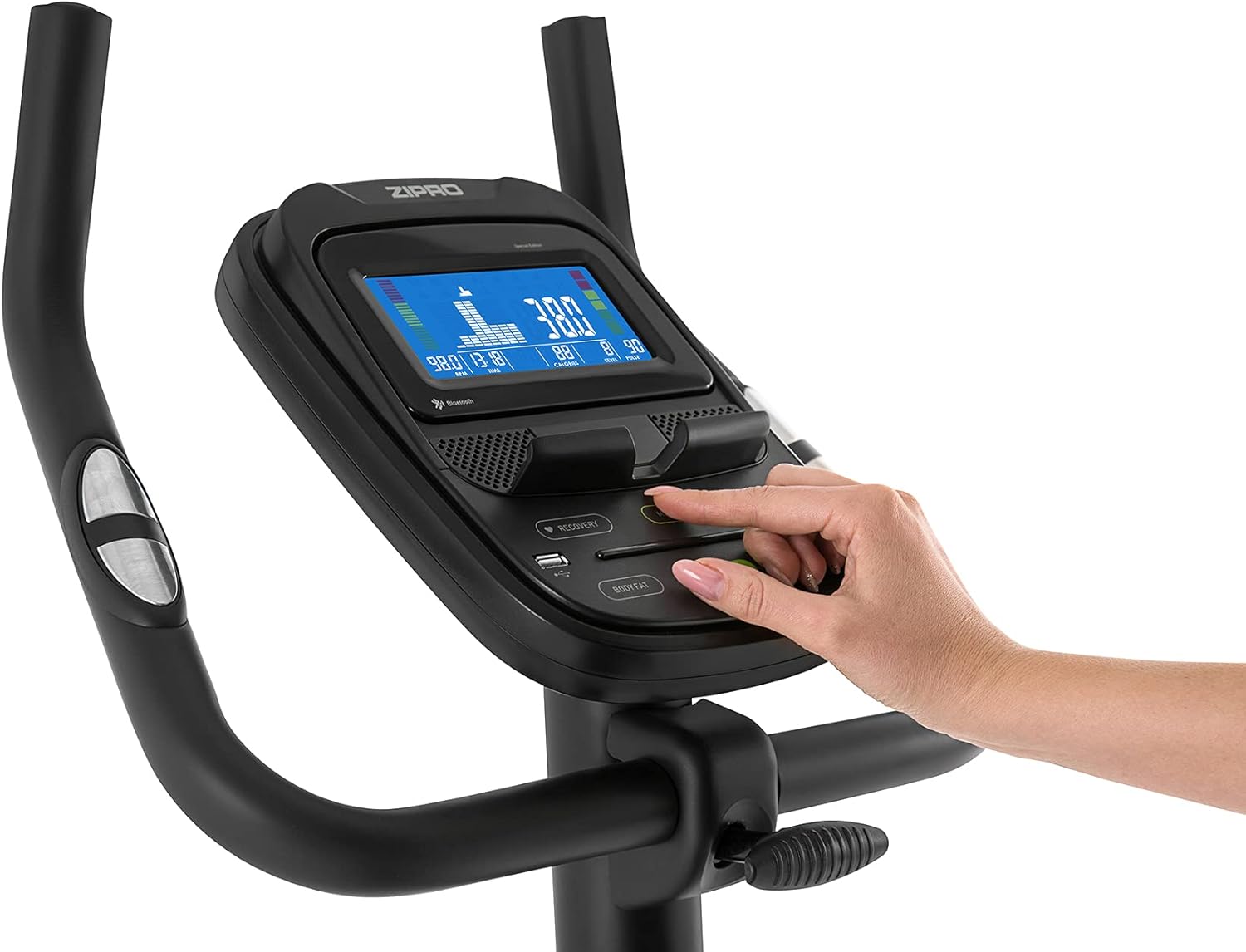
Figure 2: User manual and power adapter.
Persediaan dan Perhimpunan
Follow these steps to assemble your Zipro Flame Exercise Bike. It is recommended to have two people for assembly.
- Pasangkan penstabil hadapan dan belakang pada rangka utama menggunakan bolt dan pencuci yang disediakan.
- Secure the seat post and saddle to the main frame. Adjust the saddle height and distance for comfort.
- Install the handlebar and console assembly onto the main frame. Ensure all cables are connected properly.
- Attach the left and right pedals. Note that the left pedal is reverse-threaded.
- Connect the power adapter to the bike and a suitable power outlet.

Figure 3: Saddle adjustment for personalized comfort.

Figure 4: Non-slip pedals with adjustable straps for secure footing.
Arahan Operasi
Fungsi Konsol
The advanced computer console provides real-time workout data and various programs.
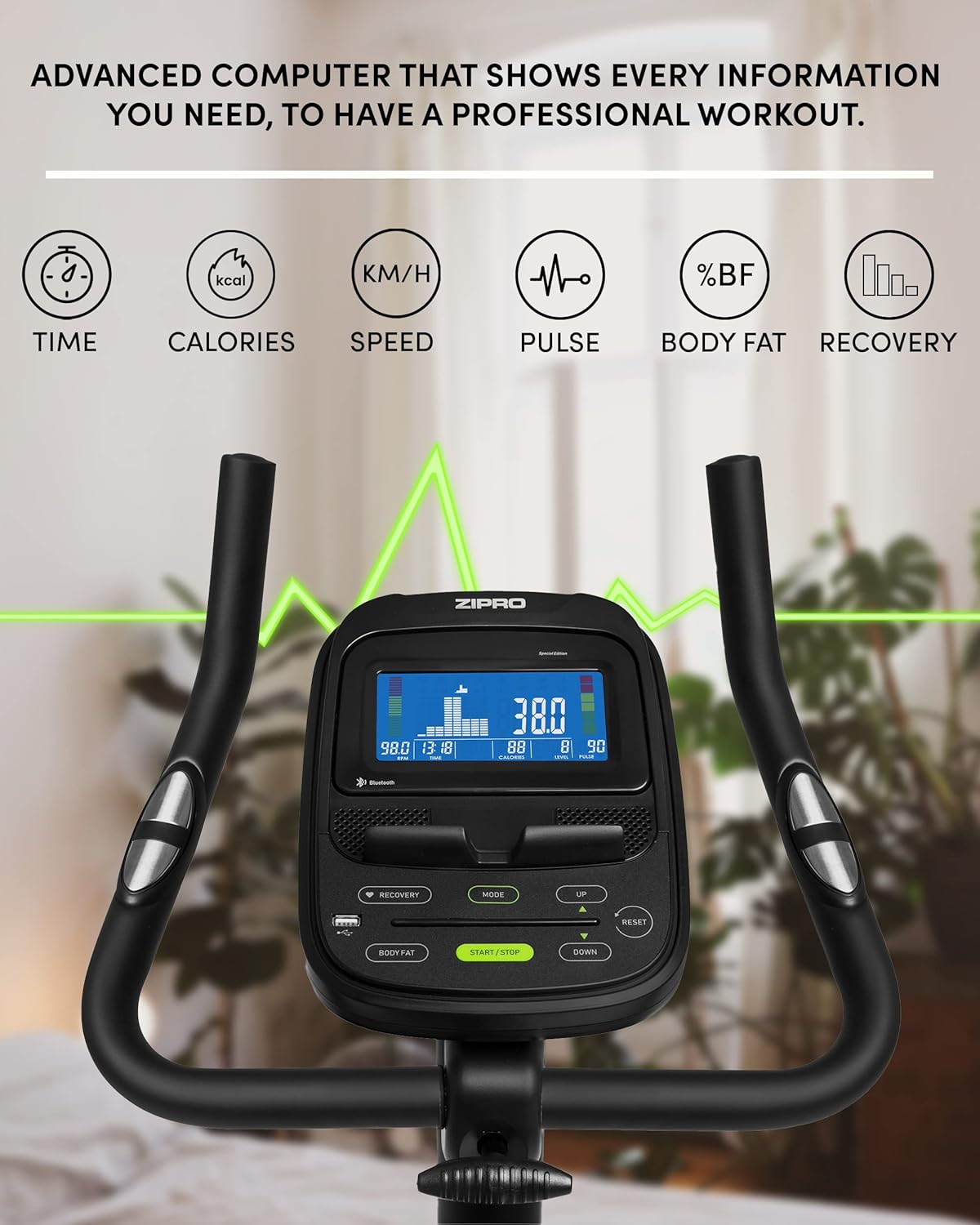
Figure 5: Advanced computer display showing workout metrics.

Figure 6: User interacting with the console controls.
- Hidupkan/Mati Kuasa: Press the START/STOP button to turn the console on or off.
- Mod: Press the MODE button to cycle through display functions (Time, Calories, Speed, Pulse, Body Fat, Recovery).
- Pelarasan Rintangan: Use the UP/DOWN buttons to adjust the 32-step electric-magnetic resistance level.
- Pengukuran nadi: Grip the pulse sensors on the handlebars to measure your heart rate.
- Pengukuran Lemak Badan: Follow the instructions on the console to perform a body fat measurement.
- HRC Training: The bike supports Heart Rate Control (HRC) training, automatically adjusting resistance based on your target heart rate.
Mobile Device Integration
The Zipro Flame Exercise Bike is designed for seamless integration with your mobile devices and fitness applications.

Figure 7: Integrated stand for mobile devices.
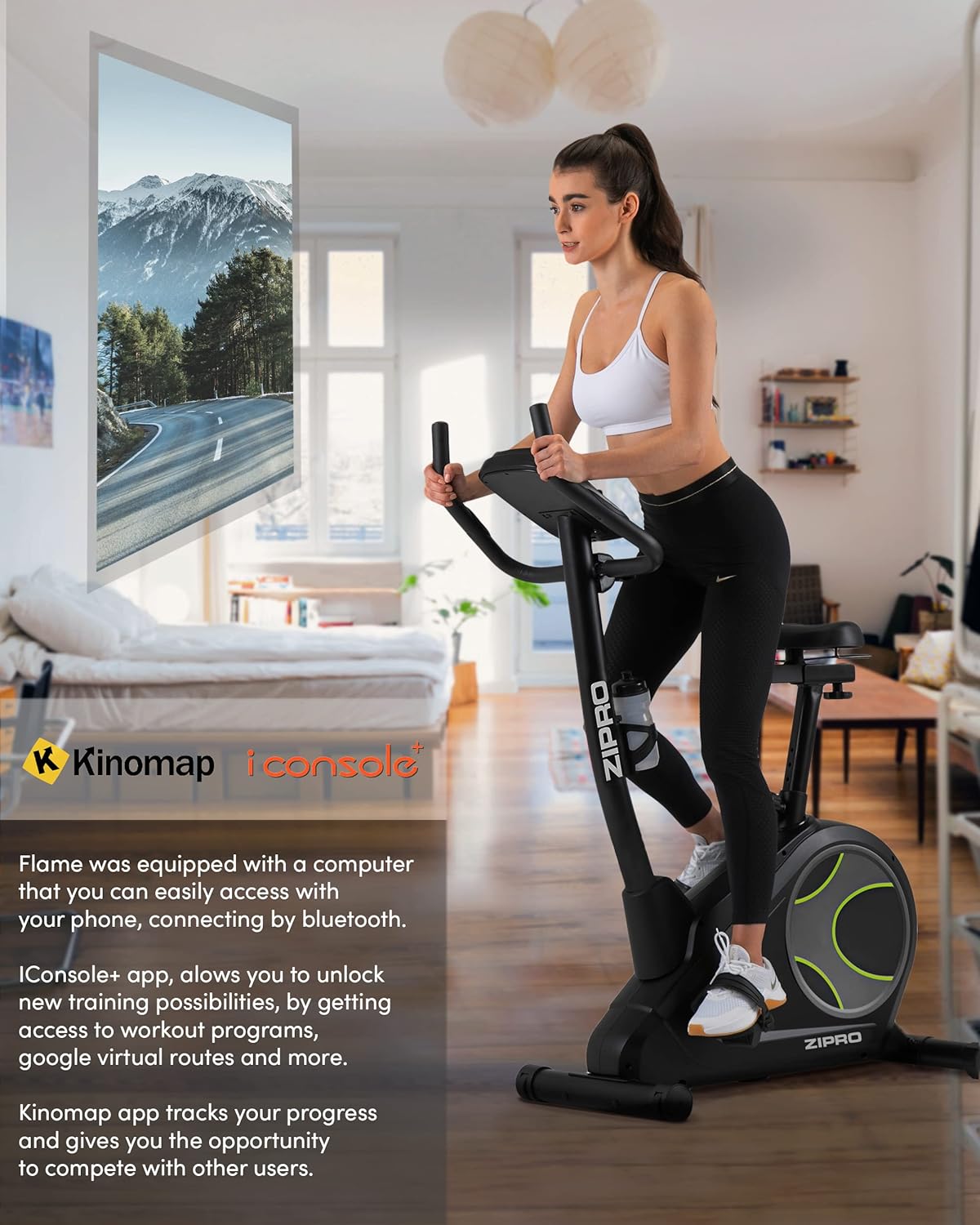
Figure 8: Bluetooth connectivity with Kinomap and iConsole+ apps.
- Kesambungan Bluetooth: Connect your smartphone or tablet to the bike via Bluetooth to use compatible fitness apps.
- iConsole+ App: Download the iConsole+ app to unlock new training possibilities, access workout programs, and track your progress.
- Kinomap App: The Kinomap app allows you to experience virtual routes and compete with other users, enhancing your workout engagement.
- Mobile Device Stand: Utilize the integrated stand on the console to securely hold your mobile device while exercising.
Produk Selesaiview Video
Watch this video for a general presentation of the ZIPRO product range, showcasing the brand's commitment to quality fitness equipment.
Video 1: Presentation of the ZIPRO product range. This video provides a general overview of the brand's fitness equipment, including various exercise types.
Penyelenggaraan
Penyelenggaraan tetap memastikan jangka hayat dan prestasi optimum basikal senaman anda.
- Pembersihan: Lap basikal dengan iklanamp kain selepas setiap penggunaan untuk mengeluarkan peluh dan habuk. Elakkan pembersih yang kasar.
- Pelinciran: Periodically check and lubricate moving parts as recommended in the full manual (if applicable).
- Mengetatkan: Check all bolts and nuts regularly and tighten them if necessary to ensure stability and safety.
- Storan: When not in use, store the bike in a cool, dry place. The integrated transport wheels facilitate easy relocation.

Figure 9: Compact dimensions for easy storage and transport.
Menyelesaikan masalah
| Masalah | Kemungkinan Punca | Penyelesaian |
|---|---|---|
| No power to console | Power adapter not connected; outlet issue | Ensure adapter is fully plugged in; try a different outlet. |
| Unstable or wobbly bike | Loose bolts; uneven surface | Tighten all assembly bolts; adjust leveling feet on stabilizers. |
| Bunyi berdecit atau berkisar | Loose parts; lack of lubrication | Check and tighten all connections; apply lubricant to moving parts as per manual. |
| Pulse reading inaccurate | Hands not firmly on sensors; dry hands | Ensure firm, consistent contact with both sensors; moisten hands slightly if dry. |
| Isu sambungan Bluetooth | Bluetooth off on device; app not updated | Ensure Bluetooth is enabled; restart bike and device; update fitness app. |
Spesifikasi
| Ciri | Perincian |
|---|---|
| Nombor Model | 6299206 |
| Jenama | ZIPRO |
| warna | Hitam |
| Gaya | nyala api |
| Sistem Pemacu | tali pinggang |
| Bahan Utama | plastik |
| Sumber Kuasa | Requires external power for console and electromagnetic resistance control. |
| Ciri Khas | Modern computer with clear screen, wide feet with stabilizing pads, two-level saddle adjustment, mobile device tray, continuous handlebar adjustment, iConsole+ and Kinomap compatibility, integrated transport wheels, soft non-slip foam handlebars, cup holder, reinforced bearing, noise-dampening casing, touch-sensitive pulse sensors, non-slip pedals with straps. |
| Kapasiti Berat Maksimum | 150 Kilogram |
| Dimensi Produk (L x W x H) | 118 x 49 x 140 cm |
| Berat Barang | 27.3 Kilogram |
| Mekanisme Rintangan | Magnet |
| Penggunaan yang Disyorkan | Home, Gym, Studio, Indoor |
Waranti dan Sokongan
For warranty information, technical support, or to order replacement parts, please contact ZIPRO customer service. Refer to your purchase documentation for specific warranty terms and contact details.
Sokongan dalam talian: Visit the official ZIPRO webtapak untuk Soalan Lazim, panduan penyelesaian masalah dan borang hubungan.
Pengeluar: Morele.net Sp. z oo


