pengenalan
Terima kasih kerana membeliasing the Sencor SWK 1080SS Glass Kettle. This manual provides important information regarding the safe operation, use, and maintenance of your new appliance. Please read it thoroughly before first use and keep it for future reference.
Arahan Keselamatan Penting
- Baca semua arahan sebelum menggunakan cerek.
- Jangan rendam cerek, tapak kuasa, kord, atau palamkan ke dalam air atau cecair lain.
- Perkakas ini tidak dimaksudkan untuk digunakan oleh orang (termasuk kanak-kanak) yang kurang keupayaan fizikal, deria atau mental, atau kurang pengalaman dan pengetahuan, melainkan mereka telah diberi pengawasan atau arahan mengenai penggunaan perkakas oleh orang yang bertanggungjawab untuk keselamatan mereka.
- Kanak-kanak harus diawasi untuk memastikan bahawa mereka tidak bermain dengan perkakas.
- Always place the kettle on a firm, flat, heat-resistant surface.
- Jangan kendalikan cerek jika kord atau palamnya rosak, atau jika cerek tidak berfungsi atau telah rosak dalam apa jua cara.
- Cabut plag dari soket apabila tidak digunakan dan sebelum membersihkan. Biarkan sejuk sebelum memakai atau menanggalkan bahagian, dan sebelum membersihkan perkakas.
- Do not fill above the MAX line or below the MIN line indicated on the kettle.
- Use only cold water for boiling.
- Avoid contact with steam from the spout when water is boiling or just after it has boiled.
- Cerek hanya boleh digunakan dengan tempat duduk yang disediakan.
Produk Selesaiview
The Sencor SWK 1080SS is a glass kettle with a 1-liter capacity, 2200W power, and electronic temperature control. It features an inner LED light and a removable tea infuser.
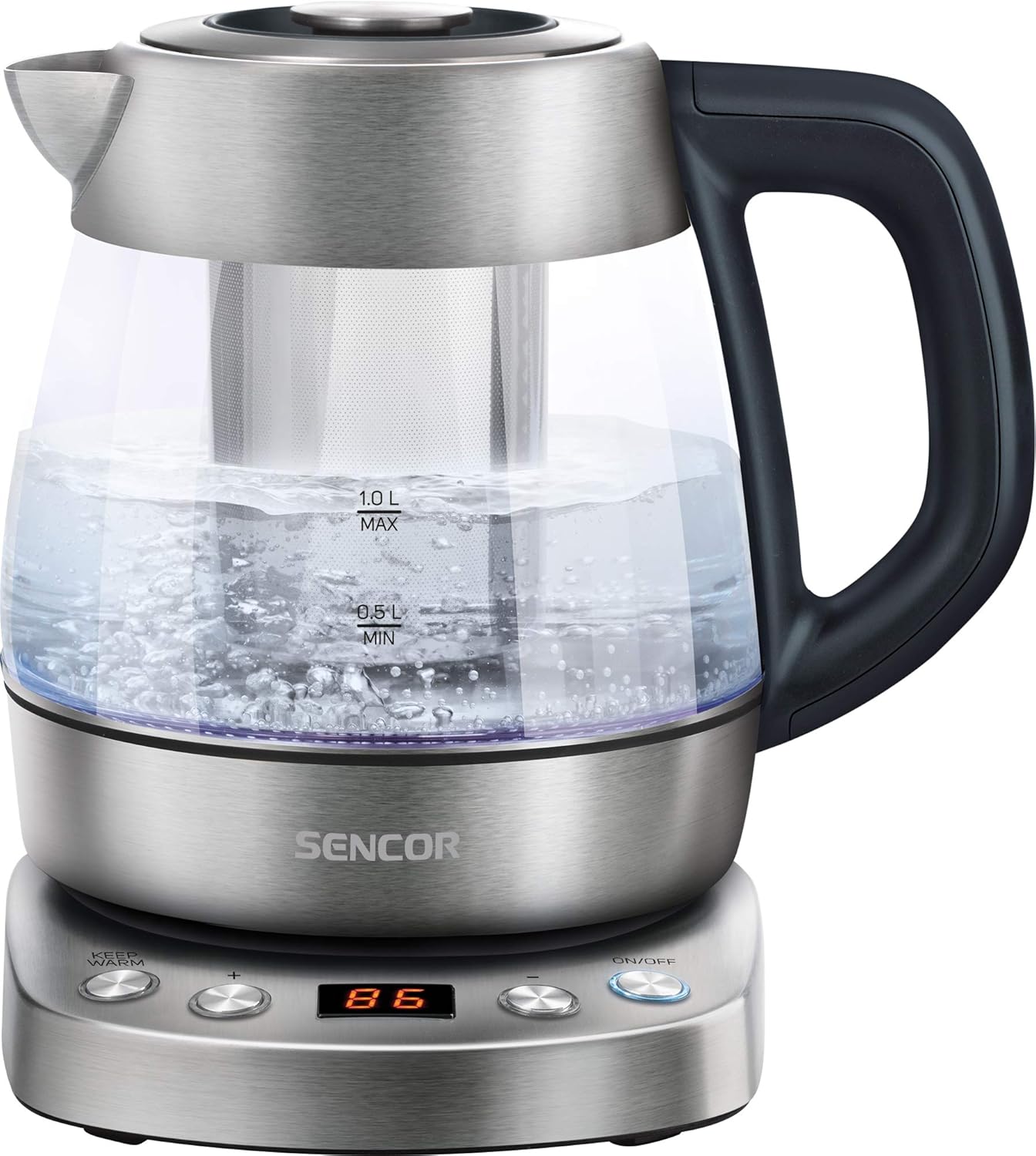
Image: The Sencor SWK 1080SS glass kettle on its power base, filled with boiling water. The capacity markings (0.5L MIN, 1.0L MAX) are visible on the glass body. The control panel on the base is illuminated.
Komponen:
- Glass Kettle Body with Capacity Markings
- Tudung dengan Butang Pelepas
- Spout
- pegang
- Power Base with Control Panel
- Removable Stainless Steel Tea Infuser
- Inner LED Light

Image: The Sencor SWK 1080SS glass kettle with the stainless steel tea infuser inserted into the center of the kettle. The kettle is empty, showing the infuser's perforated design.

Imej: Dari dekat view of the control panel on the kettle's power base. Buttons for "KEEP WARM", "+", "-", and "ON/OFF" are visible, along with a digital display showing "100".
Persediaan dan Penggunaan Pertama
- Membongkar: Carefully remove the kettle and all accessories from the packaging. Retain the packaging for future storage or disposal.
- Pembersihan Awal: Before first use, fill the kettle with clean water up to the MAX line. Boil the water, then discard it. Repeat this process 2-3 times to remove any manufacturing residues.
- penempatan: Place the power base on a stable, flat, heat-resistant surface, away from the edge of the countertop. Ensure the power cord is not dangling.
- Sambungan Kuasa: Palamkan kord kuasa ke salur keluar elektrik yang dibumikan.
Arahan Operasi
1. Air Mendidih:
- Open the lid and fill the kettle with fresh cold water. Do not fill below the MIN (0.5L) mark or above the MAX (1.0L) mark.
- Tutup penutup dengan selamat.
- Letakkan cerek dengan kukuh di atas tapak kuasa.
- Tekan ke HIDUP/MATI button. The kettle will start heating, and the LED light will illuminate.
- The kettle will automatically switch off once the water reaches boiling point (100°C).
2. Temperature Control (60°C - 100°C):
The kettle allows you to select specific temperatures for different beverages.

Image: The Sencor SWK 1080SS kettle on its base, with multiple smaller images illustrating different temperature settings (60°C, 70°C, 80°C, 90°C, 100°C) and their corresponding LED colors or display readings.
- Fill the kettle with water as described above.
- Letakkan cerek pada tapak kuasa.
- Tekan ke HIDUP/MATI butang.
- Gunakan + dan - buttons to select your desired temperature (60°C, 70°C, 80°C, 90°C, or 100°C). The selected temperature will be displayed.
- The kettle will heat the water to the chosen temperature and then automatically switch off.
3. Fungsi Kekal Panas:
After selecting a temperature and starting the heating process, you can activate the Keep Warm function.
- After setting the desired temperature and pressing HIDUP/MATI, tekan butang PANASKAN butang.
- The kettle will heat the water to the selected temperature and then maintain that temperature for a certain period (refer to product specifications for exact duration, typically 30 minutes).
- Untuk menyahaktifkan, tekan HIDUP/MATI again or remove the kettle from the base.
4. Using the Tea Infuser:
The removable tea infuser allows you to brew loose leaf tea directly in the kettle.
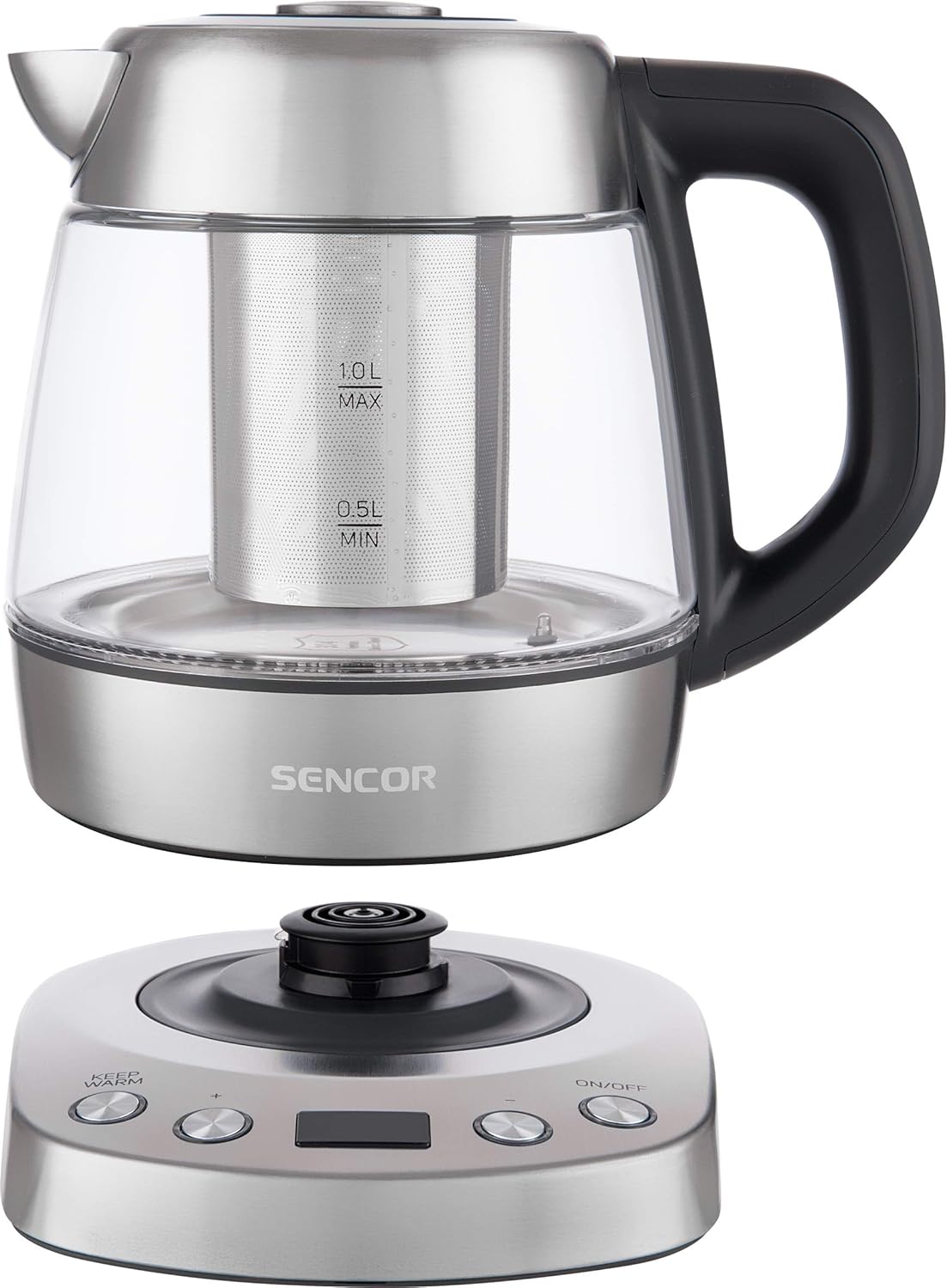
Image: A person's hand is shown adding loose leaf tea from a spoon into the stainless steel infuser, which is placed inside the Sencor glass kettle on its power base.
- Pastikan cerek telah dicabut daripada plag dan sejuk.
- Remove the lid and carefully insert the tea infuser into the kettle.
- Add your desired amount of loose leaf tea into the infuser.
- Fill the kettle with water to the appropriate level for your tea type.
- Tutup penutup.
- Place the kettle on the power base and select the appropriate temperature for your tea (e.g., 80°C for green tea, 90°C for black tea).
- Once the water reaches the set temperature, allow the tea to steep for the recommended time.
- Carefully remove the infuser using its handle to prevent over-steeping. Be cautious of hot steam.
Penyelenggaraan dan Pembersihan
Pembersihan dan penyelenggaraan yang kerap akan memanjangkan hayat cerek anda.

Image: The stainless steel tea infuser and its separate lid are displayed next to a small pile of loose leaf tea, illustrating the removable components for cleaning or use.
1. Pembersihan Luaran:
- Sentiasa cabut plag cerek dan biarkan ia sejuk sepenuhnya sebelum dibersihkan.
- Lap bahagian luar cerek dan tapak kuasa dengan kain lembut danamp kain.
- Jangan gunakan pembersih yang melelas, pad penyental atau bahan kimia yang keras, kerana ini boleh merosakkan kemasan.
- Ensure no water enters the electrical components of the power base.
2. Menyahkerak:
Mineral deposits (limescale) can build up inside the kettle, especially in hard water areas. Descale regularly to maintain performance.
- Fill the kettle with a mixture of white vinegar and water (1:2 ratio) or a commercial descaling solution according to its instructions.
- Bring the mixture to a boil and let it stand for at least 30 minutes, or longer if scale is heavy.
- Kosongkan cerek dan bilas dengan teliti menggunakan air bersih beberapa kali.
- Jika perlu, ulangi proses tersebut.
3. Cleaning the Tea Infuser:
- Remove the infuser from the kettle.
- Rinse it under running water to remove tea leaves.
- For thorough cleaning, use a small brush to clean the mesh.
- The infuser is typically dishwasher safe, but hand washing is recommended to preserve its finish.
Menyelesaikan masalah
| Masalah | Kemungkinan Punca | Penyelesaian |
|---|---|---|
| Cerek tidak panas. |
|
|
| Cerek dimatikan sebelum mendidih. |
|
|
| Air mempunyai rasa atau bau yang luar biasa. |
|
|
Spesifikasi

Image: A diagram showing the Sencor SWK 1080SS kettle with its dimensions: 24.21 cm (depth), 22.1 cm (width), and 21.21 cm (height).
| Ciri | Perincian |
|---|---|
| Jenama | SENCOR |
| Nombor Model | SWK 1080SS |
| Kapasiti | 1 Liter |
| Kuasa / Wattage | 2200 Watt |
| Voltage | 220 Volt |
| bahan | Keluli Tahan Karat, Kaca |
| Dimensi Produk | 24.2 x 22.1 x 21.2 cm |
| Berat Barang | 1.37 kg (1366 Gram) |
| Ciri Khas | Rapid Boil, Variable Temperature Control (60-100°C), Keep Warm Function, Inner LED Light, Removable Tea Infuser |
Waranti dan Sokongan
SENCOR products are manufactured to the highest quality standards. For information regarding warranty terms and conditions, please refer to the warranty card included with your purchase or visit the official SENCOR webtapak.
For technical support, spare parts, or service inquiries, please contact your local SENCOR distributor or authorized service center. Contact details can typically be found on the SENCOR webtapak atau dalam dokumentasi produk anda.
When contacting support, please have your product model number (SWK 1080SS) and purchase date available.


