1. Pengenalan
Thank you for choosing the ZEBRONICS Zeb-Buds C2 Type C Wired Earphones. This manual provides essential information for the proper setup, operation, maintenance, and troubleshooting of your new earphones. Please read this guide thoroughly before use to ensure optimal performance and longevity of your device.
2. Produk Lebihview
Ciri-ciri Utama:
- Type C Connector for broad compatibility.
- Integrated microphone for hands-free calls.
- Durable 1.2-meter braided cable.
- Metallic design for enhanced durability.
- Comfortable in-ear fit.
- Equipped with 10mm drivers for clear audio.
- In-line remote for call function and volume/media control.
Kandungan Pakej:
- 1 x ZEBRONICS Zeb-Buds C2 Earphone
- Extra Eartips (pelbagai saiz)

Image: ZEBRONICS Zeb-Buds C2 earphones, showcasing the Type C connector, in-line remote with volume and call controls, and the braided cable leading to the metallic earbuds.

Image: A visual representation highlighting the key design elements and accessories of the Zeb-Buds C2, such as comfortable fit, in-ear design, in-line microphone, included extra eartips, and the 1.2-meter cable length.
3. Persediaan
Connecting Your Earphones:
The Zeb-Buds C2 earphones are designed for plug-and-play functionality with most devices featuring a Type C audio output. Simply insert the Type C connector into your device's Type C port.

Imej: A terperinci view of the Type-C connector, which is used to connect the earphones to compatible devices.
Mobile Phone Compatibility & User Guide:
Most phones work with Type-C wired earphones without any setup. However, if the audio still plays through the phone speaker after plugging in the earphones, try one of the following solutions:
PILIHAN 1
- Pergi ke tetapan > Mengenai Telefon dan membolehkan Pilihan Pembangun (tap "Build Number" 7 times).
- In Developer Options, turn off the "Disable USB audio routing" setting.
- Plug in your earphones and enjoy your music.
PILIHAN 2
- Enable Developer Options as described above.
- In Developer Options, turn on the "OTG connection" setting.
- Plug in your earphones and start listening.
Nota: For Option 2, if the earphones are unused for over 10 minutes, the OTG connection may turn off automatically. You'll need to re-enable it manually.
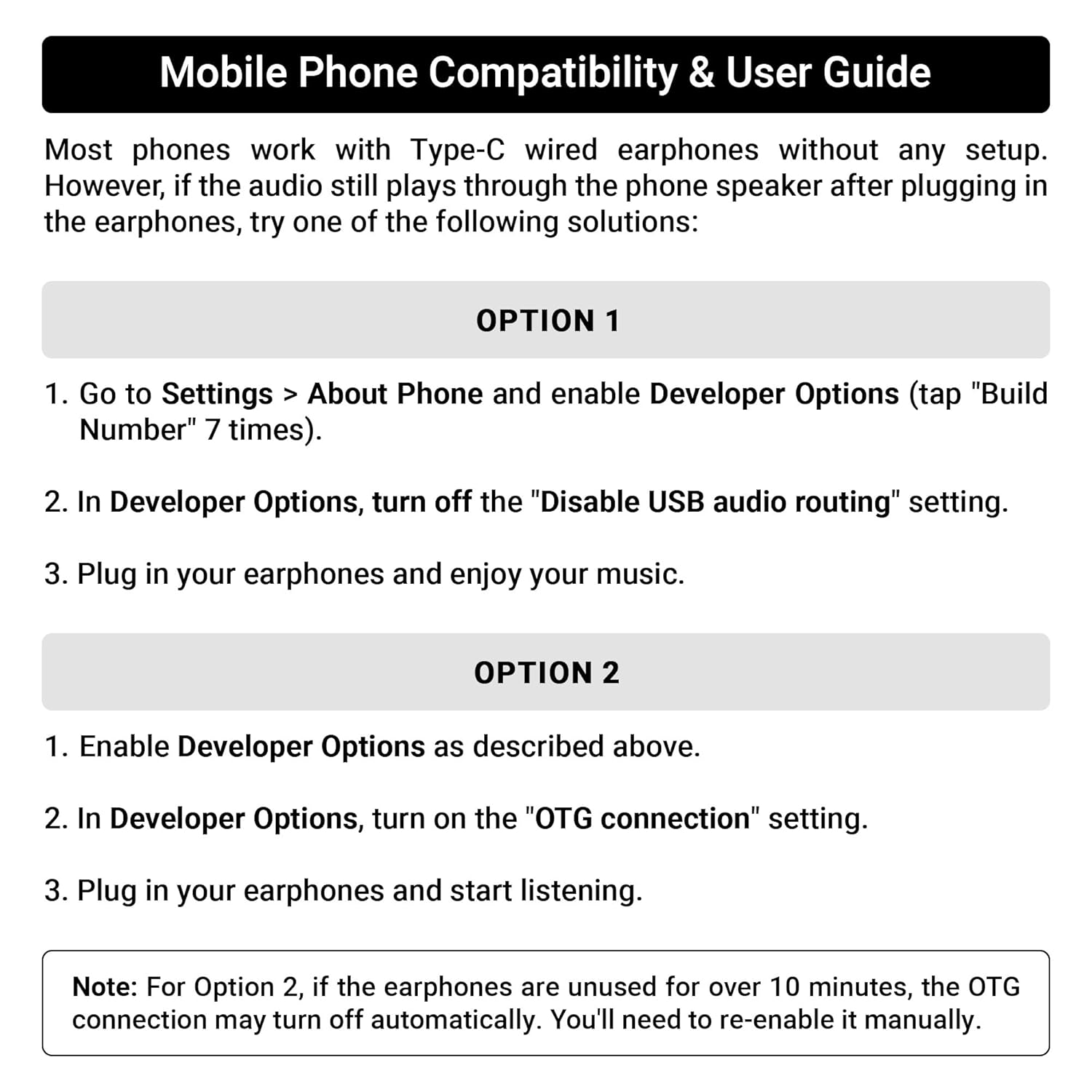
Image: A guide detailing compatibility and troubleshooting steps for connecting Type C earphones to mobile phones, including instructions for Developer Options and OTG settings.
4. Arahan Operasi
In-line Remote Control:
The Zeb-Buds C2 features an in-line remote control for convenient management of audio playback and calls.
- Kelantangan Naik (+): Tekan untuk meningkatkan kelantangan audio.
- Perlahankan suara (-): Tekan untuk mengurangkan kelantangan audio.
- Butang Pelbagai Fungsi (Tengah):
- Akhbar Tunggal: Main/Jeda muzik, Jawab/Tamatkan panggilan.
- Tekan dua kali: Langkau ke trek seterusnya.
- Tiga Tekan: Pergi ke trek sebelumnya.
- Tekan lama: Reject incoming calls, Activate voice assistant (if supported by device).

Image: A user demonstrating the in-line volume and media control remote on the Zeb-Buds C2 earphones.
5. Penyelenggaraan
Untuk memastikan jangka hayat dan prestasi optimum fon telinga anda, ikut garis panduan penyelenggaraan ini:
- Pembersihan: Lap fon telinga dan kabel dengan kain lembut dan kering. Jangan gunakan bahan kimia yang keras atau bahan yang melelas.
- Storan: When not in use, store the earphones in a clean, dry place, preferably in a protective pouch to prevent tangling and damage.
- Penjagaan Kabel: Avoid sharp bends or excessive pulling on the cable, especially near the connectors, to prevent internal wire damage. The braided cable is designed for durability, but proper handling is still recommended.
- Telinga: Regularly check and clean the eartips. Replace them if they become worn or damaged to maintain sound quality and comfort.
6. Penyelesaian masalah
If you encounter issues with your Zeb-Buds C2 earphones, refer to the following common solutions:
- Tiada Bunyi:
- Ensure the Type C connector is fully inserted into your device.
- Semak tetapan kelantangan peranti anda.
- Verify that your device's audio output is set to the Type C port (refer to Section 3: Setup for specific mobile phone settings).
- Uji fon telinga dengan peranti lain yang serasi untuk menolak isu khusus peranti.
- Mikrofon Tidak Berfungsi:
- Pastikan fon telinga disambungkan sepenuhnya.
- Semak tetapan input mikrofon peranti anda.
- Pastikan mikrofon tidak terhalang.
- Herotan Bunyi:
- Rendahkan kelantangan pada peranti anda.
- Pastikan sumber audio adalah berkualiti.
- Check for any physical damage to the cable or earbuds.
7. Spesifikasi
| Ciri | Spesifikasi |
|---|---|
| Nama Model | Zeb-Buds C2 |
| Teknologi Ketersambungan | berwayar |
| Jenis Penyambung | USB Jenis C |
| Saiz Pemandu | 10mm |
| Julat Kekerapan | 20Hz-20kHz |
| Panjang Kabel | 1.2 Meter |
| Ciri Kabel | Braided, Tangle Free |
| bahan | Plastic (earbuds with metallic design elements) |
| Berat Barang | 16 Gram |
| Jenis Kawalan | Call Control, Volume/Media Control |
| Peranti Serasi | Laptops, Mobile Phones, Tablets, PC, Audio Devices with Type C Input Port |
8. Waranti dan Sokongan
Maklumat Waranti:
The ZEBRONICS Zeb-Buds C2 earphones come with a 6 Months Carry Into Service Centre warranty from the date of purchase. Please retain your purchase receipt for warranty claims. The warranty covers manufacturing defects under normal use conditions.
Sokongan Pelanggan:
For any support queries, technical assistance, or warranty claims, please contact ZEBRONICS customer service through their official website or the contact details provided with your product packaging.


