pengenalan
The Sharkoon Skiller SGK30 is a mechanical gaming keyboard designed for performance and durability. It features customizable RGB lighting, N-Key rollover, and a 1000Hz polling rate for responsive gameplay and typing. This manual provides essential information for setting up, operating, and maintaining your keyboard.

Image: Sharkoon Skiller SGK30 Mechanical Gaming Keyboard banner displaying the product name and type.
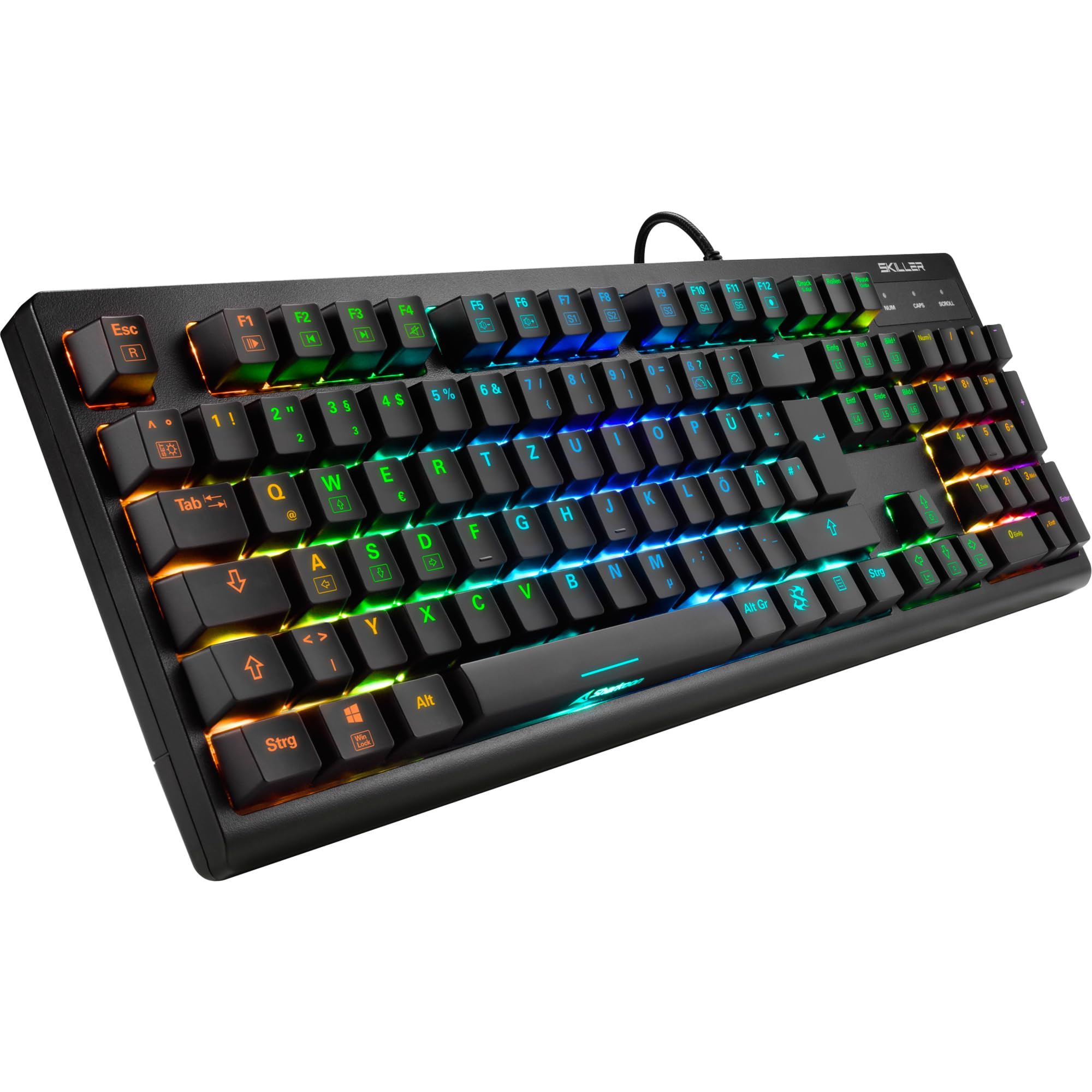
Imej: Atas ke bawah view of the Sharkoon Skiller SGK30 mechanical gaming keyboard, showcasinsusun atur penuh dan lampu latar RGB yang bertenaga.
Produk Selesaiview Video
Video: Produk rasmi tamatview of the Sharkoon Skiller SGK30 Mechanical Gaming Keyboard, demonstrating its features, RGB lighting effects, and mechanical switches.
Persediaan
Follow these steps to set up your Sharkoon Skiller SGK30 keyboard:
- Buka pek Papan Kekunci: Carefully remove the keyboard and the included USB cable from its packaging.
- Sambung ke Komputer: Plug the Micro USB end of the cable into the keyboard's port and the standard USB-A end into an available USB port on your computer.
- Pemasangan Pemandu: The keyboard is plug-and-play. Your operating system (Windows 10 or later recommended) should automatically detect and install the necessary drivers.
- Pemasangan Perisian (Pilihan): For advanced customization of RGB lighting and key assignments, download the official Sharkoon software from the manufacturer's webtapak.

Image: The Sharkoon Skiller SGK30 keyboard positioned on a desk, ready for connection.
Arahan Operasi
Fungsi Utama Asas
The Sharkoon Skiller SGK30 features a standard layout with additional function keys accessible via the FN kunci.
- FN + F1-F12: Access multimedia controls (e.g., play/pause, volume up/down, mute).
- FN + Windows Key: Kunci/buka kunci kekunci Windows untuk mengelakkan tekanan tidak sengaja semasa bermain permainan.
- Pergantian Kunci N: All keys are registered simultaneously, ensuring every keystroke is detected, even during rapid input.
Kawalan Pencahayaan RGB
The keyboard offers extensive RGB lighting customization. Use the following combinations to adjust lighting effects:
- FN + Sisip/Laman Utama/Halaman Atas/Padam/Tamat/Halaman Bawah: Cycle through various pre-programmed lighting effects.
- FN + Arrow Keys (Up/Down): Adjust brightness levels of the lighting.
- FN + Arrow Keys (Left/Right): Laraskan kelajuan kesan pencahayaan dinamik.
- Custom Illumination: Use the dedicated software for advanced per-key lighting customization.

Imej: Dari dekat view of the keyboard keys highlighting the adjustable RGB illumination capabilities.
Penyesuaian Perisian
For advanced settings, macro programming, and detailed RGB customization, download and install the Sharkoon Skiller SGK30 software from the official Sharkoon weblaman web. Perisian ini membolehkan anda:
- Create and save custom lighting profiles.
- Program macros for specific keys.
- Petakan semula fungsi utama.

Image: A screenshot showing the graphical user interface of the Sharkoon Skiller SGK30 customization software, illustrating various options for lighting and key remapping.
Penyelenggaraan
Penyelenggaraan yang betul memastikan jangka hayat dan prestasi papan kekunci anda:
- Pembersihan: Use a soft, dry cloth to wipe the surface of the keyboard. For deeper cleaning, use compressed air to remove dust and debris from between the keycaps.
- Pembuangan Papan Kekunci: If necessary, keycaps can be carefully removed using a keycap puller (not included) for thorough cleaning of the switches. Reinstall keycaps by pressing them firmly onto the switch stems.
- Elakkan Cecair: Jangan dedahkan papan kekunci kepada cecair. Sekiranya berlaku tumpahan, segera tanggalkan papan kekunci dan biarkan ia kering sepenuhnya sebelum menyambung semula.
- Storan: Simpan papan kekunci di tempat yang sejuk dan kering jauh dari cahaya matahari langsung dan suhu yang melampau.

Imej: Dari dekat view of the mechanical switches on the Sharkoon Skiller SGK30 keyboard, illustrating their design for durability and ease of maintenance. Note: This model is available with Red switches, while the image shows Blue switches.
Menyelesaikan masalah
If you encounter issues with your Sharkoon Skiller SGK30 keyboard, refer to the following common solutions:
| Masalah | Kemungkinan Punca | Penyelesaian |
|---|---|---|
| Papan kekunci tidak bertindak balas | Sambungan USB longgar, port USB rosak, isu pemandu. |
|
| Pencahayaan RGB tidak berfungsi atau tidak betul | Lighting settings incorrect, software conflict. |
|
| Kunci tidak mendaftar | Habuk/serpihan di bawah penutup kekunci, suis rosak. |
|
Spesifikasi
| Ciri | Perincian |
|---|---|
| Jenama | Sharkoon |
| Nombor Model | 4044951030026 |
| Jenis Papan Kekunci | Papan Kekunci Permainan Mekanikal |
| Jenis Suis | Red Switch (Blue switches are also available for this model series) |
| Ketersambungan | USB mikro |
| Kadar Mengundi | 1000Hz |
| N-Key Rollover | Disokong |
| Pencahayaan RGB | Customizable RGB |
| Sistem Operasi | Windows 10 (dan serasi dengan versi Windows yang lain) |
| Dimensi (LxWxH) | 44 x 14.4 x 3.5 cm |
| Berat badan | 867 g |
Apa yang ada dalam Kotak
The Sharkoon Skiller SGK30 package includes:
- Sharkoon Skiller SGK30 Mechanical Gaming Keyboard
- Kabel USB
Waranti dan Sokongan
For warranty information and technical support, please refer to the official Sharkoon webtapak atau hubungi peruncit tempatan anda. Simpan bukti pembelian anda untuk tuntutan waranti.
Nota: Spesifikasi dan ciri produk tertakluk kepada perubahan tanpa notis awal.


