1. Pengenalan
Thank you for choosing JOYHOOSH Wireless Earbuds. This manual provides essential information for setting up, operating, and maintaining your earbuds to ensure optimal performance and longevity. Please read it carefully before use.

Image 1.1: JOYHOOSH Wireless Earbuds, Charging Case, and Anti-Lost Strap.
2. Kandungan Pakej
Pastikan semua item ada dalam pakej anda:
- Fon telinga (2)
- Sarung Pengecasan (1)
- Kabel Pengecas USB Jenis-C (1)
- Earbuds Caps (2 sets)
- Manual Pengguna (1)

Image 2.1: All components included in the JOYHOOSH Earbuds package.
3. Maklumat Keselamatan
Untuk keselamatan anda dan untuk mengelakkan kerosakan pada produk, sila patuhi perkara berikut:
- Do not expose the headset to direct sunlight while charging, especially when ambient temperature is high.
- Elakkan suhu yang melampau (panas atau sejuk).
- Jangan buka atau ubah suai fon telinga atau bekas pengecas.
- Jauhkan daripada kanak-kanak dan haiwan peliharaan.
- Gunakan hanya kabel pengecasan yang disediakan atau setara yang diperakui.
4. Ciri-ciri Produk dan Lebihview
The JOYHOOSH Wireless Earbuds are designed for a superior audio experience with convenience and durability.
4.1. Advanced Bluetooth 5.0 Technology
Equipped with advanced Bluetooth 5.0, these earbuds provide a clear, fast, and smooth connection, ensuring zero distortion and lossless audio transmission.

Image 4.1: Illustration of the Bluetooth 5.0 chip for stable connectivity.
4.2. Super Bass Sound & Ergonomic Design
Experience high-quality sound with super bass and noise cancellation. The ergonomic in-ear design, along with three different sizes of ear caps, ensures an ideal fit for enhanced noise isolation and comfort during extended use.
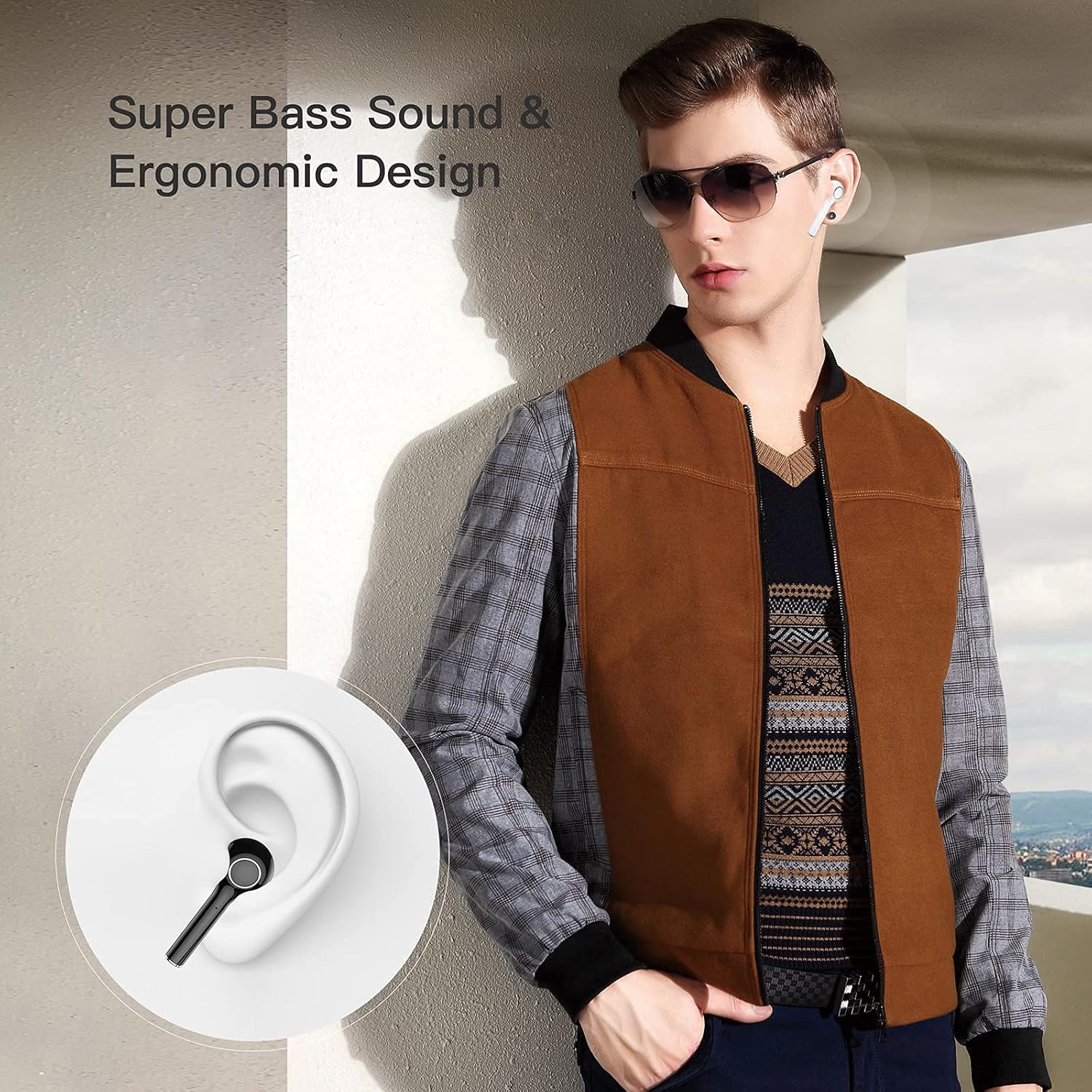
Image 4.2: Earbuds designed for comfortable and secure fit in the ear.

Image 4.3: Internal components illustrating the 13mm drive area for super bass and true HiFi sound.
4.3. Anti-Lost Strap
The included magnetic anti-lost strap provides added security, reducing the possibility of misplacing or losing your earbuds, especially during sports or active use.

Image 4.4: The anti-lost strap provides security during physical activity.
4.4. Paparan Kuasa LED
The smart LED digital display on the charging case allows you to easily monitor the battery consumption of the case and earbuds.

Image 4.5: The LED display on the charging case indicates battery percentage.
4.5. Extended Playing Time
Enjoy up to 4.5 hours of playtime on a single charge. The charging case can recharge the earbuds 3.5 times, extending total playtime to 20 hours with both earbuds or 40 hours with a single earbud. Standby time is up to 10 days.

Image 4.6: Battery life overview for earbuds and charging case.
4.6. Keserasian Luas
The earbuds are compatible with both iOS and Android devices, as well as Windows and TV systems, offering versatile connectivity.

Image 4.7: Compatibility with various operating systems and devices.
4.7. Produk Lebihview Video
Video 4.1: Tamatview of the JOYHOOSH Wireless Earbuds, demonstrating key features and design elements.
5. Persediaan
5.1. Mengecas Fon Telinga dan Sarung
Sebelum penggunaan pertama, cas sepenuhnya fon telinga dan bekas pengecas.
- Letakkan fon telinga ke dalam bekas pengecasan. Pastikan mereka duduk dengan betul di slot masing-masing.
- Connect the USB Type-C charging cable to the charging port on the back of the case and plug the other end into a USB power source (e.g., wall adapter, computer USB port).
- The LED display on the charging case will show the current battery percentage, indicating charging status. A full charge takes approximately 1 hour for the case.
Image 5.1: The charging case with earbuds, showing the USB-C charging port.

Image 5.2: The LED display on the charging case indicates the battery level during charging.
5.2. Berpasangan dengan Peranti Anda
The earbuds support automatic connection for easy pairing.
- Buka bekas pengecas. Fon telinga akan memasuki mod berpasangan secara automatik.
- Pada peranti anda (telefon pintar, tablet, dll.), pergi ke tetapan Bluetooth dan hidupkan Bluetooth.
- Look for "TWS" or "JOYHOOSH-TW13" in the list of available devices and select it to connect.
- Setelah disambungkan, anda akan mendengar nada pengesahan dan fon telinga akan sedia untuk digunakan.
Video 5.1: Demonstrates the automatic connection process of the earbuds with a mobile device (0:10 - 0:14).
6. Operating Instructions (Touch Controls)
The JOYHOOSH Wireless Earbuds feature intuitive touch controls on each earbud. Refer to the diagram below for specific functions:

Imej 6.1: Selesaiview fungsi kawalan sentuh.
- Satu sentuhan: Answer/End Call, Play/Pause Music.
- Double Touch (Left Earbud): Previous Music.
- Double Touch (Right Earbud): Next Music.
- Sentuhan Tiga Kali: Laraskan Kelantangan.
- Long Touch (3 seconds): Activate Voice Assistant (Siri/Google Assistant).
- Long Touch (2 seconds): Hang up call.
Video 6.1: Demonstrates various touch control gestures including one touch for calls/playback, double click for track navigation, triple click for volume, and long touch for voice assistant (0:20 - 0:34).
7. Penyelenggaraan
Penyelenggaraan yang betul memastikan jangka hayat dan prestasi fon telinga anda:
- Pembersihan: Bersihkan fon telinga dan bekas pengecas dengan kerap menggunakan kain yang lembut, kering dan tidak berbulu. Jangan gunakan bahan kimia yang keras atau bahan yang melelas.
- Petua Telinga: Remove and clean the ear tips periodically. You can gently wash them with water and mild soap, then dry them completely before reattaching.
- Port Pengecasan: Pastikan kanta pengecas pada fon telinga dan bahagian dalam bekas bersih dan bebas daripada serpihan. Gunakan kapas kering jika perlu.
- Storan: Apabila tidak digunakan, simpan fon telinga dalam bekas pengecasnya untuk melindunginya daripada habuk dan kerosakan.
- Elakkan Air: While the earbuds are waterproof, avoid prolonged exposure to water or submersion. Dry them thoroughly if they get wet.
8. Penyelesaian masalah
If you encounter issues with your JOYHOOSH Wireless Earbuds, try the following solutions:
- Fon telinga tidak berpasangan dengan peranti:
- Pastikan kedua-dua fon telinga dicas.
- Turn off and on Bluetooth on your device.
- Forget the device from your Bluetooth list and try pairing again.
- Letakkan semula fon telinga ke dalam bekas, tutup penutup, tunggu beberapa saat, kemudian buka untuk memasuki semula mod berpasangan. - Hanya satu fon telinga berfungsi:
- Place both earbuds back in the charging case and close the lid. Open the lid after a few seconds to reset them.
- Ensure both earbuds have sufficient charge. - Kelantangan rendah atau kualiti bunyi yang lemah:
- Adjust the volume on both your device and the earbuds.
- Ensure the ear tips are properly sealed in your ear canal.
- Clean any debris from the earbud speakers and ear tips. - Sarung pengecas tidak dicas:
- Check the charging cable and power adapter for damage.
- Pastikan kabel pengecas disambungkan dengan selamat pada kedua-dua bekas dan sumber kuasa.
- Try a different charging cable or power source. - Fon telinga tidak dicas sekiranya berlaku:
- Ensure the charging contacts on the earbuds and inside the case are clean and dry.
- Make sure the earbuds are correctly seated in their charging slots.
9. Spesifikasi
| Ciri | Spesifikasi |
|---|---|
| Nama Model | JOYHOOSH-TW13-Bluetooth Earbuds |
| Teknologi Ketersambungan | Wayarles (Bluetooth 5.0) |
| Penempatan Telinga | Di Telinga |
| Kawalan Bunyi | Pembatalan Bunyi Aktif |
| Playing Time (Earbuds) | 4.5 Jam |
| Total Playing Time (with Case) | 20 Jam |
| Masa Pengecasan (Kes) | 1 Jam |
| Julat Bluetooth | 15 Meter |
| Julat Kekerapan | 20 Hz - 20 kHz |
| Kaedah Kawalan | Sentuh |
| Tahap Ketahanan Air | Kalis air |
| Berat Barang | 0.529 auns (setiap fon telinga) |
| Dimensi Produk | 1.37 x 1.37 x 0.98 inci |
| bahan | plastik |
| warna | putih |
10. Waranti dan Sokongan
JOYHOOSH products are manufactured to the highest quality standards. For information regarding warranty coverage, technical support, or customer service, please refer to the contact details provided on the product packaging or the official JOYHOOSH webtapak. Sila simpan bukti pembelian anda untuk tuntutan waranti.

