pengenalan
This manual provides detailed instructions for the setup, operation, and maintenance of your Sharp Digital Alarm Clock, Model B08TG1QB2B. Designed for simplicity, this clock features a clear LED display, dual ascending alarms, and a battery backup system to ensure reliability.

Rajah 1: Depan view of the Sharp Digital Alarm Clock, displaying the time 12:08 in green LED digits.
Ciri-ciri Produk
- Reka Bentuk Mudah Digunakan: Operasi mudah sesuai untuk semua pengguna.
- Sistem Penggera Dwi: Set two independent alarms for different schedules.
- Ascending Alarm Volume: Alarm starts softly and gradually increases in volume for a gentle wake-up.
- Bateri tambahan: Mengekalkan tetapan masa dan penggera semasa kuasa dimatikantages (requires 2x AA batteries, not included).
- Illuminated Green LED Digits: Paparan yang jelas dan mudah dibaca.
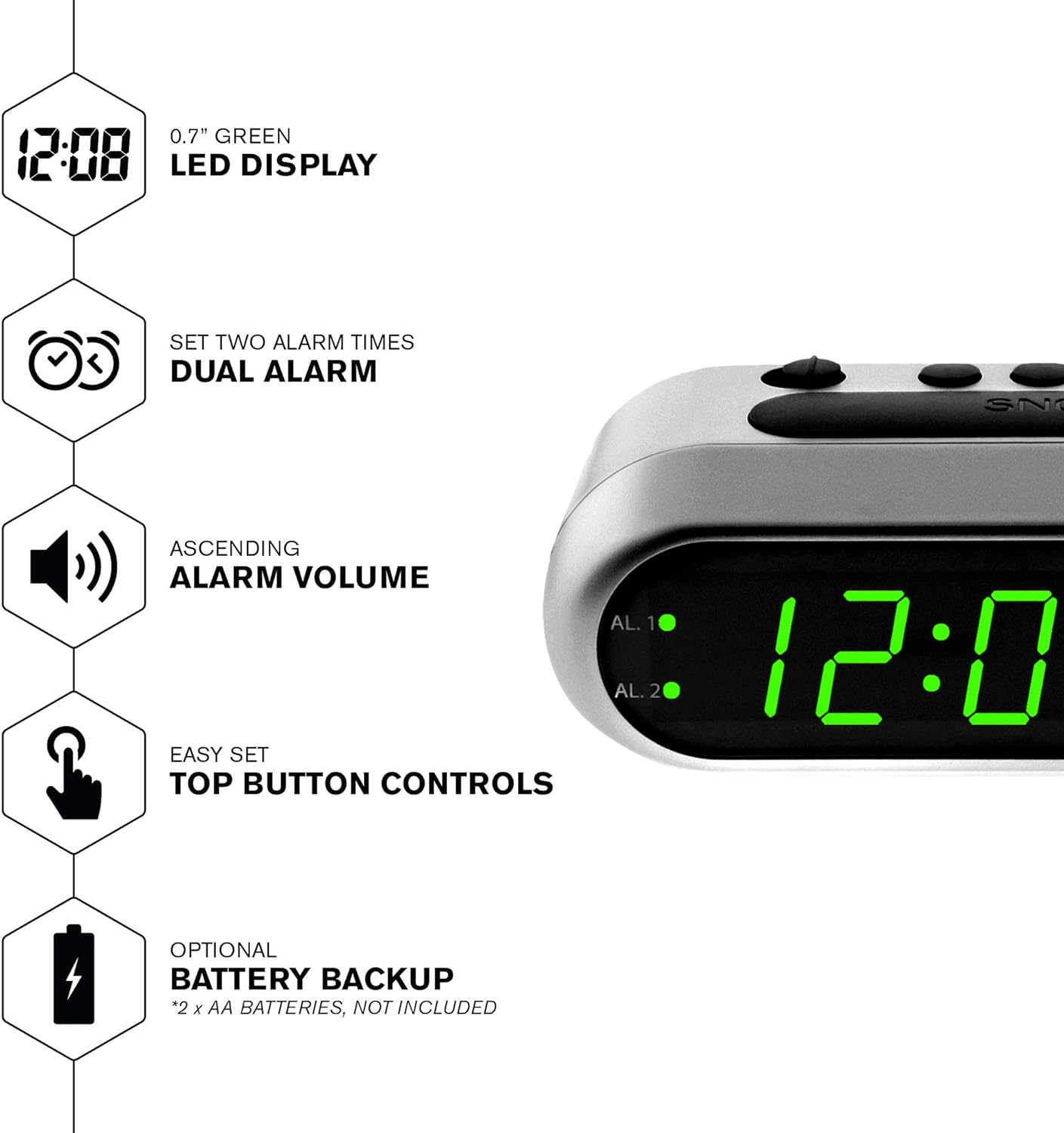
Gambar 2: Lebihview of the clock's main features, including the LED display, dual alarm, ascending volume, and battery backup.
Kandungan Pakej
- Sharp Digital Alarm Clock (Model B08TG1QB2B)
- Penyesuai Kuasa AC
- Manual Arahan
Nota: 2x AA batteries for battery backup are not included and must be purchased separately.
Kawalan dan Paparan
Familiarize yourself with the buttons and indicators on your alarm clock:
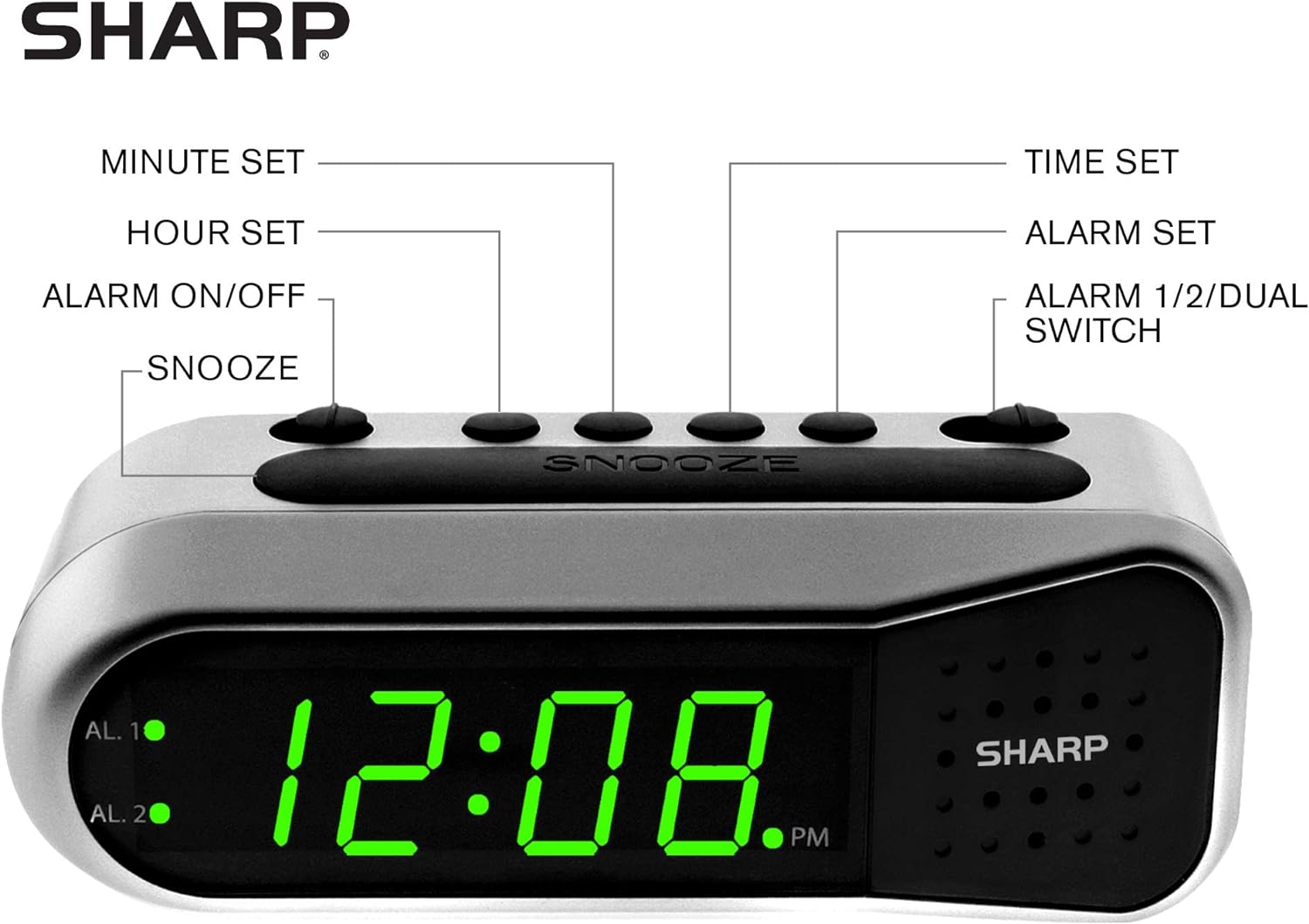
Figure 3: Labeled diagram of the clock's controls and display elements.
- Minute Set Button: Adjusts minutes for time and alarm settings.
- Hour Set Button: Adjusts hours for time and alarm settings.
- Suis Hidup/Mati Penggera: Activates or deactivates the selected alarm.
- Butang Tunda: Mendiamkan penggera buat sementara waktu.
- Butang Tetapan Masa: Memasuki mod tetapan masa.
- Alarm Set Button: Memasuki mod tetapan penggera.
- Alarm 1/2/Dual Switch: Selects which alarm (Alarm 1, Alarm 2, or both) is being set or activated.
- AL. 1 Indicator: Lights up when Alarm 1 is active.
- AL. 2 Indicator: Lights up when Alarm 2 is active.
- Penunjuk PM: Lights up when the displayed time is PM.
Persediaan
1. Sambungan Kuasa
Connect the AC power adapter to the DC input jack located on the back of the alarm clock. Plug the adapter into a standard electrical outlet. The display will illuminate.
2. Pemasangan Sandaran Bateri
The battery backup feature requires two (2) AA batteries (not included). These batteries maintain time and alarm settings during a power outage tetapi jangan hidupkan paparan.
- Buka penutup petak bateri di bahagian bawah jam.
- Insert two (2) AA batteries, observing the correct polarity (+ and -) as indicated inside the compartment.
- Gantikan penutup petak bateri.
Nota: Replace batteries annually or when the clock experiences frequent power interruptions to ensure reliable backup.
3. Penetapan Masa Awal
After connecting power, the display will show a default time (e.g., 12:00 AM). Set the current time:
- Tekan dan tahan butang MASA DITETAPKAN butang. Angka jam akan berkelip.
- Sambil pegang MASA DITETAPKAN, tekan butang SET JAM butang berulang kali untuk melaraskan jam. Perhatikan penunjuk PM untuk tetapan AM/PM yang betul.
- Lepaskan MASA DITETAPKAN butang.
- Tekan dan tahan butang MASA DITETAPKAN butang sekali lagi. Angka minit akan berkelip.
- Sambil pegang MASA DITETAPKAN, tekan butang SET MINIT butang berulang kali untuk melaraskan minit.
- Lepaskan MASA DITETAPKAN butang untuk menjimatkan masa.
Arahan Operasi
Menetapkan Penggera 1 atau Penggera 2
Your clock features two independent alarms. To set an alarm:
- Luncurkan ALARM 1/2/DUAL switch to either AL. 1 or AL. 2, depending on which alarm you wish to set.
- Tekan dan tahan butang SET ALARM button. The hour digits for the selected alarm will flash.
- Sambil pegang SET ALARM, tekan butang SET JAM button repeatedly to adjust the alarm hour. Ensure the correct AM/PM is selected.
- Lepaskan SET ALARM butang.
- Tekan dan tahan butang SET ALARM button again. The minute digits for the selected alarm will flash.
- Sambil pegang SET ALARM, tekan butang SET MINIT button repeatedly to adjust the alarm minutes.
- Lepaskan SET ALARM butang untuk menjimatkan masa penggera.
Mengaktifkan/Menyahaktifkan Penggera
To turn an alarm ON or OFF:
- Luncurkan ALARM 1/2/DUAL bertukar kepada AL. 1 or AL. 2.
- Gerakkan ALARM ON / OFF bertukar kepada ON position to activate the alarm. The corresponding AL. 1 or AL. 2 indicator light will illuminate.
- Gerakkan ALARM ON / OFF bertukar kepada DIMATIKAN position to deactivate the alarm. The indicator light will turn off.
To activate both alarms, set both alarm times and then slide the ALARM 1/2/DUAL bertukar kepada DUAL. Both AL. 1 and AL. 2 indicators will light up.
Fungsi Tunda
Apabila penggera berbunyi, tekan besar MENGEJUTKAN button on top of the clock. The alarm will temporarily stop and sound again after approximately 9 minutes.
Menghentikan Penggera
To stop the alarm completely after it sounds, slide the ALARM ON / OFF bertukar kepada DIMATIKAN position. The alarm will reset for the next day.
Penyelenggaraan
Pembersihan
Wipe the clock with a soft, dry cloth. Do not use abrasive cleaners or solvents, as they may damage the finish.
Penggantian Bateri
Replace the AA backup batteries annually or if the clock loses time during power interruptions. Refer to the "Battery Backup Installation" section for instructions.
Menyelesaikan masalah
| Masalah | Kemungkinan Punca | Penyelesaian |
|---|---|---|
| Paparan jam kosong. | Tiada kuasa AC. | Ensure the AC adapter is securely plugged into the clock and a working electrical outlet. |
| Penggera tidak berbunyi. | Penggera tidak diaktifkan atau ditetapkan dengan tidak betul. | Sahkan ALARM ON / OFF suis berada di ON position and the alarm time is correctly set (check AM/PM). |
| Masa tidak betul selepas kuasa outage. | Bateri sandaran mati atau tidak dipasang. | Install fresh AA batteries or replace existing ones. Reset the time if necessary. |
| Alarm is too quiet/loud. | Alarm volume is ascending, not fixed. | The alarm features an ascending volume. It starts faintly and gradually increases. This is normal operation. |
Spesifikasi
- model: B08TG1QB2B
- Jenama: tajam
- Jenis Paparan: LED Digital (Hijau)
- Sumber Kuasa: AC Power Adapter (included), 2x AA Batteries (for backup, not included)
- Dimensi Produk: 5.5" W x 2.1" H x 2.3" D (approximate)
- Berat: 8.4 auns
- Bahan: plastik
- warna: Perak yang disikat
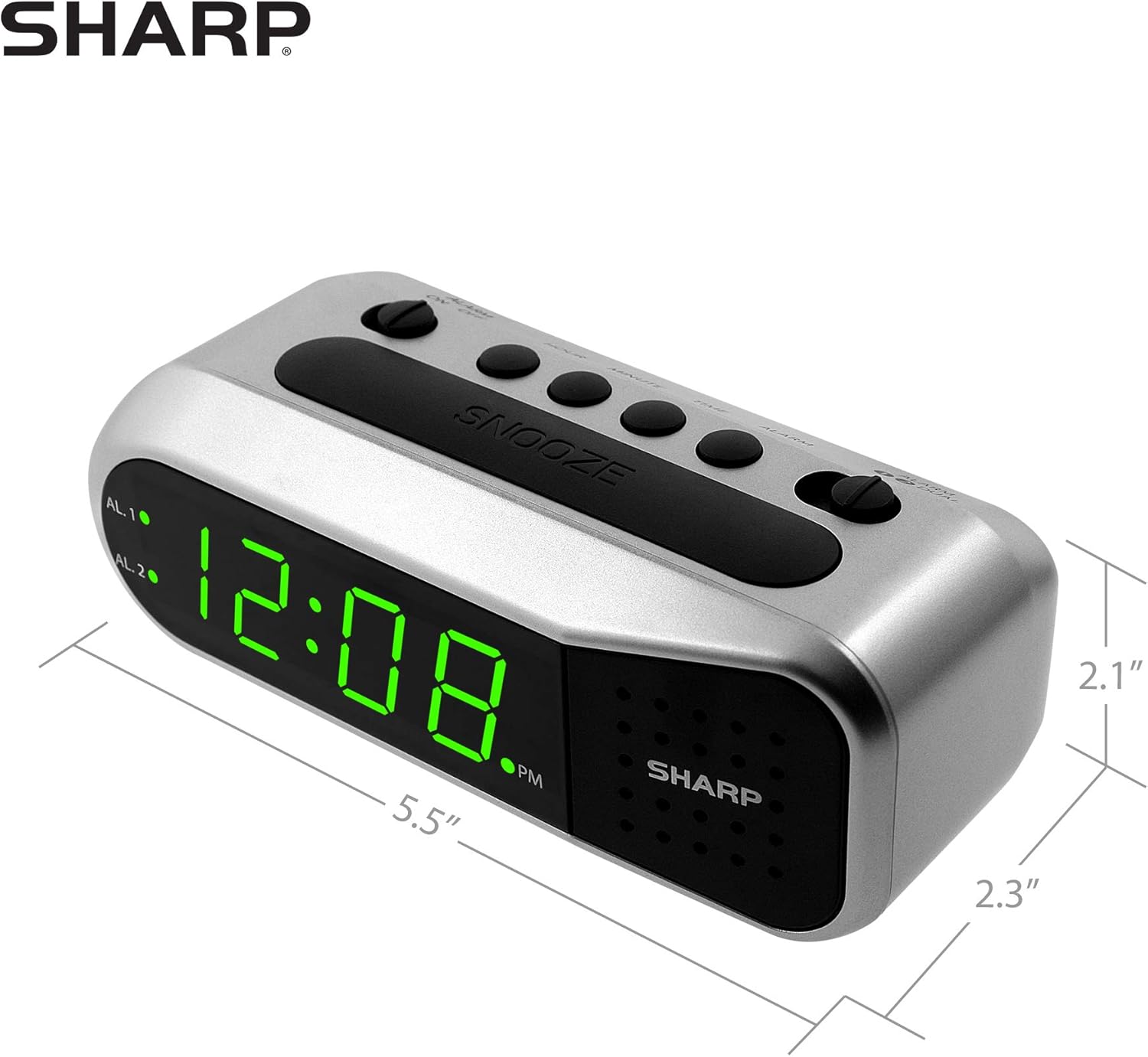
Figure 4: Dimensions of the Sharp Digital Alarm Clock.
Waranti dan Sokongan
For warranty information or technical support, please refer to the warranty card included with your product or visit the official Sharp webtapak. Simpan resit pembelian anda sebagai bukti pembelian.
For further assistance, you may contact Sharp customer service through their official channels.


