pengenalan
The SOWO CONF360 is a versatile Bluetooth speakerphone designed for clear and efficient conference calls. It features 4 AI microphones for 360-degree voice pickup and 4 speakers for 360-degree sound output, ensuring an optimal audio experience for up to 10 people. This manual provides instructions for setting up, operating, and maintaining your device.
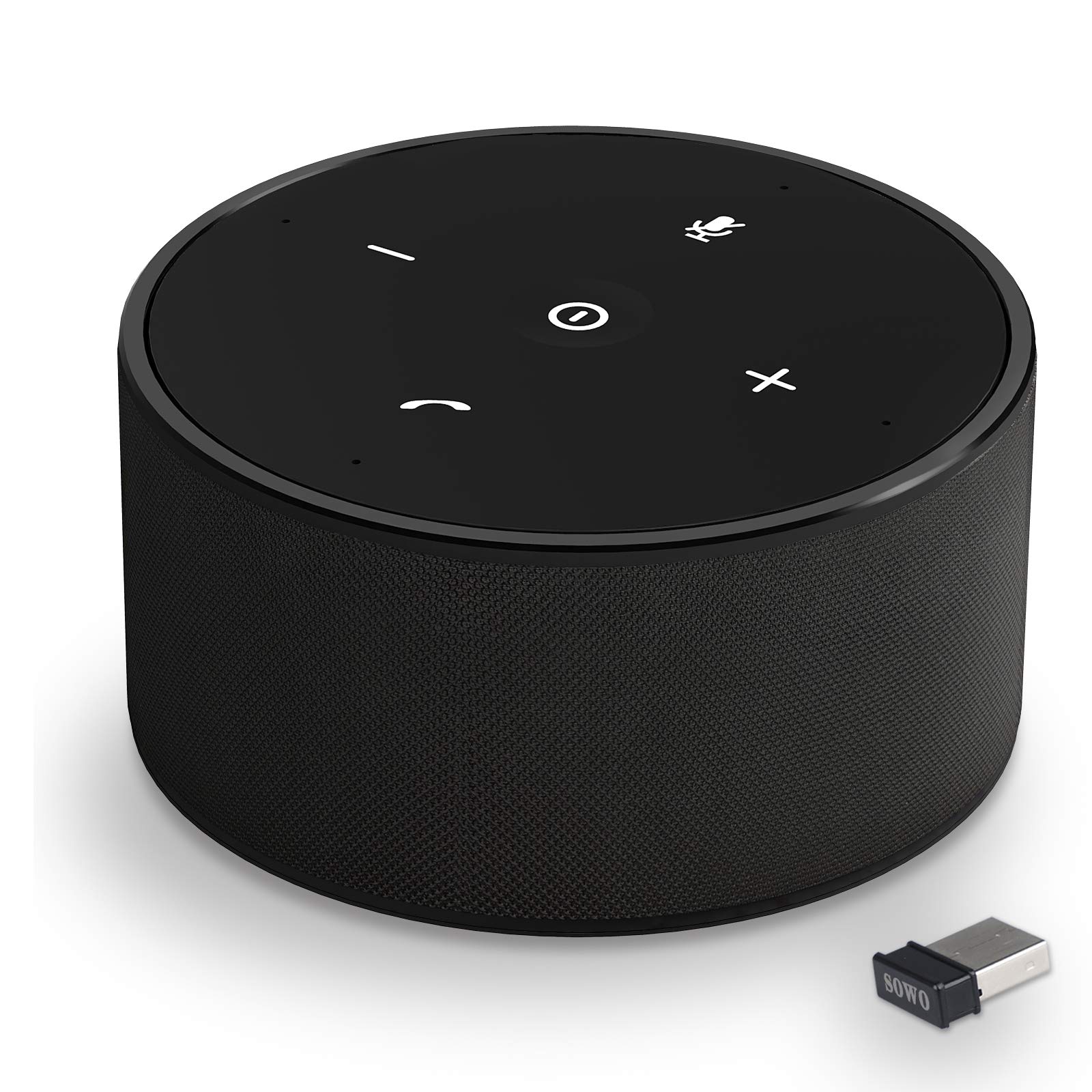
Rajah 1: The SOWO CONF360 Bluetooth Speakerphone, a compact and portable device for conference calls.
Kandungan Pakej
Sila tandai kotak untuk item berikut:
- Bluetooth conference speaker (1)
- Manual arahan (1)
- Kabel USB (1)
- 3.5mm audio cable (1)
- Bluetooth adapter (1)
Produk Selesaiview
The SOWO CONF360 features an intuitive control layout for easy operation.

Rajah 2: Atas view of the SOWO CONF360 speakerphone, illustrating its omnidirectional voice pickup and sound output with four integrated microphones and speakers.
Kawalan dan Penunjuk
- Butang Kuasa: Located in the center, used to turn the device on/off.
- Perlahankan suara (-): Mengurangkan kelantangan audio.
- Kelantangan Naik (+): Meningkatkan kelantangan audio.
- Butang Bisukan: Membisukan atau menyahredamkan mikrofon.
- Phone Symbol Button: Manages call functions (answer, end call).
- Penunjuk LED: Provide status feedback for power, Bluetooth connection, and call status.
Persediaan
1. Mengecas Peranti
Before first use, fully charge the speakerphone. Connect the provided USB cable to the charging port on the device and to a DC 5V/1A power source (e.g., computer USB port or wall adapter). A full charge typically takes 2 to 3 hours.
2. Hidupkan/Mati Kuasa
- Untuk Menghidupkan: Press and hold the Power Button until the LED indicators light up.
- Untuk Mematikan: Press and hold the Power Button until the LED indicators turn off.
3. Menyambung ke Peranti
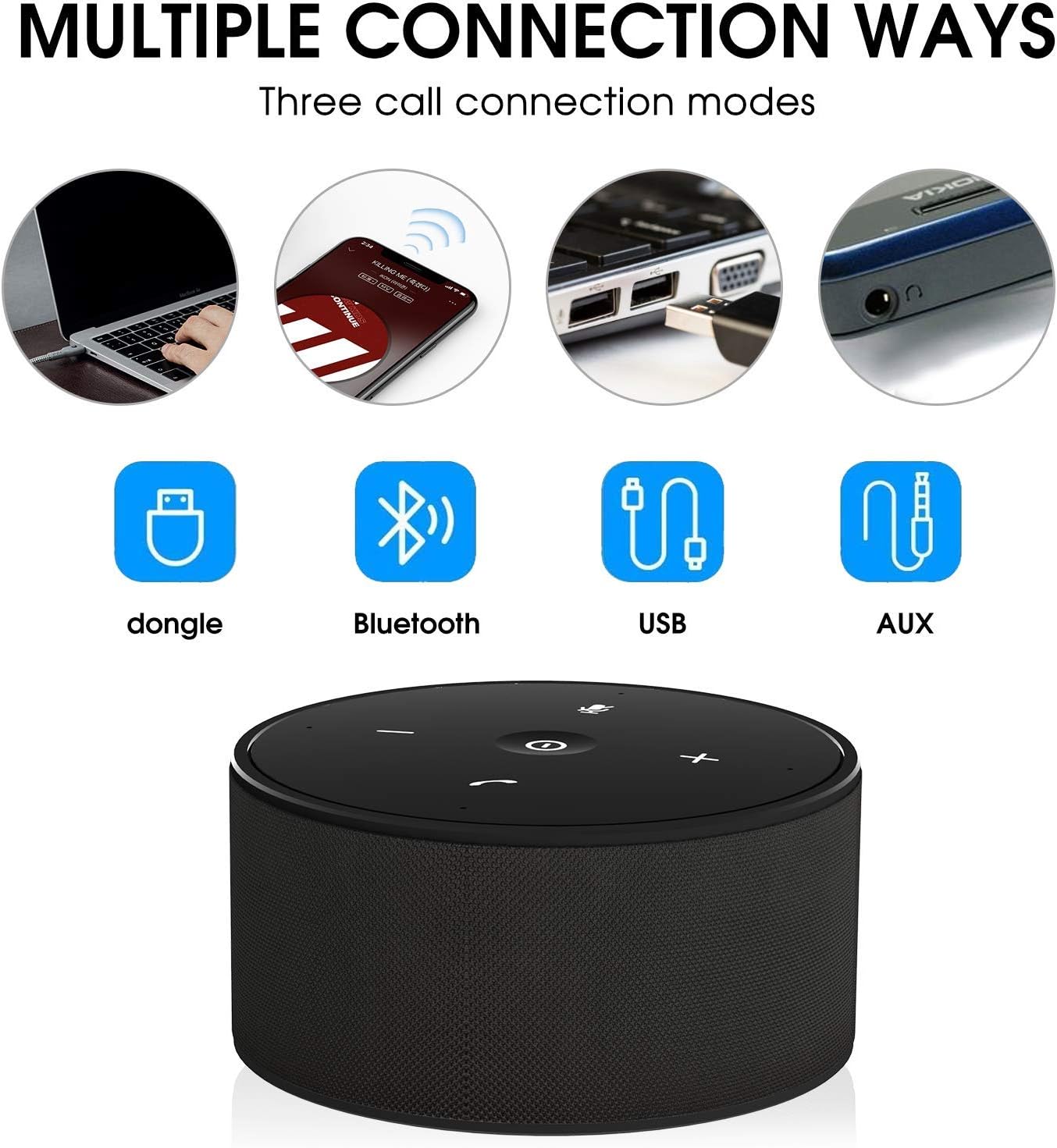
The SOWO CONF360 supports multiple connection methods:

Rajah 3: Various connection options for the SOWO CONF360, including USB dongle, Bluetooth, USB cable, and AUX cable.
Sambungan Bluetooth
- Ensure the speakerphone is powered on.
- Activate Bluetooth on your device (smartphone, tablet, laptop).
- Cari untuk "SOWO CONF360" in your device's Bluetooth settings.
- Select "SOWO CONF360" to pair. The LED indicator will confirm a successful connection.
USB Dongle Connection (for devices without Bluetooth)
- Plug the provided USB Bluetooth adapter into an available USB port on your computer.
- The speakerphone will automatically connect to the dongle. No driver installation is typically required.
Sambungan Kabel USB
- Connect the speakerphone to your computer using the provided USB cable.
- The device will be recognized as an audio input/output device. Select it in your computer's sound settings.
3.5mm AUX Audio Cable Connection
- Connect one end of the 3.5mm audio cable to the AUX port on the speakerphone.
- Sambungkan hujung satu lagi ke bicu output audio peranti anda.
- Note: Microphone functionality may be limited or unavailable when using AUX connection, depending on the connected device.
Arahan Operasi
Membuat dan Menerima Panggilan
- Untuk Menjawab Panggilan: Press the Phone Symbol Button.
- Untuk Menamatkan Panggilan: Press the Phone Symbol Button again.
- Untuk Membuat Panggilan: Initiate the call from your connected device. The audio will automatically route through the speakerphone.
Kawalan Kelantangan
- Tingkatkan Kelantangan: Tekan butang Kelantangan Naik (+).
- Kurangkan Kelantangan: Tekan butang Turun Kelantangan (-).
Fungsi Bisu Mikrofon
- Untuk Membisukan: Press the Mute Button. The LED indicator for mute will illuminate.
- To Unmute: Press the Mute Button again. The mute LED indicator will turn off.
Ciri Audio Lanjutan

Rajah 4: The SOWO CONF360 employs advanced technology for background noise reduction, ensuring ultra-clear voice transmission during calls.
The SOWO CONF360 incorporates smart voice enhancement and noise filtration technology. A custom DSP algorithm optimizes your voice in real-time and reduces background noise, ensuring clear communication. The device is designed to prevent echo and delay, even at maximum volume.
Rajah 5: The SOWO CONF360 features advanced echo cancellation, providing clear audio even at high volumes, unlike other devices that may produce echo.

Rajah 6: Intelligent pickup enhancement using AI DSP technology balances voice within a 5-meter radius, ensuring consistent audio quality for all participants.
Penyelenggaraan
- Pembersihan: Gunakan kain lembut dan kering untuk membersihkan peranti. Jangan gunakan pembersih atau pelarut yang melelas.
- Storan: When not in use, store the speakerphone in a cool, dry place, preferably in its protective carrying case.
- Penjagaan Bateri: Untuk memanjangkan hayat bateri, elakkan daripada menyahcas sepenuhnya bateri dengan kerap. Cas peranti dengan kerap, walaupun tidak digunakan secara aktif.
Menyelesaikan masalah
| Masalah | Kemungkinan Punca | Penyelesaian |
|---|---|---|
| Peranti tidak dihidupkan. | Bateri lemah. | Cas peranti selama 2-3 jam. |
| Tidak dapat menyambung melalui Bluetooth. | Bluetooth not enabled on device; speakerphone not in pairing mode; too far from device. | Ensure Bluetooth is on. Restart speakerphone and try pairing again. Move closer to the device. |
| Tiada bunyi atau kualiti bunyi yang buruk. | Volume too low; incorrect audio output selected; loose cable connection. | Increase volume on both speakerphone and connected device. Check audio settings on your computer/phone. Ensure cables are securely connected. |
| Mikrofon tidak berfungsi. | Microphone muted; incorrect audio input selected. | Press the Mute Button to unmute. Check audio input settings on your computer/phone. |
| Echo or feedback during calls. | High volume in a small room; speakerphone too close to a wall. | Reduce volume. Adjust speakerphone placement. |
Spesifikasi
| Ciri | Perincian |
|---|---|
| Model | CONF360 |
| Spesifikasi Bluetooth | V5.0 |
| Kuasa Keluaran | 10W + DSP |
| Mikrofon | 4 high sensitivity microphones |
| Julat Pengambilan Suara | Up to 5 meters (16 feet) 360-degree |
| Dimensi (L x W x H) | 122mm x 122mm x 66mm (lebih kurang 11.99 x 11.99 x 5.99 cm) |
| Berat badan | 435g (approx. 535.24 g with packaging) |
| Max Bluetooth Communication Distance | 30M (actual use may vary) |
| Input Pengecasan | DC 5V / 1A |
| Masa Mengecas | 2 ~ 3 jam |
| Hayat Bateri (Masa Berbual) | Up to 12 hours (actual use may vary) |
| Jenis Bateri | Litium Ion |
| Ketersambungan | Bluetooth, USB, AUX 3.5mm |
| Keserasian | Windows 7/8/10, Mac OS, Android, iOS. Optimized for Zoom, Skype, WebEx, Google Hangout, FaceTime. |
Waranti dan Sokongan
The SOWO CONF360 Bluetooth Speakerphone comes with an 18-month quality assurance period. For any issues or support inquiries, please contact the SOWO after-sales team. Contact information can typically be found on the product packaging or the official SOWO webtapak.


