Produk Selesaiview
The Sharp HP-TW30 True Wireless Noise Cancelling Earphones are designed for an immersive audio experience with enhanced comfort and durability. Featuring active noise cancellation, these earphones reduce background noise, making them ideal for various environments. They offer wireless charging, Bluetooth 5.0 connectivity, and are splashproof for active lifestyles.
Ciri-ciri Utama:
- Pembatalan Bunyi Aktif: Reduces ambient noise by 22dB for improved focus and enjoyment.
- Pengecasan Tanpa Wayar: Convenient charging with the included case, providing up to 4 full charges.
- Bluetooth 5.0: Ensures stable and efficient wireless connectivity with a range of up to 33 feet.
- IPX4 Splashproof: Resistant to splashes, sweat, and light rain, suitable for workouts and outdoor activities.
- Kawalan Sentuh: Intuitive controls for managing playback, calls, and voice assistants.
- Kawalan Suara: Full integration with Apple Siri and Google Assistant for hands-free operation.
- Masa Main Lama: Sehingga 6 jam main balik audio dengan sekali cas.

Figure 1: Sharp HP-TW30 True Wireless Earphones (Black)
Kandungan Pakej
Sebelum anda memulakan, sila pastikan semua item terdapat dalam pakej:
- Sharp HP-TW30 True Wireless Earphones (Left and Right)
- Kes Pengecasan
- USB Type-C Charging Cable (not explicitly listed in 'whats_in_the_box' but implied by 'Charging Port: USB Type C')
- Small, Medium, and Large Ultra-comfortable Ear Tips (3 sizes)
- Manual Arahan (dokumen ini)
Persediaan
1. Mengecas Fon Telinga dan Sarung
For first-time use, fully charge the earphones and the charging case. The charging case provides approximately 4 full charges for the earphones.
- Place both earphones into their respective slots in the charging case. Ensure they are seated correctly.
- Connect the USB Type-C charging cable to the charging port on the case and the other end to a USB power source (e.g., wall adapter, computer USB port).
- The LED indicators on the case will show charging status. Charging time for the case and earphones is approximately 2 hours.
- Setelah dicas sepenuhnya, cabut kabel pengecasan.
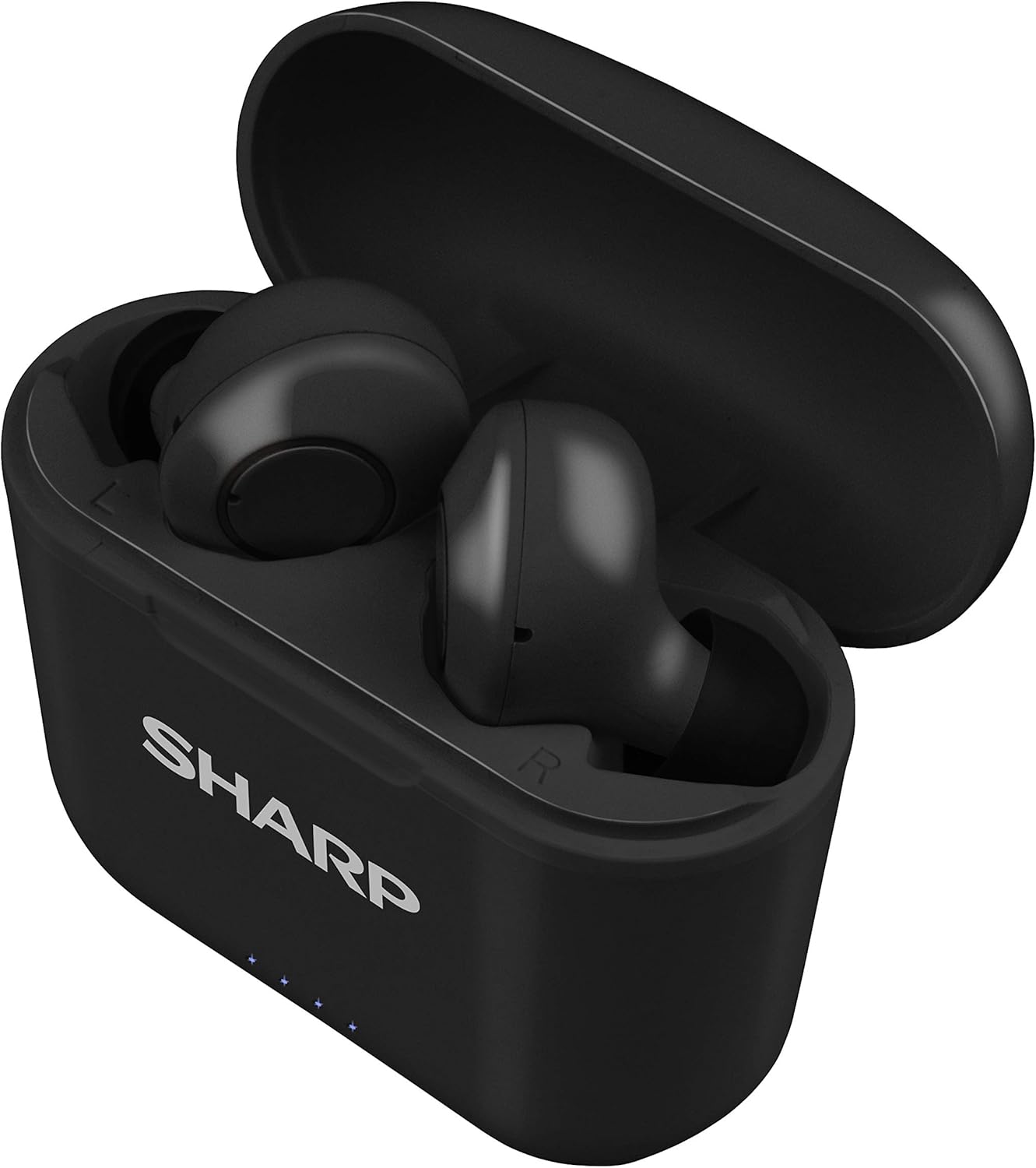
Figure 2: Earphones in Charging Case
2. Berpasangan dengan Peranti Anda
The HP-TW30 earphones feature auto-pairing for effortless setup.
- Buka bekas pengecas. Fon telinga akan dihidupkan secara automatik dan memasuki mod berpasangan.
- Pada telefon pintar, tablet anda atau peranti berdaya Bluetooth lain, pergi ke tetapan Bluetooth.
- Cari untuk available devices and select "HP-TW30" from the list.
- Setelah disambungkan, gesaan suara akan mengesahkan gandingan yang berjaya.
- Fon telinga akan disambungkan semula secara automatik ke peranti terakhir yang dipasangkan apabila dikeluarkan dari bekas, jika Bluetooth didayakan pada peranti.
Arahan Operasi
Kawalan Sentuh
The HP-TW30 earphones utilize touch-sensitive controls on each earbud for various functions:
- Main/Jeda: Ketik sekali pada salah satu fon telinga.
- Lagu Seterusnya: Ketik dua kali pada fon telinga kanan.
- Trek Sebelumnya: Ketik dua kali pada fon telinga kiri.
- Jawab/Tamatkan Panggilan: Ketik sekali pada salah satu fon telinga semasa panggilan masuk.
- Tolak Panggilan: Tekan dan tahan salah satu fon telinga selama 2 saat semasa panggilan masuk.
- Activate Voice Assistant (Siri/Google Assist): Ketik tiga kali pada salah satu fon telinga.
- Active Noise Cancellation (ANC) On/Off: Tekan dan tahan earbud kanan selama 2 saat.
Pembatalan Bising Aktif (ANC)
The ANC feature reduces ambient background noise, providing a more focused listening experience. Activate or deactivate ANC using the touch control as described above.
Rintangan Air (IPX4)
The earphones are rated IPX4 splashproof, meaning they are resistant to water splashes from any direction. This makes them suitable for light rain, sweat, and gym use. Do not submerge the earphones in water.
Penyelenggaraan
Penyelenggaraan yang betul memastikan ketahanan dan prestasi optimum fon telinga anda.
- Pembersihan: Regularly clean the earphones and charging case with a soft, dry, lint-free cloth. Do not use abrasive cleaners or solvents.
- Petua Telinga: Remove and clean the ear tips periodically with a damp kain dan sabun lembut, kemudian keringkan sepenuhnya sebelum dipasang semula.
- Storan: Apabila tidak digunakan, simpan fon telinga dalam bekas pengecasnya untuk melindunginya daripada habuk dan kerosakan.
- Suhu: Avoid exposing the earphones to extreme temperatures (hot or cold) or high humidity.
- Mengecas Kenalan: Ensure the charging contacts on both the earphones and inside the case are clean and free of debris to maintain proper charging.
Menyelesaikan masalah
If you encounter issues with your Sharp HP-TW30 earphones, try the following solutions:
- Earphones not pairing/connecting:
- Pastikan kedua-dua fon telinga dicas sepenuhnya.
- Matikan Bluetooth pada peranti anda, kemudian hidupkan semula.
- Forget/delete "HP-TW30" from your device's Bluetooth list and attempt to re-pair.
- Place both earphones back into the charging case, close the lid for 5 seconds, then open it again to reset.
- Hanya satu fon telinga yang memainkan bunyi:
- Pastikan kedua-dua fon telinga dicas.
- Letakkan kedua-dua fon telinga kembali ke dalam bekas pengecasan, tutup penutupnya, dan kemudian bukanya semula. Ini selalunya akan menyegerakkannya semula.
- Bersihkan sesentuh pengecasan pada kedua-dua fon telinga dan di dalam sarung.
- Try resetting and re-pairing the earphones as described above.
- Kelantangan rendah atau kualiti bunyi yang lemah:
- Laraskan kelantangan pada kedua-dua peranti anda dan fon telinga.
- Ensure the ear tips are the correct size for a snug fit and are clean.
- Periksa sebarang halangan pada muncung fon telinga.
- Fon telinga tidak dicas:
- Pastikan kabel pengecasan disambungkan dengan selamat pada kedua-dua bekas dan sumber kuasa.
- Cuba kabel USB Jenis-C dan penyesuai kuasa yang berbeza.
- Clean the charging contacts on the earphones and inside the case.
Spesifikasi
| Nama Model | HP-TW30(BK) |
| Teknologi Ketersambungan | Wayarles (Bluetooth) |
| Versi Bluetooth | 5.0 |
| Julat Bluetooth | Sehingga 33 kaki (10 meter) |
| Kawalan Bunyi | Active Noise Cancellation (22dB reduction) |
| Masa bermain | lebih kurang 6 jam |
| Masa Tunggu Sedia | lebih kurang 90 jam |
| Masa Mengecas | Approx. 2 hours (earphones and case) |
| Port Pengecasan | USB Jenis-C |
| Tahan Air | IPX4 Kalis Percikan |
| Jenis Kawalan | Kawalan Sentuh |
| Kawalan Suara | Apple Siri, Google Assistant |
| Komponen yang Disertakan | Small, Medium, and Large Ultra-comfortable Ear tips |
| bahan | Silikon (hujung telinga) |
| Berat Barang | 7.9 auns |
Waranti dan Sokongan
Sharp products are manufactured to the highest quality standards. For warranty information, technical support, or service inquiries, please refer to the warranty card included with your purchase or visit the official Sharp support website. Please have your model number (HP-TW30(BK)) and proof of purchase ready when contacting support.
For further assistance, you may visit the Sharp Store on Amazon: Sharp Official Store


