1. Produk Lebihview
The Donerton Smart Watch P32 is a versatile wearable device designed to assist with daily activity tracking, health monitoring, and smart notifications. It features a 1.69-inch standing screen display, Bluetooth connectivity, and various fitness modes.

Image: The Donerton Smart Watch P32 showcasing its 1.69-inch HD touch screen and a selection of customizable watch faces. The watch is displayed on a wrist and next to a smartphone, highlighting its modern design and digital interface.
2. Apa yang ada di dalam Kotak
- Donerton Smart Watch P32
- Kabel Pengecasan
- Manual Pengguna (dokumen ini)
3. Panduan Persediaan
3.1. Mengecas Peranti
Before first use, fully charge your Donerton Smart Watch P32. Connect the provided charging cable to the charging port on the back of the watch and plug the USB end into a standard USB power adapter (not included) or a computer's USB port. A full charge typically takes approximately 2 hours.
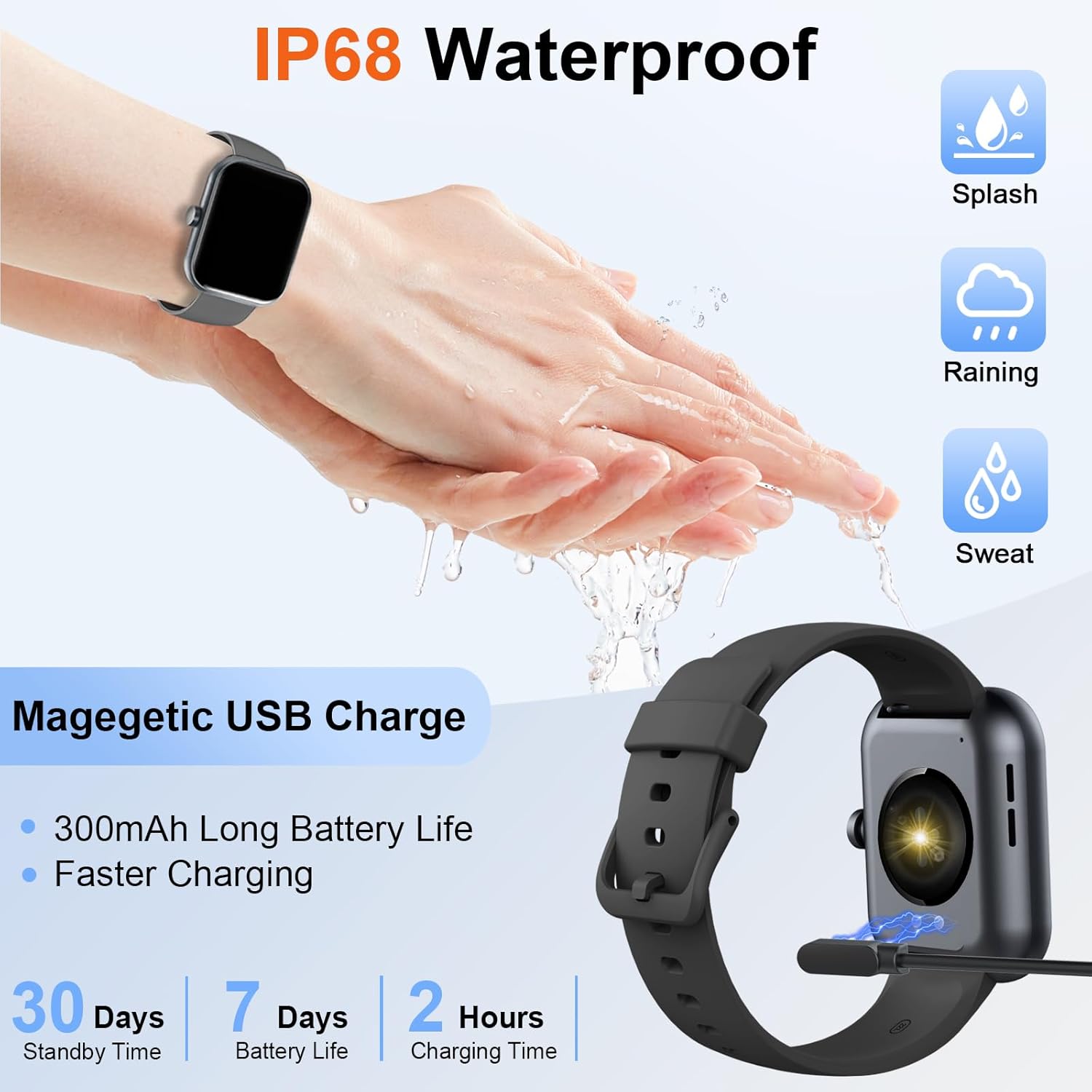
Image: The Donerton Smart Watch P32 connected to its magnetic USB charging cable, illustrating the charging process. The image also highlights the watch's IP68 waterproof rating and battery life specifications.
3.2. Pemasangan Apl
Untuk membuka kunci fungsi penuh jam tangan pintar anda, muat turun dan pasang aplikasi pendamping pada telefon pintar anda. Cari untuk the official Donerton app in your device's app store (e.g., Google Play Store for Android or Apple App Store for iOS).
3.3. Berpasangan Peranti
- Pastikan jam tangan pintar anda dicas dan dihidupkan.
- Dayakan Bluetooth pada telefon pintar anda.
- Open the Donerton companion app.
- Follow the in-app instructions to search for and connect to your Donerton Smart Watch P32. The Bluetooth device name for the watch may appear as "P32" or similar.
- Sahkan permintaan berpasangan pada kedua-dua jam tangan dan telefon pintar anda.
4. Arahan Operasi
4.1. Navigasi Asas
- Butang Kuasa: Press the side button to wake up the screen or return to the main watch face.
- Skrin Sentuh: Leret ke kiri, kanan, atas atau bawah untuk menavigasi menu dan fungsi. Ketik untuk memilih pilihan.
4.2. Pemantauan Kesihatan
The Donerton Smart Watch P32 can monitor various health metrics:
- Kadar Jantung: Pemantauan kadar denyutan jantung masa nyata.
- Penjejakan Tidur: Memantau corak dan kualiti tidur.
- Ketepuan Oksigen Darah (SpO2): Mengukur tahap oksigen dalam darah.
- Tekanan darah: Memberi bacaan tekanan darah. Note: This feature is for reference only and should not be used for medical diagnosis.
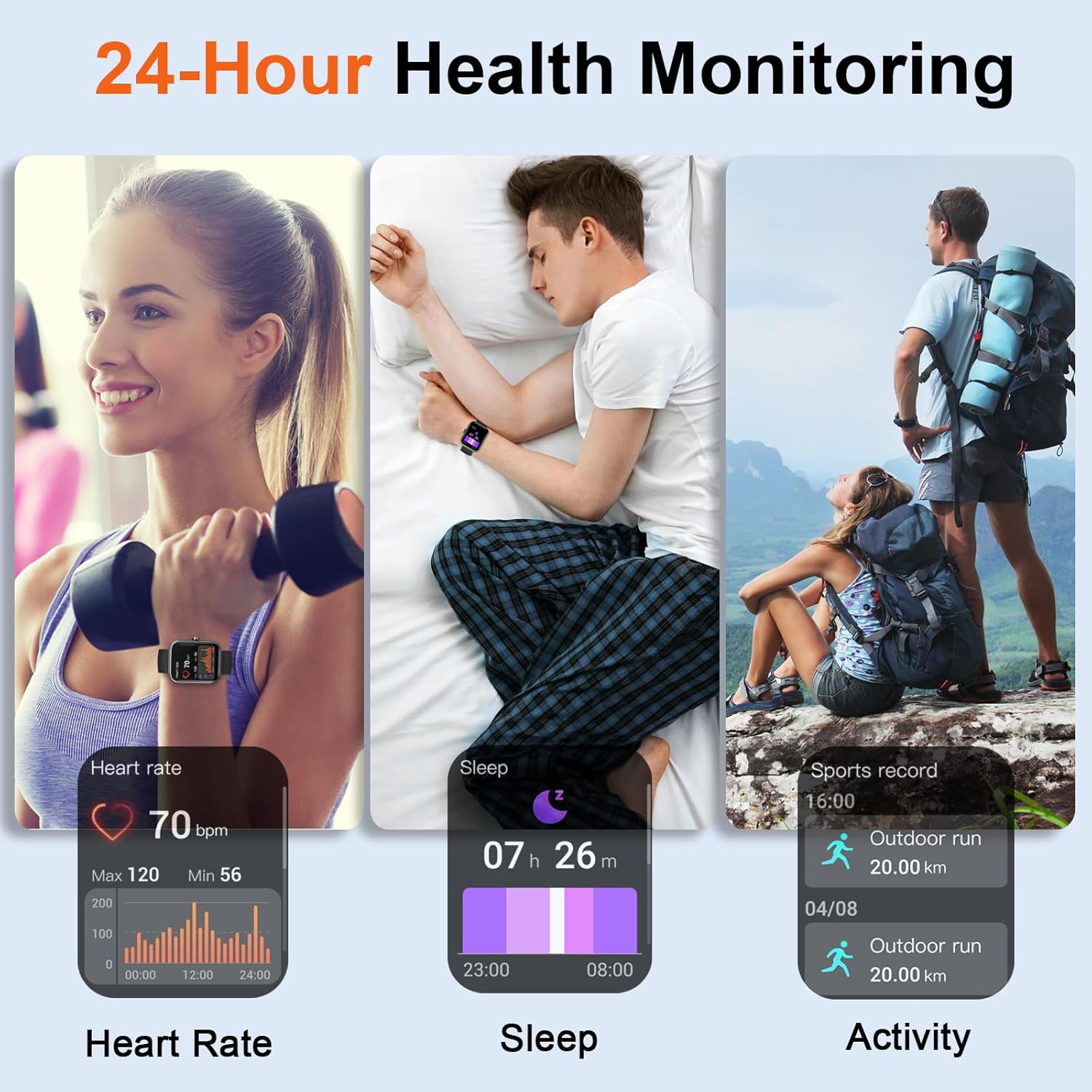
Image: Three panels illustrating the 24-hour health monitoring capabilities of the Donerton Smart Watch P32, including heart rate measurement, sleep duration and quality tracking, and outdoor activity recording.
4.3. Penjejakan Kecergasan
The watch supports over 100 sport modes and tracks daily activity:
- Penjejakan Aktiviti: Merekod langkah, jarak dan kalori yang dibakar.
- Mod Sukan: Select a specific sport mode (e.g., running, cycling, elliptical) to track performance during workouts.

Image: A person running while wearing the Donerton Smart Watch P32, with graphics illustrating over 100 sport modes and activity tracking metrics such as steps, distance, and calories. The watch display shows exercise options like 'Elliptical trainer' and 'Tai Chi'.
4.4. Smart Notifications & Calls
Once paired with your smartphone, the watch can receive notifications and manage calls:
- Pemberitahuan Panggilan: View incoming call alerts and answer or reject calls directly from the watch.
- Message & App Notifications: Receive alerts for SMS messages and notifications from social media applications.

Image: A person using the Donerton Smart Watch P32 to manage a Bluetooth call. The image displays the watch interface for dialing, incoming calls, call history, and contacts, illustrating its communication features.
4.5. Ciri-ciri Tambahan
The watch includes several convenient functions:
- Ramalan cuaca: Displays current weather conditions.
- Jam loceng: Tetapkan penggera terus pada jam tangan anda.
- Kawalan Kamera: Kawal kamera telefon pintar anda dari jauh.
- Pemasa & Jam randik: Fungsi pemasaan terbina dalam.
- Lampu suluh: Activates the screen as a light source.
- Cari Telefon: Membantu mencari telefon pintar anda yang dipasangkan.

Imej: Tayangan kolajcasing the multifunction capabilities of the Donerton Smart Watch P32, including weather forecast, alarm clock, camera control, timer, flashlight, and find phone features. A person is shown typing on a laptop, implying connectivity.
4.6. Tahan Air
The Donerton Smart Watch P32 is IP68 waterproof, meaning it is resistant to dust and can withstand immersion in water up to 1.5 meters for up to 30 minutes. It is suitable for daily use, such as hand washing, rain, and sweating during exercise. It is not recommended for hot showers, saunas, or diving.
5. Penyelenggaraan
- Pembersihan: Lap jam tangan dan tali dengan kerap menggunakan kain lembut dan kering. Jika perlu, gunakan sedikit kainamp kain dan kemudian keringkan dengan teliti. Elakkan bahan kimia yang keras atau bahan yang melelas.
- Penjagaan Bateri: Untuk memanjangkan hayat bateri, elakkan daripada kerap mencas jam tangan sepenuhnya. Caskannya apabila paras bateri rendah. Simpan jam tangan di tempat yang sejuk dan kering apabila tidak digunakan untuk tempoh yang lama.
- Tahan Air: While IP68 rated, avoid exposing the watch to hot water or steam, as this can compromise the seals. Ensure the charging port is dry before charging.
6. Penyelesaian masalah
- Watch not turning on/responding: Ensure the watch is fully charged. If it remains unresponsive, try pressing and holding the side button for 10-15 seconds to force a restart.
- Isu berpasangan Bluetooth:
- Ensure Bluetooth is enabled on your phone and the watch is discoverable.
- Mulakan semula kedua-dua jam tangan dan telefon anda.
- Lupakan peranti dalam tetapan Bluetooth telefon anda dan cuba pasangkan semula melalui aplikasi.
- Inaccurate health readings (e.g., blood pressure): The health monitoring features are designed for general wellness and fitness purposes. They are not medical devices. For accurate medical measurements, consult professional medical equipment.
- Pemberitahuan tidak muncul:
- Ensure the watch is properly connected via Bluetooth to your phone.
- Check notification permissions in your phone's settings for the Donerton app.
- Verify that notification alerts are enabled within the Donerton app settings.
- Bateri cepat habis: High usage of features like continuous heart rate monitoring or frequent screen activation can reduce battery life. Adjust settings in the app to optimize battery consumption.
7. Spesifikasi
| Nombor Model | P32 |
| Dimensi Produk | 1.67 x 1.43 x 0.38 inci |
| Berat Barang | 439 miligram |
| Saiz Skrin | 1.69 inci |
| Sistem Operasi | Android Wear 2.9 |
| Teknologi Ketersambungan | Bluetooth |
| Jenis Bateri | 1 bateri Polimer Litium (termasuk) |
| Tahan Air | IP68 |
| Ciri Khas | Activity Tracker, Built-in GPS |
8. Maklumat Waranti
For detailed warranty information, please refer to the official Donerton website or contact Donerton customer service. Keep your purchase receipt as proof of purchase for any warranty claims.
9. Sokongan Pelanggan
If you encounter any issues or have questions regarding your Donerton Smart Watch P32, please visit the official Donerton support page or contact their customer service team for assistance. Contact information can typically be found on the manufacturer's webtapak.


