1. Pengenalan
This manual provides essential information for the proper installation, operation, and maintenance of your Segotep 650W SFX Power Supply (Model: GN650W). Designed for small form factor PCs, this fully modular power supply offers 80 PLUS Gold efficiency, ensuring reliable and stable power delivery for your system.
Sila baca manual ini dengan teliti sebelum pemasangan dan simpan untuk rujukan masa hadapan.
2. Ciri-ciri Utama
- Compact SFX Form Factor: Ideal for power-dense small-form-factor PCs and compatible with mini-ITX system builds.
- 80 PLUS Emas Disahkan: Achieves 90% efficiency or higher under typical loads, reducing power consumption and heat.
- Full-Modular Cables: Allows for clean cable management, improved airflow, and enhanced thermal performance.
- Japanese Industrial-Grade Capacitors: Features 105°C rated capacitors for solid power delivery and long-term reliability.
- Silent 80mm FDB Fan: Delivers low-noise operation, with fan speed adjusting based on load and temperature.
- Perlindungan Lebihan: Automatically enters an off state and restarts after the fault is resolved to protect components.
3. Persediaan & Pemasangan
Before beginning installation, ensure your system is powered off and unplugged from the wall outlet. Always handle components with care and refer to your PC case and motherboard manuals for specific installation instructions.
3.1 Menyahkotak dan Komponen
Carefully open the packaging and remove all components. Verify that all accessories are present.
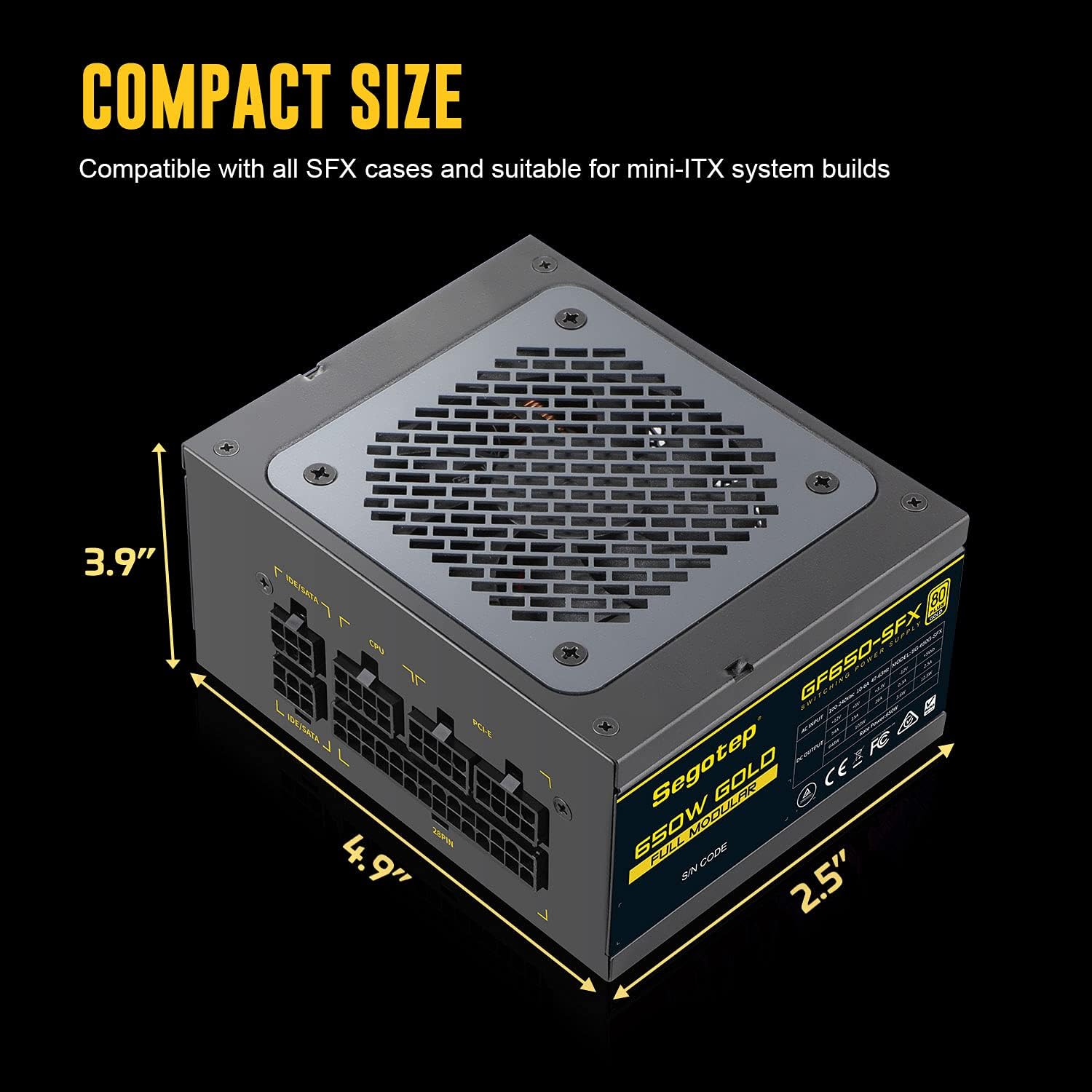
Imej: The Segotep 650W SFX Power Supply, highlighting its compact dimensions (3.9" x 4.9" x 2.5"). This image illustrates the small form factor suitable for mini-ITX builds.
3.2 Memasang Bekalan Kuasa
Install the SFX power supply into the designated power supply compartment of your PC case. Secure it using the provided screws.

Imej: Bersudut view of the Segotep 650W SFX Power Supply, showing its overall design and connection ports.
3.3 Sambungan Kabel
Utilize the fully modular cables to connect your components. Only connect the cables required for your system to minimize clutter and improve airflow.
- Motherboard (MB): Connect the 20+4 pin ATX cable to your motherboard.
- CPU: Connect the 4+4 pin or 8-pin CPU cable to the CPU power connector on your motherboard.
- PCI-E (GPU): Connect the 6+2 pin PCI-E cables to your graphics card(s).
- SATA/IDE: Connect SATA cables to SSDs/HDDs and IDE cables to older peripherals if needed.

Imej: Satu jarak dekat view of the fully modular connection ports on the Segotep 650W SFX Power Supply, clearly labeled for IDE/SATA, CPU, PCI-E, and 28PIN (MB).
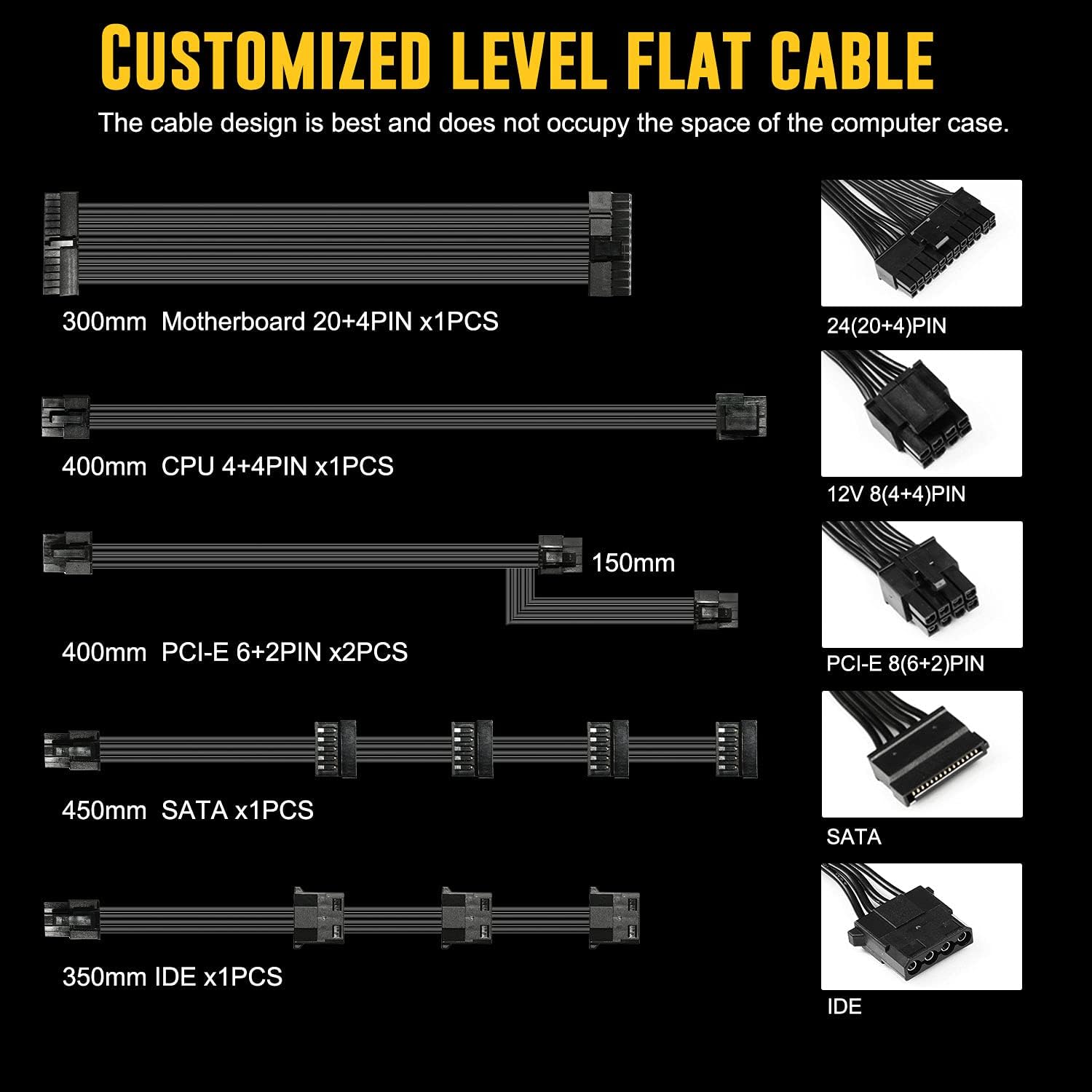
Imej: An illustration showing the various customized flat cables included with the power supply, along with their lengths and connector types (Motherboard 20+4PIN, CPU 4+4PIN, PCI-E 6+2PIN, SATA, IDE).
4. Operasi
The Segotep 650W SFX Power Supply is designed for efficient and quiet operation.
- Kecekapan Emas 80 PLUS: The unit operates at 90% efficiency or higher under typical loads, minimizing wasted energy and heat generation.
- Intelligent Fan Control: The 80mm FDB cooling fan operates quietly, with its speed automatically adjusting based on the power supply's load and internal temperature. This ensures optimal cooling while maintaining low noise levels.
- Advanced Circuitry: Features LLC Pro+DC-DC architecture and Japanese series 105°C rated industrial-grade capacitors for stable voltage outputs and enhanced performance.
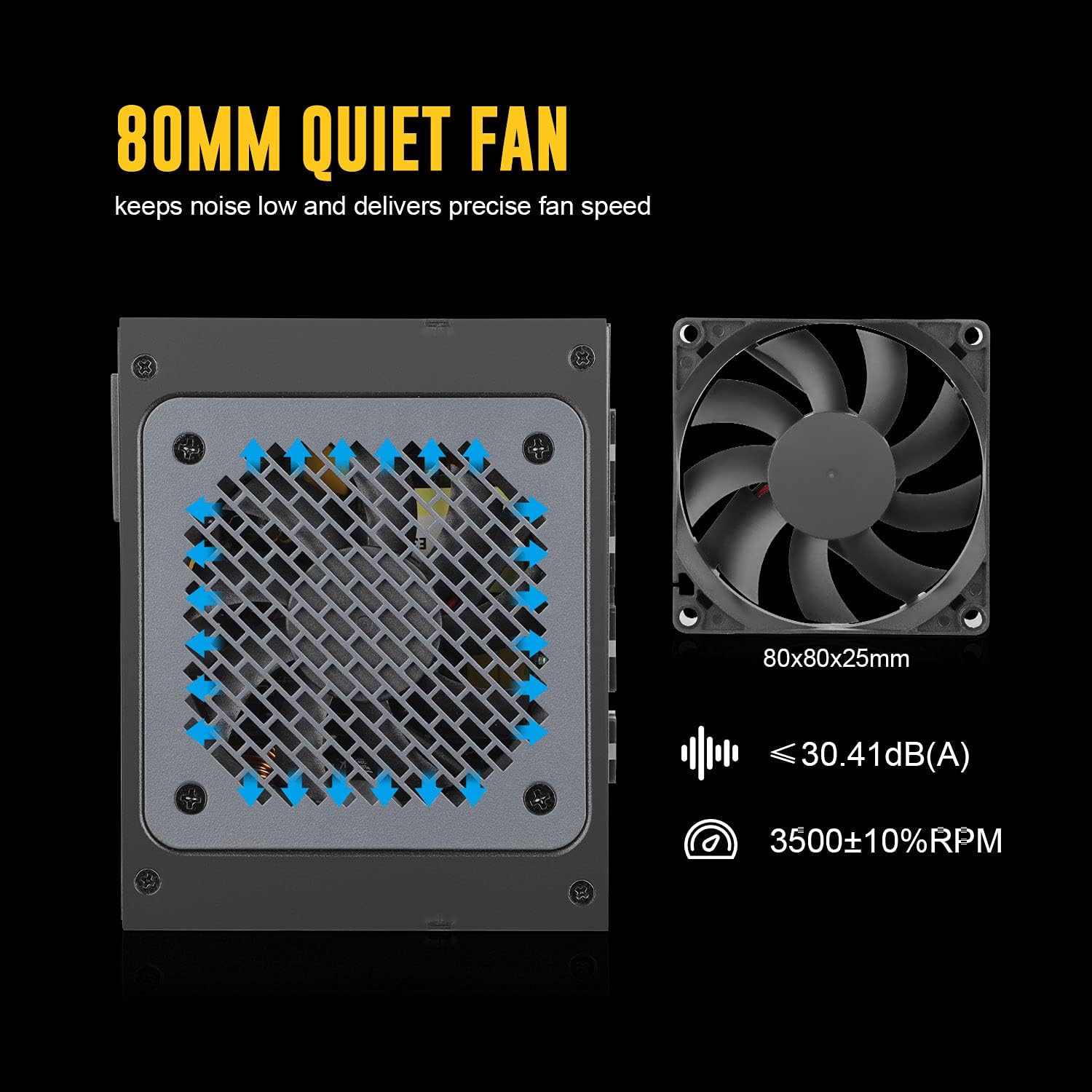
Imej: A diagram illustrating the 80mm quiet fan, showing its dimensions (80x80x25mm), noise level (≤30.41dB(A)), and speed (3500±10% RPM).

Imej: Gambar rajah menunjukkanasing the LLC Pro+DC-DC architecture and Japanese series capacitors within the power supply, highlighting key internal components for stable and efficient power conversion.
5. Penyelenggaraan
Untuk memastikan jangka hayat dan prestasi optimum bekalan kuasa anda, ikut garis panduan penyelenggaraan ini:
- Pastikan Ventilasi Bersih: Ensure that the power supply's intake and exhaust vents are free from dust and obstructions to maintain proper airflow.
- Pembersihan tetap: Periodically clean the exterior of the power supply and the fan grille with a soft, dry cloth. For internal cleaning, use compressed air to gently remove dust from the fan and heatsinks, ensuring the system is powered off and unplugged.
- Pengurusan Kabel: Maintain tidy cable routing to prevent interference with airflow and reduce heat buildup within your PC case.
6. Penyelesaian masalah
If you encounter issues with your Segotep 650W SFX Power Supply, consider the following common solutions:
- Tiada Kuasa:
- Pastikan kabel kuasa disambungkan dengan selamat ke kedua-dua bekalan kuasa dan alur keluar dinding.
- Check that the power switch on the back of the PSU is in the "ON" position.
- Verify all modular cables are correctly seated in the power supply and connected to their respective components.
- Kipas Tidak Berpusing: The intelligent fan control system may keep the fan off at low loads to reduce noise. This is normal operation. The fan will activate when the internal temperature or load increases.
- System Shuts Down Unexpectedly: The power supply features overload protection. If the system shuts down, it may indicate an overload. Reduce the load on the power supply or check for faulty components. The unit will restart once the fault is resolved.
- Bunyi Luar Biasa: Ensure no cables are obstructing the fan. If unusual noises persist, contact customer service.
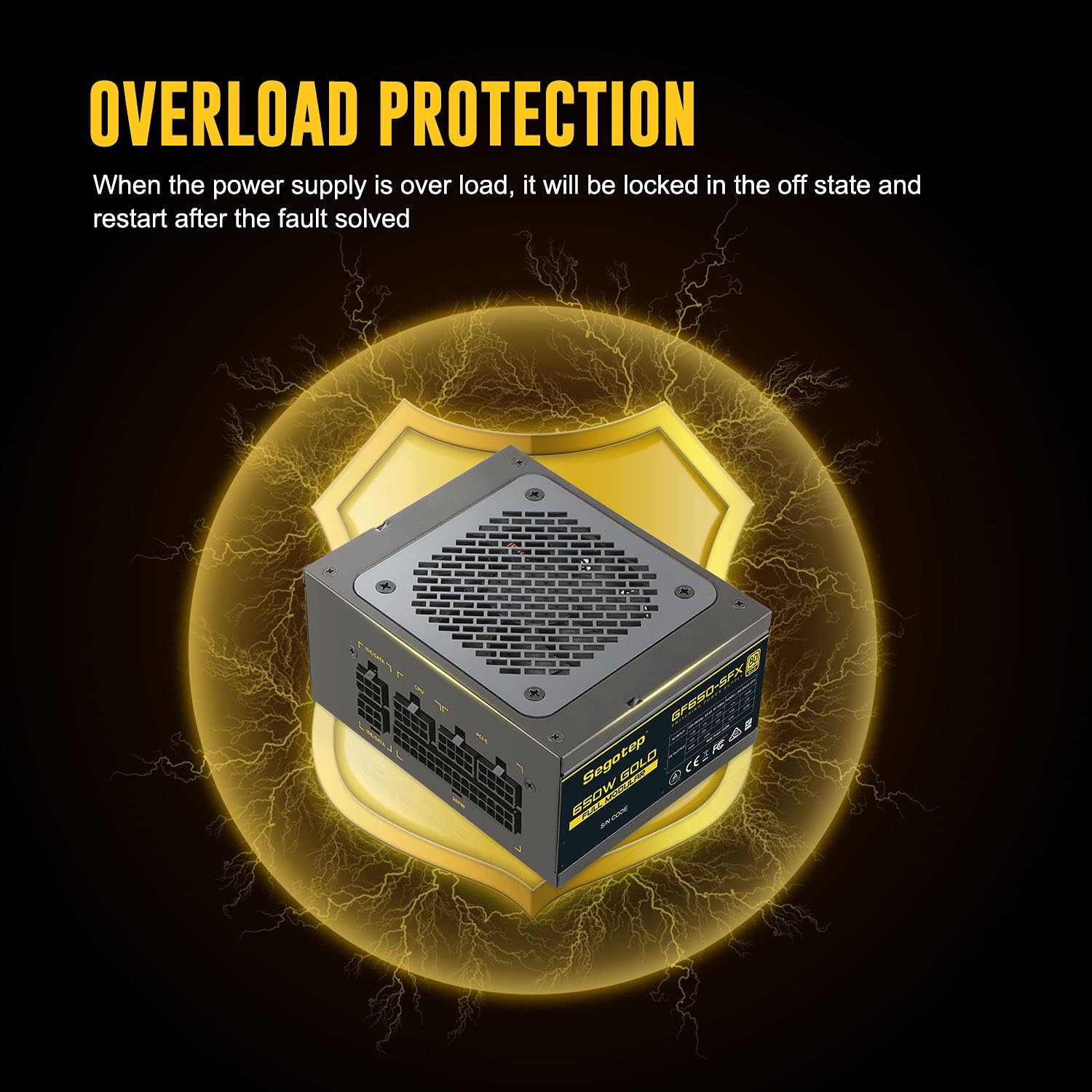
Imej: A diagram illustrating the overload protection feature of the power supply. When overloaded, the power supply will lock in an off state and restart after the fault is resolved, indicated by a shield icon.
If troubleshooting steps do not resolve the issue, please refer to the Warranty & Support section for assistance.
7. Spesifikasi
| Ciri | Perincian |
|---|---|
| Jenama | Segotep |
| Nama Model | Segotep SFX (GN650W) |
| Faktor Bentuk | SFX |
| Output Wattage | 650 Watt |
| Pensijilan Kecekapan | Emas 80 PLUS |
| Reka Bentuk Bekalan Kuasa | Modular Penuh |
| Kaedah Penyejukan | Air (80mm FDB Fan) |
| Kiraan Peminat | 1 |
| Kapasitor | Japanese series 105°C rated industrial-grade |
| Peranti Serasi | Personal Computer (Mini-ITX, Micro ATX compatible) |
| ASIN | B08SLPGFYD |
8. Waranti & Sokongan
Segotep offers a Waranti 5 tahun dan sokongan teknikal seumur hidup for all 650W power supplies. Each unit undergoes strict inspection before leaving the factory to ensure quality and reliability.
For technical assistance, warranty claims, or any product-related inquiries, please contact Segotep Customer Service through their official channels or the retailer where the product was purchased.
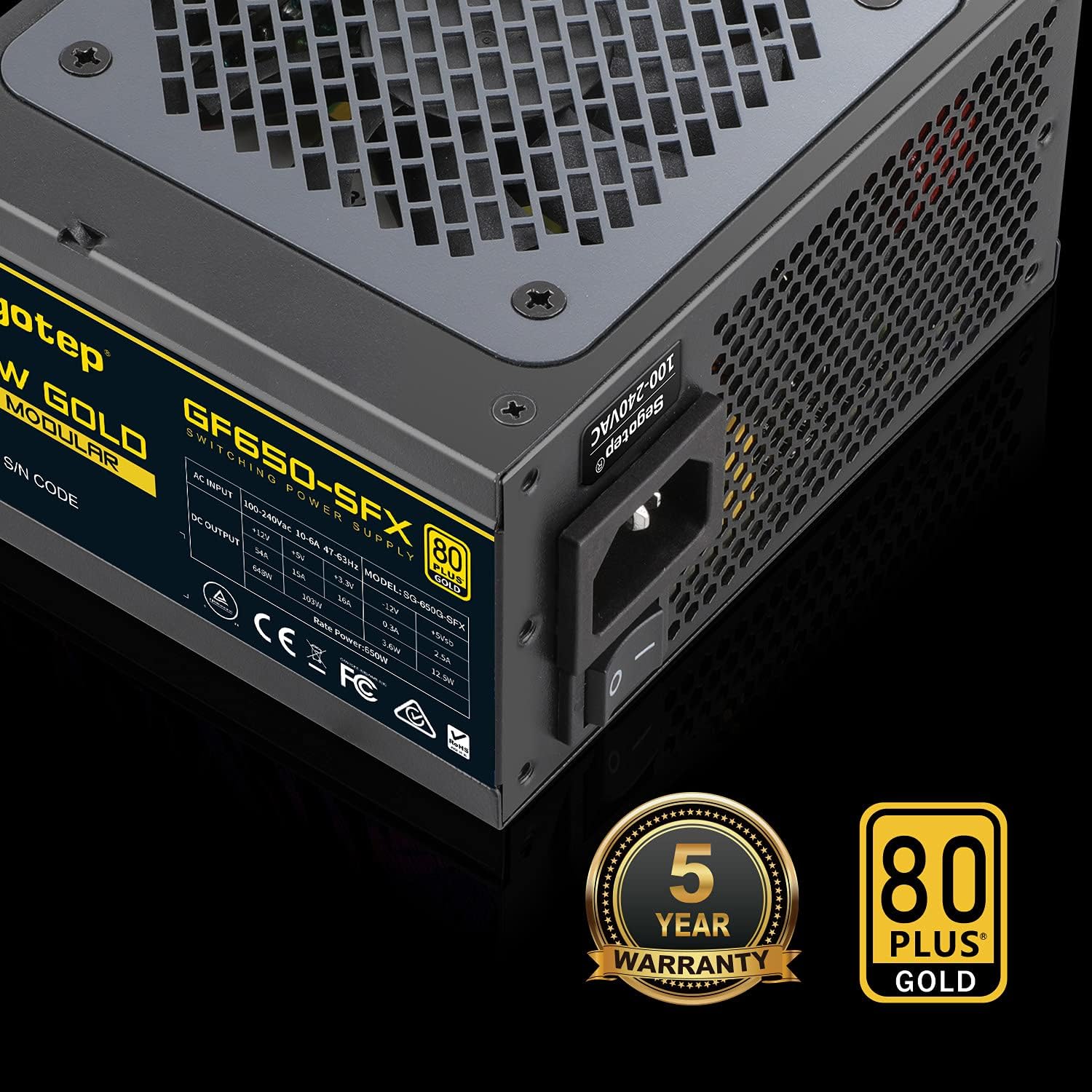
Imej: The back panel of the Segotep 650W SFX Power Supply, featuring the 5-year warranty and 80 PLUS Gold certification logos, along with the power input and switch.


