1. Pengenalan
Thank you for choosing the Hama 186369 Weather Forecast Center. This device provides comprehensive weather data, including satellite-based forecasts, indoor and outdoor temperature/humidity, and more. This manual will guide you through the setup, operation, and maintenance of your weather station to ensure optimal performance.
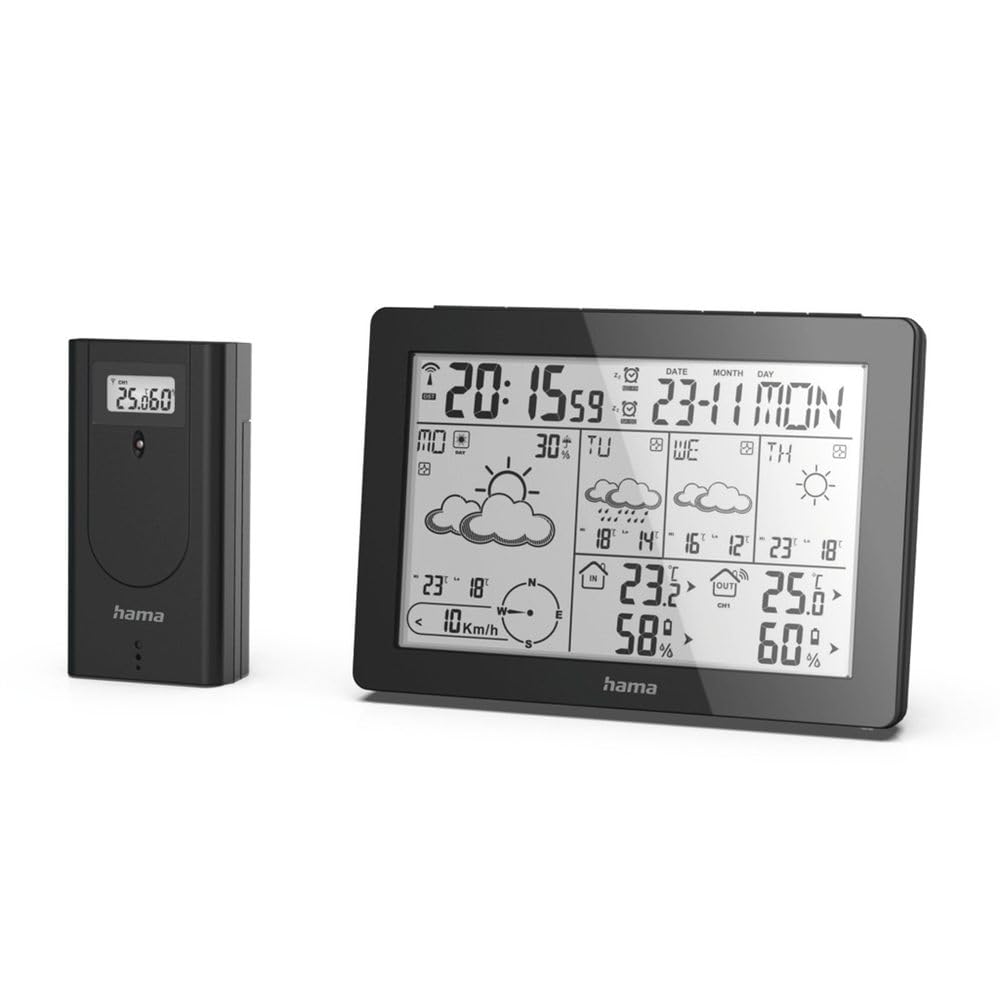
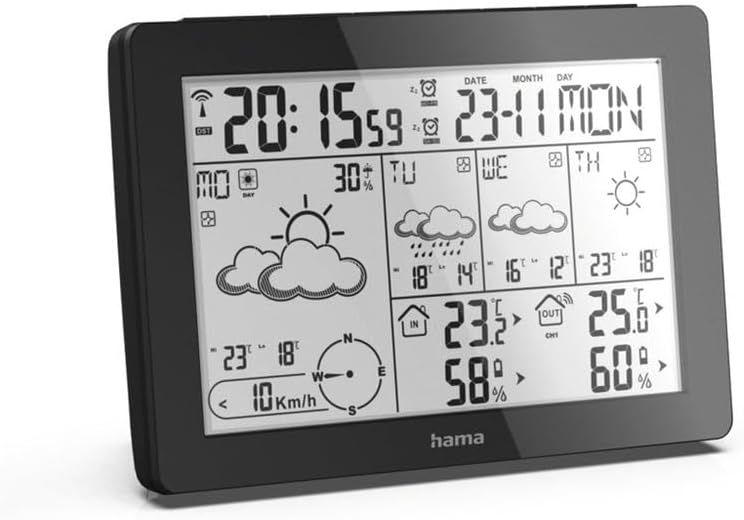
The Hama 186369 Weather Forecast Center main unit, showcasing its digital display with various weather parameters.
2. Kandungan Pakej
Sila pastikan semua barang yang disenaraikan di bawah berada dalam keadaan baik dan lengkap:
- Hama 186369 Weather Forecast Center (Base Station)
- Sensor Luaran Tanpa Wayar
- 4 x AA Batteries (for both units)
- Manual Arahan ini

The complete set, including the base station and the wireless outdoor sensor.
3. Arahan Keselamatan
- Do not open the device. Improper repair can lead to considerable hazards for the user.
- Jangan dedahkan produk kepada cahaya matahari langsung, suhu ekstrem atau kelembapan yang tinggi.
- Jauhkan produk ini, seperti semua produk elektrik, daripada jangkauan kanak-kanak.
- Lindungi produk daripada kotoran, kelembapan dan terlalu panas.
- Hanya gunakan produk untuk tujuan yang dimaksudkan.
- Jangan gunakan produk di kawasan di mana produk elektronik tidak dibenarkan.
- When inserting batteries, note the correct polarity (+ and - markings) and insert the batteries accordingly. Otherwise, the batteries could leak or explode.
- Replace all batteries of a set at the same time. Do not mix old and new batteries or batteries of different types.
4. Persediaan
4.1 Memasukkan Bateri
The Hama 186369 Weather Forecast Center and its outdoor sensor require AA batteries for operation.
- Open the battery compartment cover on the back of both the base station and the outdoor sensor.
- Insert the AA batteries, ensuring correct polarity (+ and -). The base station requires 2x AA batteries, and the outdoor sensor requires 2x AA batteries.
- Tutup penutup petak bateri dengan selamat.
Inserting batteries into the base station. Ensure correct polarity.

The wireless outdoor sensor, which also requires batteries.
4.2 Initial Operation and Signal Reception
After inserting the batteries, the base station will automatically search for the DCF-77 signal and connect to the outdoor sensor.
- Place the base station and the outdoor sensor close to each other during initial setup.
- The DCF-77 radio signal for time and date synchronization will be automatically received. This process may take several minutes.
- The outdoor sensor will transmit temperature and humidity data to the base station. Ensure they are within range (up to 30 meters in open areas).

Berakhirview of the weather station's features and components, including the outdoor sensor and base station display.
5. Operating the Weather Forecast Center
5.1 Paparan Terlaluview
The main display shows various information at a glance:
- Masa dan Tarikh: Synchronized via DCF-77 signal.
- Suhu dan Kelembapan Dalaman: Measured by the base station.
- Suhu dan Kelembapan Luar: Received from the wireless outdoor sensor.
- Ramalan cuaca: Satellite-based 4-day forecast for 60 regions/30 regions in Europe, updated daily.
- Rain Probability: Indication of precipitation likelihood.
- Kelajuan dan Arah Angin: Displayed graphically.
- Penggera Fros: Activates when temperatures drop to a critical level.
5.2 Fungsi Butang
The buttons on the top of the base station allow you to adjust settings and view different information.

Atas view of the base station showing the control buttons.
- ARAHAN: Switches between display modes (e.g., time, alarm setting).
- SALURAN: Selects different outdoor sensor channels if multiple sensors are used.
- DAY/NIGHT/SNOOZE+LIGHT: Activates backlight, snooze function for alarm, or switches between day/night display.
- UJIAN: Initiates a test of the sensor connection.
- ATAS BAWAH: Adjusts values during settings or navigates through forecast data.
5.3 Setting Time and Date (Manual Adjustment)
While the time and date are usually set automatically via the DCF-77 signal, you can manually adjust them if needed.
- Tekan dan tahan butang MODE butang sehingga paparan masa mula berkelip.
- Gunakan UP dan TURUN butang untuk melaraskan jam, kemudian tekan MODE untuk mengesahkan dan beralih kepada minit.
- Ulang selama beberapa minit, tahun, bulan dan hari.
- Tekan MODE sekali lagi untuk keluar dari mod tetapan.
5.4 Fungsi Penggera
The weather station includes an alarm function.
- Tekan ke MODE button repeatedly until the alarm time is displayed.
- Tekan dan tahan MODE untuk memasuki mod tetapan penggera.
- guna UP dan TURUN untuk menetapkan masa penggera yang diingini.
- Tekan MODE untuk mengesahkan setiap tetapan.
- Untuk mengaktifkan/menyahaktifkan penggera, tekan butang UP butang apabila masa penggera dipaparkan. Ikon penggera akan muncul/hilang.
6. Penyelenggaraan
6.1 Pembersihan
- Hanya bersihkan produk ini dengan sedikit damp, kain bebas lin dan jangan gunakan agen pembersih yang agresif.
- Ensure that no water gets into the device.
6.2 Penggantian Bateri
When the battery indicator appears on the display, replace all batteries in the respective unit (base station or outdoor sensor).
- Follow the steps in section 4.1 "Inserting Batteries".
- Buang bateri terpakai mengikut peraturan tempatan.
7. Penyelesaian masalah
| Masalah | Kemungkinan Punca | Penyelesaian |
|---|---|---|
| No display / Weak display | Batteries are empty or incorrectly inserted. | Gantikan bateri, pastikan polariti yang betul. |
| Tiada bacaan suhu/kelembapan luar | Outdoor sensor not connected or out of range. |
|
| Masa/tarikh yang salah | DCF-77 signal not received or interference. |
|
| Ramalan cuaca yang tidak tepat | Incorrect region setting or temporary signal issue. |
|
8. Spesifikasi
| Ciri | Perincian |
|---|---|
| Nombor Model | 186369 |
| Dimensions (Base Station) | 3 x 15.3 x 10.5 cm |
| Berat badan | 510 g |
| bahan | Akrilik |
| Sumber Kuasa | Battery-powered (4 AA batteries required, included) |
| Ketersambungan | Wireless (for outdoor sensor) |
| Ciri Khas | Alarm, Wireless Outdoor Sensor, Frost Alarm, DCF-77 Radio Clock |
| Ramalan Cuaca | Satellite-based 4-day forecast for 60 regions/30 regions in Europe, daily updated data for 611 locations. |
| Penggunaan yang Disyorkan | Temperature measurement, hobby, private, business. |
9. Waranti dan Sokongan
Hama GmbH & Co KG tidak bertanggungjawab dan tidak memberikan jaminan kerosakan yang disebabkan oleh pemasangan / pemasangan yang tidak betul, penggunaan produk yang tidak betul, atau dari kegagalan mematuhi arahan operasi dan / atau nota keselamatan.
For technical support or warranty claims, please contact your retailer or visit the official Hama webtapak untuk bantuan lanjut.

Hama: Experience and competence since 1923.


