1. Pengenalan
This user manual provides comprehensive instructions for the safe and efficient use of your PRIXTON Expert Tablet. Please read this manual thoroughly before operating the device and retain it for future reference. This document covers product overview, persediaan, operasi, penyelenggaraan, penyelesaian masalah dan spesifikasi teknikal.
2. Produk Lebihview
2.1 Ciri-ciri Utama
- 10-inch IPS display with 800 x 1280 resolution.
- Sistem pengendalian Android 10.0.
- Octa Core Unisoc T618 processor.
- RAM 3GB dan storan dalaman 64GB.
- Supports Micro USB, microSD, and SIM card inputs.
- Integrated Wi-Fi, Bluetooth, and 3G connectivity.
- 6000 mAh battery for extended use.
- Front 5 Mpx camera and rear 8 Mpx camera.
2.2 Komponen Peranti
Familiarize yourself with the physical components of your tablet:

Rajah 2.2.1: Depan dan belakang view of the PRIXTON Expert Tablet, showcasing its metallic finish and camera placement.
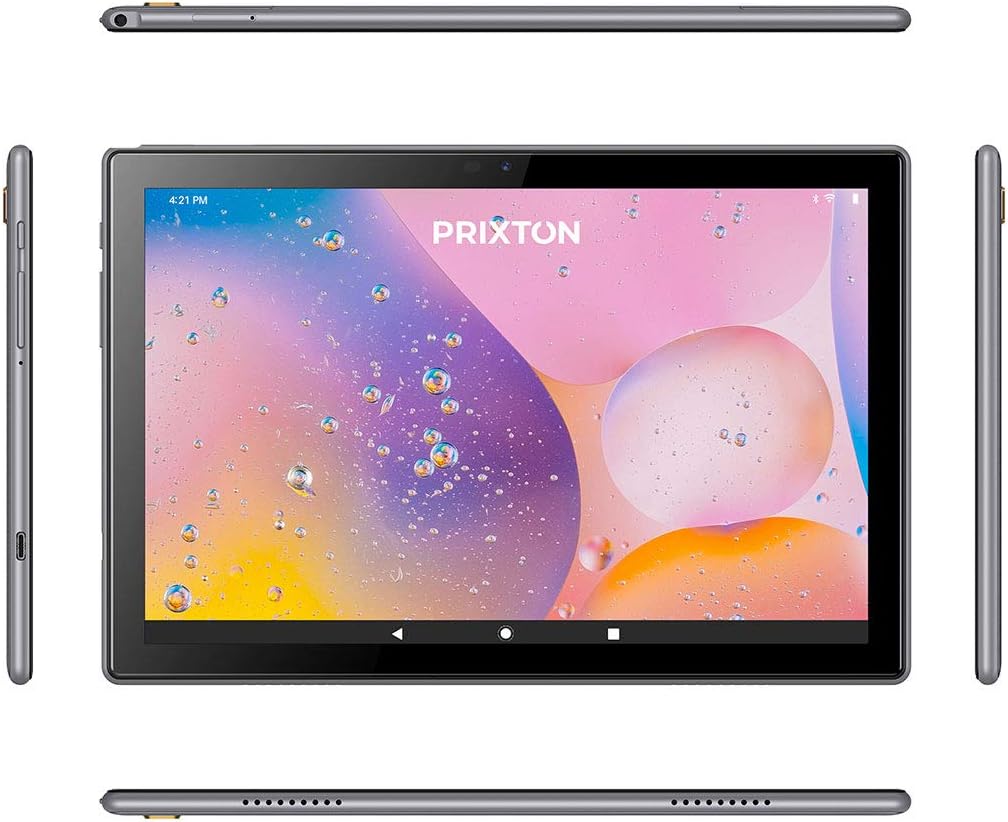
Figure 2.2.2: Various angles of the tablet, illustrating the placement of buttons, ports, and speakers on its sides, top, and bottom.

Figure 2.2.3: Close-up of the tablet's side, detailing the micro USB port, microSD card slot, SIM card slot, and earphone jack.
3. Persediaan
3.1 Pengecasan Awal
Before first use, fully charge the tablet using the provided USB cable and power adapter. Connect the micro USB end to the tablet's charging port and the other end to a power outlet. The battery indicator on the screen will show charging status.
3.2 Menghidupkan/Mematikan
- Untuk Menghidupkan: Press and hold the Power button (usually located on the side) until the PRIXTON logo appears on the screen.
- Untuk Mematikan: Press and hold the Power button until a power options menu appears. Select 'Power off' and confirm.
- Untuk Mulakan Semula: Daripada menu pilihan kuasa, pilih 'Mulakan Semula'.
3.3 Pemasangan Kad SIM dan Kad MicroSD
The tablet supports a SIM card for 3G connectivity and a microSD card for expandable storage.
- Locate the SIM/microSD card tray on the side of the tablet.
- Gunakan alat ejektor SIM yang disediakan untuk membuka dulang.
- Carefully place the SIM card and/or microSD card into their respective slots on the tray, ensuring correct orientation.
- Tolak dulang kembali ke dalam tablet dengan lembut sehingga ia terpasang dengan klik di tempatnya.
3.4 Wizard Persediaan Awal
Sebaik sahaja dihidupkan buat kali pertama, tablet akan membimbing anda melalui proses persediaan awal. Ikuti arahan pada skrin untuk:
- Pilih bahasa pilihan anda.
- Sambung ke rangkaian Wi-Fi.
- Sediakan akaun Google anda (pilihan, tetapi disyorkan untuk muat turun aplikasi).
- Configure date, time, and other basic settings.
4. Arahan Operasi
4.1 Navigasi Asas
The tablet features a 10-inch IPS touchscreen for intuitive interaction.

Figure 4.1.1: The tablet's 10-inch IPS screen with 800 x 1280 resolution, displaying a vibrant background.
- Ketik: Sentuh skrin sekali untuk memilih item atau membuka aplikasi.
- Sentuh dan Tahan: Tekan dan tahan item untuk mendapatkan lebih banyak pilihan atau untuk mengalihkannya.
- Leret: Drag your finger across the screen to scroll or navigate between pages.
- Cubit: Gunakan dua jari untuk mengezum masuk atau keluar pada imej dan web muka surat.
4.2 Connectivity (Wi-Fi, Bluetooth, 3G)
The tablet supports various connectivity options:
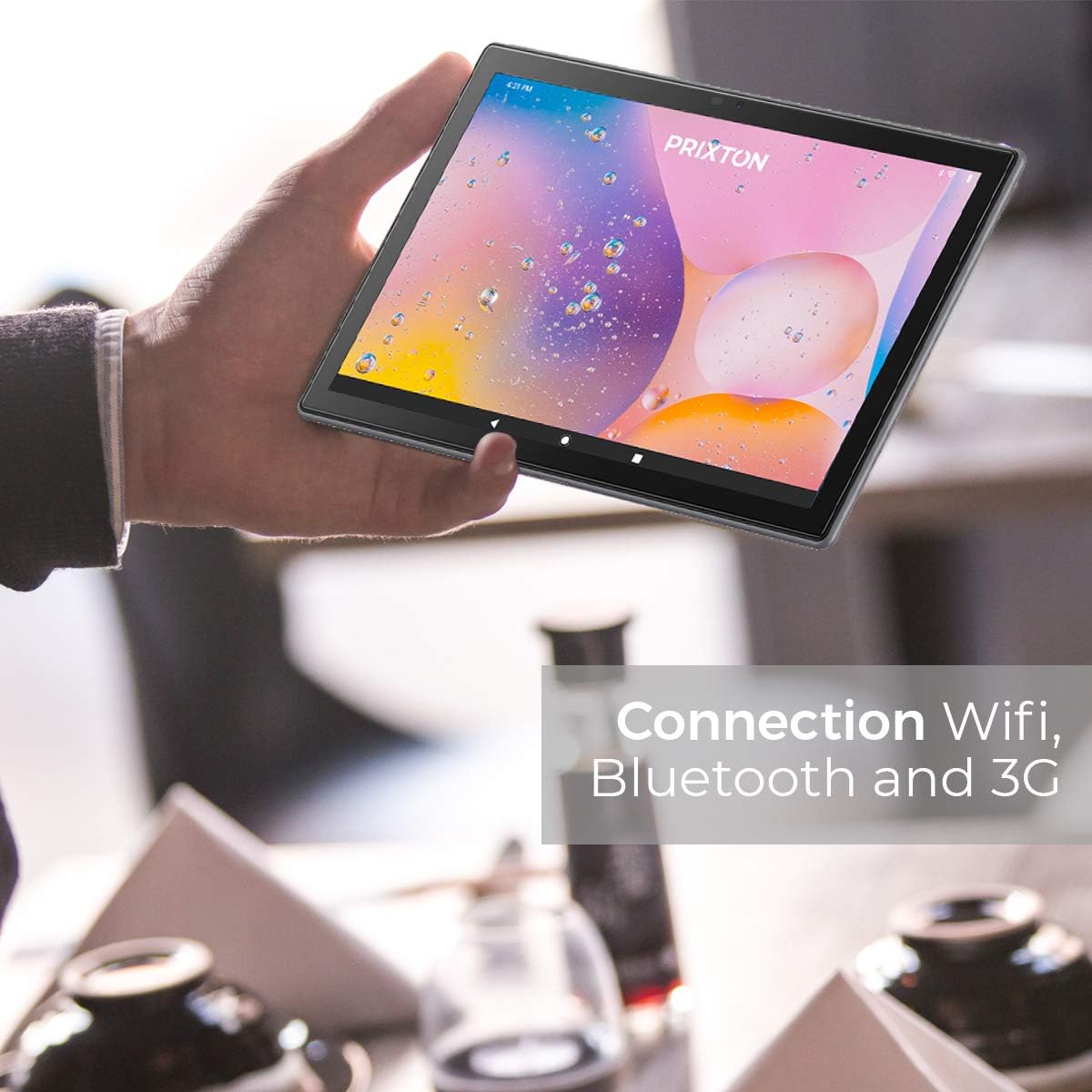
Figure 4.2.1: A person holding the tablet, illustrating its portability and highlighting its Wi-Fi, Bluetooth, and 3G connection capabilities.
- Wi-Fi: Pergi ke Tetapan > Rangkaian & Internet > Wi-Fi. Hidupkan Wi-Fi dan pilih rangkaian yang anda inginkan. Masukkan kata laluan jika digesa.
- Bluetooth: Pergi ke Tetapan > Peranti yang disambungkan > BluetoothHidupkan Bluetooth dan pasangkan dengan peranti yang serasi.
- 3G: Ensure a valid SIM card is inserted. Go to Tetapan > Rangkaian & internet > Rangkaian mudah alih to configure mobile data settings.
4.3 Menggunakan Kamera
The tablet is equipped with a 5 Mpx front camera and an 8 Mpx rear camera.

Rajah 4.3.1: Terperinci view of the tablet's rear 8 Mpx camera module, including its flash.
Open the Camera application from the home screen or app drawer. You can switch between front and rear cameras, select photo or video mode, and adjust settings like flash and timer.
4.4 Pengurusan Storan
The tablet comes with 64GB of internal storage, expandable via microSD card.

Figure 4.4.1: The tablet's back panel, indicating its Android 10.0 operating system, Octa Core Spreadtrum processor, 3GB RAM, and 64GB internal storage.
To check storage usage or manage files, pergi ke Tetapan > Storan. awak boleh view available space, format the microSD card, and manage applications or media files.
5. Penyelenggaraan
5.1 Membersihkan Peranti
Untuk membersihkan tablet anda, gunakan kain lembut dan tidak berbulu. Untuk calitan degil, sedikit dampBilas kain dengan air atau pembersih skrin yang direka khas untuk elektronik. Elakkan menggunakan bahan kimia yang keras, bahan kasar atau kelembapan berlebihan.
5.2 Penjagaan Bateri
- Avoid exposing the tablet to extreme temperatures (hot or cold), as this can degrade battery life.
- Jangan biarkan tablet dalam keadaan kosong sepenuhnya untuk tempoh yang lama.
- Gunakan hanya pengecas serasi asal atau yang diperakui.
5.3 Kemas Kini Perisian
Semak kemas kini perisian secara berkala untuk memastikan prestasi dan keselamatan yang optimum. Pergi ke Tetapan > Sistem > Kemas kini sistem untuk menyemak dan memasang kemas kini yang tersedia.
6. Penyelesaian masalah
| Masalah | Kemungkinan Punca | Penyelesaian |
|---|---|---|
| Tablet tidak boleh dihidupkan | Bateri lemah; Ranap sistem | Cas tablet selama sekurang-kurangnya 30 minit. Tekan dan tahan butang Kuasa selama 10-15 saat untuk memaksa mulakan semula. |
| Isu sambungan Wi-Fi | Kata laluan salah; Isu penghala; Wi-Fi tablet dilumpuhkan | Verify Wi-Fi password. Restart your router. Ensure Wi-Fi is enabled in Settings. |
| Prestasi perlahan | Terlalu banyak aplikasi yang berjalan; Storan rendah; Perisian ketinggalan zaman | Close unnecessary apps. Free up storage space. Check for system updates. |
| Apl ranap | App bug; Insufficient RAM | Update the app. Clear app cache/data (Settings > Apps). Restart the tablet. |
| Skrin tidak bertindak balas | Gangguan perisian sementara | Paksa mulakan semula tablet dengan menekan dan menahan butang Kuasa. |
7. Spesifikasi
| Ciri | Perincian |
|---|---|
| Jenama | Prixton |
| Nombor Model | Tablet 10 3 G |
| Siri | pakar |
| warna | metalik |
| Sistem Operasi | Android 10 |
| Pemproses | Octa Core Unisoc T618 |
| RAM | 3 GB |
| Storan Dalaman | 64 GB |
| Storan Boleh Dikembangkan | mikroSD |
| Saiz Skrin | 10.1 Inci |
| Resolusi | 800 x 1280 IPS |
| Kad Grafik | Bersepadu |
| Ketersambungan | Wi-Fi, Bluetooth, 3G |
| Antara Muka Perkakasan | Micro USB, Micro SD, SIM slot, 3.5mm Audio Jack |
| Bateri | 6000 mAh Lithium metal |
| Kamera Depan | 5 Mpx |
| Kamera Belakang | 8 Mpx |
| Dimensi Produk (L x W x H) | 50 x 50 x 28 cm |
| Berat Produk | 980 gram |
| Pengeluar | PRIXTON |
| Date of Availability | 9 Julai 2022 |
8. Waranti dan Sokongan
For warranty information and technical support, please refer to the documentation included with your purchase or visit the official PRIXTON website. When contacting support, please have your product model (Tablet 10 3 G) and purchase details ready.


