1. Pengenalan
This manual provides detailed instructions for the setup, operation, maintenance, and troubleshooting of your Ribao HCS-25 Coin Counter and Sorter. Please read this manual thoroughly before using the device to ensure proper function and longevity.

Figure 1.1: Ribao HCS-25 Coin Counter and Sorter
The Ribao HCS-25 is a high-speed, heavy-duty, compact, and portable coin counter and sorter designed for efficient handling of various coin denominations. It features a 2.8-inch TFT screen for clear display of counting data and error messages.
2. Maklumat Keselamatan
- Pastikan peranti disambungkan kepada sumber kuasa dalam volum yang ditentukantagjulat e (100V-240V).
- Jangan kendalikan peranti dengan tangan yang basah atau dalam damp persekitaran.
- Jauhkan jari dan pakaian longgar daripada bahagian yang bergerak semasa operasi.
- Cabut palam peranti sebelum membersihkan atau melakukan sebarang penyelenggaraan.
- Jangan cuba membuka atau membaiki peranti sendiri. Hubungi kakitangan perkhidmatan yang berkelayakan untuk mendapatkan bantuan.
3. Kandungan Pakej
Sahkan bahawa semua item yang disenaraikan di bawah disertakan dalam pakej anda:
- Ribao HCS-25 Coin Counter and Sorter Unit
- Kabel Kuasa
- Berus Pembersih
- Manual Pengguna
- Cotton Bag
- Tali pinggang gantian
- Coin Exit Funnel
- Cawan Tolak
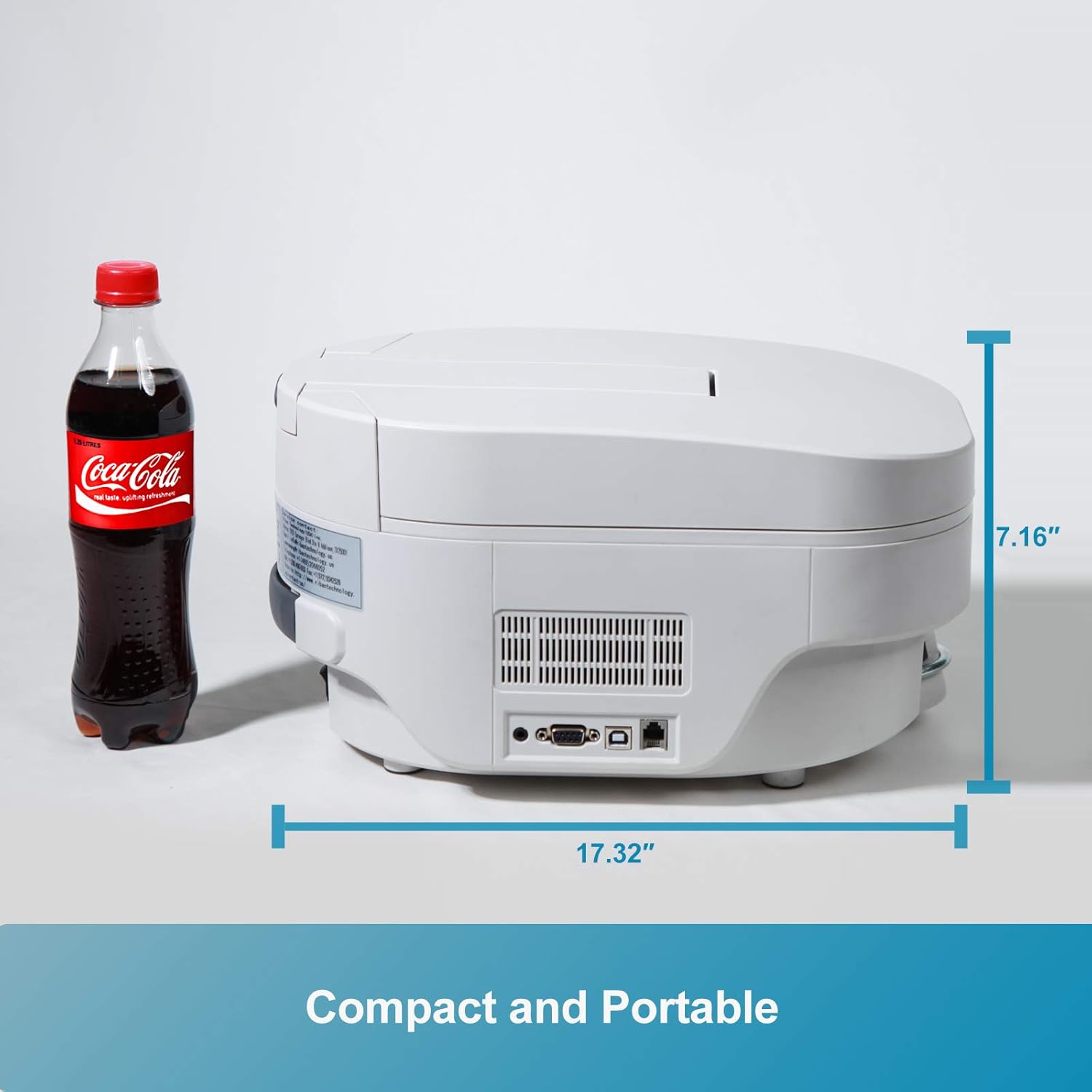
Figure 3.1: Included accessories and main unit
4. Produk Lebihview
4.1 Ciri-ciri Utama
- Kelajuan Mengira: Up to 3400 coins per minute.
- Kapasiti Hopper: 4000 coins (dimes).
- paparan: 2.8-inch TFT color screen showing quantity, amount, and error messages.
- Mod Pengiraan: Piece count, Value count, Adding mode, Batching mode, Memory save.
- Coin Compatibility: Suitable for US, Canadian, Mexican, and most international round coins or tokens with diameters between 17-30 mm and thickness between 1.8-2.8 mm.
- Fungsi Isih: Smaller coins are off-sorted to a dedicated reject cup.
- Voltage: dwi jldtage support (100V-240V) for international use.
- Reka bentuk: Compact and portable with a fully openable side cover for easy maintenance.
4.2 Komponen
Familiarize yourself with the main components of the HCS-25:
- Hopper: Where coins are loaded for counting.
- Panel Kawalan: Features a 2.8-inch TFT screen and durable silicone buttons for operation.
- Coin Dial: Adjustable dial for setting coin parameters (e.g., US/CAD).
- Reject Cup: Collects coins that do not match the selected denomination or are smaller.
- Penutup sisi: Can be fully opened for access to internal mechanisms for cleaning.
- Power Switch/Port: Located at the rear for power connection and control.

Figure 4.1: HCS-25 with coins in the hopper

Rajah 4.2: Terperinci view of the 2.8-inch TFT color screen and control buttons
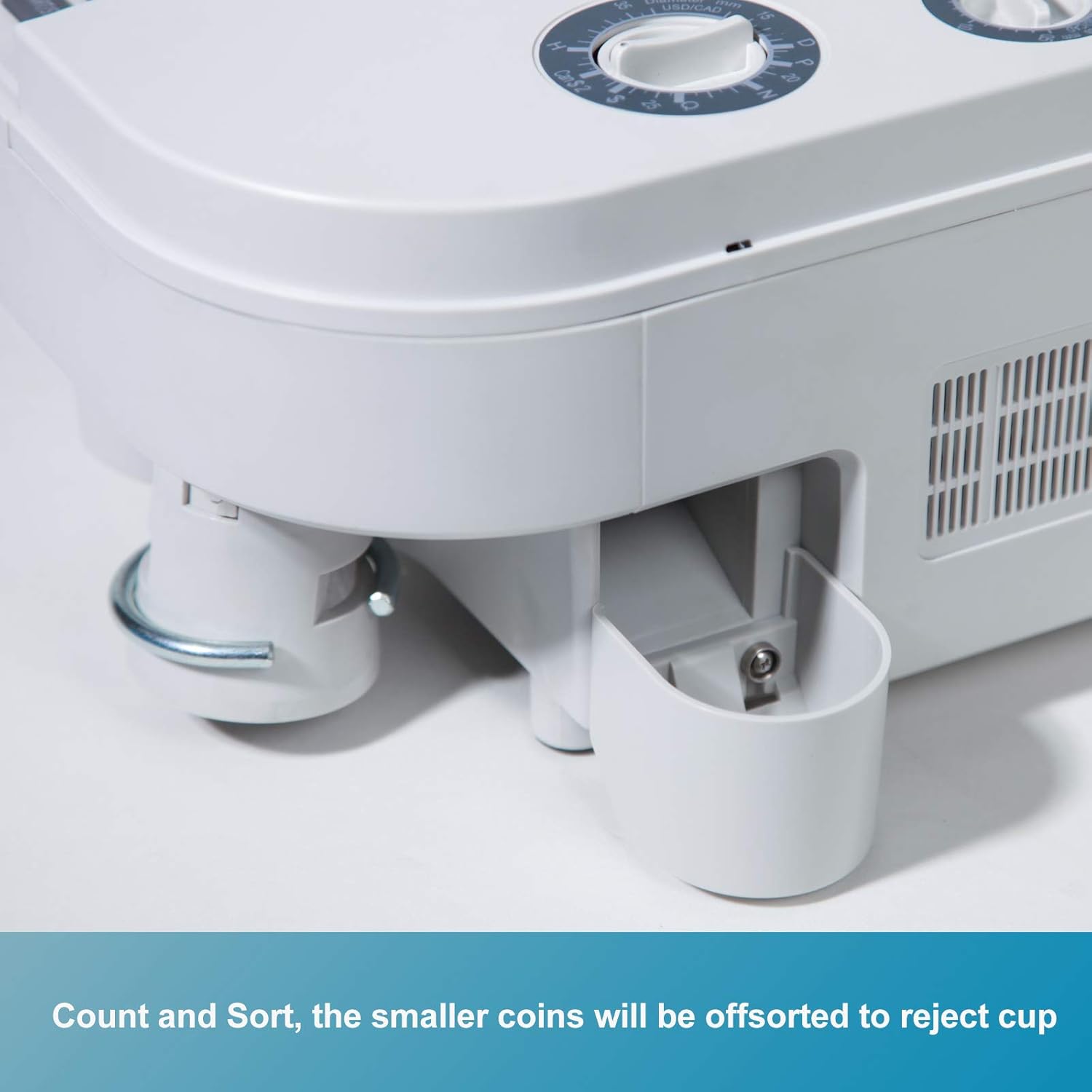
Figure 4.3: Location of the reject cup for off-sorted coins
5. Persediaan
- Buka bungkusan Peranti: Carefully remove the HCS-25 and all accessories from the packaging.
- penempatan: Place the coin counter on a stable, flat surface. Ensure adequate space around the device for operation and maintenance.
- Sambungkan Kuasa: Connect the provided power cable to the power port on the rear of the device and then to a suitable electrical outlet. The HCS-25 supports 100V-240V.
- Install Reject Cup: Attach the reject cup to its designated slot on the side of the machine.
- Adjust Coin Dial: Before counting, adjust the coin dial according to the specific coin type you intend to count (e.g., US or Canadian coins). The dial has markings to assist with this adjustment.

Figure 5.1: Power connection and wide voltage keserasian
6. Arahan Operasi
6.1 Hidupkan/Mati Kuasa
Flip the power switch located at the rear of the device to the 'ON' position to power on. The TFT screen will illuminate. To power off, flip the switch to 'OFF'.
6.2 Loading Coins
Open the top cover and place the coins into the hopper. Ensure coins are not excessively stacked to prevent jams. Close the top cover before starting the count.
6.3 Counting Modes
The HCS-25 offers several counting modes:
- Kiraan Sekeping: Counts the total number of coins.
- Value Count: If a denomination is selected, the machine calculates and displays the total monetary amount.
- Menambah Mod: Accumulates counts from multiple batches.
- Batching Mode: Counts coins into pre-set quantities.
- Memory Save: Saves accumulated counts.
6.4 Selecting Denomination (Value Count)
To use Value Count mode, select the desired coin denomination using the control panel buttons. The screen will display the selected denomination.
6.5 Setting Batch Quantity
In Batching Mode, use the numeric keypad to enter the desired batch quantity. The machine will pause counting once the set quantity is reached.
6.6 Starting and Stopping Count
Tekan ke MULA/BERHENTI button to begin counting. Press it again to pause or stop the counting process.
6.7 Clearing Counts
Tekan ke JELAS button to reset the current count on the display.
6.8 Sorting Function
The HCS-25 automatically sorts smaller coins into the reject cup. When counting mixed coins, it is recommended to count from larger denominations to smaller ones sequentially to optimize sorting accuracy.

Figure 6.1: Internal rotating disk mechanism for high-speed counting
7. Penyelenggaraan
7.1 Pembersihan Berkala
To ensure optimal performance and prevent coin jams, regular cleaning is essential.
- Matikan dan Cabut plag: Always turn off the device and unplug it from the power source before cleaning.
- Open Side Cover: The side cover of the HCS-25 can be fully opened to provide easy access to the internal mechanisms.
- Buang Debu dan Serpihan: Use the provided cleaning brush or a soft, dry cloth to remove any dust, lint, or coin residue from the hopper, counting mechanism, and coin pathways.
- Penderia Bersih: Gently wipe any visible sensors to ensure accurate counting.
- Tutup Penutup: Once cleaning is complete, securely close the side cover.
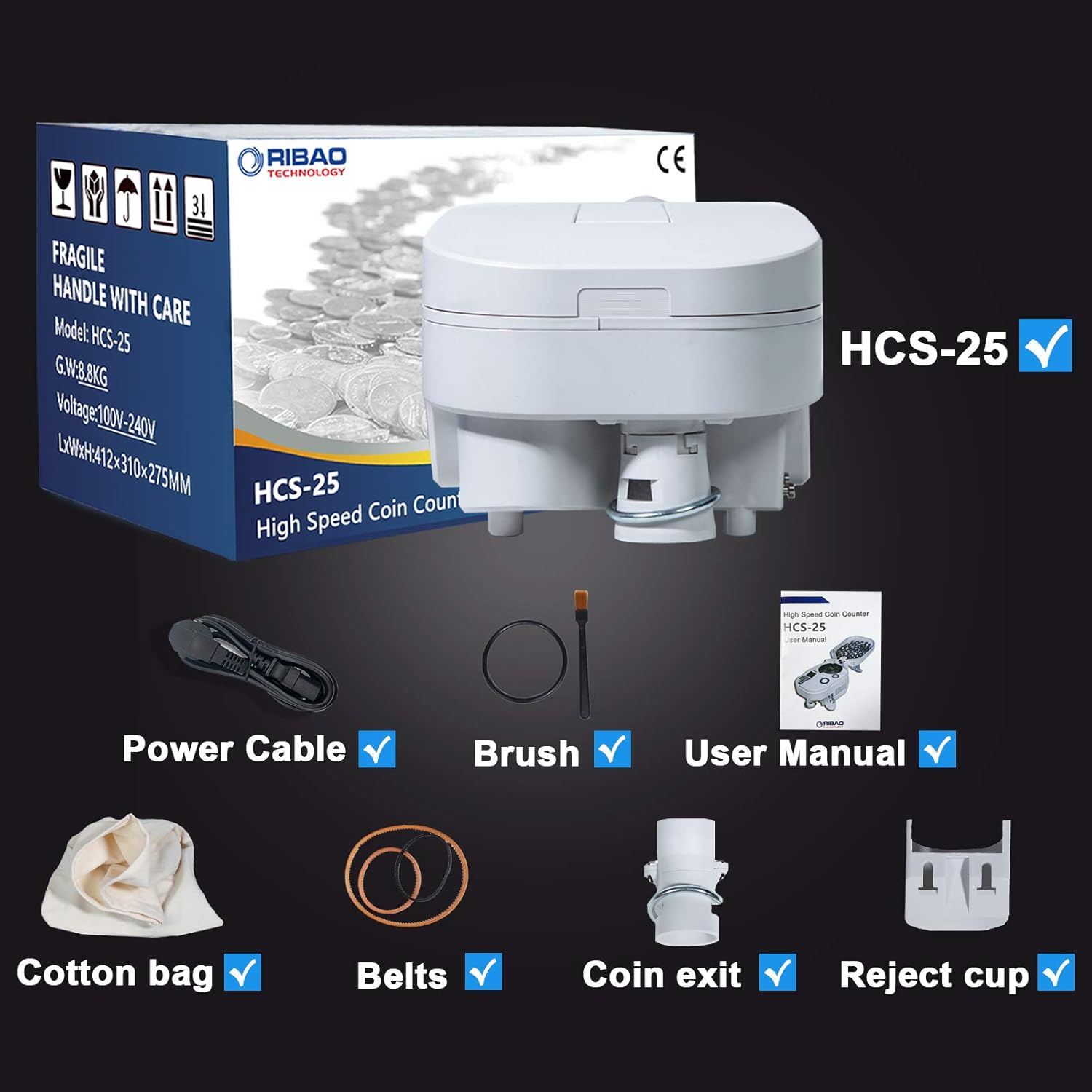
Figure 7.1: Fully openable side cover for easy cleaning and maintenance

Rajah 7.2: View of the internal mechanism with the side cover open
8. Penyelesaian masalah
If you encounter issues with your HCS-25, refer to the following common problems and solutions:
| Masalah | Kemungkinan Punca | Penyelesaian |
|---|---|---|
| Mesin tidak dihidupkan | Power cable not connected; Power switch off; No power from outlet | Periksa sambungan kabel kuasa; Pastikan suis kuasa HIDUP; Uji soket dengan peranti lain |
| Coins not counting or jamming | Coin pathway blocked; Hopper overloaded; Incorrect coin dial setting; Worn belts | Clean coin pathways; Do not overload hopper; Adjust coin dial; Replace belts if worn (refer to maintenance) |
| Inaccurate counts | Dirty sensors; Incorrect coin dial setting; Mixed coins counted improperly | Clean sensors; Verify coin dial setting; Count mixed coins from larger to smaller denominations |
| Mesej ralat pada skrin | Isu operasi khusus | Refer to the specific error code displayed on the screen for detailed instructions. Generally, clear coins and restart. |
Jika masalah berterusan selepas mencuba penyelesaian ini, sila hubungi khidmat pelanggan.
9. Spesifikasi
| Ciri | Spesifikasi |
|---|---|
| Model | HCS-25 |
| Kelajuan Mengira | Up to 3400 coins/minute |
| Kapasiti Hopper | 4000 coins (dimes) |
| Coin Diameter Range | 17-30 mm |
| Coin Thickness Range | 1.8-2.8 mm |
| Paparan | Skrin Warna TFT 2.8 inci |
| Voltage | 100V-240V |
| Berat Barang | 21.7 paun |
| Dimensi Pakej | 16.5 x 12.5 x 11.5 inci |

Figure 9.1: Supported coin dimensions and currencies

Figure 9.2: Compact dimensions of the HCS-25
10. Waranti dan Sokongan
The Ribao HCS-25 Coin Counter and Sorter comes with a waranti dua tahun dari tarikh pembelian. Waranti ini meliputi kecacatan pembuatan dan kerosakan dalam penggunaan biasa.
For technical support, warranty claims, or any operational questions, please contact RIBAO TECHNOLOGY customer service via email. We aim to respond to all inquiries within 12 hours.


