1. Pengenalan
The REXING Woodlens H6 is an advanced dual-camera trail camera designed for capturing high-quality video and still images of wildlife, property, or other outdoor subjects. Featuring both a 4K Ultra HD lens for daytime recording and an FHD Infrared lens for night vision, the H6 ensures clear visuals in various lighting conditions. Its robust, weather-resistant design and long standby time make it an ideal solution for extended outdoor surveillance.
2. Produk Lebihview dan Ciri Utama
- Sistem Kamera Dwi: Captures 4K Ultra HD video during the day and FHD Infrared video at night with simultaneous audio recording. Designed to avoid IR CUT switching sounds that might disturb wildlife.
- Pengimejan Resolusi Tinggi: Supports up to 20MP still images and cinematic video quality.
- Integrated LCD & Speaker: Features a built-in 2.4-inch LCD screen and speaker for direct viewing and editing of recordings without external devices.
- Penglihatan Malam Lanjutan: Equipped with 35M IR Flash and double 850nm high-powered Infrared lights, illuminating subjects up to 65 feet away for clear night images.
- Kelajuan Pencetus Pantas: Responds to motion within 0.2 seconds via 110° PIR sensors (Front + Side Sensor).
- Pilihan Rakaman Fleksibel: Allows manual scheduling for recording start/stop times and supports time-lapse videos and photos.
- Durable and Secure Design: IP66 rated sturdy open/close case protects against rain and dust. The camera can be password-protected and secured with a lock.
- Siap Sedia Lanjutan: Supports up to 512GB SD card and offers up to 12 months of standby time.
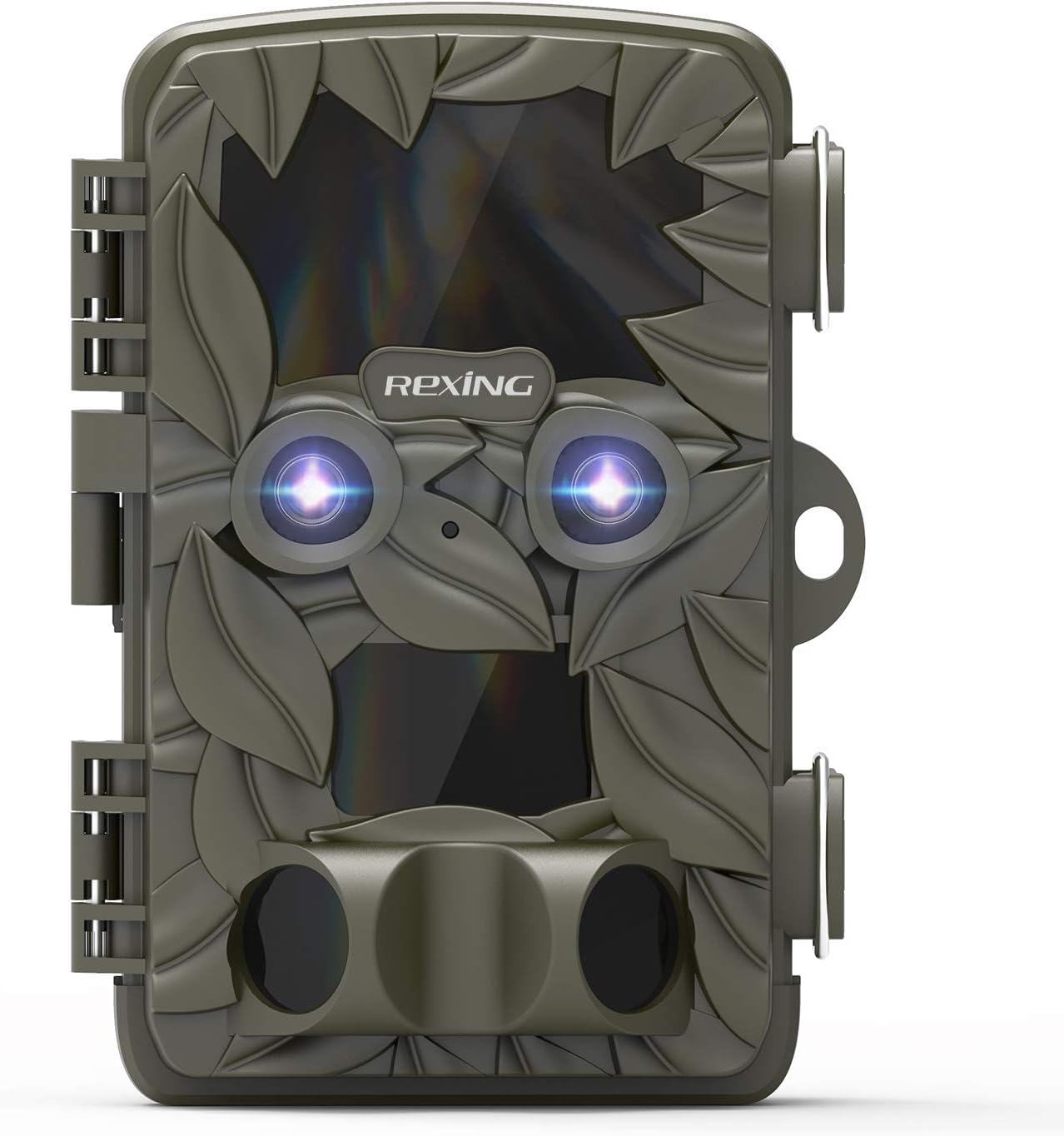
Rajah 2.1: Depan view of the REXING Woodlens H6 Trail Camera, showcasing its camouflage design and dual lenses.
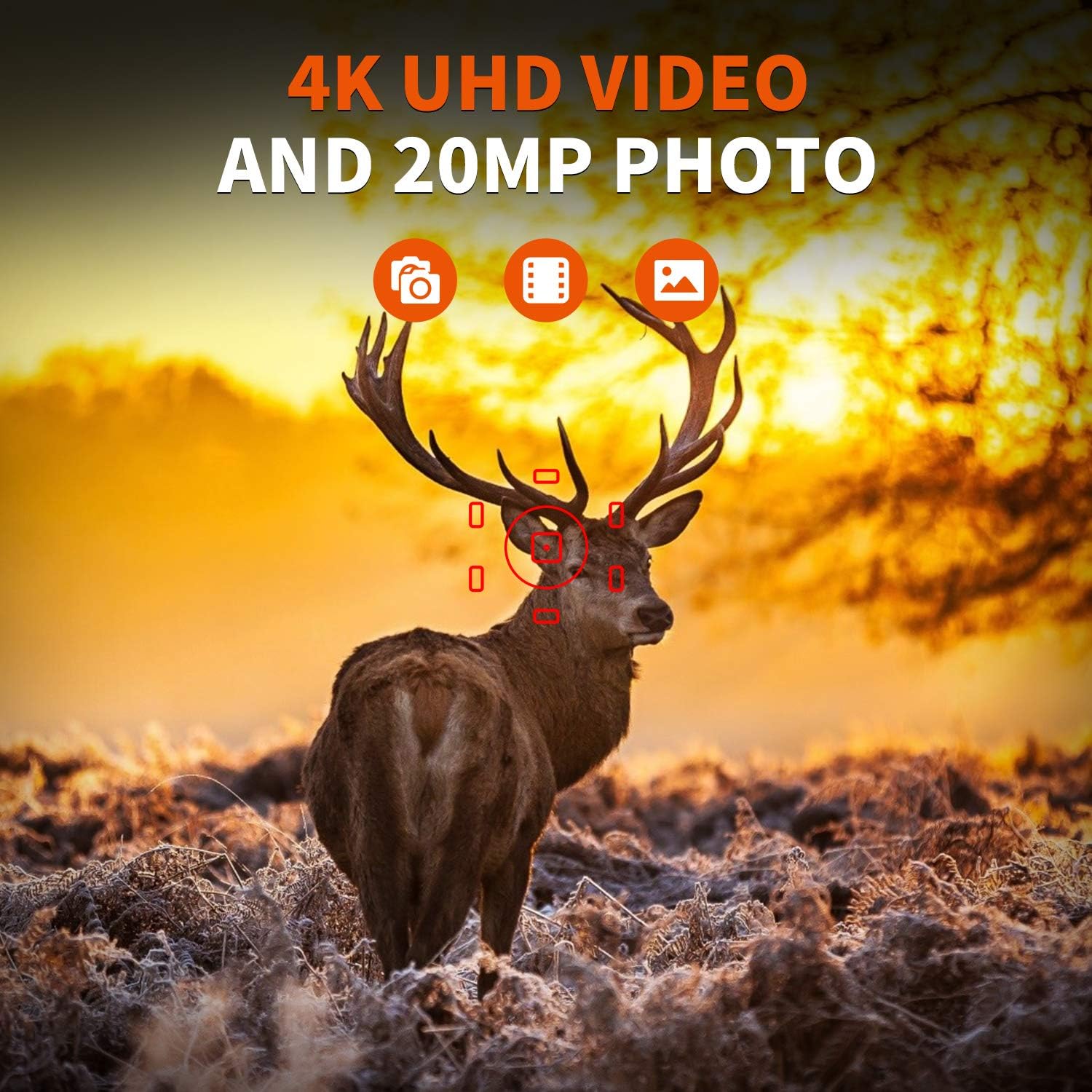
Figure 2.2: The REXING Woodlens H6 captures stunning 4K UHD video and 20MP photos, as demonstrated by this image of a deer in its natural habitat.
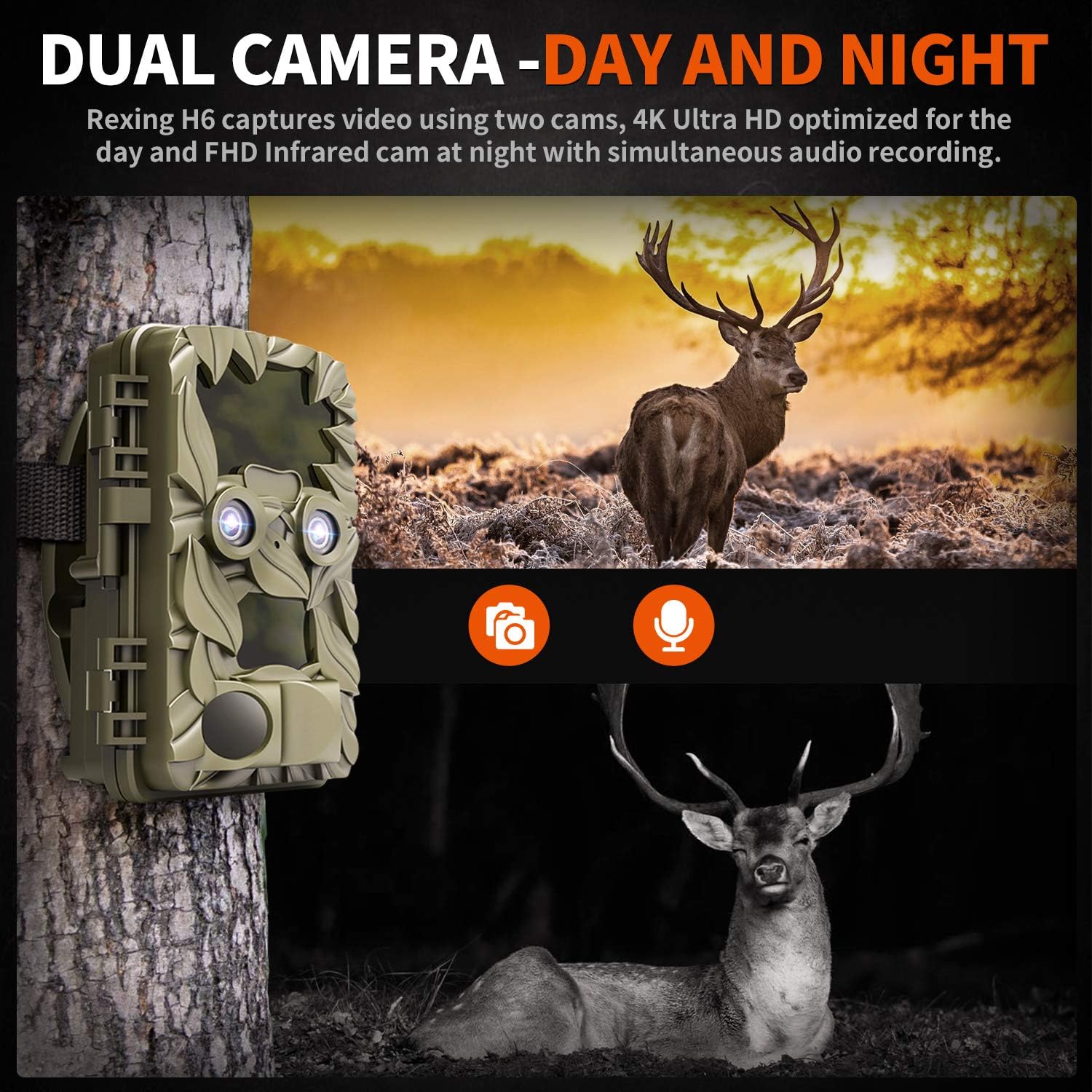
Figure 2.3: The H6 features a dual camera system, optimized for both day (4K) and night (FHD Infrared) recording, ensuring comprehensive surveillance around the clock.

Figure 2.4: Enhanced night vision capabilities of the H6, capturing clear images of wildlife up to 35 meters away in low light conditions, without disturbing sounds.

Figure 2.5: The H6 boasts a 120-degree detection angle and an ultra-fast 0.2-second trigger speed, ensuring no motion is missed.

Figure 2.6: Built to withstand the elements, the H6 is IP56 rated, making it resistant to heavy rain, ice, snow, dust, and mud.

Figure 2.7: The H6 is designed for low power consumption, compatible with 8x AA batteries, providing up to 12 months of standby time.

Figure 2.8: The REXING Woodlens H6 is versatile, suitable for multiple applications including wildlife monitoring, farm surveillance, and security.
3. Kandungan Pakej
Sila semak kandungan pakej untuk memastikan semua item ada:
- REXING Woodlens H6 Trail Camera
- Tali Pemasangan
- Kabel USB
- AV kabel
- Manual Pengguna
- (Optional: 8x AA Batteries - check product packaging)
4. Persediaan
4.1 Pemasangan Bateri
- Open the camera's outer casing dengan membuka selak klip sisi.
- Cari petak bateri.
- Insert 8x AA batteries, ensuring correct polarity (+/-) as indicated inside the compartment.
- Tutup penutup petak bateri dengan selamat.
4.2 Penyisipan Kad SD
- Dengan kamera terbuka, cari slot kad SD.
- Insert a compatible SD card (up to 512GB) into the slot until it clicks into place. Ensure the card is inserted in the correct orientation.
- It is recommended to format the SD card via the camera's menu before first use.
4.3 Memasang Kamera
- Select a suitable location for the camera, such as a tree or pole, ensuring a clear view daripada kawasan yang dikehendaki.
- Masukkan tali pelekap yang disediakan melalui slot di bahagian belakang kamera.
- Securely fasten the strap around the tree or pole, adjusting the camera's angle as needed.
- Alternatively, the camera can be wall-mounted using appropriate hardware (not included) via the mounting point.
4.4 Kuasa Awal Hidup
- After installing batteries and SD card, switch the camera to the "ON" position.
- The LCD screen will power on, and you can begin configuring settings.
5. Arahan Operasi
5.1 Menavigasi Menu
Use the control buttons (MENU, UP, DOWN, LEFT, RIGHT, OK, SHOT) located next to the LCD screen to navigate through the camera's settings and modes.
- MENU: Mengakses menu tetapan utama.
- ATAS BAWAH: Menavigasi melalui pilihan menu.
- KIRI KANAN: Adjusts values or selects sub-options.
- OK: Mengesahkan pemilihan.
- TEMBAKAN: Manually takes a photo or starts/stops video recording in preview mod.
5.2 Mod Rakaman
The H6 supports various recording modes:
- Mod Foto: Captures still images (up to 20MP).
- Mod Video: Records video (4K UHD day, FHD night).
- Mod Foto + Video: Captures a still image followed by a video clip upon detection.
- Mod Selang Masa: Captures photos or videos at set intervals to create time-lapse sequences.
5.3 Setting Up Scheduled Recording
To set specific times for the camera to operate:
- Masuk ke MENU.
- Navigate to the "Timer" or "Schedule" setting.
- Set the desired start and end times for recording. The camera will only be active during these periods.
5.4 Viewdalam dan Mengurus Rakaman
Rakaman boleh viewed directly on the camera or on an external device:
- On-Camera Playback: Use the built-in 2.4-inch LCD screen and navigation buttons to review foto dan video yang ditangkap.
- Sambungan TV: Connect the camera to a TV using the provided AV cable to view recordings on a larger screen.
- Sambungan Komputer: Connect the camera to a computer via the USB cable, or remove the SD card and insert it into a card reader, to transfer and view files.
5.5 Perlindungan Kata Laluan
To prevent unauthorized access to your camera settings and recordings:
- Masuk ke MENU.
- Navigate to the "Password" or "Security" setting.
- Set a 4-digit PIN. Remember this PIN as it will be required to access the camera.
Video 5.1: Official product video demonstrating the features and operation of the REXING Woodlens H6 Trail Camera, including its dual lens capabilities, night vision, and user interface.
6. Penyelenggaraan
- Pembersihan: Gunakan kain lembut dan kering untuk membersihkan badan dan kanta kamera. Elakkan pembersih atau pelarut yang kasar.
- Penggantian Bateri: Replace all batteries simultaneously when the low battery indicator appears to ensure optimal performance and prevent leakage.
- Pengurusan Kad SD: Regularly back up important recordings and format the SD card periodically to maintain optimal recording performance and prevent data corruption.
- Storan: When not in use for extended periods, remove batteries and store the camera in a cool, dry place away from direct sunlight.
7. Penyelesaian masalah
| Masalah | Kemungkinan Punca | Penyelesaian |
|---|---|---|
| Kamera tidak dihidupkan. | Bateri rendah atau mati; pemasangan bateri yang salah. | Replace all batteries with new ones, ensuring correct polarity. |
| Camera stops functioning after installation / No data recorded. | SD card full or corrupted; incorrect SD card insertion; camera settings preventing recording. | Format the SD card (backup data first); ensure SD card is properly inserted; check recording mode and schedule settings. Ensure sufficient battery power. |
| Kualiti imej/video yang teruk pada waktu malam. | IR lights obstructed; subject too far; low battery affecting IR performance. | Ensure clear line of sight for IR lights; position camera closer to subjects (within 65ft); replace batteries. |
| Camera not triggering motion. | PIR sensor obstructed; sensitivity setting too low; subject outside detection range. | Clear obstructions from PIR sensors; increase PIR sensitivity in settings; ensure subjects pass within the 110° detection angle. |
| Camera screen counts down and switches off. | This is normal behavior for the camera to enter monitoring mode after a brief display. | No action required. The camera is functioning as designed. |
| Tiada sambungan Wi-Fi. | The REXING Woodlens H6 model does not feature Wi-Fi connectivity. | This model requires direct connection via AV/USB cable or SD card removal for data transfer. |
8. Spesifikasi
| Ciri | Perincian |
|---|---|
| Jenama | REXING |
| Model | H6 |
| Resolusi Tangkapan Video | 2160p (4K UHD) |
| Resolusi Pegun Berkesan | 20 MP |
| Teknologi Penderia Foto | CMOS |
| Penglihatan Malam | 35M IR Flash, Double 850nm High Powered Infrared Light |
| Sudut Pengesanan PIR | 110° (Front + Side Sensor) |
| Kecepatan Pencetus | 0.2 saat |
| Paparan | Built-in 2.4-inch LCD |
| Penyimpanan | Kad SD (sehingga 512GB) |
| Sumber Kuasa | 8x AA Batteries (12 Month Standby) |
| Ketersambungan | AV Output, USB |
| Penilaian Perlindungan Antarabangsa | IP66 |
| Dimensi Pakej Item | 7.68 x 4.92 x 3.9 inci |
| Berat Pakej | 0.61 Kilogram |
| UPC | 810046601815 |
9. Waranti dan Sokongan
For warranty information and technical support, please refer to the official REXING webtapak atau hubungi perkhidmatan pelanggan mereka secara langsung. Simpan resit pembelian anda sebagai bukti pembelian untuk sebarang tuntutan waranti.
Maklumat Hubungan:
- Webtapak: www.rexingusa.com (Sila sahkan pegawai itu website for the most current information)
- e-mel: Rujuk kepada weblaman web untuk e-mel sokongan.
- telefon: Rujuk kepada webtapak untuk nombor telefon sokongan.


