1. Pengenalan
Thank you for choosing the KLARSTEIN VapoAir Opal Smart Humidifier. This device is designed to improve air quality and comfort in your home by adding moisture to dry air. It features smart control via an app, an ionizer, a large 5-liter water tank, and multiple mist levels. Please read this manual carefully before use to ensure proper operation and maintenance.
2. Arahan Keselamatan
- Always place the humidifier on a firm, flat, waterproof surface away from direct sunlight and heat sources.
- Jangan letakkan pelembap udara berhampiran perabot atau peralatan yang sensitif terhadap kelembapan.
- Jauhkan perkakas daripada kanak-kanak dan haiwan peliharaan.
- Jangan rendam unit ke dalam air atau cecair lain.
- Cabut plag pelembap udara daripada soket kuasa sebelum mengisi, membersihkan atau mengalihkannya.
- Gunakan hanya air paip yang bersih dan sejuk. Air suling atau air yang dinyahmineralkan adalah disyorkan untuk mencegah pengumpulan mineral.
- Do not add essential oils directly into the water tank; use the designated aroma diffuser tray.
- Jika kord kuasa rosak, ia mesti diganti oleh pengilang, ejen servisnya, atau orang yang berkelayakan yang serupa untuk mengelakkan bahaya.
- Jangan sekat saluran keluar kabus.
3. Kandungan Pakej
Sila semak pakej untuk item berikut:
- KLARSTEIN VapoAir Opal Smart Humidifier
- Alat Kawalan Jauh
- Manual Arahan
- Cleaning Brush (may be included)
4. Produk Lebihview dan Komponen
Familiarize yourself with the main parts of your humidifier:

Imej: Depan view of the KLARSTEIN VapoAir Opal Smart Humidifier, showcasinreka bentuk yang anggun dan paparan LEDnya.
- Mist Outlet: Where the mist is released into the air.
- Tangki Air: Removable tank for water storage.
- Unit Asas: Contains the ultrasonic transducer and heating element.
- Panel Kawalan/Paparan LED: Touch-sensitive buttons and digital display for settings.
- Aroma Diffuser Tray: Small tray for essential oils (located at the bottom/side).
- Kord Kuasa: Untuk menyambung ke salur keluar elektrik.

Image: The KLARSTEIN VapoAir Opal Smart Humidifier with its dimensions labeled: 23cm (depth), 18cm (width), 37cm (height).
5. Persediaan
5.1 Membongkar
Carefully remove all packaging materials. Retain the packaging for future storage or transport.
5.2 Penempatan
Place the humidifier on a flat, stable surface at least 15 cm away from walls and furniture. Ensure the mist outlet is not directed towards any objects or walls.
5.3 Mengisi Tangki Air
- Pastikan pelembap udara dicabut dari soketnya.
- Carefully lift the water tank from the base unit.
- Invert the water tank and unscrew the cap at the bottom.
- Fill the tank with clean, cool tap water. Distilled or demineralized water is recommended to minimize mineral residue. Do not fill past the MAX line.
- Skru penutup belakang dengan ketat.
- Place the filled water tank back onto the base unit, ensuring it is seated correctly. The auto-stop function will prevent operation if the tank is not properly placed or if water is absent.
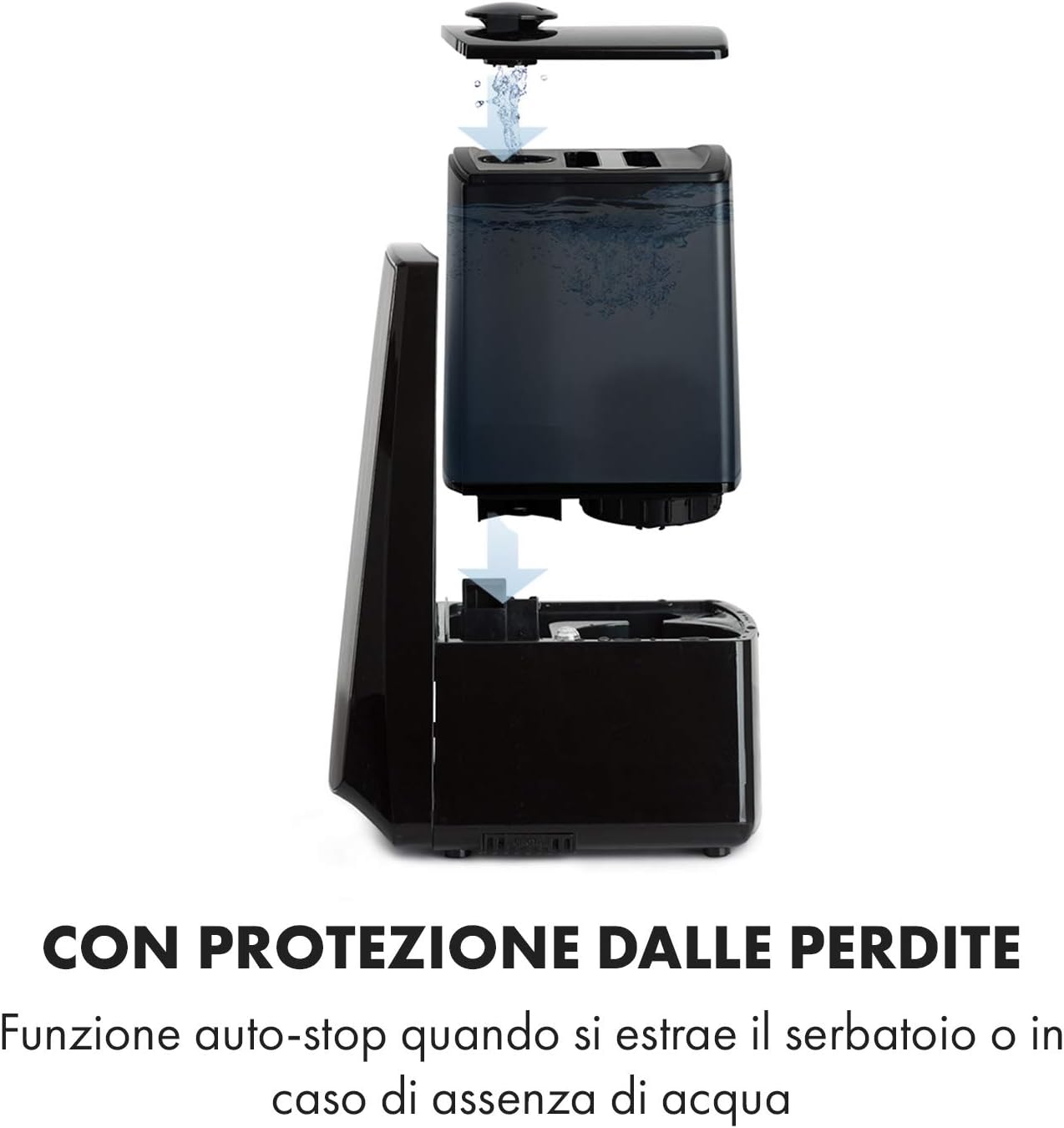
Image: Diagram illustrating the removal and refilling process of the water tank, highlighting the auto-stop feature when the tank is removed or empty.
5.4 Sambungan Kuasa
Pasangkan kord kuasa ke soket elektrik yang sesuai (230V).
6. Arahan Operasi
6.1 Panel Kawalan Selesaiview

Imej: Dari dekat view of the humidifier's LED display and touch controls, showing a hand interacting with the buttons.
The LED display shows current humidity, temperature, and selected settings. The touch buttons allow control over various functions.
6.2 Hidupkan/Mati Kuasa
Tekan ke HIDUP/MATI butang pada panel kawalan atau alat kawalan jauh untuk menghidupkan atau mematikan unit.
6.3 Mist Level Adjustment
Pelembap udara menawarkan 7 tahap output kabus. Tekan butang KABUB button repeatedly to cycle through the mist intensity levels. The current level will be displayed on the screen.
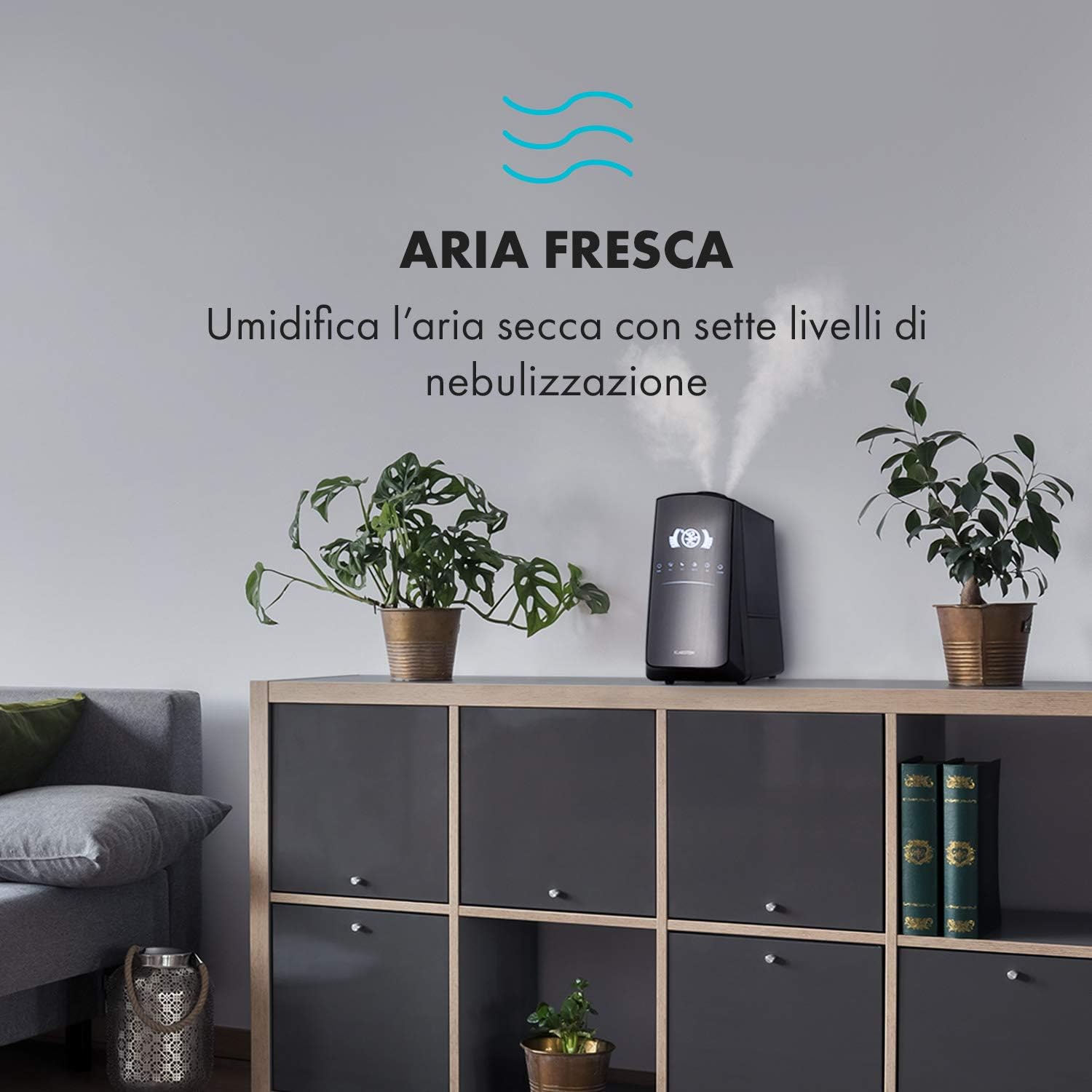
Image: The humidifier operating in a room, releasing mist to humidify the air.
6.4 Humidity Setting (Humidistat)
Tekan ke KELEMBAPAN button to set your desired humidity level (e.g., 40% to 80% RH). The unit will automatically maintain this level, turning on and off as needed.
6.5 Warm/Cool Mist
Tekan ke PANAS button to activate the warm mist function. Press again to switch back to cool mist. Warm mist can help raise room temperature slightly and is often preferred in colder climates.

Image: A close-up shot of the mist output, illustrating the option for either cool or warm mist.
6.6 Fungsi Pemasa
Tekan ke PEMASA button to set an operating duration from 1 to 12 hours. The unit will automatically turn off after the set time.
6.7 Fungsi Pengion
Tekan ke ION button to activate the ionizer. This function releases negative ions to help purify the air by attracting dust and other particles.
6.8 Penyebar Aroma
Pull out the aroma diffuser tray located at the bottom of the unit. Add a few drops of essential oil onto the sponge pad. Slide the tray back in. The mist will carry the aroma into the air.

Image: The integrated aroma diffuser tray, shown pulled out with an essential oil bottle and lemon slices nearby, indicating its use for adding scents.
6.9 Mod Malam
Tekan ke MALAM button to dim the LED display and reduce operational noise for undisturbed sleep.

Image: The humidifier in a modern living space, illustrating its versatile functions like auto mode, heating, health, baby, night mode, and timer.
7. Kawalan Apl
The KLARSTEIN VapoAir Opal Smart Humidifier can be controlled via a dedicated smartphone application.

Image: A person using a smartphone with the Klarstein app open, showing controls for the humidifier's settings and current humidity levels.
7.1 Memuat turun Apl
Cari untuk the 'Klarstein App Experience' in your smartphone's app store (available for Android and iOS).
7.2 Menyambung ke Wi-Fi
- Ensure your humidifier is plugged in and turned on.
- Open the Klarstein App and follow the on-screen instructions to add a new device.
- The humidifier requires a Rangkaian Wi-Fi 2.4 GHz for connection. It is not compatible with 5 GHz networks. Ensure your router is configured to support 2.4 GHz or that your phone is connected to the 2.4 GHz band during setup.
- Once connected, you can control all humidifier functions remotely via the app.

Image: A smartphone displaying the Klarstein app interface, indicating smart home control via WiFi for Android and iOS devices.
8. Penyelenggaraan dan Pembersihan
Pembersihan berkala adalah penting untuk prestasi dan kebersihan yang optimum.
8.1 Penyelenggaraan Harian
- Kosongkan dan bilas tangki air setiap hari.
- Wipe the inside of the water tank with a clean cloth.
8.2 Pembersihan Mingguan
- Cabut palam unit sebelum membersihkan.
- Tanggalkan tangki air dan kosongkan sebarang baki air dari tangki dan unit asas.
- Membersihkan Tangki Air: Fill the tank with a mixture of water and white vinegar (1:1 ratio). Let it sit for 30 minutes, then rinse thoroughly.
- Membersihkan Unit Pangkalan: Gently wipe the ultrasonic transducer (the small disc in the center of the base) with a soft brush or cloth to remove mineral deposits. Do not scrape or use abrasive cleaners. You can use a cotton swab dipped in vinegar for hard-to-reach areas.
- Aroma Diffuser Tray: Remove and clean the sponge pad with mild soap and water. Allow it to dry completely before reinserting.
- Wipe all external surfaces with a soft, damp kain.
8.3 Penyimpanan
If the humidifier will not be used for an extended period, clean it thoroughly, ensure all parts are dry, and store it in its original packaging in a cool, dry place.
9. Penyelesaian masalah
| Masalah | Kemungkinan Punca | Penyelesaian |
|---|---|---|
| Tiada kabus atau output kabus yang rendah |
|
|
| Unit tidak dihidupkan |
|
|
| Bau yang tidak menyenangkan |
|
|
| Debu putih di sekeliling unit | Hard water with high mineral content | Use distilled or demineralized water. Clean the unit regularly. |
| Isu sambungan Wi-Fi |
|
|
10. Spesifikasi
| Ciri | Spesifikasi |
|---|---|
| Jenama | KLARSTEIN |
| Nombor Model | XJ3-VapoAirOpalSmart |
| warna | Hitam |
| Dimensi (L x W x H) | 23 x 18 x 37 cm |
| Berat badan | 2.5 kg |
| kuasa | 110 Watt |
| Voltage | 230 Volt |
| Kapasiti Tangki Air | 5 Liter |
| Masa Operasi | Up to 2 hours (continuous, depending on mist level) |
| Ciri Khas | Remote Control, Timer, App Control, Ionizer, LED Display, 7 Mist Levels, Warm/Cool Mist, Aroma Diffuser |
| Jenis Bilik | Ruang Tamu |
11. Waranti dan Sokongan
KLARSTEIN products are covered by a manufacturer's warranty. For detailed warranty information, please refer to the warranty card included with your product or visit the official KLARSTEIN website. For technical support, spare parts, or service inquiries, please contact KLARSTEIN customer service through their official channels.
Sila simpan bukti pembelian anda untuk tuntutan waranti.


