pengenalan
This manual provides essential information for the proper use and care of your Vikefon Type-C Data Charging Cable. Please read these instructions carefully to ensure optimal performance and longevity of your cable.
The Vikefon Type-C Data Charging Cable is designed for reliable charging and high-speed data transfer for a wide range of compatible devices, including smartphones, tablets, and other USB Type-C enabled electronics.
Ciri-ciri Produk
- Keserasian Universal: Compatible with all Type-C mobile devices.
- Pengecasan Cepat: Supports power output up to 5V, 3 Amp untuk pengecasan pantas.
- Pemindahan Data Berkelajuan Tinggi: Data transfer rates up to 480 Mbps.
- Reka bentuk tahan lasak: Features intricate nylon braiding for enhanced durability and longevity, tested for over 5000 bends.
- Reversible Type-C Connector: Allows for quick and easy connections in any orientation.
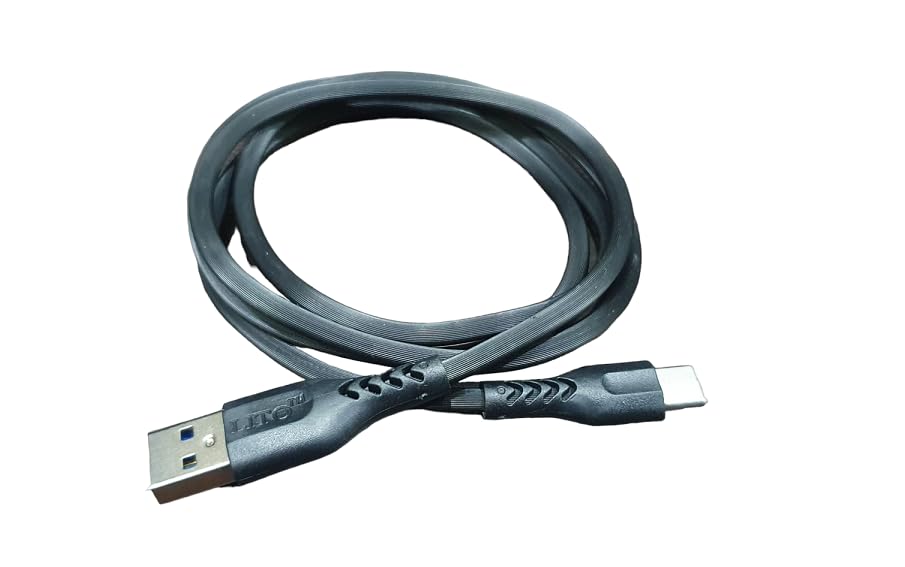
Rajah 1: Cable durability features, highlighting enhanced insulation, thickness, and bend testing.
Persediaan
Connecting the Vikefon Type-C Data Charging Cable is a straightforward process. Ensure both your device and power source are compatible with USB Type-C.
- Identify the USB Type-A end of the cable. This end typically connects to a power adapter, computer USB port, or power bank. Gently insert the USB Type-A connector into the appropriate port on your power source or computer. Ensure correct orientation as USB Type-A is not reversible.
- Identify the USB Type-C end of the cable. This end connects to your compatible smartphone, tablet, or other Type-C enabled device. Gently insert the USB Type-C connector into the Type-C port on your device. The USB Type-C connector is reversible, allowing for easy connection in any orientation.
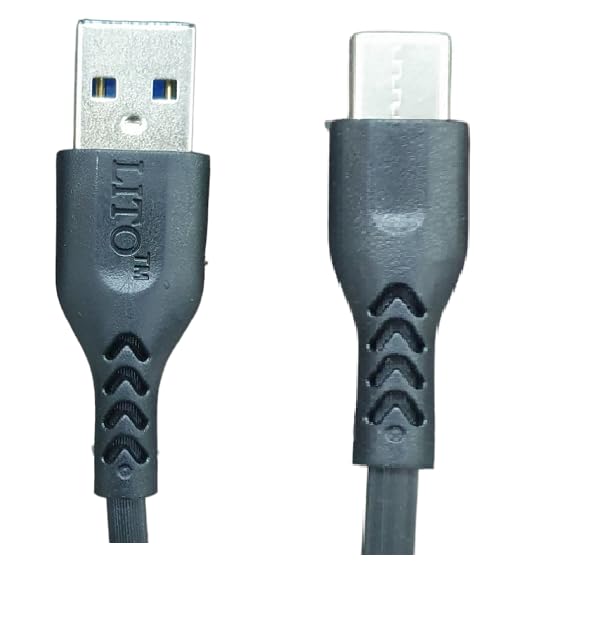
Rajah 2: USB Type-A and Type-C connectors.
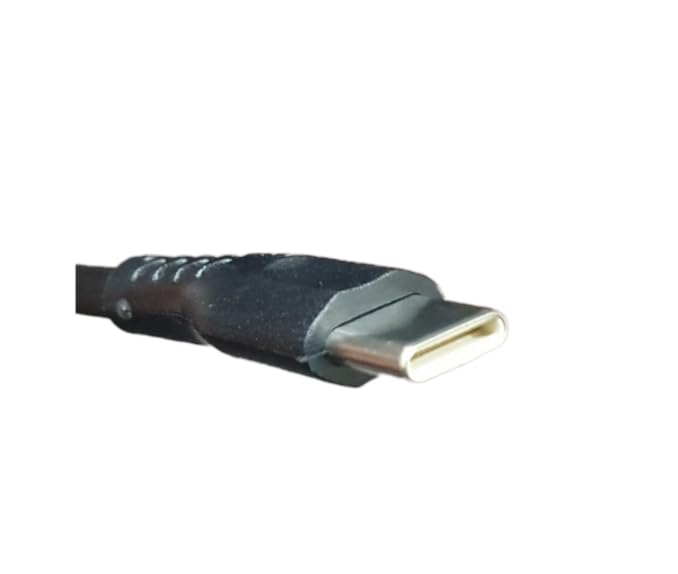
Rajah 3: Terperinci view of the USB Type-C connector.
Arahan Operasi
Mengecas Peranti Anda
Connect the cable as described in the 'Setup' section. Once connected to a compatible power source (such as a wall adapter, power bank, or computer USB port), your device will begin charging. This cable supports up to 5V, 3 Amp output for rapid charging, provided your power source and device also support these specifications.
Memindahkan Data
To transfer data, connect the USB Type-A end of the cable to a computer's USB port and the USB Type-C end to your device. Your computer should recognize the device, allowing you to access and transfer files. Data transfer rates can reach up to 480 Mbps, enabling quick synchronization of photos, videos, and documents.
Penyelenggaraan
Proper care will extend the life of your Vikefon Type-C Data Charging Cable and ensure consistent performance.
- Elakkan lenturan yang melampau: Do not bend the cable sharply, especially near the connectors. Excessive bending can damage the internal wires and insulation.
- Handle by Connectors: Always grasp the connector housing when plugging or unplugging the cable. Avoid pulling directly on the cable wire.
- Jaga kebersihan: Keep the cable and its connectors free from dust, dirt, and debris. Use a soft, dry cloth for cleaning.
- Storan yang Betul: Store the cable in a loose coil rather than tightly wrapped to prevent stress on the internal wires and outer jacket.
- Keadaan Persekitaran: Avoid exposing the cable to extreme temperatures, direct sunlight, or moisture for prolonged periods.

Rajah 4: Vikefon Type-C cable in a coiled state.
Menyelesaikan masalah
If you encounter issues with your Vikefon Type-C Data Charging Cable, refer to the following common problems and solutions:
- Peranti Tidak Mengecas:
- Pastikan kedua-dua hujung kabel disambungkan dengan selamat ke peranti dan sumber kuasa.
- Sahkan bahawa penyesuai kuasa atau port USB yang anda gunakan berfungsi.
- Check your device's charging port for any debris or obstructions.
- Cuba gunakan penyesuai kuasa atau port USB yang lain.
- Pengecasan perlahan:
- Confirm that your power adapter supports fast charging and provides sufficient output (e.g., 5V, 3A).
- Ensure your device is not running power-intensive applications during charging.
- Isu Pemindahan Data:
- Ensure the cable is properly connected to both the device and the computer.
- Check your device's settings to ensure data transfer mode is enabled (e.g., 'File Transfer' or 'MTP').
- Cuba sambungkan ke port USB lain pada komputer anda.
- Mulakan semula kedua-dua peranti dan komputer anda.
- Kerosakan Kabel:
- If the cable shows signs of physical damage (fraying, exposed wires, bent connectors), discontinue use immediately to prevent electrical hazards.
Spesifikasi
| Ciri | Perincian |
|---|---|
| Jenama | Vikefon |
| Nama Model | Jenis C 0126 |
| Jenis Penyambung | USB Type-C (Device), USB Type-A (Host) |
| Jenis Kabel | USB |
| Peranti Serasi | Smartphones, Tablets, Laptops, Charging Adapters with Type-C port |
| Output Kuasa | Up to 5V, 3 Amp |
| Kadar Pemindahan Data | Up to 0.48 Gigabits Per Second (480 Mbps) |
| Panjang | 1 Meter (100 cm) |
| Bahan Luar | Nylon Braided (as per product features) |
| Jantina Penyambung | Lelaki kepada Lelaki |
| Kuantiti Bersih | 1 Kiraan |
| Spesifikasi Met | ISO |
Waranti dan Sokongan
For product support or inquiries, please refer to the retailer or manufacturer's official contact channels. While specific warranty details are not provided in this manual, proper care and adherence to these instructions will help ensure the longevity and reliable performance of your Vikefon Type-C Data Charging Cable.


