1. Produk Lebihview
Soket Pintar WiFi Irfora BSD29 10A ialah palam UK yang direka untuk kawalan pintar peralatan rumah anda. Ia berintegrasi dengan lancar dengan rangkaian WiFi sedia ada anda, membolehkan pengurusan jarak jauh, kawalan suara dan penjadualan melalui aplikasi Smart Life. Soket pintar ini menawarkan ciri-ciri seperti fungsi pemasaan, statistik penggunaan elektrik dan keupayaan perkongsian peranti.

Imej 1.1: Depan view Soket Pintar WiFi Irfora BSD29 10A, menunjukkan konfigurasi palam UK dan butang kuasa dengan penunjuk yang menyala.
Ciri-ciri Utama:
- Kawalan Suara: Serasi dengan Amazon Alexa dan Google Assistant untuk operasi bebas tangan.
- Kesambungan WiFi: Menggunakan WiFi 2.4GHz (802.11b/g/n) untuk komunikasi tanpa wayar yang andal.
- Kawalan Jauh: Urus peranti yang disambungkan dari mana-mana sahaja menggunakan APLIKASI Smart Life.
- Fungsi Masa: Tetapkan jadual untuk menghidupkan atau mematikan peralatan secara automatik.
- Statistik Elektrik: Pantau penggunaan kuasa peranti yang disambungkan.
- Perkongsian Peranti: Kongsi kawalan soket pintar dengan ahli keluarga.

Imej 1.2: Gambar rajah yang menggambarkan pelbagai fungsi UK Smart Plug, termasuk sambungan WiFi, kawalan suara, jadual yang boleh disesuaikan, kawalan aplikasi, akses jauh, pemasaan, pemprofilan tenaga dan perkongsian peranti.
2. Panduan Persediaan
2.1. Apa yang ada di dalam Kotak
- 1 x Palam Pintar Irfora BSD29 UK
- 1 x Manual Pengguna (Bahasa Inggeris)
2.2. Muat Turun dan Pemasangan Apl
Soket Pintar Irfora BSD29 beroperasi dengan aplikasi "Smart Life". Pastikan peranti mudah alih anda memenuhi keperluan berikut:
- iOS: Versi 8.0 ke atas
- Android: Versi 4.4 ke atas
- Cari untuk "Kehidupan Pintar" di Apple App Store (untuk iOS) atau Google Play Store (untuk Android).
- Muat turun dan pasang aplikasi.
- Daftar akaun baharu atau log masuk jika anda sudah mempunyai akaun.
2.3. Berpasangan Peranti
- Pasangkan Soket Pintar Irfora BSD29 ke soket dinding standard UK.
- Buka APLIKASI "Smart Life" pada peranti mudah alih anda.
- Ketik "+ikon " di penjuru kanan sebelah atas untuk menambah peranti.
- Pilih "Soket Elektrik" atau "Soket (Wi-Fi)" daripada senarai peranti.
- Ikut arahan pada skrin untuk menyambungkan soket pintar ke rangkaian WiFi 2.4GHz anda. Pastikan telefon anda disambungkan ke rangkaian WiFi 2.4GHz yang sama semasa pemasangan.
- Setelah berjaya dipasangkan, anda boleh menamakan semula peranti untuk pengenalpastian yang lebih mudah (cth., "Ruang Tamu Lamp").
Nota: Soket pintar hanya menyokong rangkaian WiFi 2.4GHz. Rangkaian 5GHz tidak disokong.
3. Arahan Operasi
3.1. Alat Kawalan Jauh melalui APLIKASI Smart Life
Selepas pemasangan berjaya, anda boleh mengawal soket pintar anda dari mana-mana sahaja dengan sambungan internet.
- Buka APP Smart Life.
- Ketik pada nama peranti (cth., "Ruang Tamu Lamp").
- Gunakan suis togol hidup/mati dalam aplikasi untuk mengawal bekalan kuasa ke perkakas yang disambungkan.

Imej 3.1: Seseorang yang menggunakan telefon pintar untuk mengawal peralatan rumah dari jauh, menunjukkan kemudahan APLIKASI Smart Life dari mana-mana lokasi.
3.2. Kawalan Suara (Amazon Alexa & Google Assistant)
Soket Pintar Irfora BSD29 serasi dengan Amazon Alexa dan Google Assistant. Untuk mendayakan kawalan suara:
- Pastikan peranti Amazon Alexa atau Google Home anda telah disediakan dan disambungkan ke internet.
- Buka APLIKASI Alexa atau APLIKASI Google Home.
- Dayakan kemahiran/perkhidmatan "Kehidupan Pintar".
- Pautkan akaun Smart Life anda dengan akaun Alexa/Google anda.
- Temui peranti. Soket pintar anda sepatutnya muncul.
- Anda kini boleh menggunakan arahan suara seperti:
- "Alexa, hidupkan [nama peranti]"
- "Hei Google, matikan [nama peranti]"
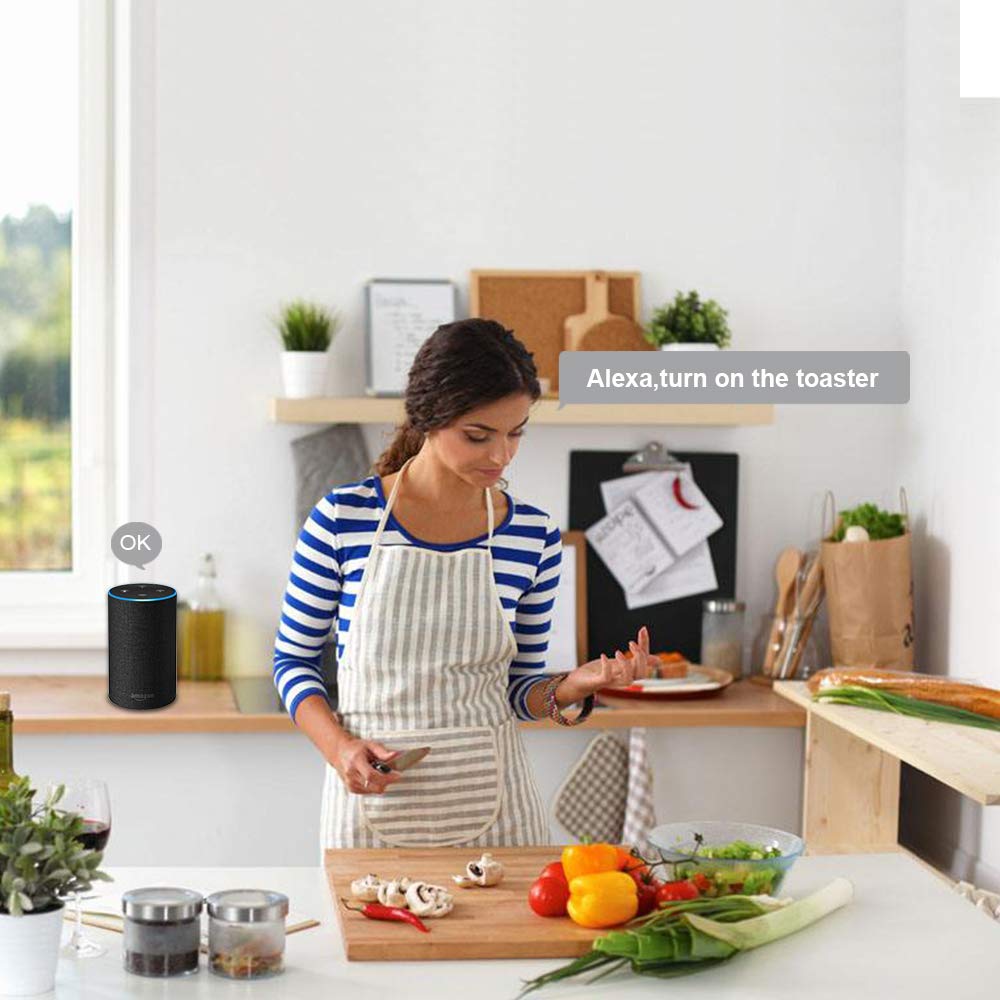
Imej 3.2: Seorang individu dalam persekitaran dapur berinteraksi dengan peranti Amazon Alexa untuk mengawal perkakas, menunjukkan ciri kawalan suara.
3.3. Fungsi dan Jadual Pemasaan
Tetapkan jadual tersuai untuk mengautomasikan peralatan anda.
- Dalam APLIKASI Smart Life, pilih soket pintar anda.
- Ketik pada pilihan "Pemasa" atau "Jadual".
- Tetapkan waktu hidup/mati yang diingini untuk hari-hari tertentu dalam seminggu.
- Sahkan tetapan anda.

Imej 3.3: Ilustrasi ruang tamu dengan tindanan pada skrin yang menunjukkan waktu berjadual untuk menghidupkan dan mematikan lampu, menunjukkan fungsi pemasaan dan jadual yang boleh disesuaikan.
3.4. Statistik Elektrik
Pantau penggunaan kuasa peranti yang disambungkan ke soket pintar.
- Dalam APLIKASI Smart Life, pilih soket pintar anda.
- Cari bahagian "Elektrik" atau "Statistik Kuasa".
- View data penggunaan kuasa masa nyata dan sejarah.

Imej 3.4: Telefon pintar yang memaparkan statistik penggunaan elektrik daripada aplikasi Smart Life, diletakkan di sebelah katilamp, yang menggambarkan cara menjejaki penggunaan tenaga.
3.5. Perkongsian Peranti
Kongsi kawalan soket pintar anda dengan ahli keluarga atau pengguna lain yang dibenarkan.
- Dalam APLIKASI Smart Life, pilih soket pintar anda.
- Ketik pada ikon "Tetapan" (biasanya gear atau tiga titik).
- Cari "Kongsi Peranti" atau "Perkongsian Peranti".
- Masukkan butiran akaun Smart Life (e-mel atau nombor telefon) orang yang anda ingin kongsikan maklumat.
- Pengguna yang dijemput akan menerima pemberitahuan dan kemudian boleh mengawal peranti daripada APLIKASI Smart Life mereka sendiri.

Imej 3.5: Dua orang sedang melihat telefon pintar, dengan sebuah telefon memaparkan antara muka perkongsian peranti aplikasi Smart Life, menunjukkan cara berkongsi kawalan peranti pintar dengan orang lain.
4. Spesifikasi
| Ciri | Perincian |
|---|---|
| Bekerja Voltage | AC 100~240V |
| Kuasa Dinilai | 1100W |
| Bekerja Semasa | Maks 10A |
| bahan | PC kalis api |
| Standard Palam | UK |
| Suhu Bekerja | -20~60 ℃ |
| Kelembapan Bekerja | <80% |
| Protokol Radio | Wi-Fi 2.4GHz, 802.11b/g/n |
| Jarak WiFi (Dalam Ruangan) | 30 meter (bergantung pada bahan binaan dan struktur) |
| Jarak WiFi (Luar) | 50 meter |
| Keserasian Sistem Telefon | Android 4.4+ / iOS 8.0+ |
| warna | putih |
| Saiz Barang | φ5.7*5.5cm / φ2.24*2.16in |
| Berat Barang | 72g / 2.53oz |

Imej 4.1: Lukisan teknikal yang menunjukkan dimensi Soket Pintar Irfora BSD29 dan ikon yang menunjukkan keserasian dengan iOS, Android, WiFi 2.4GHz, Amazon Alexa, Google Assistant, IFTTT dan Smart Life.
5. Penyelesaian masalah
- Peranti tidak bersambung ke WiFi:
- Pastikan penghala anda menyiarkan isyarat WiFi 2.4GHz. Soket pintar tidak menyokong rangkaian 5GHz.
- Sahkan peranti mudah alih anda disambungkan ke rangkaian WiFi 2.4GHz yang sama semasa proses penggandingan.
- Periksa sama ada kata laluan WiFi yang dimasukkan dalam APLIKASI Smart Life adalah betul.
- Alihkan soket pintar lebih dekat ke penghala WiFi anda untuk meningkatkan kekuatan isyarat.
- Tetapkan semula soket pintar (rujuk prosedur tetapan semula dalam dokumentasi aplikasi atau produk) dan cuba pasangkan semula.
- Kawalan suara tidak berfungsi:
- Sahkan bahawa kemahiran/perkhidmatan "Smart Life" diaktifkan dan dipautkan dengan betul dalam APLIKASI Alexa atau Google Home anda.
- Pastikan nama peranti yang digunakan dalam arahan suara sepadan dengan nama yang ditetapkan dalam APLIKASI Smart Life dan ditemui oleh Alexa/Google Assistant.
- Periksa sambungan internet anda untuk kedua-dua pembesar suara pintar dan soket pintar.
- Alat kawalan jauh tidak bertindak balas:
- Sahkan bahawa soket pintar anda mempunyai sambungan internet yang aktif (ditunjukkan oleh status LED).
- Pastikan peranti mudah alih anda mempunyai sambungan internet yang aktif.
- Tutup dan buka semula APLIKASI Smart Life.
- Jadual masa tidak diaktifkan:
- Semak semula masa dan hari yang ditetapkan dalam APLIKASI Smart Life.
- Pastikan soket pintar disambungkan ke WiFi dan dihidupkan.
6. Penyelenggaraan
Untuk memastikan prestasi optimum dan jangka hayat Soket Pintar Irfora BSD29 anda:
- Pembersihan: Putuskan sambungan soket pintar daripada soket kuasa sebelum membersihkan. Gunakan kain lembut dan kering untuk mengelap bahagian luar. Jangan gunakan pembersih cecair atau bahan kasar.
- Persekitaran: Elakkan daripada mendedahkan soket pintar kepada suhu yang melampau, kelembapan tinggi atau cahaya matahari langsung. Jangan gunakannya dalam persekitaran basah.
- Perlindungan Lebihan: Jangan melebihi kuasa maksimum yang dinilai 1100W atau arus 10A untuk mengelakkan kerosakan pada peranti dan peralatan yang disambungkan.
- Kemas kini Firmware: Periksa APLIKASI Smart Life secara berkala untuk sebarang kemas kini perisian tegar yang tersedia untuk soket pintar bagi memastikan anda mempunyai ciri terkini dan penambahbaikan keselamatan.
7. Waranti dan Sokongan
Produk ini didatangkan dengan jaminan pengeluar standard. Sila rujuk kad jaminan yang disertakan dalam pembungkusan asal untuk terma dan syarat tertentu, termasuk tempoh jaminan dan butiran perlindungan.
Untuk sokongan teknikal, bantuan penyelesaian masalah atau tuntutan jaminan, sila hubungi khidmat pelanggan Irfora melalui maklumat hubungan yang diberikan pada halaman rasmi mereka. webtapak atau dalam dokumentasi produk anda.
Sumber Dalam Talian: Untuk Soalan Lazim dan artikel sokongan terkini, sila lawati bahagian bantuan Smart Life APP atau halaman sokongan rasmi Irfora (jika tersedia).

