pengenalan
This manual provides essential instructions for the safe and efficient operation, installation, and maintenance of your Candy Smart Inverter CBDO485TWME/1-S integrated front-load washer dryer. Please read all instructions carefully before using the appliance and retain this manual for future reference.

Rajah 1: Depan view of the Candy Smart Inverter CBDO485TWME/1-S integrated washer dryer. This image displays the appliance's overall design, including the control panel, detergent drawer, and main door.
Maklumat Keselamatan
Sentiasa ikuti langkah berjaga-jaga keselamatan asas apabila menggunakan peralatan elektrik untuk mengurangkan risiko kebakaran, renjatan elektrik dan kecederaan kepada orang.
- Pastikan perkakas dibumikan dengan betul.
- Jangan kendalikan perkakas jika ia rosak.
- Jauhkan kanak-kanak dan haiwan peliharaan dari perkakas semasa operasi.
- Jangan sentuh perkakas dengan tangan yang basah.
- Cabut plag perkakas sebelum melakukan sebarang penyelenggaraan atau pembersihan.
- Hanya gunakan detergen dan bahan tambahan yang sesuai untuk mesin basuh automatik.
Persediaan dan Pemasangan
1. Membongkar
Carefully remove all packaging materials. The appliance weighs approximately 66 kilograms, so it is recommended to have assistance during unpacking and positioning to prevent injury. Inspect the appliance for any damage incurred during transit.
2. penempatan
This is an integrated front-load washer dryer designed to fit into cabinetry. Ensure the installation area is level, stable, and has adequate ventilation. Do not install the appliance in areas where the temperature may fall below freezing.

Rajah 2: The washer dryer shown integrated within a kitchen or utility room cabinet. This illustrates the appliance's intended installation as a built-in unit.
3. Water and Drain Connections
- Sambungkan hos salur masuk air ke pili air sejuk. Pastikan sambungan rapat untuk mengelakkan kebocoran.
- Position the drain hose into a standpipe or secure it over a sink, ensuring it is not kinked.
4. Sambungan elektrik
Connect the power cord to a properly grounded 220 Volt electrical outlet. Do not use extension cords or adapters.
5. Initial Check-up
Before the first wash, it is recommended to run a short cycle without laundry and detergent to clean the drum and check for proper operation.
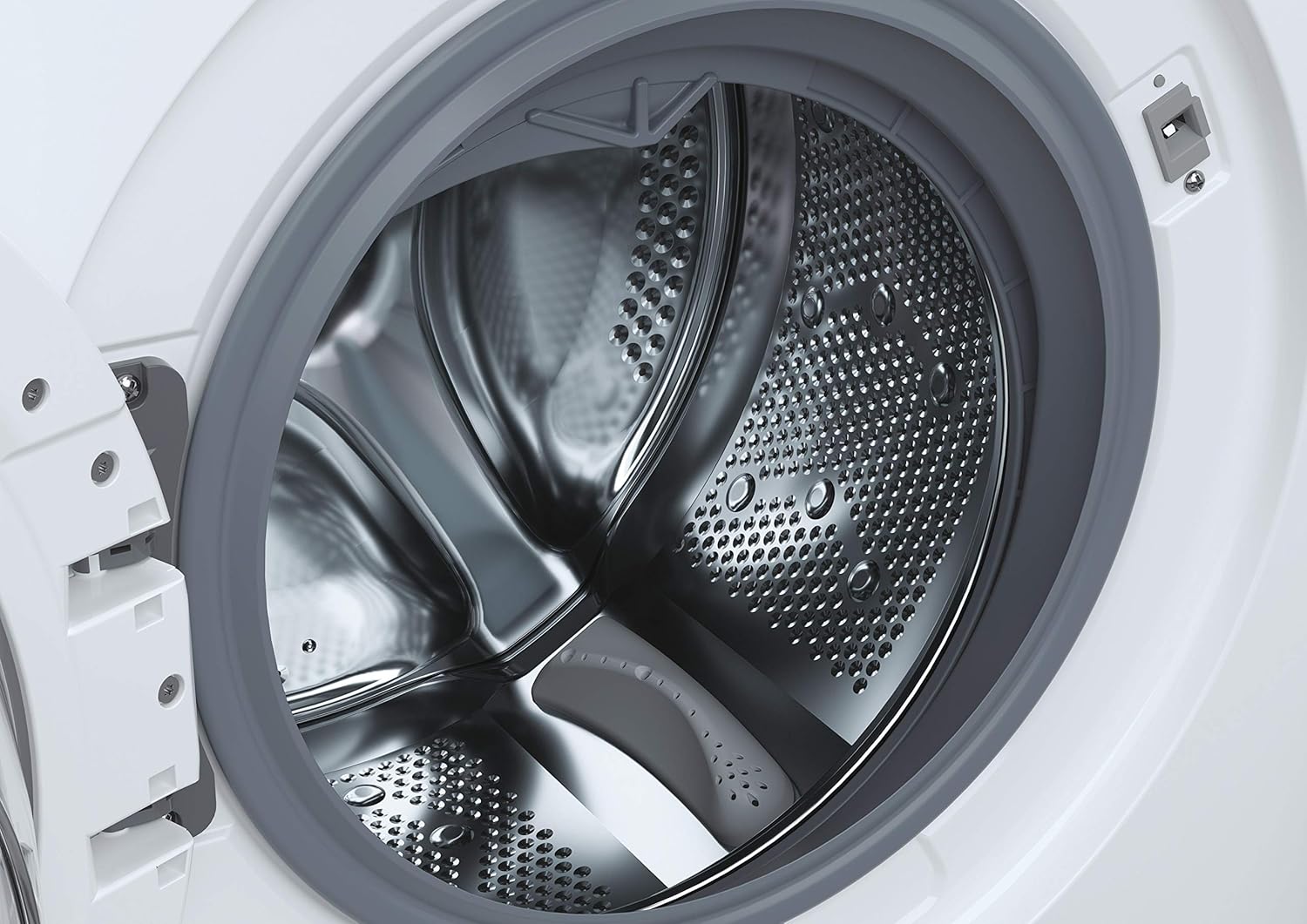
Rajah 3: A terperinci view of the stainless steel drum inside the washer dryer. This shows the internal structure where laundry is placed for washing and drying.
6. Smart Fi+ Connectivity
The Candy Smart Inverter CBDO485TWME/1-S features Smart Fi+ for remote control and monitoring via the Simply-Fi app. Download the app from your device's app store.
- Untuk peranti Android: Follow the in-app instructions for pairing.
- For iOS (iPhone) devices: During the setup process, if the washing machine's Wi-Fi network does not appear, ensure that AirDrop is enabled in your iPhone's Control Center. This is crucial for the app to detect and connect to the appliance's network. Once connected, you can complete the registration and use the Smart Fi features.
Arahan Operasi
1. Panel Kawalan Selesaiview

Rajah 4: A terperinci view of the control panel, showing the program selection dial, digital display, and various option buttons. This panel allows users to select wash and dry cycles and customize settings.
The control panel consists of a program selection dial, a digital display, and several push buttons for additional options.
- Dail Program: Digunakan untuk memilih program cucian atau pengeringan yang dikehendaki.
- Paparan Digital: Menunjukkan tempoh program, kod ralat dan pilihan yang dipilih.
- Butang Pilihan: Allow customization of temperature, spin speed, delay start, and other functions.
2. Memuatkan Dobi
Open the door and load laundry into the drum. Do not overload the machine; the maximum capacity for washing is 8 kilograms. For drying, refer to the specific program guidelines as drying capacity may differ.

Rajah 5: The integrated washer dryer with its door open, revealing laundry inside the drum. This image demonstrates the loading process for the appliance.
3. Menambah Detergen
Pull out the detergent drawer located on the top left of the control panel. Add appropriate amounts of detergent and fabric softener to the designated compartments.
4. Memilih Program
Turn the program dial to select your desired wash or dry cycle. Available options include:
- Eko 40-60: Energy-efficient program for normally soiled cotton or mixed items.
- Quick Programs: Options like 14', 30', 44', 59' for lightly soiled items requiring a fast wash.
- Kitaran Khas: Specific programs for different fabric types (e.g., cotton, synthetics, delicates).
- Program Pengeringan: Includes Sensor Dry for automatic drying based on moisture levels, and Active Steam for refreshing clothes.
5. Menyesuaikan Tetapan
After selecting a program, use the option buttons to adjust settings such as wash temperature, spin speed (up to 1200 RPM), and delay start, if available for the chosen program.
6. Memulakan Kitaran
Press the Start/Pause button to begin the cycle. The display will show the remaining time.
Penyelenggaraan
1. Membersihkan Laci Detergen
Tanggalkan dan bersihkan laci detergen secara berkala untuk mengelakkan sisa terkumpul. Bilas di bawah air yang mengalir dan pastikan semua petak kosong sebelum memasangnya semula.
2. Membersihkan Drum
Run a maintenance wash cycle (e.g., a hot wash without laundry) periodically to clean the drum and remove any odors or residue.
3. Membersihkan Penapis
The appliance has a filter located at the bottom front (visible in Figure 1). Regularly clean this filter to ensure proper drainage and prevent blockages. Refer to the detailed instructions in the full manual for safe removal and cleaning.
4. Pembersihan Luaran
Lap permukaan luar dengan lembut, damp kain. Jangan gunakan pembersih atau pelarut yang melelas.
Menyelesaikan masalah
If you encounter issues with your washer dryer, consult the following common problems and solutions before contacting service.
| Masalah | Kemungkinan Punca | Penyelesaian |
|---|---|---|
| Perkakas tidak dimulakan | No power supply; door not closed properly; program not selected. | Periksa sambungan kuasa; pastikan pintu dikunci dengan kukuh; pilih program dan tekan Mula. |
| Air tidak mengisi | Paip air tertutup; hos masuk terbengkok; tekanan air terlalu rendah. | Buka pili air; luruskan hos; periksa tekanan air isi rumah. |
| Air tidak mengalir | Drain hose kinked or blocked; filter blocked. | Straighten/clear drain hose; clean the drain filter. |
| Kod Ralat E13 | Indicates an electrical issue, potentially with the control board. | Unplug the appliance for a few minutes, then plug it back in. If the error persists, contact authorized service. |
| Getaran / bunyi yang berlebihan | Appliance not level; transport bolts not removed; unbalanced load. | Adjust leveling feet; ensure transport bolts are removed (if applicable); redistribute laundry inside the drum. |
Spesifikasi
- model: CBDO485TWME/1-S
- Jenama: gula-gula
- Jenis: Integrated Front-Load Washer Dryer
- Kapasiti mencuci: 8 Kilogram
- warna: putih
- Ciri Khas: Motor Inverter
- Pilihan Kitaran: Eco, Sensor Dry, Active Steam, various quick wash programs
- Voltage: 220 Volt
- Jenis Kawalan: Push button and Rotary Dial
- Berat Barang: 66 Kilogram
- Komponen Termasuk: 1 package (appliance)
Waranti dan Sokongan
Your Candy Smart Inverter CBDO485TWME/1-S washer dryer is covered by a manufacturer's warranty. The terms and duration of the warranty may vary by region. Please retain your proof of purchase for warranty claims.
For technical assistance, warranty service, or to locate an authorized service center, please contact Candy customer support. It is advisable to verify the availability of local service centers in your area before purchase or if you require assistance.
You can typically find contact information for Candy support on their official webtapak: www.candy-group.com


