pengenalan
This manual provides essential instructions for the safe and correct operation of your Classic Phono by Lenco TT-110 turntable. Please read this manual thoroughly before using the device and retain it for future reference. The TT-110 combines a retro design with modern features, allowing playback of vinyl records at multiple speeds and wireless audio streaming via Bluetooth.
Maklumat Keselamatan Penting
- Jangan dedahkan unit kepada hujan atau lembapan.
- Jangan sekat sebarang bukaan pengudaraan.
- Pastikan kord kuasa tidak tersepit atau berjalan.
- Hanya gunakan lampiran/aksesori yang ditentukan oleh pengilang.
- Rujuk semua servis kepada kakitangan perkhidmatan yang berkelayakan.
Kandungan Pakej
Pastikan semua barang ada dan dalam keadaan baik:
- Classic Phono by Lenco TT-110 Turntable Unit
- Penyesuai Kuasa
- Manual Pengguna (dokumen ini)
Produk Selesaiview
The Classic Phono TT-110 is a portable turntable designed for playing vinyl records and streaming audio via Bluetooth. It features a belt-drive system, built-in speakers, and multiple connectivity options.

Image: The Classic Phono by Lenco TT-110 turntable shown open, revealing the platter, tonearm, and controls. The interior is red, and the exterior is black with red accents.

Image: The Classic Phono by Lenco TT-110 turntable shown closed, resembling a briefcase. It features a black faux leather finish with a prominent red stripe and the Lenco logo.
Persediaan
1. Membongkar dan Meletakkan
- Keluarkan meja putar dari bungkusannya dengan berhati-hati.
- Letakkan unit di atas permukaan yang stabil dan rata, jauh daripada cahaya matahari langsung, sumber haba dan habuk atau getaran yang berlebihan.
- Buka penutup meja putar.
2. Pengenalan Komponen
Familiarize yourself with the main components:
- Pinggan: Di mana rekod itu terletak.
- Tonearm: Memegang stylus dan menjejaki alur rakaman.
- Stilus (Jarum): The part that reads the record. It comes with a protective cap.
- Pemilih Kelajuan: Switch for 33, 45, or 78 RPM.
- Tombol Kuasa/Kelantangan: Menghidupkan/mematikan unit dan melaraskan kelantangan.
- Suis Fungsi: Selects between Phono (vinyl), Bluetooth, or Aux-in.
- Aux-in Jack: Untuk menyambungkan peranti audio luaran.
- Bicu Keluaran RCA: Untuk menyambung ke luaran amppengangkat atau pembesar suara berkuasa.
- DC Dalam Jack: Untuk menyambungkan penyesuai kuasa.
- Jack fon kepala: Untuk mendengar secara peribadi.

Image: The rear panel of the Classic Phono by Lenco TT-110, displaying the Aux-in, RCA output (L/R), and DC In power connection ports.
3. Persediaan Awal
- Remove the white protective cap from the stylus. Be careful not to damage the stylus.
- Lepaskan kunci tonearm.
- Ensure the drive belt is correctly positioned around the motor pulley and the platter. This unit uses a belt-drive system.
4. Sambungan Kuasa
- Connect the power adapter to the DC In jack on the back of the turntable.
- Palamkan penyesuai kuasa ke salur keluar dinding.
Arahan Operasi
1. Memainkan Rekod Vinyl
- Turn the Power/Volume knob clockwise to turn on the unit.
- Set the Function Switch to "PHONO".
- Letakkan rekod di atas pinggan.
- Pilih kelajuan yang sesuai (33, 45 atau 78 RPM) menggunakan suis pemilih kelajuan. Untuk rekod 45 RPM, letakkan penyesuai 45 RPM yang disertakan pada gelendong.
- Gently lift the tonearm using the cueing lever and position it over the desired track of the record.
- Turunkan tonearm perlahan-lahan ke atas rekod menggunakan tuil isyarat. Rekod akan mula dimainkan.
- Laraskan kelantangan menggunakan tombol Kuasa/Kelantangan.
- At the end of the record, the auto-stop function will automatically stop the platter rotation. Lift the tonearm and return it to its rest.

Image: The Classic Phono by Lenco TT-110 turntable with a red vinyl record playing on the platter, demonstrating its primary function.
2. Operasi Bluetooth
The TT-110 can receive audio wirelessly from Bluetooth-enabled devices.
- Turn on the unit and set the Function Switch to "BT" (Bluetooth). The Bluetooth indicator light will flash, indicating it's in pairing mode.
- Dayakan Bluetooth pada telefon pintar, tablet atau peranti audio anda yang lain.
- Cari untuk "TT-110" in your device's Bluetooth list and select it to pair.
- Once paired, the Bluetooth indicator light will stop flashing and remain solid. You can now stream audio from your device to the TT-110's built-in speakers.
- Adjust the volume using the Power/Volume knob on the turntable and/or your connected device.
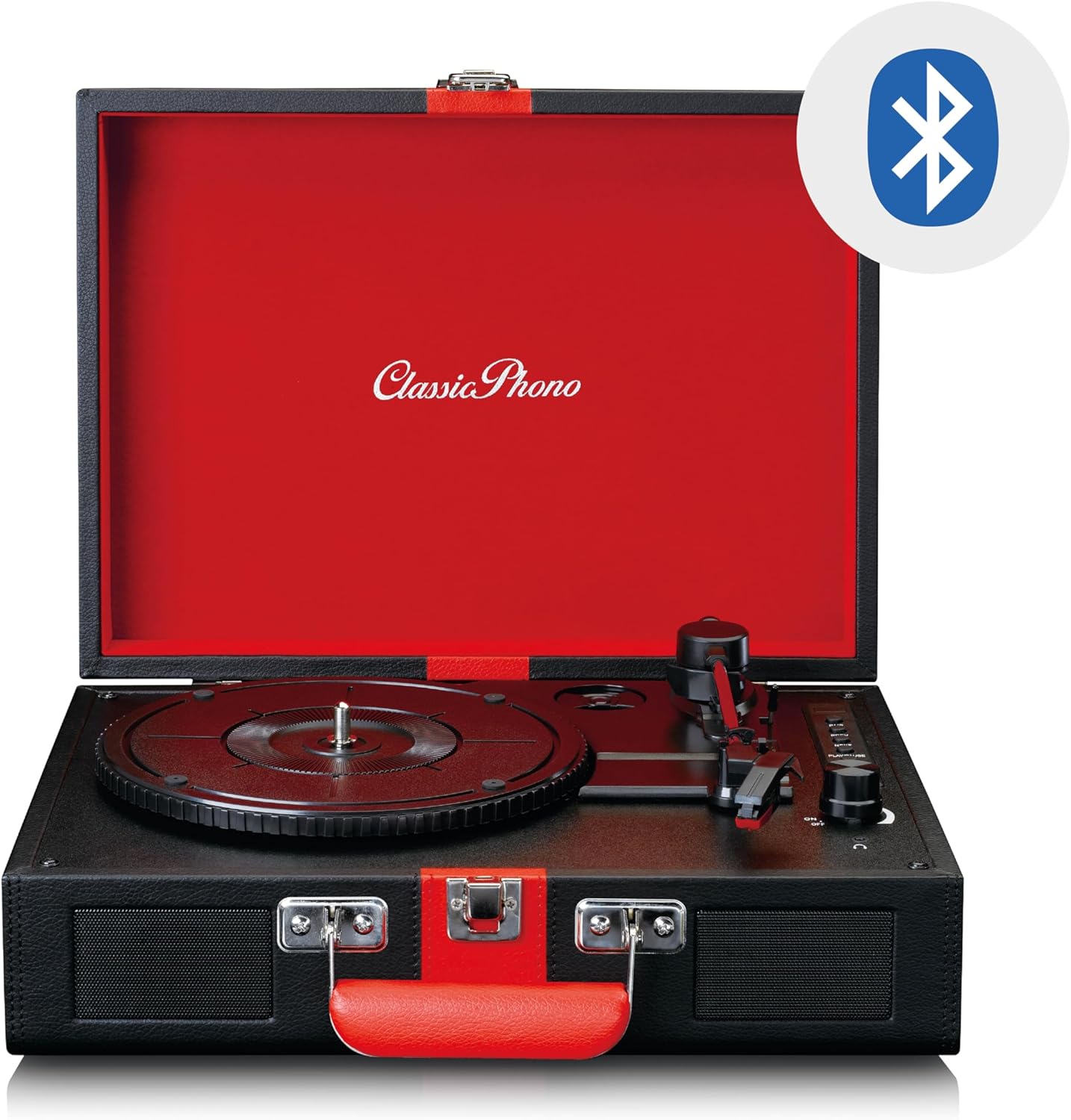
Image: The Classic Phono by Lenco TT-110 turntable shown open, with a Bluetooth logo superimposed, indicating its wireless connectivity feature.
3. Sambungan Aux-in
Connect external audio sources using a 3.5mm audio cable.
- Turn on the unit and set the Function Switch to "AUX".
- Connect one end of a 3.5mm audio cable (not included) to the Aux-in jack on the turntable.
- Sambungkan hujung kabel yang satu lagi ke bicu fon kepala atau output audio peranti luaran anda (cth., pemain MP3, telefon pintar).
- Play audio from your external device. The sound will be output through the TT-110's speakers.
- Adjust the volume using the Power/Volume knob on the turntable and/or your external device.
4. Penggunaan Fon Kepala
Untuk mendengar secara peribadi, sambungkan fon kepala ke bicu fon kepala.
- Plug a 3.5mm stereo headphone jack into the headphone port on the unit.
- The built-in speakers will automatically mute.
- Laraskan kelantangan menggunakan tombol Kuasa/Kelantangan.
5. Output RCA
To connect the turntable to an external amplifier or powered speakers, use the RCA output jacks.
- Connect an RCA cable (not included) to the L/R RCA output jacks on the back of the turntable.
- Connect the other end of the RCA cable to the corresponding audio input on your amppembesar atau pembesar suara berkuasa.
- Memastikan amplifier/speakers are set to the correct input.
- Adjust the volume via the connected amppembesar/ pembesar suara.
Penyelenggaraan
1. Membersihkan Stylus
- Use a soft brush, specifically designed for stylus cleaning, to gently brush the stylus from back to front.
- Do not brush from side to side or front to back, as this can damage the stylus.
- Clean the stylus regularly to ensure optimal sound quality and prevent damage to your records.
2. Cleaning Records
- Always handle records by their edges or the label.
- Use a record cleaning brush or cloth to remove dust and debris before each play.
- For deeper cleaning, use a specialized record cleaning solution and cloth, following the product's instructions.
3. Pembersihan Unit Am
- Lap bahagian luar unit dengan kain lembut dan kering.
- Jangan gunakan pembersih, lilin atau pelarut yang melelas kerana ia boleh merosakkan kemasan.
- Pastikan unit dicabut plag sebelum dibersihkan.
4. Penggantian Stilus
The stylus is a consumable part and will wear out over time (typically after 300-500 hours of playback). A worn stylus can damage records and degrade sound quality. Refer to the manufacturer's website or your retailer for information on purchasing a replacement stylus for the TT-110.
- Carefully remove the old stylus by pulling it downwards and forwards.
- Insert the new stylus by pushing it upwards and backwards until it clicks into place.
- Always handle the stylus assembly with care to avoid bending the cantilever or damaging the tip.
Menyelesaikan masalah
| Masalah | Kemungkinan Punca | Penyelesaian |
|---|---|---|
| Tiada kuasa | Penyesuai kuasa tidak disambungkan; soket tidak berfungsi. | Ensure power adapter is securely connected to the unit and a working outlet. |
| Tiada suara dari pembesar suara | Volume too low; Function switch incorrect; Headphones connected. | Increase volume; Set Function switch to PHONO/BT/AUX; Disconnect headphones. |
| Melangkau rekod | Record dirty or scratched; Stylus dirty or worn; Turntable not level. | Clean record; Clean/replace stylus; Place turntable on a level surface. |
| Bluetooth tidak berpasangan | Unit not in BT mode; Device too far; Already paired with another device. | Set Function switch to BT; Move device closer; Disconnect from other devices. |
| Kelajuan main balik yang salah | Kelajuan yang salah dipilih. | Adjust the speed selector switch to match the record's speed (33, 45, or 78 RPM). |
Jika masalah berterusan selepas mencuba penyelesaian ini, sila hubungi sokongan pelanggan.
Spesifikasi
| Ciri | Perincian |
|---|---|
| Jenama | Lenco (Classic Phono) |
| Nombor Model | TT-110BKRD |
| Kelajuan Main Semula | 33, 45, 78 RPM |
| Jenis Drive | Pemacu Belt |
| Ketersambungan | Bluetooth 5.0, Aux-in (3.5mm), RCA Out, Headphone Jack (3.5mm) |
| Pembesar Suara Terbina dalam | Ya (2 pembesar suara) |
| Jenis Stylus | Ceramic cartridge with needle |
| Fungsi Auto-Stop | ya |
| bahan | Wood cabinet with synthetic leather surface |
| warna | Hitam/Merah |
| Berat badan | 2.35 Kilogram |
Waranti dan Sokongan
Maklumat Waranti
This product is covered by a manufacturer's warranty. Please refer to the warranty card included with your purchase or the retailer's terms and conditions for specific details regarding warranty duration and coverage. Retain your proof of purchase for warranty claims.
Sokongan Pelanggan
For technical assistance, troubleshooting beyond this manual, or warranty inquiries, please contact your retailer or the manufacturer's customer support. Contact details can typically be found on the manufacturer's official webtapak atau pada dokumentasi pembelian anda.
Nota: Jangan cuba membaiki unit ini sendiri. Pembaikan tanpa kebenaran akan membatalkan jaminan.


