1. Produk Lebihview
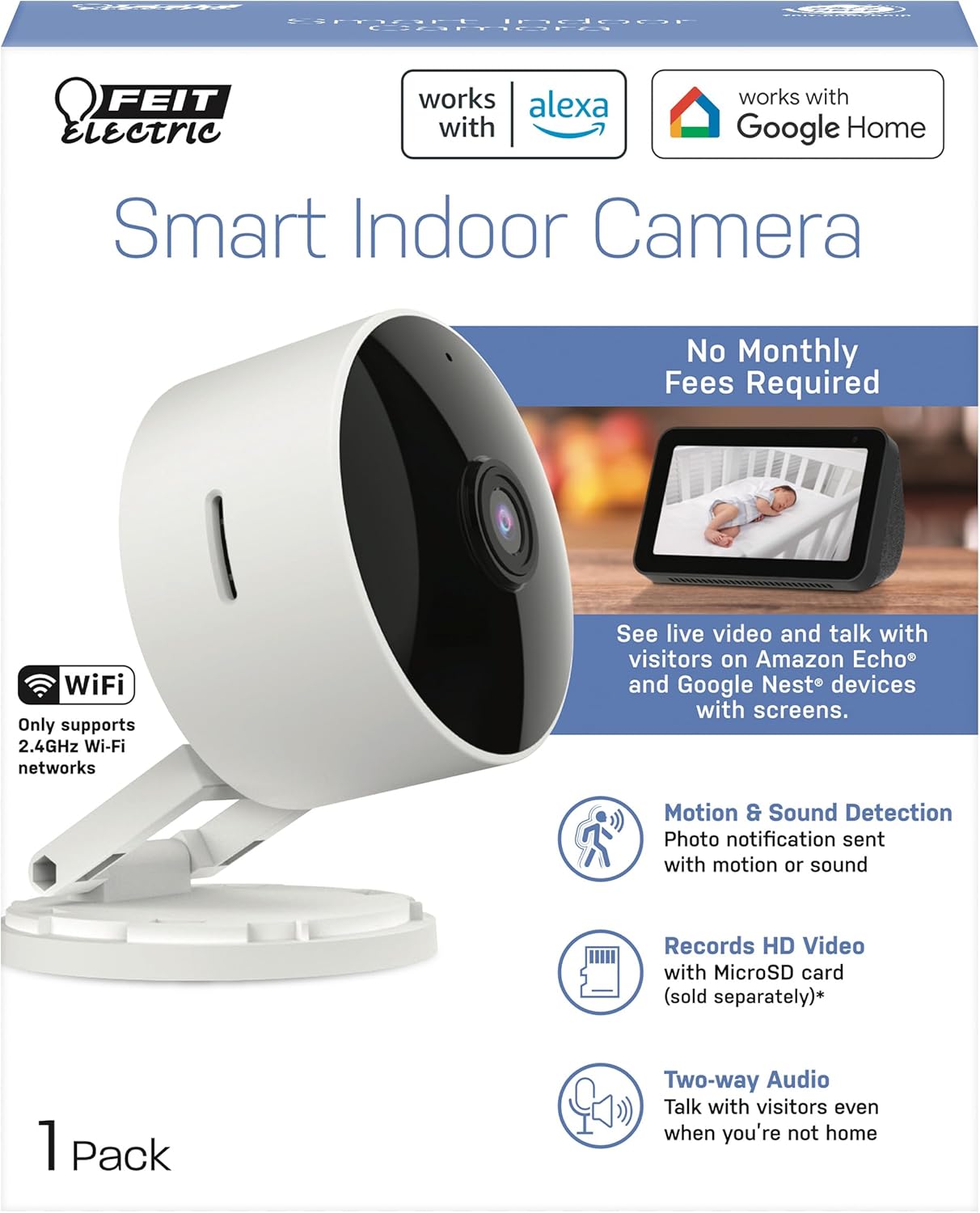
The Feit Electric CAM1/WIFI Indoor Security Camera is designed to help you monitor your property with ease. This motion-activated HD camera connects directly to your 2.4 GHz Wi-Fi network, allowing for remote control and live viewing from anywhere via the Feit Electric mobile app. It features two-way audio, 1080p HD video recording, and night vision capabilities. Recorded events can be stored locally on a Micro-SD card (sold separately), eliminating the need for monthly fees or subscriptions. The camera is compatible with popular smart home assistants like Alexa and Google Assistant for convenient voice control.
2. Kandungan Pakej
- 1 x Feit Electric Smart Security Camera (CAM1/WIFI)
- 1 x Penyesuai Kuasa
- 1 x 1-meter USB Cord
3. Ciri-ciri Produk
- Video HD 1080p: High-quality video for clear monitoring and recording.
- Pengesanan Gerakan Lanjutan: Detects motion up to 30 feet with visible night vision. Receive push notifications for detected activity.
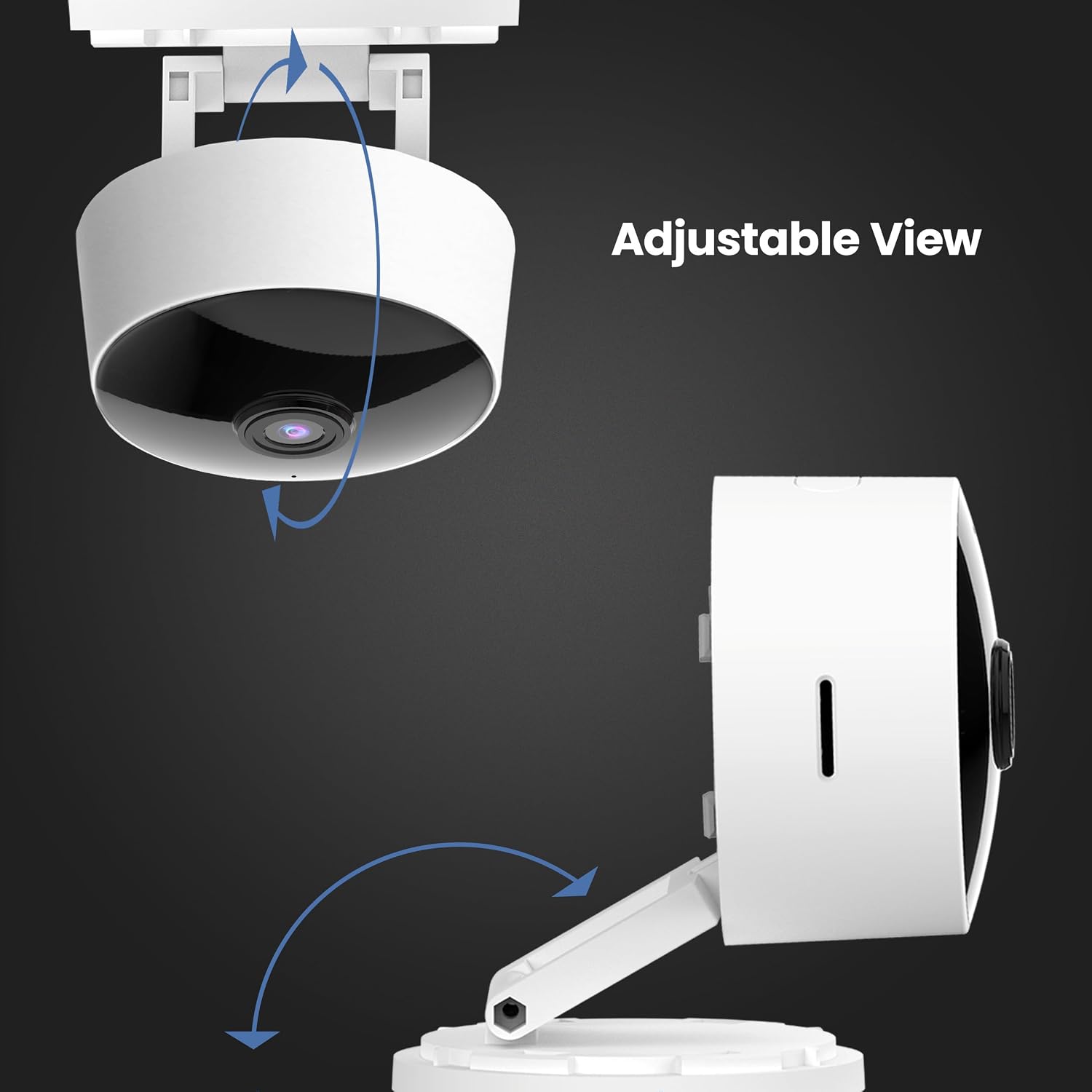
- Kepala Boleh Laras 360°: Membolehkan untuk kedudukan yang fleksibel dan viewsudut-sudut.
- Kesambungan WiFi 2.4GHz: Connects directly to your home Wi-Fi network for remote access.
- Audio 2 Hala: Built-in microphone and speaker enable real-time conversation.
- Storan Setempat: Supports Micro-SD cards up to 128GB for up to 10 days of continuous recording (SD card not included). No monthly fees or subscriptions required.
- Keserasian Pembantu Suara: Works with Amazon Alexa and Google Assistant for convenient voice control.
- Reka Bentuk Pemalam: Plugs into standard outlets, no hardwiring required.



Video Produk Rasmi
Video ini memberikan penamatview of the Feit Electric Smart Indoor and Outdoor Cameras, highlighting their key features and benefits for home security.
4. Spesifikasi
| Atribut | Nilai |
|---|---|
| Nombor Model | CAM1/WIFI |
| Penggunaan Dalaman/Luar | Dalaman |
| Resolusi Tangkapan Video | 1080p HD |
| Julat Penglihatan Malam | 30 Kaki |
| Protokol Ketersambungan | Wi-Fi (2.4GHz) |
| Audio Dua Hala | ya |
| Penyimpanan | Micro-SD Card (up to 128GB, not included) |
| Sumber Kuasa | Elektrik Bertali arus (Palam masuk) |
| Peranti Serasi | Smartphone (Feit Electric App), Amazon Alexa, Google Assistant |
| Dimensi Item (L x W x H) | 5.1 x 4.3 x 2.5 inci |
| Berat Barang | 6.4 auns |
| warna | putih |
5. Panduan Persediaan
- Hidupkan kuasa: Plug the camera into a standard electrical outlet using the provided power adapter and USB cord. The camera will power on automatically.
- Muat turun Aplikasi: Download the "Feit Electric" app from your smartphone's app store (available for Android and iOS).
- Buat Akaun: Open the Feit Electric app and create a new account or log in if you already have one.
- Tambah Peranti: In the app, tap the "+" icon to add a new device. Select "Camera" from the device categories.
- Sambung ke Wi-Fi: Follow the in-app instructions to connect the camera to your 2.4GHz Wi-Fi network. Ensure your phone is also connected to the same 2.4GHz network during setup. You may need to reset the device by pressing and holding the RESET button for 5 seconds until you hear an audible tone.
- Berpasangan: The app will guide you through the pairing process, which may involve scanning a QR code displayed on your phone with the camera.
- penempatan: Position the camera in your desired indoor location. The adjustable head allows for optimal viewsudut-sudut.

6. Arahan Operasi
- Langsung View: Open the Feit Electric app and select your camera to view suapan langsung.
- Audio Dua hala: Tap the microphone icon in the app to speak through the camera's speaker, or listen to audio from the camera's microphone.
- Rakaman: The camera can record continuously or when motion is detected. To enable continuous recording, ensure a Micro-SD card (up to 128GB) is inserted into the camera's slot. You can download recorded video wirelessly through the Feit app.
- Makluman Gerak: Enable push notifications in the app settings to receive alerts on your smartphone when motion is detected.
- Kawalan Suara:
- With Alexa: Link your Feit Electric account in the Alexa app. Then, use commands like "Alexa, show me the [camera name]" to view the feed on compatible Echo Show devices.
- With Google Assistant: Link your Feit Electric account in the Google Home app. Use commands like "Hey Google, show me the [camera name]" on compatible Google Nest devices.


7. Penyelenggaraan
- Pembersihan: Gunakan kain lembut dan kering untuk membersihkan kanta dan badan kamera. Jangan gunakan pembersih cecair atau aerosol.
- Kemas kini Firmware: Regularly check the Feit Electric app for available firmware updates to ensure optimal performance and security.
- Kitaran Kuasa: Jika kamera mengalami masalah, cuba cabut plagnya daripada sumber kuasa selama 10 saat dan kemudian pasangkannya semula.
8. Penyelesaian masalah
| Masalah | Penyelesaian yang Mungkin |
|---|---|
| Kamera tidak bersambung ke Wi-Fi. | Ensure your Wi-Fi network is 2.4GHz. Move the camera closer to the router. Reset the camera by holding the reset button for 5 seconds. Verify Wi-Fi password. |
| Poor video quality or grainy image. | Check your Wi-Fi signal strength. Ensure the camera lens is clean. Adjust camera placement for better lighting. |
| Makluman pengesanan gerakan tidak diterima. | Verify motion detection settings are enabled in the Feit Electric app. Check your phone's notification settings for the app. |
| Audio dua hala tidak berfungsi. | Ensure microphone and speaker permissions are granted to the Feit Electric app on your phone. Check volume settings in the app and on your phone. |
| Camera reboots itself frequently. | Ensure a stable power supply. Check the power adapter and USB cable for damage. If power goes out, the camera is designed to reboot itself upon power restoration. |
9. Waranti dan Sokongan
This Feit Electric camera comes with a one-year warranty from the date of purchase. For customer service, technical support, or warranty inquiries, please contact Feit Electric directly.
Maklumat Hubungan:
- e-mel: info@feit.com
- Telefon Bebas Tol: 1-866-326-MENOL
- Sokongan dalam talian: Visit the Feit Electric Help Center for FAQs and additional resources.


