pengenalan
The Wireless Bluetooth Pro Earbuds are designed to provide a high-quality audio experience with advanced features for daily use. These true wireless stereo earbuds offer enhanced bass and clear sound, making them suitable for music playback, phone calls, and active lifestyles. Featuring Bluetooth 5.0 technology, they ensure stable connectivity and efficient power consumption. The lightweight design and included charging case provide convenience and portability.
Apa yang ada dalam Kotak
- Wireless Bluetooth Pro Earbuds (Left and Right)
- Sarung Pengecas Mudah Alih
- Kord Pengecas USB Jenis-C
Produk Selesaiview

The Wireless Bluetooth Pro Earbuds shown inside their open charging case. A small green indicator light is visible on the front of the case, indicating power or charging status.

The two Wireless Bluetooth Pro Earbuds are displayed above their closed charging case, illustrating the compact design of both components.
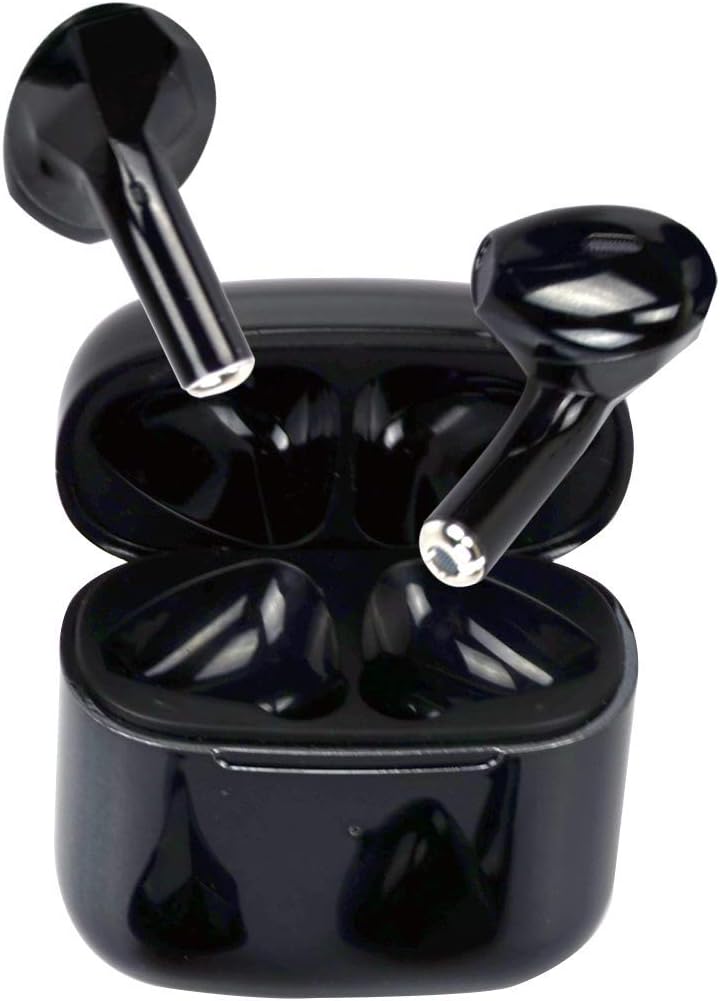
A view of the Wireless Bluetooth Pro Earbuds positioned at an angle within their open charging case, highlighting the internal design and charging contacts.
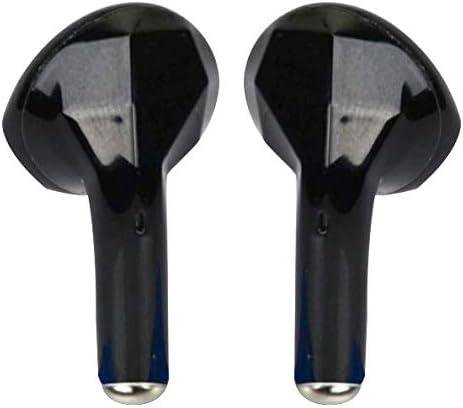
A close-up image of the two individual Wireless Bluetooth Pro Earbuds, showcasing their sleek black finish and ergonomic shape.

The compact charging case for the Wireless Bluetooth Pro Earbuds is shown resting in the palm of a hand, demonstrating its small and portable size.
Persediaan
1. Pengecasan Awal
Before first use, fully charge the earbuds and the charging case. Connect the provided USB Type-C charging cord to the charging case and a power source. The charging case can be fully charged in approximately 90 minutes. The earbuds will charge automatically when placed inside the case.
2. Berpasangan dengan Peranti Anda
- Pastikan fon telinga dicas dan diletakkan di dalam bekas pengecasan.
- Buka bekas pengecas. Fon telinga akan memasuki mod berpasangan secara automatik.
- Pada peranti anda (telefon pintar, tablet, dll.), pergi ke tetapan Bluetooth.
- Cari untuk new devices and select "Pro" or "Wireless Express Pro" from the list of available devices.
- Setelah disambungkan, anda akan mendengar nada pengesahan dan fon telinga akan sedia untuk digunakan.
Fon telinga ini menggunakan teknologi Bluetooth 5.0 untuk sambungan yang stabil dan cekap.
Arahan Operasi
Kawalan Sentuh
The Wireless Bluetooth Pro Earbuds feature intuitive touch controls for managing audio playback and calls. Specific touch gestures for functions like play/pause, skip track, answer/end call, and activating voice assistant (Siri) are detailed below. Refer to the quick start guide included with your product for a full list of touch commands.
Membuat dan Menerima Panggilan
The earbuds are equipped with a built-in microphone, allowing for clear hands-free communication. Use the touch controls to answer, end, or reject calls. The noise-cancelling function helps ensure clear phone calls.
Pembantu Suara (Siri)
The earbuds support voice assistant activation, including Siri. Consult your quick start guide for the specific touch command to activate your device's voice assistant.
Tahan Air
With an IPX6 waterproof rating, these earbuds are protected against sweat and rain, making them suitable for workouts and outdoor activities. While resistant to splashes and light rain, they are not designed for submersion in water.
Penyelenggaraan
Pembersihan
Regularly clean your earbuds and charging case with a soft, dry, lint-free cloth. Do not use abrasive cleaners, alcohol, or chemical solvents. Ensure no moisture enters the charging ports or speaker grilles.
Penyimpanan
When not in use, store the earbuds in their charging case to protect them and keep them charged. Store the case and earbuds in a cool, dry place away from extreme temperatures and direct sunlight.
Menyelesaikan masalah
- Fon telinga tidak berpasangan: Ensure both earbuds are charged and removed from the case. Turn off and on your device's Bluetooth, then try pairing again. If issues persist, try resetting the earbuds (refer to your quick start guide for reset instructions).
- Sound cutting out or unstable connection: Ensure the earbuds are within the Bluetooth range (up to 10 meters) of your device. Avoid physical obstructions between the earbuds and your device. Fully charge both earbuds and the case.
- Satu fon telinga tidak berfungsi: Letakkan kedua-dua fon telinga kembali ke dalam bekas pengecas, tutup penutup, tunggu beberapa saat, kemudian buka penutup dan cuba lagi. Pastikan kedua-dua fon telinga dicas.
- Fon telinga tidak dicas: Check that the charging cable is securely connected to both the case and the power source. Ensure the charging contacts on the earbuds and inside the case are clean and free of debris.
Spesifikasi
| Nama Model | Pro |
| Teknologi Ketersambungan | Wayarles (Bluetooth) |
| Versi Bluetooth | 5.0 |
| Julat Bluetooth | Sehingga 10 Meter |
| Hayat Bateri (Earbud) | 3-5 hours playtime per single charge |
| Charging Case Playtime | Up to 20 hours cyclic playtime (with case recharges) |
| Masa Pengecasan (Kes) | Approx. 90 minutes (Type-C) |
| Tahap Ketahanan Air | IPX6 (kalis air) |
| Berat Earbud | 2.9g (setiap satu) |
| Mengecas Berat Kes | 23.7g |
| Jenis Kawalan | Kawalan Sentuh |
| Jenis Pemacu Audio | Pemandu Dinamik |
| bahan | plastik |
| UPC | 850460007985 |
Waranti dan Sokongan
For warranty information and customer support, please refer to the documentation included with your purchase or contact Wireless Express directly through their official website or customer service channels. Keep your proof of purchase for any warranty claims.


