1. Pengenalan
Thank you for choosing the MIFA X11 True Wireless Earbuds. This manual provides essential information on how to set up, operate, and maintain your earbuds to ensure optimal performance and longevity. Please read this manual thoroughly before using the product.
2. Apa yang ada di dalam Kotak
- MIFA X11 True Wireless Earbuds (Left & Right)
- Kes Pengecasan
- Kusyen Telinga (pelbagai saiz)
- Kabel Pengecas USB
- Manual Pengguna
3. Ciri-ciri Produk
- Reka Bentuk Benar-benar Tanpa Wayar: Bluetooth 5.0 for total freedom, switch between Twin Mode and Mono Mode.
- Expertly Tuned Sound: Powerful bass and clear details with advanced Qualcomm chip, supporting APT-X and ACC.
- Kalis Air IPX7: Protection against sweat, rain, and snow, ideal for sports.
- Bateri berkuasa: Up to 5 hours of playtime on a single charge, with the charging case providing up to 100 additional hours.
- Reka bentuk ergonomik: Unique ear-fins for a secure, comfortable fit.
- Pengurangan Bunyi CVC 8.0: Built-in microphone with CVC 8.0 for crystal-clear phone calls and voice assistant support.
4. Persediaan
4.1 Pengecasan Awal
Before first use, fully charge both the earbuds and the charging case. Place the earbuds into the charging case. Connect the USB charging cable to the case and a power source. The indicator lights on the case will show the charging status.
4.2 Berpasangan
The MIFA X11 earbuds feature one-step pairing for convenience.
- Take both earbuds out of the charging case. They will automatically power on and connect to each other.
- On your mobile device, open the Bluetooth settings.
- Select "MIFA X11" from the list of available devices to pair.
- Once connected, you will hear a confirmation prompt.
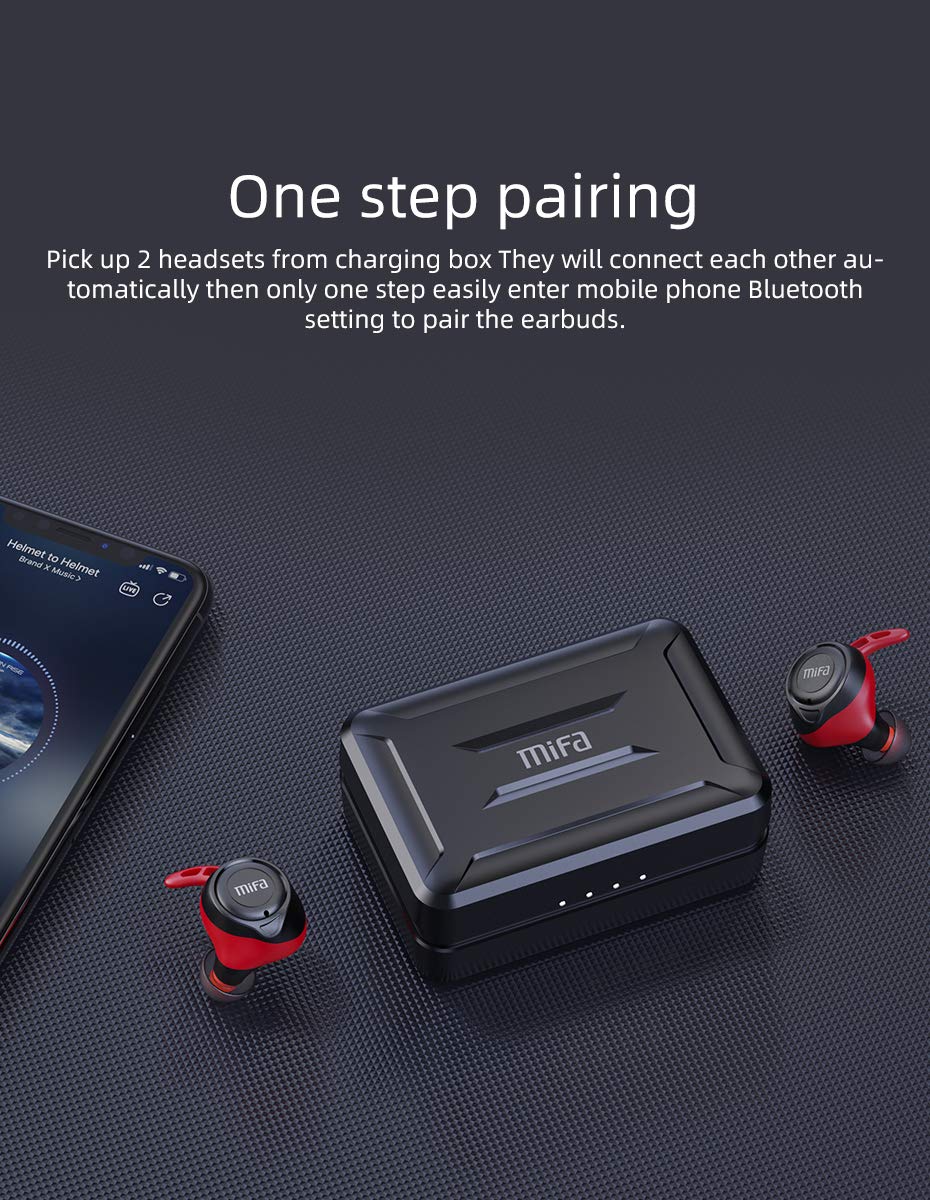
Figure 4.2.1: One-step pairing process with earbuds and charging case.
5. Arahan Operasi
5.1 Kawalan Asas
The MIFA X11 earbuds feature physical buttons for reliable control. Specific functions may vary slightly based on your device and application.
- Hidupkan/Mati Kuasa: Fon telinga dihidupkan secara automatik apabila ditanggalkan daripada sarung dan dimatikan apabila diletakkan semula.
- Main/Jeda: Tekan butang pada mana-mana fon telinga sekali.
- Lagu Seterusnya: Double-press the button on the right earbud.
- Trek Sebelumnya: Double-press the button on the left earbud.
- Kelantangan: Triple-press the button on the right earbud.
- Perlahankan suara: Triple-press the button on the left earbud.
5.2 Mono Mode and Twin Mode
The earbuds can be used individually (Mono Mode) or together (Twin Mode).
- Mod Mono: Simply take one earbud out of the charging case. It will automatically connect to your device, allowing you to use it independently for calls or audio while maintaining awareness of your surroundings.
- Mod Berkembar: Take both earbuds out of the charging case. They will automatically connect to each other and then to your device, providing an immersive stereo sound experience.
5.3 Panggilan Telefon
The MIFA X11 earbuds support call control functions.
- Jawab/Tamatkan Panggilan: Tekan butang pada mana-mana fon telinga sekali.
- Tolak Panggilan: Tekan dan tahan butang pada mana-mana fon telinga selama 2 saat.
5.4 Pembantu Suara
Aktifkan pembantu suara peranti anda (Siri, Google Assistant, dsb.) terus daripada fon telinga.
- Aktifkan Pembantu Suara: Press and hold the button on either earbud for 2 seconds (after rejecting a call, if applicable).

Figure 5.4.1: Activating voice assistant with MIFA X11 earbuds.
6. Penyelenggaraan
6.1 Pembersihan
Pembersihan tetap membantu mengekalkan kualiti bunyi dan kebersihan.
- Lap perlahan fon telinga dan bekas pengecas dengan kain lembut, kering dan tidak berbulu.
- For ear tips, remove them and clean with a mild soap solution if necessary, then rinse thoroughly and dry completely before reattaching.
- Jangan gunakan pembersih atau pelarut yang melelas.
6.2 Rintangan Air (IPX7)
The MIFA X11 earbuds are IPX7 waterproof, meaning they can withstand immersion in water up to 1 meter for 30 minutes. This makes them suitable for workouts and use in rainy conditions.
- Jangan sengaja menenggelamkan bekas pengecas, kerana ia tidak kalis air.
- Pastikan fon telinga kering sebelum meletakkannya semula ke dalam bekas pengecas untuk mengelakkan kerosakan.
- IPX7 rating applies to fresh water; exposure to salt water, chlorinated water, or other liquids may cause damage.

Figure 6.2.1: MIFA X11 earbuds demonstrating IPX7 waterproof capability.
7. Penyelesaian masalah
If you encounter issues with your MIFA X11 earbuds, try the following solutions:
- Fon telinga tidak berpasangan antara satu sama lain: Place both earbuds back into the charging case, close the lid for a few seconds, then take them out again. They should automatically connect.
- Fon telinga tidak bersambung ke peranti: Ensure Bluetooth is enabled on your device. Forget "MIFA X11" in your device's Bluetooth settings and attempt to pair again.
- Tiada bunyi dari satu fon telinga: Ensure both earbuds are charged. Try placing them back in the case and taking them out again. If the issue persists, reset the earbuds (refer to manufacturer's webtapak untuk arahan set semula khusus jika perlu).
- Isu pengecasan: Ensure the charging cable is securely connected and the power source is working. Clean the charging contacts on both the earbuds and the case with a dry cotton swab.
- Kualiti bunyi yang lemah: Ensure earbuds are properly seated in your ears. Try different sized ear tips for a better seal. Check if there is any debris in the earbud nozzles.
Untuk bantuan lanjut, sila hubungi khidmat pelanggan MIFA.
8. Spesifikasi
| Nama Model | MIFA X11 |
| Teknologi Ketersambungan | Wayarles (Bluetooth 5.0) |
| Tahap Ketahanan Air | IPX7 Kalis Air |
| Hayat Bateri (Earbud) | Sehingga 5 Jam |
| Hayat Bateri (dengan Sarung Pengecasan) | Sehingga 100 Jam |
| Mikrofon | Yes (with CVC8.0 Noise Reduction) |
| Jenis Kawalan | Call Control, Remote |
| Peranti Serasi | Smartphones, Tablets, Laptops, Bluetooth-enabled Devices |
| bahan | Silikon, Plastik |
| Dimensi Produk | 3.1 x 2.5 x 2.6 cm |
| Berat Barang | 249 g |
9. Waranti dan Sokongan
MIFA products are manufactured to the highest quality standards. For information regarding warranty coverage, technical support, or service inquiries, please visit the official MIFA webtapak atau hubungi perkhidmatan pelanggan mereka secara langsung. Sila simpan bukti pembelian anda untuk tuntutan waranti.


