1. Pengenalan
Thank you for choosing the WiZ 6-inch Tunable White LED Recessed Downlight. This smart lighting solution allows you to enjoy personalized illumination, enhancing your home environment with ease. This manual provides essential information for the safe and efficient use of your new downlight, covering installation, operation, maintenance, and troubleshooting.
2. Ciri-ciri Produk
- Kawalan Pencahayaan Pintar: Enjoy intelligent lighting with the WiZ 6-inch (15cm diameter) Tunable White LED Recessed Downlight.
- Tunable White Spectrum: Choose between different shades of warm to cool white light (from 2700K to 6500K) to help you concentrate, relax, energize, or simply illuminate your space clearly.
- Customizable Schedules & Scenes: Set personalized schedules to turn lights on and off according to your daily routines, or select from preset scenes.
- Keserasian Kawalan Suara: Control your lights using your voice with popular smart assistants like Alexa, Siri, or Google Assistant.
- Kesambungan Wi-Fi: WiZ lights connect directly to your existing Wi-Fi network without the need for additional hardware or a hub.
- Jangka hayat yang panjang & Kecekapan Tenaga: Features a lifespan of 15,000 hours and a luminous flux of 1950 lumens, offering both durability and energy savings.

Gambar 2.1: Lebihview of WiZ Smart Features
3. Kandungan Pakej
Sahkan bahawa semua komponen terdapat dalam pakej:
- 1 x WiZ 6-inch Tunable White LED Recessed Downlight (RD6 17W)
- 1 x Manual Pengguna (dokumen ini)
4. Maklumat Keselamatan
Sila baca dan fahami semua arahan keselamatan sebelum pemasangan dan penggunaan. Kegagalan mematuhi arahan ini boleh mengakibatkan renjatan elektrik, kebakaran atau bahaya lain.
- Keselamatan Elektrik: Always turn off power at the circuit breaker before installing or servicing the downlight. Ensure proper grounding.
- Pemasangan: Install in accordance with national and local electrical codes. If you are unsure about the installation, consult a qualified electrician.
- Persekitaran Operasi: Do not use in wet locations or where directly exposed to water. Suitable for indoor use only.
- Keserasian: Use only with WiZ compatible devices and applications.
- Pelupusan: Lupuskan produk dan komponennya secara bertanggungjawab mengikut peraturan tempatan.
5. Panduan Persediaan
Follow these steps to install and connect your WiZ Recessed Downlight:
- Sediakan untuk Pemasangan: Turn off the power to the circuit at the main fuse box or circuit breaker.
- Ukur Pembukaan: Ensure your ceiling opening is suitable for a 6-inch (15cm) recessed downlight. Refer to the product dimensions.
- Sambungan Pendawaian: Connect the downlight's wiring to your household electrical wiring according to the wiring diagram provided with the product (not shown here, typically in a separate installation guide). Ensure all connections are secure.
- Sisipkan Lampu Bawah: Gently push the downlight into the ceiling opening until the spring clips secure it in place.
- Pulihkan Kuasa: Hidupkan semula kuasa pada pemutus litar.
- Muat turun Aplikasi WiZ: Download the WiZ app from your smartphone's app store (available for iOS and Android).
- Pair the Downlight: Open the WiZ app and follow the on-screen instructions to pair your new downlight. The app will guide you through the process of connecting the light to your Wi-Fi network.

Rajah 5.1: Dimensi Produk

Figure 5.2: WiZ App Pairing Process
6. Arahan Operasi
Once installed and paired, you can control your WiZ downlight using the WiZ app or voice commands.
6.1. Using the WiZ App
- Hidup/Mati: Tap the light icon in the app to turn the downlight on or off.
- Pelarasan Kecerahan: Use the slider in the app to adjust the brightness level.
- Suhu Warna: Select from a range of warm to cool white tones (2700K to 6500K) to suit your mood or activity.
- Adegan: Choose from a variety of pre-set dynamic light modes or create your own custom scenes for different occasions.
- Jadual: Set up daily or weekly schedules for your lights to turn on/off or change scenes automatically.
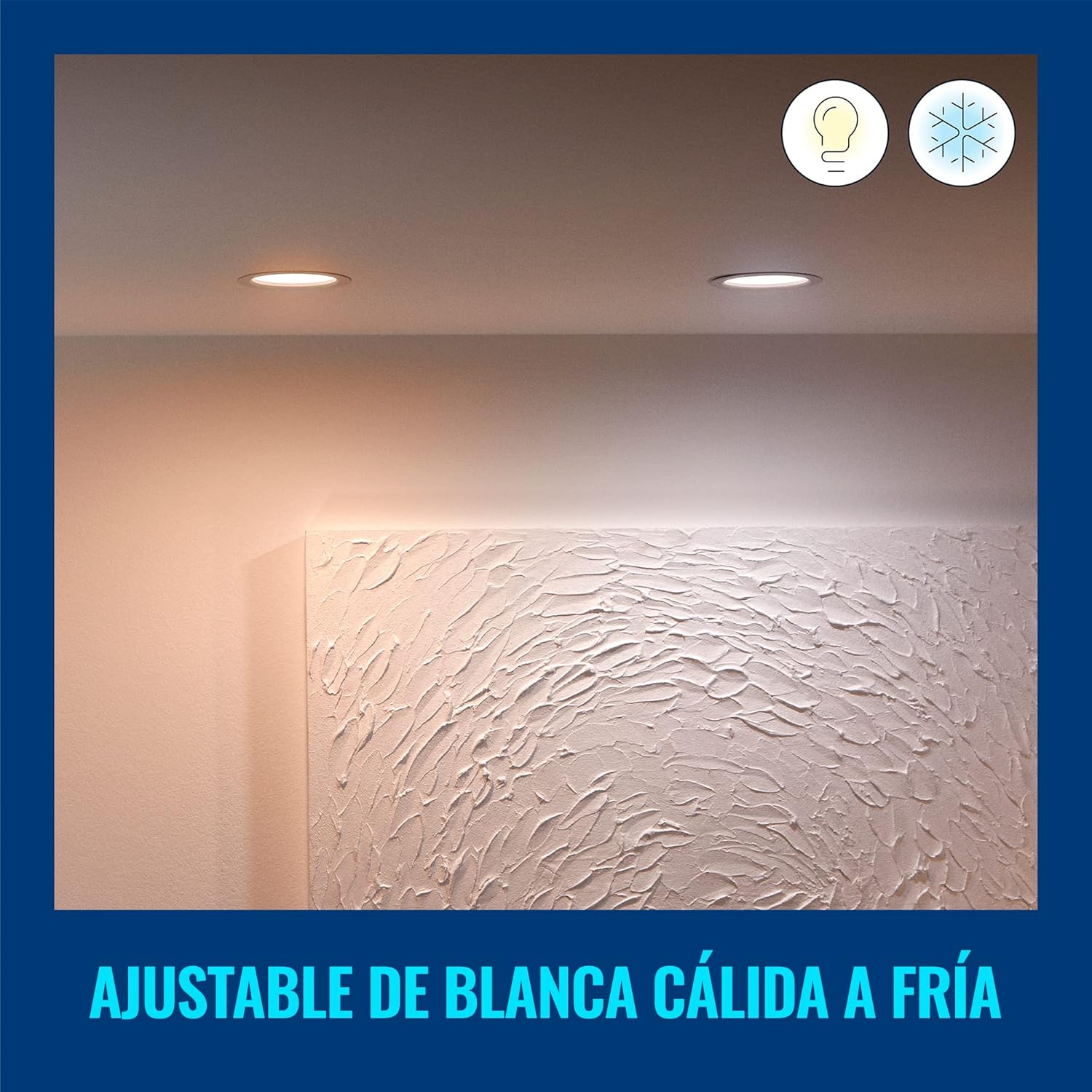
Figure 6.1: Warm White Light Setting
6.2. Kawalan Suara
Integrate your WiZ downlight with smart home assistants for hands-free control:
- Pembantu Google: Link your WiZ account in the Google Home app. Then use commands like, "Hey Google, turn on the living room light."
- Amazon Alexa: Enable the WiZ skill in the Alexa app. Use commands such as, "Alexa, set the kitchen light to warm white."
- Apple Siri Shortcuts: Create custom Siri Shortcuts in the WiZ app for quick voice commands.

Rajah 6.2: Integrasi Kawalan Suara
7. Penyelenggaraan dan Penjagaan
To ensure the longevity and optimal performance of your WiZ downlight, follow these simple care instructions:
- Pembersihan: Disconnect power before cleaning. Use a soft, dry cloth to wipe the surface of the downlight. Do not use abrasive cleaners or solvents.
- Tiada Bahagian Boleh Diservis Pengguna: The LED light source is integrated and not replaceable. Do not attempt to disassemble the downlight.
- Keadaan Persekitaran: Avoid exposing the downlight to extreme temperatures or high humidity, as this may affect its performance and lifespan.
8. Penyelesaian masalah
If you encounter issues with your WiZ downlight, refer to the following common problems and solutions:
| Masalah | Kemungkinan Punca | Penyelesaian |
|---|---|---|
| Downlight does not turn on. | No power, loose wiring, or faulty unit. | Check circuit breaker. Ensure wiring is secure. If problem persists, contact customer support. |
| Tidak dapat menyambung ke Wi-Fi. | Incorrect Wi-Fi password, out of range, or router issue. | Verify Wi-Fi password. Move downlight closer to router. Restart router. Ensure you are connecting to a 2.4GHz Wi-Fi network. |
| Cahaya berkelip atau malap tanpa diduga. | Unstable power supply or interference. | Check electrical connections. Ensure no other devices are causing electrical interference. |
| Kawalan suara tidak berfungsi. | Incorrect setup with smart assistant or internet connectivity issues. | Ensure WiZ account is correctly linked in your smart assistant app. Check internet connection. |
Untuk bantuan lanjut, sila rujuk bahagian sokongan pelanggan.
9. Spesifikasi
| Atribut | Nilai |
|---|---|
| Jenama | WiZ |
| Nombor Model | 929002647712 |
| Pengeluar | Signify Mexico |
| warna | putih |
| bahan | plastik |
| bentuk | Bulat |
| Sumber Kuasa | Elektrik |
| Voltage | 120 Volt (AC) |
| Wattage | 17 watt |
| Jenis Mentol | LED (Bersepadu) |
| Fluks Bercahaya | 1950 lumen |
| Ciri Khas | Dimmable, Low Consumption |
| Penggunaan | Decoration, General Lighting |
| Bateri Diperlukan? | Tidak |
| Dimensi Produk (L x W x H) | 16.5 x 15 x 4.7 cm (6.5 x 5.91 x 1.85 inci) |
| Berat Produk | 220 g |
| Jangka hayat | 15,000 jam |
10. Maklumat Waranti
WiZ products are designed for reliability and performance. This product comes with a standard manufacturer's warranty against defects in materials and workmanship. Please refer to the official WiZ weblaman web atau dokumentasi pembelian anda untuk terma dan syarat jaminan tertentu, termasuk tempoh dan butiran perlindungan.
11. Sokongan Pelanggan
If you have any questions, require technical assistance, or need to report an issue, please contact WiZ customer support through the following channels:
- Sokongan dalam talian: Lawati pegawai WiZ webtapak for FAQs, troubleshooting guides, and contact forms.
- Sokongan Dalam Apl: Access support resources directly within the WiZ mobile application.
- Sokongan Peruncit: For purchase-related inquiries, contact the retailer where you bought the product.


