1. Pengenalan
Thank you for choosing the FoMaKo FMK12UH 20x AI PTZ Camera. This manual provides essential information for setting up, operating, and maintaining your camera to ensure optimal performance. Please read this manual thoroughly before use.
Apa yang ada di dalam Kotak:
- FoMaKo AI Tracking PTZ Camera (20x optical zoom)
- Alat kawalan jauh IR
- Wall Mount, Ceiling Bracket
- Kabel USB
- Penyesuai Kuasa 12V 2A
- Manual Pengguna

Image 1.1: FoMaKo FMK12UH 20x AI PTZ Camera with included accessories including the remote control, wall mount, ceiling bracket, and cables.
2. Ciri-ciri Utama
- Advanced AI Auto-Tracking (Gen 3): The camera features third-generation AI tracking for customized tracking. Users can adjust tracking modes (real-time, regional), sensitivity, figure size, character position, and lost target action. Automatic tracking can be activated by pressing F2 on the remote control, and F4 switches the tracking target.
- 20x Optical Zoom with 15x Digital Zoom: Provides clear Full 1080P video output up to 60fps with true-to-life colors. Compatible with video mixer switchers, PTZ controllers, and live streaming software like vMix and OBS for multi-camera productions.
- Multiple Video Output Interfaces: Simultaneous HDMI, LAN/Ethernet, and USB3.0 live streaming. Supports H.264/H.265 encoding for efficient bandwidth usage. High SNR CMOS with 2D & 3D noise reduction ensures performance in low light. NDI upgradeable (license key sold separately).
- Leading Auto-Focus (AF) Technology: Fast, accurate, and stable auto-focus with Auto/Manual/One Push Focus modes. Maintains clear HD images during movement and zooming.
- Power Over Ethernet (PoE) Support: Simplifies setup by allowing a single Ethernet cable to provide power, control, and HD video/audio streaming.
- Flexible Installation Methods: Built-in Gravity Sensor supports PTZ auto-flip function. Compatible with Desktop, Tripod, Wall mounting, and Ceiling mounting.
- Remote Control & Presets: Supports up to 255 presets (10 accessible via IR remote control). Control interfaces include RS232/RS485. Supports TCP/IP, RTSP, RTMP, VISCA OVER IP, VISCA, SRT, and automatic identification protocols.

Image 2.1: The camera's AI auto-tracking feature in action, highlighting its ability to follow a subject.
Video 2.2: Official FoMaKo video demonstrating the HDMI PTZ Camera's auto-tracking capabilities for live streaming.
3. Persediaan
3.1 Sambungan Fizikal
Connect the necessary cables to the rear panel of the camera:
- Kuasa DC 12V: Connect the included 12V 2A power adapter.
- LAN (Ethernet/PoE): Connect an Ethernet cable for network control, video streaming, and Power over Ethernet (if using a PoE-enabled switch).
- HDMI: Connect an HDMI cable for video output to a display or capture device.
- USB3.0: Connect the USB cable to a computer for USB video output.
- RS232/RS485: For serial control from a PTZ controller.
- Garis Masuk: Untuk input audio luaran.

Imej 3.1: Terperinci view of the camera's rear panel, showing USB 3.0, HDMI, Line In, RS232/RS485, LAN (PoE), DC 12V, and On/Off switch ports.
Video 3.2: Official FoMaKo video demonstrating the live streaming system connection for the PTZ camera.
3.2 Kaedah Pemasangan
The camera can be installed in various ways:
- Desktop: Letakkan kamera di atas permukaan yang rata dan stabil.
- Pemasangan Tripod: Attach the camera to a standard tripod using the mounting screw hole on the base.
- Pemasangan Dinding: Use the provided wall mount bracket and screws to secure the camera to a wall.
- Pemasangan siling: Use the provided ceiling bracket and screws to mount the camera to the ceiling. The auto-flip function will automatically adjust the image orientation.
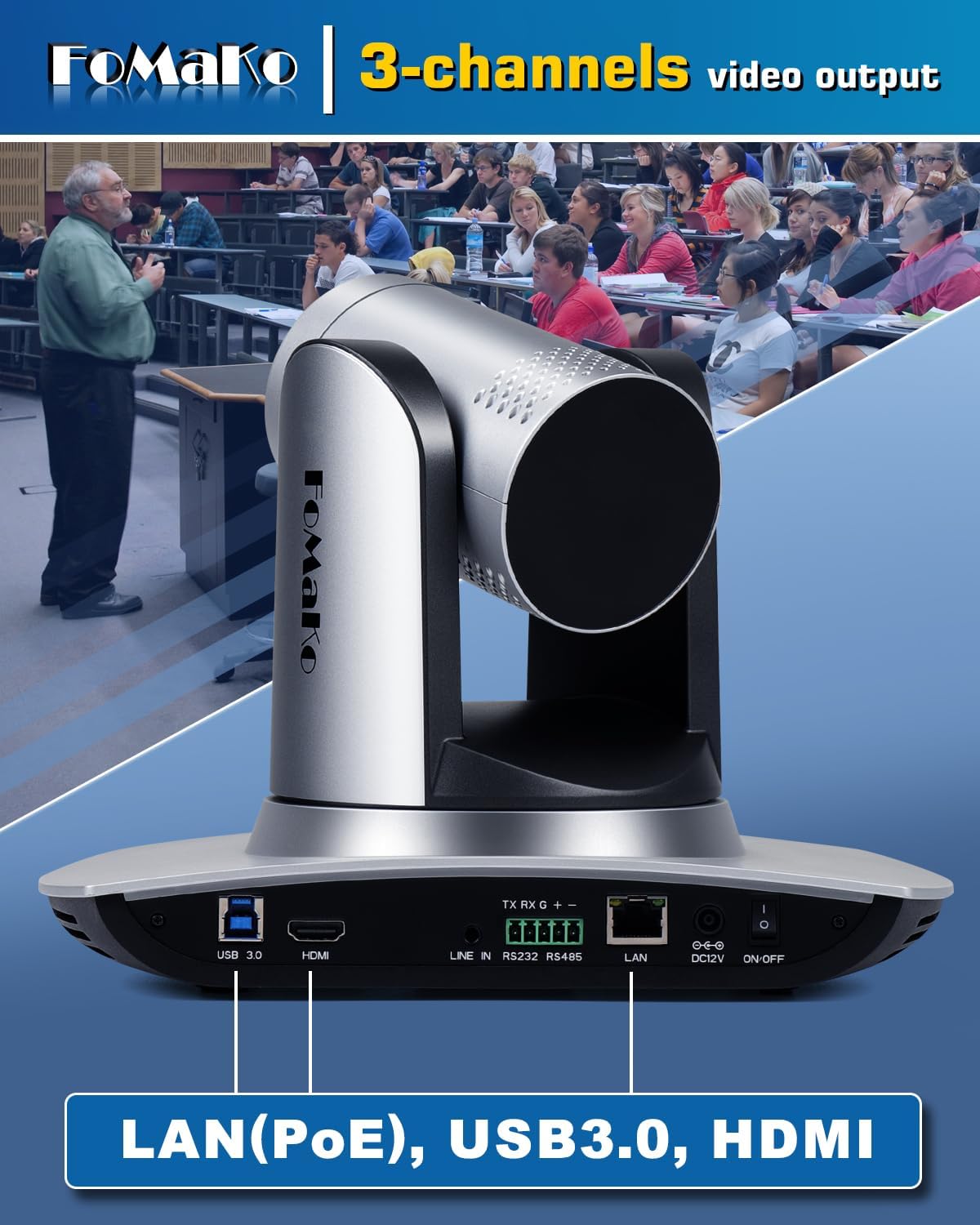
Image 3.3: Illustration of the camera installed via wall mount, tripod mount, and ceiling mount.
4. Beroperasi
4.1 PTZ Control and Speed Adjustment
The camera's Pan, Tilt, and Zoom (PTZ) functions can be controlled and their speeds adjusted using three methods:
- Menu Pada Skrin: Access the camera's menu using the remote control. Navigate to the P/T/Z settings to adjust Zoom Speed, Preset Speed, PTZ Speed, and Preset Zoom Speed. Ensure 'Speed by zoom' is set to ON for stable image during zoom and movement.
- Kawalan Jauh IR: Use the dedicated buttons on the IR remote control to directly adjust PTZ speed, preset speed, and zoom speed.
- Pengawal PTZ: For professional setups, connect a compatible PTZ joystick controller via RS232/RS485 or IP. The controller allows precise adjustment of PTZ functions and speeds.
Video 4.1: Official FoMaKo video demonstrating how to change PTZ speed and preset speed settings.
4.2 Penjejakan Automatik AI
To activate AI auto-tracking, press the F2 button on the remote control. To switch tracking targets, press F4. The camera will automatically detect and follow the subject, maintaining focus and framing.
4.3 Web Kawalan Penyemak Imbas
You can set up, preview, and control the PTZ camera from a web browser by entering its IP address. The default password is 'admin'. This interface provides comprehensive control over all camera settings.
5. Connectivity & NDI
The FoMaKo FMK12UH offers versatile connectivity options for various professional AV and live streaming applications.
- Output HDMI: For direct connection to displays, video switchers, or capture cards.
- Output USB3.0: For high-speed connection to computers, enabling the camera to function as a webcam for conferencing and streaming software.
- LAN/Ethernet (PoE): Provides network connectivity for IP control, NDI (with optional license), and Power over Ethernet. This allows for a single cable solution for power, control, and video/audio transmission.
- NDI (Optional Upgrade): The camera is NDI upgradeable, allowing for high-quality, low-latency video transmission over standard network infrastructure. An NDI license key requires additional purchase.
Video 5.1: Official FoMaKo video explaining NDI advantages, tools, and usage guidelines.
6. Senario Aplikasi
This camera is designed for professional AV production and live streaming in various environments:
- Church services and worship events
- Educational institutions (schools, universities)
- Live streaming and broadcasting
- Persidangan video
- Hospitals and medical training
- Weddings and event coverage
- Studio productions
- Sports clubs, eSports, dance clubs
- Training classrooms and large conferences
- Theater and concert live streaming
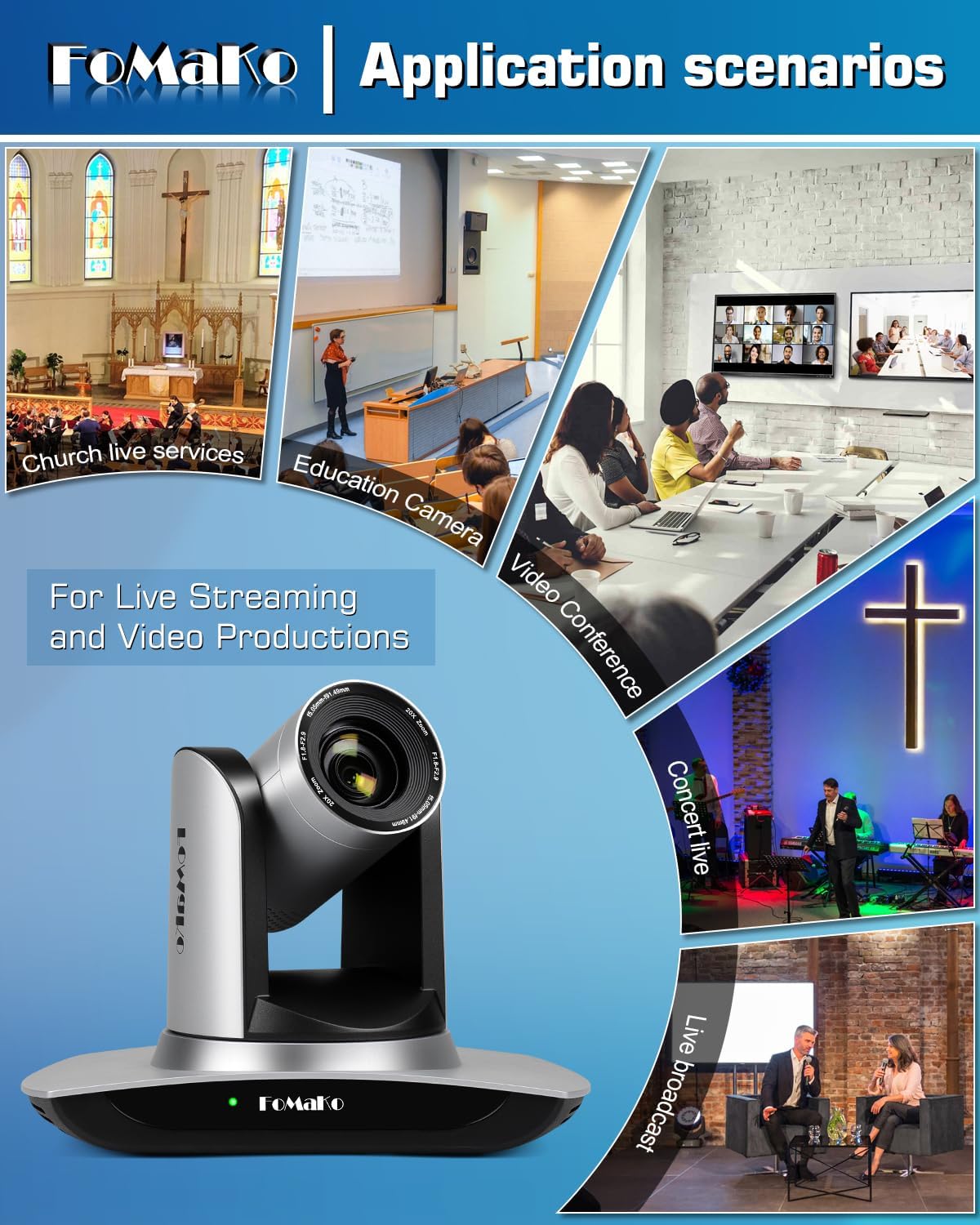
Imej 6.1: Cthamples of the camera's use in church live services, education, video conferences, concerts, and live broadcasts.
7. Penyelesaian masalah
Berikut ialah beberapa isu biasa dan penyelesaian yang berpotensi:
- Presets or AI Tracking Not Working After Power-On: After turning the camera on, pan or tilt the camera slightly with the remote control to activate presets and AI tracking functions.
- Auto-Tracking Zooms Out and Centers View: When auto-tracking is turned off, the camera may zoom out and center. To customize this, access the camera's web interface and set 'Preset 0' to your desired default view. The camera will then return to this preset when auto-tracking is disengaged.
- Focus Issues at Long Distances: Ensure proper lighting conditions. Experiment with Auto/Manual/One Push Focus modes. If issues persist, verify cable quality and network stability.
- Remote Control Responsiveness: Ensure line of sight to the camera's IR receiver. Check battery levels in the remote control.
- Isu Kualiti Imej: Verify all cables (HDMI, USB, Ethernet) are securely connected and of high quality. Check network bandwidth if streaming over IP. Adjust camera settings like exposure, white balance, and noise reduction via the on-screen menu or web antara muka.
8. Spesifikasi
| Ciri | Perincian |
|---|---|
| Dimensi Produk | 5.67 x 9.98 x 6.65 inci |
| Berat Barang | 3.04 paun |
| Teknologi Penderia Foto | CMOS |
| Resolusi Tangkapan Video | 1080p |
| Panjang Fokus Maksimum | 91.49 Milimeter |
| Apertur Maksimum | 2.9 f |
| Format Tangkapan Video | MP4 |
| Format Audio yang Disokong | AAC |
| Teknologi Ketersambungan | LAN, HDMI, USB3.0 |
9. Waranti & Sokongan
- Waranti Terhad 3 Tahun: Shop with confidence.
- Jaminan Wang Dikembalikan 30 Hari: Risk-free purchase.
- Free Online Training: Get started easily.
- 24/7 Expert Assistance: Responses within 24 hours (please include your Order ID). Remote assistance for setup is available if necessary.
- Lifetime Customer Technical Support: Kepuasan anda keutamaan kami.


