pengenalan
This manual provides comprehensive instructions for the safe and efficient operation of your InFocus IN119BB Multimedia Projector. Please read this manual thoroughly before using the projector and retain it for future reference.
The InFocus IN119BB projector is designed for versatile use, offering a very long lamp life, high brightness, and extensive connectivity options. Its compact and lightweight design ensures ease of portability and installation.
Maklumat Keselamatan
Sentiasa patuhi langkah berjaga-jaga keselamatan berikut untuk mengelakkan kebakaran, kejutan elektrik atau kecederaan:
- Jangan menyekat bukaan pengudaraan.
- Jangan dedahkan projektor kepada hujan atau lembapan.
- Rujuk semua servis kepada kakitangan perkhidmatan yang berkelayakan.
- Elakkan melihat terus ke dalam kanta projektor apabila lamp sedang aktif.
- Pastikan pembumian yang betul untuk kord kuasa.
Produk Selesaiview
Komponen dan Kawalan
Familiarize yourself with the main components and controls of your InFocus IN119BB projector.

Rajah 1: bersudut view of the InFocus IN119BB projector, showing the lens, ventilation grilles, and top panel controls.

Rajah 2: Depan view of the InFocus IN119BB projector, highlighting the main projection lens.

Rajah 3: Bersudut atas ke bawah view of the InFocus IN119BB projector, showing the control panel layout.

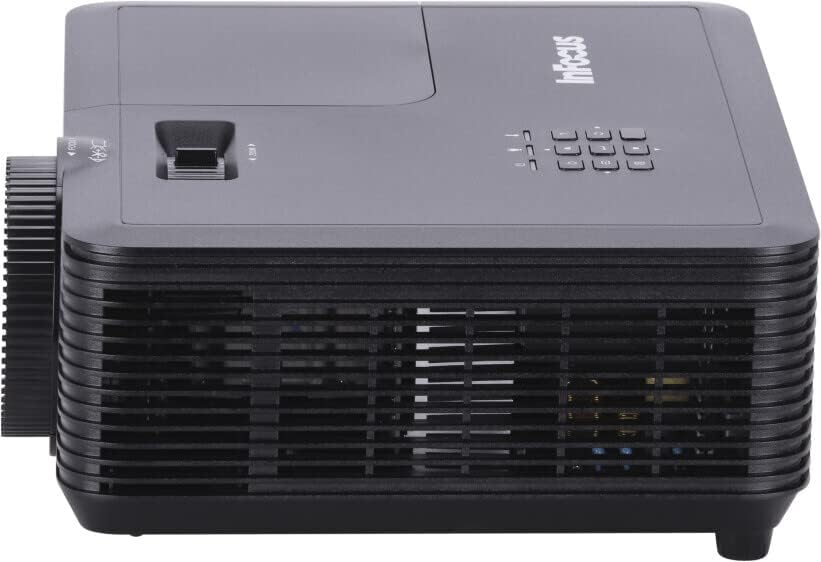
Rajah 4: sebelah view of the InFocus IN119BB projector, illustrating its compact profile.
Rajah 5: belakang view of the InFocus IN119BB projector, displaying all available input and output ports including HDMI, VGA, S-Video, and audio connections.
Persediaan
Penempatan
Choose a stable, flat surface for the projector. Ensure adequate ventilation around the unit. For optimal image quality, position the projector perpendicular to the projection surface.
Kuasa Penyambung
- Sambungkan kord kuasa ke input kuasa projektor.
- Plug the other end of the power cord into a grounded electrical outlet (240V recommended).
Menyambung Sumber Input
The IN119BB projector supports multiple input sources:
- HDMI: Use an HDMI cable to connect your computer, Blu-ray player, or other HDMI-enabled device to either HDMI 1 or HDMI 2 port.
- VGA: Connect your computer's VGA output to the VGA IN port using a VGA cable.
- S-Video: For older video sources, connect an S-Video cable to the S-VIDEO port.
- Audio: Connect external audio devices to the AUDIO IN port. Audio output is available via the AUDIO OUT port.
Arahan Operasi
Menghidupkan/Mematikan
- To power on, press the Power button on the projector or remote control. The power indicator light will turn blue.
- To power off, press the Power button twice. The projector will enter a cooling down cycle before shutting down completely.
Melaraskan Imej
- Fokus: Putarkan gelang fokus pada kanta sehingga imej tajam dan jelas.
- Zum: Adjust the zoom lever next to the lens to change the image size.
- Pembetulan Keystone: Jika imej kelihatan trapezoid, gunakan fungsi pembetulan keystone dalam menu OSD untuk menyegiempatkan imej.
Memilih Sumber Input
Press the "Source" button on the projector's control panel or remote control to cycle through available input sources (HDMI 1, HDMI 2, VGA, S-Video).
Menu Paparan Pada Skrin (OSD).
Press the "Menu" button to access the OSD menu. Use the arrow keys to navigate and the "Enter" button to select options. Adjust settings such as brightness, contrast, color, and aspect ratio.
Penyelenggaraan
Lamp Penggantian
Lamp life of the IN119BB is very long, but eventually, it will need replacement. When the lamp penunjuk menyala atau imej menjadi malap, sudah tiba masanya untuk menggantikan lamp. Refer to the detailed lamp replacement guide in the full user manual for specific steps.
Membersihkan Projektor
- Kanta: Gunakan kain lembut dan bebas lin yang direka khusus untuk kanta optik. Jangan gunakan pembersih yang kasar.
- Casing: Lap projektor casing dengan lembut, damp kain. Elakkan menggunakan bahan kimia yang keras.
- Penapis Udara: Regularly check and clean the air filters to ensure proper ventilation and prevent overheating.
Menyelesaikan masalah
| Masalah | Kemungkinan Punca | Penyelesaian |
|---|---|---|
| Tiada imej dipaparkan | Power cord disconnected; Incorrect input source selected; Lamp isu. | Check power connection; Select correct input source; Replace lamp jika perlu. |
| Imej kabur | Lens out of focus; Projector too close/far from screen. | Adjust focus ring; Reposition projector. |
| Projektor terlalu panas | Blocked ventilation; Dirty air filter. | Ensure clear ventilation; Clean air filter. |
Spesifikasi
| Ciri | Perincian |
|---|---|
| Nombor Model | IN119BB |
| Teknologi Paparan | DLP |
| Resolusi Asli | 1280 x 800 (WUXGA) |
| Kecerahan | 3500 Lumen |
| Ketersambungan | HDMI (x2), VGA In, VGA Out, S-Video, Audio In, Audio Out, RS232 |
| Bekalan Kuasa | 240V, 267W |
| Dimensi Produk (L x W x H) | 23.62 x 31.24 x 10.67 cm |
| Berat Produk | 2.6 kg (5.5 paun) |
| Faktor Bentuk | Mudah alih |
| Penggunaan yang Disyorkan | Pawagam Rumah |
Waranti dan Sokongan
For warranty information and technical support, please visit the official InFocus webtapak atau hubungi perkhidmatan pelanggan mereka. Simpan resit pembelian anda sebagai bukti pembelian.
Sokongan dalam talian: www.infocus.com/support


