1. Produk Lebihview
The FLEXISPOT EN1 One-Piece Standing Desk is an electric height-adjustable desk designed to promote a healthier work environment by allowing seamless transitions between sitting and standing positions. It features a durable one-piece desktop and a sturdy steel frame.
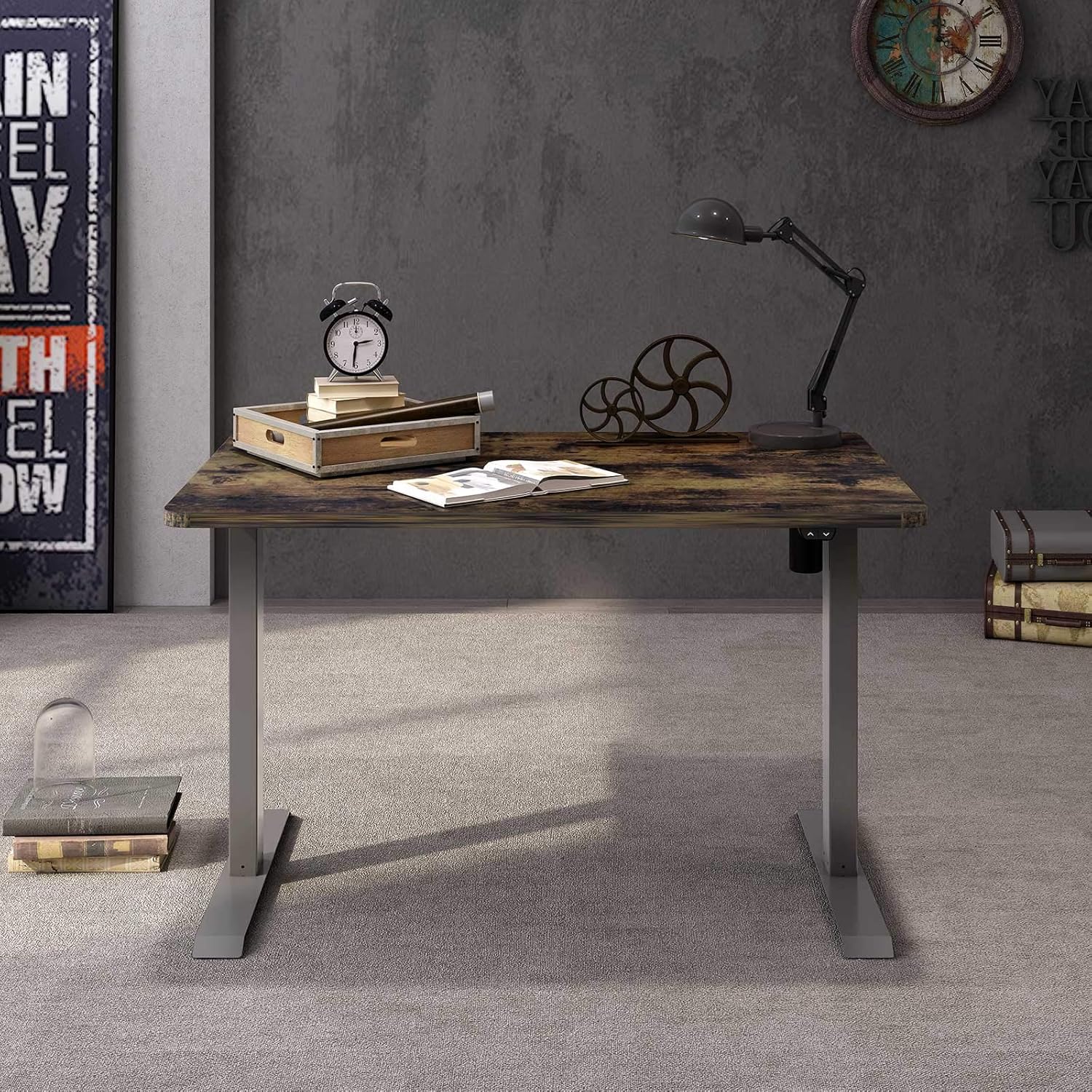
Figure 1: FLEXISPOT EN1 One-Piece Standing Desk (48x30 Rustic Brown)

Figure 2: Illustrates the enhanced stability of the one-piece desktop design compared to spliced tabletops.
2. Arahan Persediaan
2.1 Unboxing and Parts List
The FLEXISPOT EN1 desk is typically shipped in two packages: one for the desktop and one for the desk frame. Carefully unpack all components and verify against the included parts list in your package. Ensure all parts are present and undamaged before proceeding with assembly.

Figure 3: Desk components are shipped in two separate packages.
2.2 Perhimpunan
Assembly tools and detailed instructions are included in the package. Follow the step-by-step guide provided. For visual assistance, a detailed sit-stand desk installation video is available online. Please refer to the manufacturer's official website or the product page for the video link.
Ensure all screws are tightened securely, but do not overtighten. Place the desk on a flat, stable surface after assembly.
3. Arahan Operasi
3.1 Panel Kawalan Selesaiview
The desk is equipped with an intuitive control panel located on the underside of the desktop. This panel allows for electric height adjustment and features memory presets.

Figure 4: Programmable Control Panel with LED Display and Memory Settings.
3.2 Pelarasan Ketinggian
Gunakan Naik (^) dan Bawah (v) arrow buttons on the control panel to manually adjust the desk height. The motor operates quietly, with noise levels below 50 dB, ensuring a peaceful working environment. The desk can be adjusted from 28.1" to 45.7" (excluding the 1" desktop thickness).
3.3 Pratetap Memori
The control panel features 4 memory preset buttons (1, 2, 3, 4). To save a desired height:
- Adjust the desk to your preferred height using the Up/Down buttons.
- Tekan ke "M" button (or similar memory set button, if present, otherwise hold the number button).
- Press one of the number buttons (1, 2, 3, or 4) until you hear a beep or see a confirmation on the LED display. The height is now saved.
To recall a saved height, simply press the corresponding number button (1, 2, 3, or 4). The desk will automatically move to the programmed height.
4. Penyelenggaraan
4.1 Pembersihan
Lap permukaan desktop dengan kain lembut,amp cloth. Avoid using harsh chemicals or abrasive cleaners that may damage the finish. For the metal frame, use a mild detergent and water solution.
4.2 Penjagaan Am
- Periksa semua skru dan sambungan secara berkala untuk memastikan ia kekal ketat.
- Avoid placing excessively heavy objects on the desk, exceeding the maximum weight capacity.
- Keep liquids away from the control panel and motor components to prevent electrical damage.
5. Penyelesaian masalah
5.1 Isu Lazim
- Desk not responding: Check if the power cord is securely plugged into both the desk and the wall outlet. Ensure the power strip (if used) is turned on.
- Pelarasan ketinggian tidak sekata: If the desk appears uneven, perform a reset procedure (refer to your specific manual for details, often involves holding down certain buttons).
- Bunyi motor: A quiet motor operation is normal. If you experience unusually loud noises, discontinue use and contact customer support.
For any persistent issues or error codes displayed on the control panel, please refer to the detailed troubleshooting section in your product manual or contact FLEXISPOT customer support.
6. Spesifikasi
| Jenama | FLEXISPOT |
| Model | EN1 |
| Dimensi Desktop | 48"W x 30"D (Rustic Brown) |
| Julat Pelarasan Tinggi | 28.1" to 45.7" (excluding 1" desktop thickness) |
| Bahan Desktop | 1" Thick One-Piece Engineered Wood |
| Bahan Bingkai | Industrial-Grade Alloy Steel |
| Kapasiti Berat Maksimum | 176 paun |
| Tahap Kebisingan Motor | Di bawah 50 dB |
7. Waranti dan Sokongan
For technical support, assembly questions, or warranty inquiries, please do not hesitate to contact FLEXISPOT customer service. Contact information can typically be found on the manufacturer's official website or on the product packaging. Please retain your proof of purchase for warranty claims.
Optional protection plans (2-Year, 3-Year, Complete Protect) may be available for purchase separately. Consult the retailer for details on these plans.
8. Video Produk Rasmi
Below are official videos from FlexiSpot providing additional information about the product.
Video 1: Upgrade Your Space with FLEXISPOT One-Piece Desk. This video provides a general overview of the desk's features and benefits.


