1. Produk Lebihview
The Accurex RXT-150S industrial platform scale is designed for professional use, built to withstand hard and intensive treatment. Its robust structure is made of lacquered steel and stainless steel, ensuring high durability. The scale features an electronic RX indicator for reliable and accurate measurements.
The RX indicator connects to the platform via a 175cm cable, allowing flexible placement. It provides an extremely fast response, displaying stable weight accurately in less than 2 seconds.
The scale operates on 220V mains power and includes an internal battery that recharges simultaneously when connected to the mains. Key functions include zero setting and tare, allowing users to easily reset the scale or discount container weights.
Ciri-ciri Utama:
- Industrial scale with a highly resistant stainless steel plate.
- Weight capacity: 150 kg with a platform size of 400 x 300 mm.
- Operating life with internal battery up to 50 hours.
- Weighing indicator with clear 20mm LED digits and high brightness.
- Features an aluminum charging sensor and durable electronics for intensive industrial use.
- Designed in Europe and manufactured by Gram Group.

Figure 1: Accurex RXT-150S Industrial Platform Scale with indicator mounted on top.
2. Arahan Persediaan
2.1. Membongkar dan Semakan Komponen
Carefully unpack all components from the packaging. Ensure the following items are present:
- Weighing Platform (400 x 300 mm)
- RX Electronic Indicator
- Connection Cable (approx. 175 cm)
- Power Adapter (for 220V mains)
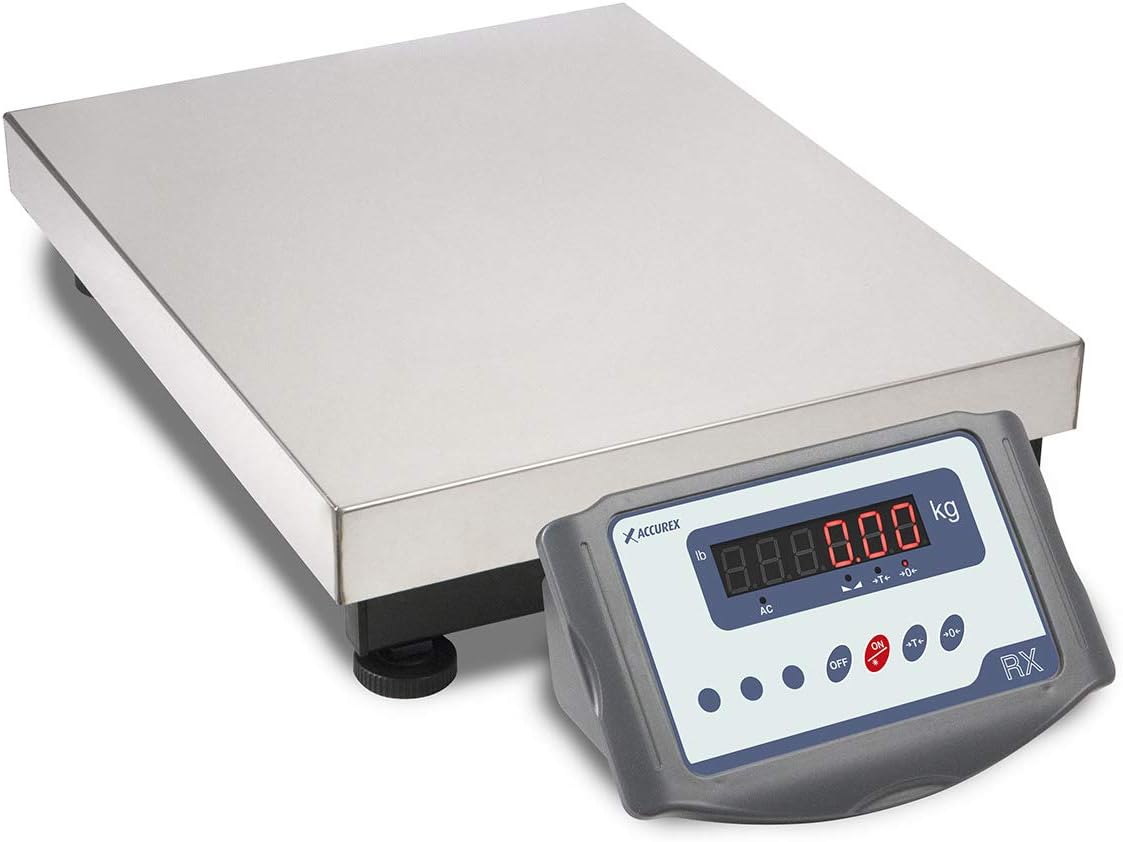
Figure 2: The Accurex RXT-150S scale components, showing the platform and the detached RX indicator.
2.2. Perhimpunan
- Place the weighing platform on a stable, level surface. Ensure all four adjustable feet are firmly in contact with the surface and the platform is level to ensure accurate readings.
- Connect the 175cm cable from the weighing platform to the corresponding port on the back of the RX electronic indicator. Ensure the connection is secure.
- Position the RX indicator in a convenient location, either on top of the platform (as shown in Figure 1) or adjacent to it, thanks to the long cable.
- Connect the power adapter to the indicator's power input port.
- Plug the power adapter into a standard 220V mains outlet. The internal battery will begin charging automatically.

Rajah 3: Belakang view of the RX indicator, showing the load cell cable input and power input ports.

Rajah 4: Bahagian bawah view of the Accurex RXT-150S platform, showing the robust steel frame and adjustable feet.
3. Arahan Operasi
3.1. Menghidupkan/Mematikan
Untuk menghidupkan penimbang, tekan butang ON button located on the RX indicator. The LED display will illuminate and perform a self-test before showing "0.00 kg". To power off, press the DIMATIKAN butang.
3.2. Penimbangan Asas
Once the scale is powered on and displays "0.00 kg", gently place the item to be weighed onto the center of the platform. The stable weight will be displayed on the LED screen within approximately 2 seconds.
3.3. Zero Setting Function
If the display does not show "0.00 kg" when the platform is empty, or if you wish to reset the reading to zero, press the →0← (Zero) button. The display will reset to zero, allowing for accurate subsequent measurements.
3.4. Fungsi Tare
The tare function allows you to discount the weight of a container or packaging. Place the empty container on the platform, then press the →T← (Tare) button. The display will reset to "0.00 kg", and you can then add the contents to the container to weigh only the net weight of the contents.
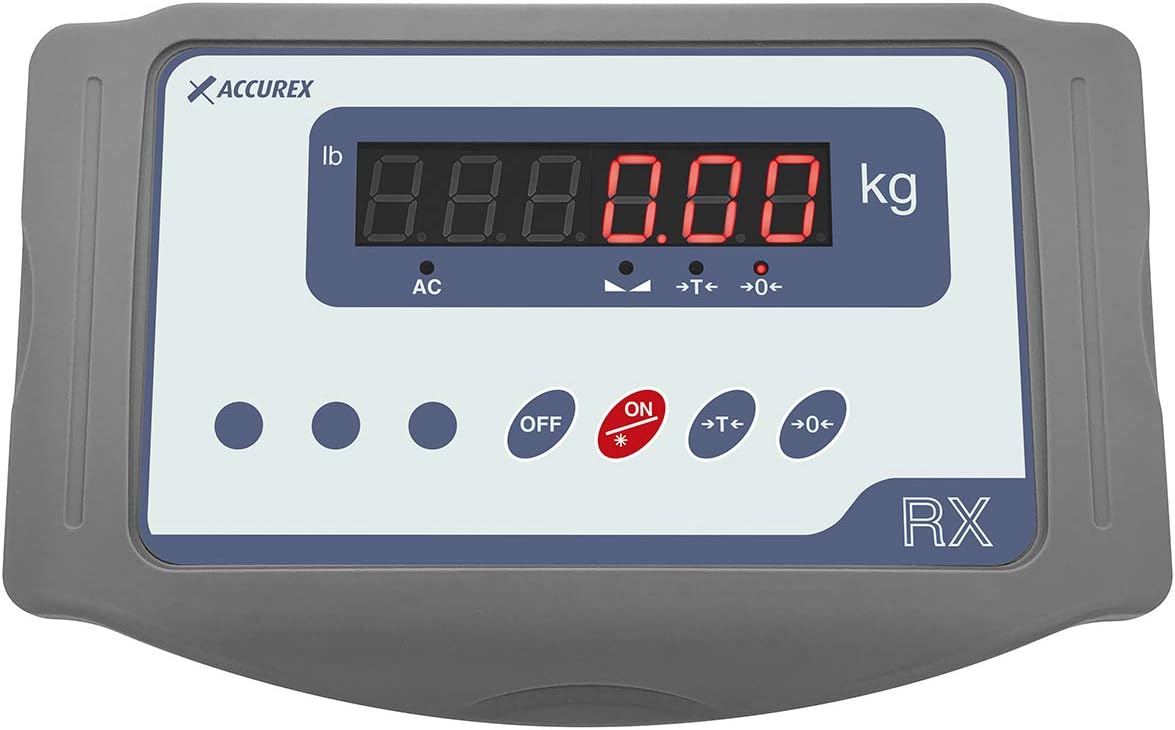
Rajah 5: Jarak dekat view of the RX indicator's LED display and control buttons, including ON, OFF, Tare (→T←), and Zero (→0←).
4. Penyelenggaraan
4.1. Pembersihan
To maintain the accuracy and longevity of your scale, regular cleaning is recommended. Use a soft, damp cloth with a mild, non-abrasive cleaner to wipe down the stainless steel platform and the lacquered steel/ABS indicator. Avoid using harsh chemicals or abrasive materials that could damage the surfaces.
Ensure no liquids enter the indicator or the internal components of the platform. Always disconnect the scale from the mains power before cleaning.
4.2. Penjagaan Bateri
The internal battery recharges automatically when the scale is connected to the 220V mains power. To maximize battery life, it is advisable to fully charge the battery periodically, especially if the scale is used primarily on battery power. Avoid completely draining the battery frequently.
5. Penyelesaian masalah
This section provides solutions to common issues you might encounter with your Accurex RXT-150S scale. If the problem persists, please contact customer support.
- Paparan Tidak Menyala:
- Check if the power adapter is securely connected to both the indicator and the mains outlet.
- Ensure the mains outlet is functional.
- Verify that the ON button has been pressed.
- If operating on battery, ensure the battery is charged. Connect to mains power for a period to charge.
- Inaccurate or Unstable Readings:
- Ensure the scale is placed on a firm, level, and stable surface. Uneven surfaces can affect accuracy.
- Check that the adjustable feet are properly adjusted and making full contact with the surface.
- Ensure no objects are touching the platform or interfering with its movement.
- Avoid strong air currents or vibrations near the scale during operation.
- Perform a Zero setting by pressing the →0← butang.
- Fungsi Tare Tidak Berfungsi:
- Ensure the scale is stable and displaying a weight before attempting to tare.
- Tekan ke →T← butang dengan kuat.
6. Spesifikasi Teknikal
| Ciri | Spesifikasi |
|---|---|
| Model | RXT-150S |
| Kapasiti Berat | 150 kg |
| Resolusi Paparan | 20 g |
| Platform Dimensions (L x W) | 400 x 300 mm |
| Indicator Dimensions (L x W x H) | 265 x 165 x 103 mm (Note: Original data had 1103mm, adjusted to 103mm for plausibility) |
| Bahan Peralatan | Stainless Steel, Lacquered Steel, ABS |
| Jenis Paparan | LED (20mm digits) |
| Sumber Kuasa | 220V Mains, Internal Rechargeable Battery |
| Hayat Operasi Bateri | Sehingga 50 jam |
| Cable Length (Indicator to Platform) | 175 sm |
| Net Weight (Item) | 5.3 kg |
| Ciri Khas | Portable, Lightweight, Smart |
| Pengeluar | Gram Precision |
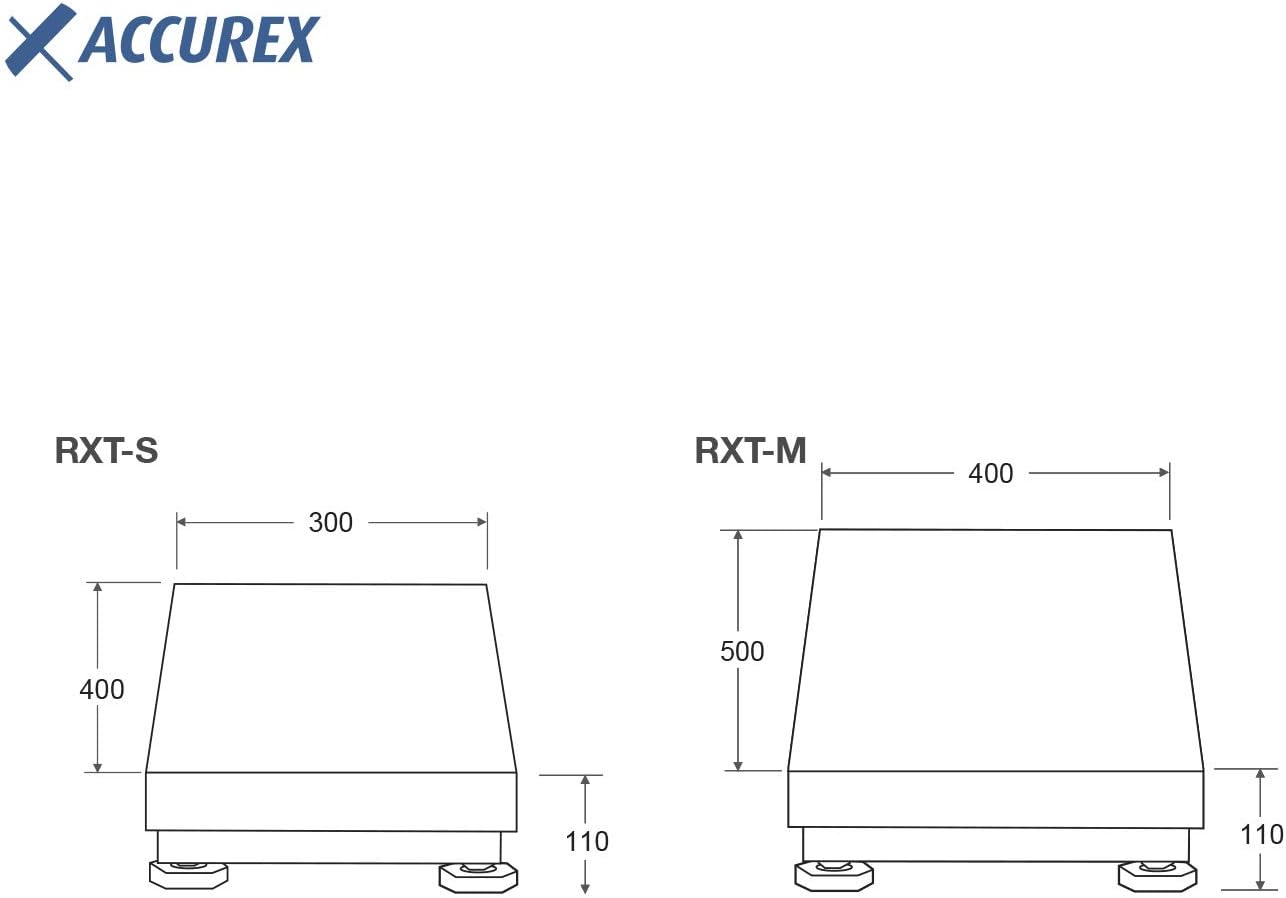
Figure 6: Technical drawing illustrating the dimensions of the RXT-S (left) and RXT-M (right) scale models. The RXT-150S corresponds to the RXT-S dimensions.
7. Waranti dan Sokongan
The Accurex RXT-150S Industrial Platform Scale is designed in Europe and manufactured by Gram Group, a reputable company known for its quality weighing solutions. The equipment is supplied properly calibrated and adjusted by their calibration laboratory, which is annually audited by a European NMI notified body.
For specific warranty terms, conditions, and duration, please refer to the documentation provided with your purchase or contact your retailer or the manufacturer directly. For technical support, troubleshooting assistance beyond this manual, or warranty claims, please reach out to the customer service department of your point of purchase or Gram Group.


