1. Pengenalan
This manual provides essential information for the safe and effective use of your PowerLocus Smartwatch Activity Tracker. Please read it thoroughly before using the device to ensure optimal performance and longevity.
The PowerLocus Smartwatch is designed to monitor various health and fitness metrics, provide notifications, and assist in managing daily activities. It features a 1.4-inch full touch screen and is compatible with both iOS and Android devices.

Imej 1.1: Depan view of the PowerLocus Smartwatch, displaying time, date, and a moon/stars graphic. The watch has a grey strap and a rectangular screen.
2. Persediaan
2.1. Mengecas Peranti
Before first use, fully charge your smartwatch. Connect the magnetic charging cable to the charging points on the back of the watch and plug the USB end into a power adapter (not included) or a computer's USB port. A full charge typically takes less than 2 hours.
The watch offers more than 7 days of battery life and up to 15 days in standby mode.

Imej 2.1: belakang view of the PowerLocus Smartwatch, highlighting the magnetic charging contacts and the optical heart rate sensor.
2.2. Pemasangan Apl dan Berpasangan
- Muat turun Apl: Cari untuk the dedicated PowerLocus Smartwatch app on your smartphone's app store (iOS or Android).
- Pasang dan Buka: Pasang aplikasi dan buka pada telefon pintar anda.
- Dayakan Bluetooth: Pastikan Bluetooth didayakan pada telefon pintar anda.
- Pasangkan Peranti: Follow the in-app instructions to search for and connect to your PowerLocus Smartwatch. The app will guide you through the pairing process.
- Berikan Kebenaran: Allow necessary permissions (e.g., notifications, location) for the app to function correctly.
3. Arahan Operasi
3.1. Navigasi Asas
The smartwatch features a full touch screen for easy navigation. Swipe left, right, up, or down to access different menus and functions. Tap to select an option or confirm an action. The side button typically serves as a back or home button.
3.2. Pemberitahuan
Once paired with your smartphone, the smartwatch can display notifications for incoming calls, SMS messages, and various social media applications like WhatsApp and Messenger. Ensure notification permissions are granted in the app.

Imej 3.1: A hand wearing the PowerLocus Smartwatch, with notification icons for various applications like WhatsApp, Twitter, Instagram, and Facebook floating around the watch face.
3.3. Pemantauan Kesihatan
The smartwatch provides continuous monitoring of several health metrics:
- Pengesanan Denyutan Jantung: Monitors your heart rate throughout the day.
- Pengesanan Tekanan Darah: Memberikan anggaran tekanan darah anda.
- Pengesanan Oksigen Darah (SpO2): Mengukur tahap oksigen dalam darah.
- Pedometer: Mengira langkah harian anda.
- Penggunaan Kalori: Anggarkan kalori yang dibakar berdasarkan aktiviti.
- Pengiraan Jarak: Tracks the distance covered.
Access these features through the watch's menu or view detailed data in the companion app.

Imej 3.2: A man in a gym setting, looking at his PowerLocus Smartwatch which displays health metrics such as heart rate, blood pressure, and step count.
3.4. Penjejakan Tidur
The smartwatch automatically tracks your sleep patterns, distinguishing between light sleep, deep sleep, and awake stages. This data helps you understand your sleep quality. Set bedtime reminders through the app to establish a consistent sleep routine.

Imej 3.3: A woman sleeping peacefully, wearing a PowerLocus Smartwatch that shows sleep duration and quality metrics on its screen.
3.5. Sports Activities
The smartwatch supports 8 different sports modes to accurately track your workouts. These modes help monitor performance metrics like steps, distance, calories burned, and heart rate during activities such as running, cycling, basketball, and football.

Imej 3.4: The PowerLocus Smartwatch displaying activity tracking data, accompanied by images of a person cycling, running, and playing football, illustrating its multi-sport capabilities.
3.6. Fungsi Tambahan
- Kawalan Kamera: Kawal kamera telefon pintar anda dari jauh.
- Jam loceng: Tetapkan penggera terus daripada jam tangan atau aplikasi.
- Kronometer: Use the stopwatch function for timing activities.
- Peringatan Sedentari: Terima makluman untuk bergerak selepas tempoh tidak aktif.
- Kawalan Muzik: Control music playback on your paired smartphone (play, pause, skip tracks).
- Muka Jam Boleh Disesuaikan: Change the watch face to suit your style.
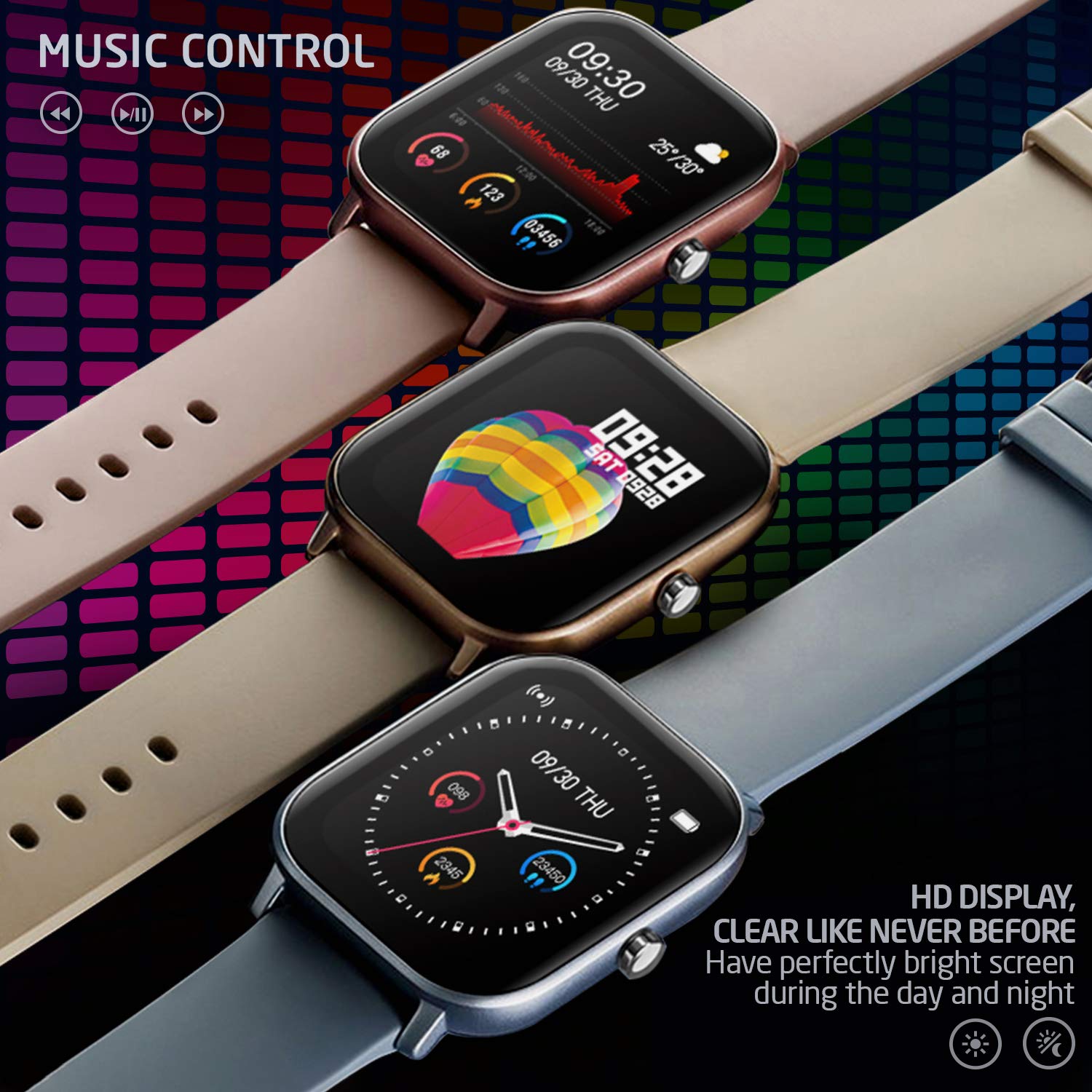
Imej 3.5: Three PowerLocus Smartwatches in different colors, showcasing music control features and various customizable watch faces with health data.
4. Penyelenggaraan
4.1. Kalis air
The PowerLocus Smartwatch has an IP67 water resistance rating, meaning it is protected against dust and can withstand immersion in water up to 1 meter for 30 minutes. It is suitable for swimming and jogging in the rain. However, it is not recommended for diving or high-pressure water activities.
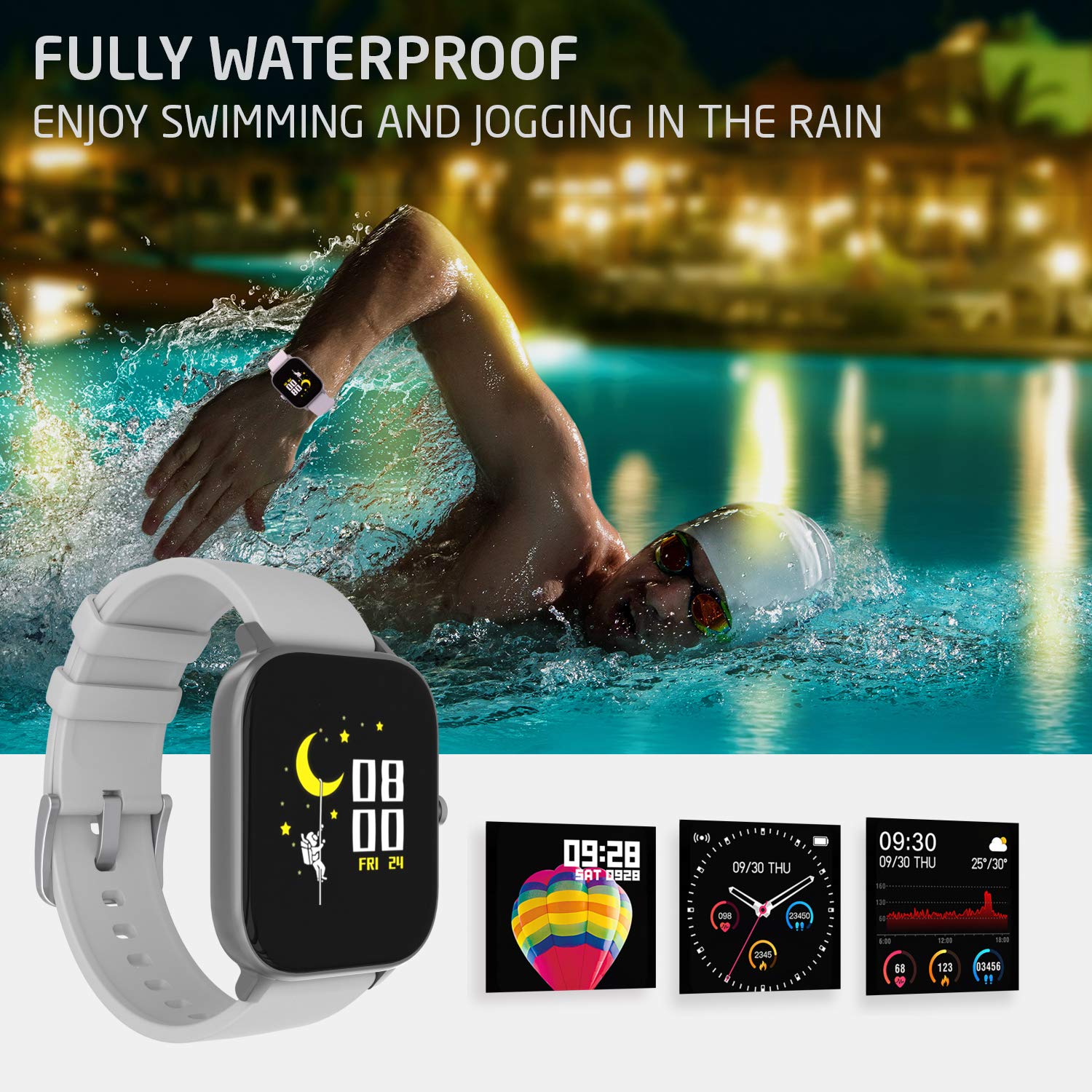
Imej 4.1: A person swimming in a pool, wearing the PowerLocus Smartwatch, demonstrating its waterproof capability.
4.2. Pembersihan dan Penjagaan
- Lap jam tangan dan tali dengan kerap dengan lembut, damp kain.
- Elakkan menggunakan bahan kimia yang keras atau pembersih yang kasar.
- Pastikan sesentuh pengecasan bersih dan kering sebelum mengecas.
- Protect the screen from scratches by avoiding contact with sharp objects.
5. Penyelesaian masalah
- Peranti tidak dihidupkan: Pastikan jam tangan dicas sepenuhnya. Sambungkannya ke pengecas dan tunggu beberapa minit sebelum cuba menghidupkannya.
- Tidak boleh berpasangan dengan telefon pintar:
- Pastikan Bluetooth didayakan pada telefon pintar anda.
- Pastikan jam tangan berada dalam julat telefon pintar anda.
- Mulakan semula kedua-dua jam tangan dan telefon pintar anda.
- Semak sama ada apl dikemas kini kepada versi terkini.
- If previously paired, try unpairing and re-pairing the device through the app.
- Data kesihatan tidak tepat:
- Pastikan jam tangan dipakai dengan kemas pada pergelangan tangan anda, tetapi tidak terlalu ketat.
- Bersihkan penderia di belakang jam tangan.
- Environmental factors and individual physiology can affect readings. The device is not a medical instrument.
- Pemberitahuan tidak muncul:
- Verify that notification permissions are enabled for the app on your smartphone.
- Check the app settings to ensure notifications are enabled for specific applications.
- Pastikan jam tangan disambungkan melalui Bluetooth.
6. Spesifikasi
| Ciri | Perincian |
|---|---|
| Nama Model | Penjejak Aktiviti |
| Nombor Model | pwl-par-smart1 |
| Saiz Skrin | 1.4 inci |
| Resolusi | 240*240 |
| Berat badan | 46g (device), 141g (package) |
| Saiz Gelang | L*W*H=36.6*43*9.3 mm |
| Tahan Air | IP67 (kalis air) |
| Teknologi Paparan | LCD |
| Ketersambungan | Bluetooth |
| OS yang serasi | Android, iOS |
| Jenis Bateri | Litium Ion (1 bateri C disertakan) |
| Hayat Bateri | 7+ days (typical use), 15 days (standby) |
| Masa Mengecas | Kurang 2 jam |
| Ciri Khas | Pedometer, Heart Rate Monitor, Blood Pressure Monitor, Blood Oxygen Monitor, Sleep Tracker, Sports Modes, Notifications, Camera Control, Alarm Clock, Chronometer, Sedentary Reminder, Music Control, Customizable Watch Faces |
7. Waranti dan Sokongan
7.1. Maklumat Waranti
The PowerLocus Smartwatch Activity Tracker comes with a Waranti penuh 24 bulan. This warranty covers manufacturing defects and ensures your smartwatch functions as intended for two years from the date of purchase. Please retain your proof of purchase for warranty claims.
7.2. Sokongan Pelanggan
For any questions, technical assistance, or warranty claims, please contact PowerLocus customer support through the official website or the contact information provided with your product packaging. Our team is dedicated to providing prompt and helpful assistance.


