1. Pengenalan
This manual provides detailed instructions for the assembly, operation, and maintenance of your FLEXISPOT EN1 Electric Height Adjustable Standing Desk. This desk features a 48x30 inch one-piece desktop, an electric lift system for smooth height adjustments, and a smart keypad with four memory presets. Please read this manual thoroughly before use to ensure proper function and safety.

2. Maklumat Keselamatan
Untuk mengelakkan kecederaan atau kerosakan pada produk, patuhi garis panduan keselamatan berikut:
- This desk has a maximum weight capacity of 176 lbs (80 kg). Do not exceed this limit.
- Pastikan semua komponen diikat dengan selamat semasa pemasangan.
- Jauhkan kanak-kanak dan haiwan peliharaan dari meja semasa operasi.
- Do not place hands or other objects near moving parts during height adjustment.
- Hanya gunakan meja di atas permukaan yang rata.
- Putuskan sambungan kuasa sebelum membersihkan atau melakukan penyelenggaraan.
3. Kandungan Pakej
Sahkan bahawa semua komponen ada sebelum memulakan pemasangan. Pakej ini merangkumi:
- Desk frame (legs and crossbar)
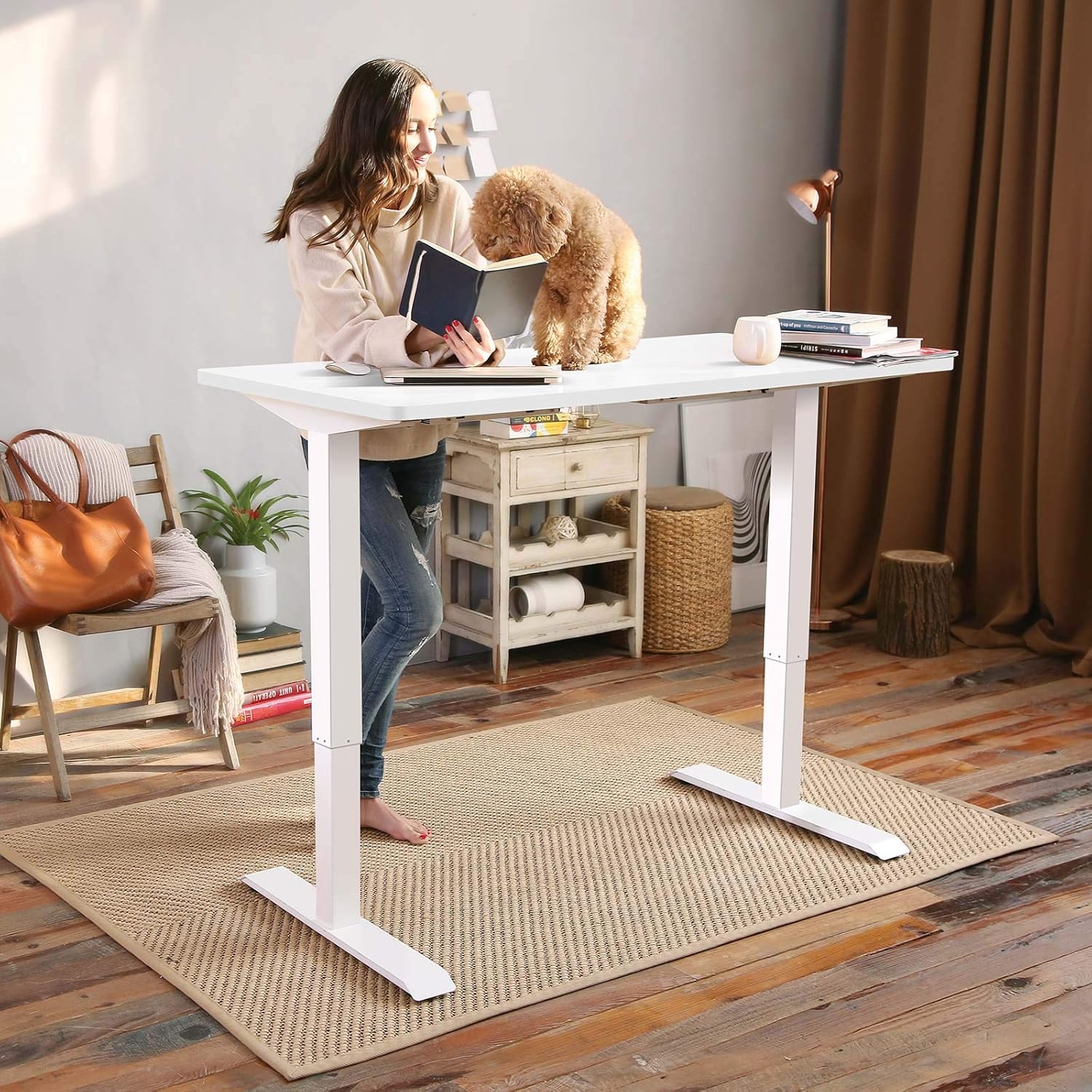
- Desktop (one-piece, 48x30 inch, white)
- Panel kawalan dengan paparan LED
- Penyesuai kuasa dan kabel
- Alat pemasangan
- Manual arahan terperinci
Note: The desk frame and desktop may ship and arrive in separate packages.

4. Arahan Perhimpunan
Assembly typically requires two people. Follow the step-by-step instructions provided in the included manual. A detailed sit-stand desk installation video is also available for reference.
- Buka bungkusan semua komponen dan sahkan terhadap senarai kandungan pakej.
- Attach the lifting columns to the feet using the provided screws and tools.
- Connect the crossbar between the two lifting columns.
- Carefully place the desktop upside down on a soft, clean surface.
- Align the assembled frame with the pre-drilled holes on the desktop and secure it with screws.
- Pasang panel kawalan ke bahagian bawah desktop di lokasi yang mudah.
- Connect all cables (motor to control box, control panel to control box, power adapter to control box).
- Flip the desk upright and connect it to a power outlet.
The desk features a 1-inch thick one-piece desktop, which provides enhanced stability compared to multi-piece designs.

5. Arahan Operasi
5.1. Pelarasan Ketinggian
The desk is equipped with an electric lift system for smooth height adjustments. Use the 'Up' and 'Down' arrows on the control panel to move the desk to your desired height. The height range is from 28.1 inches to 45.7 inches (excluding the 1-inch desktop thickness). The motor operates quietly, with noise levels below 50 dB.
5.2. Pratetap Memori
The control panel features four programmable memory presets, allowing you to save and recall your preferred sitting and standing heights.
- Adjust the desk to your desired height using the 'Up' or 'Down' arrows.
- Press the 'M' button (or similar memory set button, indicated by 'i' on the image) followed by a number button (1, 2, 3, or 4) to save the current height.
- Untuk mengingat semula ketinggian yang disimpan, hanya tekan butang nombor yang sepadan (1, 2, 3 atau 4). Meja akan bergerak secara automatik ke kedudukan yang disimpan.

6. Penyelenggaraan
Penyelenggaraan yang kerap memastikan jangka hayat dan prestasi optimum meja anda.
- Pembersihan: Lap desktop dan bingkai dengan lembut, damp kain. Elakkan pembersih yang melelas atau bahan kimia yang keras.
- Pemeriksaan: Periksa semua skru dan bolt secara berkala untuk memastikan ia ketat. Ketatkan semula jika perlu.
- Pengurusan Kabel: Ensure cables are not pinched or tangled, especially during height adjustments.
7. Penyelesaian masalah
If you encounter any issues with your FLEXISPOT EN1 desk, please refer to the following general troubleshooting tips:
- Meja tidak bergerak: Check if the power cable is securely connected to both the desk and the wall outlet. Try unplugging and re-plugging the desk.
- Mesej ralat pada paparan: Disconnect the power for 10 seconds, then reconnect. If the error persists, contact customer support.
- Unstable desk: Ensure all assembly screws are tightened. Verify the desk is on a level surface.
For further assistance, please contact FLEXISPOT customer support.
8. Spesifikasi
| Ciri | Spesifikasi |
|---|---|
| Jenama | FLEXISPOT |
| Nombor Model | MAH0002307 |
| Desktop Dimensions (D x W) | 30" x 48" (76.2 cm x 121.9 cm) |
| Ketebalan Desktop | 1 inci (2.54 cm) |
| Julat Ketinggian Boleh Laras | 28.1" - 45.7" (71.4 sm - 116.1 sm) |
| Kapasiti Berat Maksimum | 176 paun (80 kg) |
| Tahap Kebisingan Motor | Di bawah 50 dB |
| Bahan Desktop | Kayu Berperakuan FSC |
| Bahan Bingkai | Keluli Aloi |
| warna | Bingkai Putih + Atasan Putih |
| Berat Barang | 80 paun (36.3 kg) |
| Perhimpunan yang Diperlukan | ya |


9. Waranti dan Sokongan
The FLEXISPOT EN1 desk comes with a manufacturer's warranty. Please refer to the product packaging or the official FLEXISPOT website for specific warranty terms and conditions (e.g., 'Limited' or 'Full' warranty type). For technical support, assembly questions, or warranty claims, please contact FLEXISPOT customer service directly.
Contact information can typically be found on the FLEXISPOT official webtapak atau dalam pembungkusan produk anda.


