pengenalan
Thank you for choosing the Hoover H-PURIFIER 300 HHP30C Air Purifier. This device is designed to improve your indoor air quality by effectively filtering various pollutants. Equipped with advanced sensors and a triple-action HEPA13 filter, it captures PM2.5, PM10, VOCs, CO, and removes up to 99.97% of bacteria and pollen. This manual provides essential information for the safe and efficient use of your air purifier.
Maklumat Keselamatan Penting
Please read all safety instructions before operating the appliance. Keep this manual for future reference.
- Pastikan perkakas disambungkan ke salur keluar kuasa yang dibumikan dengan voltan yang betultage (230V).
- Jangan kendalikan perkakas dengan kord atau palam yang rosak.
- Pastikan saluran masuk dan keluar udara bersih daripada halangan.
- Do not use the appliance near water or in excessively humid environments.
- Perkakas ini adalah untuk kegunaan dalaman sahaja.
- Cabut plag perkakas sebelum membersihkan atau melakukan sebarang penyelenggaraan.
Produk Selesaiview
The Hoover H-PURIFIER 300 features an intuitive design with integrated sensors and a multi-layer filtration system.

Rajah 1: Depan view of the Hoover H-PURIFIER 300 Air Purifier, showcasing its sleek design and multi-sensor area.

Rajah 2: Atas view of the air purifier, highlighting the control panel with its various indicators and buttons.
Komponen Utama:
- Panel Kawalan: Located on the top, with touch controls and a 4-color LED light ring indicating air quality.
- Multi-Sensors: Detects PM2.5, PM10, VOCs, and CO levels in the air.
- Saluran masuk udara: Located around the lower section of the unit for 360° air intake.
- Saluran Udara: Located at the top for purified air release.
- HEPA13 Filter: A triple-action filter system for comprehensive air purification.
- Hidden Handles: Untuk mudah dibawa.
Arahan Persediaan
1. Membongkar dan Meletakkan
- Keluarkan penulen udara dengan berhati-hati daripada pembungkusnya.
- Place the unit on a flat, stable surface, ensuring at least 20 cm of clear space around all sides for optimal airflow. The unit is designed to purify areas up to 100m².
- Elakkan meletakkan unit berhampiran sumber haba, cahaya matahari langsung, atau di kawasan yang mempunyai kelembapan tinggi.
2. Pemasangan Penapis
The HEPA13 filter is typically pre-installed but may require removal of protective packaging before first use.
- Locate the filter access panel, usually at the bottom or side of the unit.
- Open the panel and ensure the HEPA13 filter is correctly seated and any plastic wrapping is removed.
- Tutup panel akses penapis dengan selamat.
3. Sambungan Kuasa
- Pasangkan kord kuasa ke soket elektrik yang sesuai (230V).
- Unit akan memasuki mod siap sedia.
4. App Connection (hOn App)
For advanced control and real-time air quality monitoring, connect your air purifier to the hOn app.
- Download the hOn app from your smartphone's app store.
- Buat akaun atau log masuk.
- Follow the in-app instructions to add your Hoover H-PURIFIER 300. This typically involves enabling Wi-Fi and Bluetooth on your phone and pressing a specific button on the purifier to initiate pairing.

Figure 3: A smartphone screen showing the hOn app, used for controlling the air purifier and monitoring air quality.
Arahan Operasi
1. Hidupkan/Mati Kuasa
- Press the power button on the control panel or via the hOn app to turn the unit on or off.
2. Mod Operasi
The H-PURIFIER 300 offers several operating modes:
- Mod Auto: The purifier automatically adjusts fan speed based on detected air quality levels (PM2.5, PM10, VOC, CO). This is the recommended mode for continuous operation.
- Night Mode (Sleep Function): Reduces fan speed to its lowest setting (21 dB) and dims the control panel lights for quiet operation during sleep.
- Mod Turbo: Operates at maximum fan speed for rapid air purification.
- Kelajuan Manual: Allows you to manually select a fan speed (e.g., 3 speeds available).
3. Air Quality Indicator (LED Ring)
The LED light ring on the control panel changes color to indicate current air quality:
- hijau: Kualiti udara yang sangat baik.
- Kuning: Kualiti udara sederhana.
- Jingga: Kualiti udara yang teruk.
- merah: Very poor air quality.
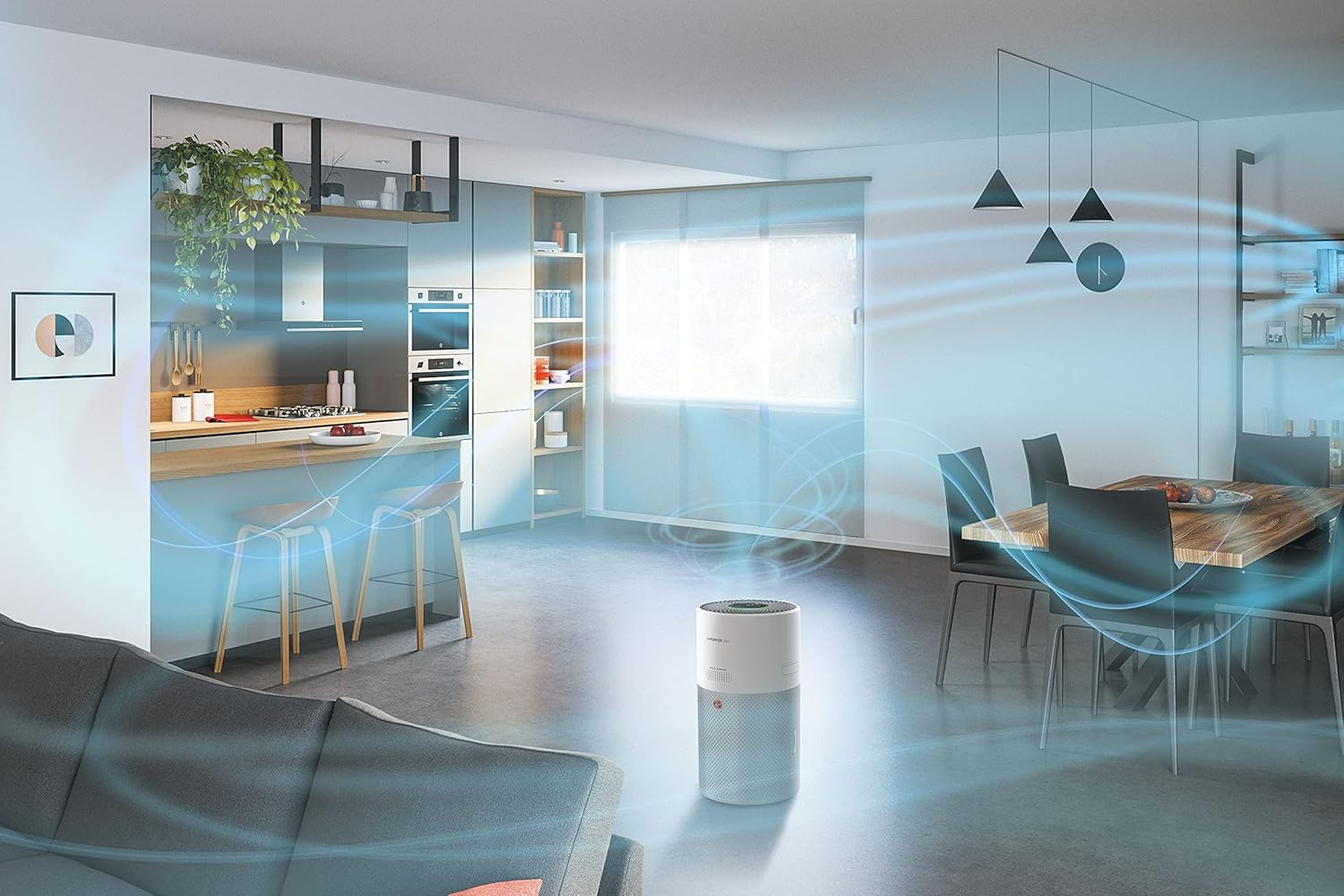
Figure 4: Illustration of the 360-degree airflow system, showing air intake from all sides and purified air expulsion from the top.
Penyelenggaraan
Penyelenggaraan tetap memastikan prestasi optimum dan memanjangkan hayat pembersih udara anda.
1. Penggantian Penapis
The HEPA13 filter has a limited lifespan and needs to be replaced periodically. The hOn app will notify you when a filter change is due.
- Cabut plag penulen udara daripada salur keluar kuasa.
- Buka panel akses penapis.
- Keluarkan penapis lama dan buang dengan betul.
- Insert a new genuine Hoover HEPA13 filter, ensuring it is correctly oriented.
- Tutup panel akses penapis dengan selamat.
- Plug the unit back in. Reset the filter life indicator via the control panel or hOn app if prompted.
2. Pembersihan Sensor
Dust and debris can accumulate on the sensors, affecting their accuracy. Clean them regularly, especially if you notice inconsistent air quality readings.
- Cabut palam unit.
- Gently wipe the sensor area (located on the side/back of the unit) with a soft, dry cloth or a cotton swab. Do not use liquids or abrasive cleaners.
3. Pembersihan Luaran
- Wipe the exterior surfaces of the air purifier with a soft, damp kain.
- Do not allow water to enter the unit.
- Avoid using harsh chemicals or abrasive cleaning agents.
Menyelesaikan masalah
If you encounter issues with your Hoover H-PURIFIER 300, refer to the following table:
| Masalah | Kemungkinan Punca | Penyelesaian |
|---|---|---|
| Unit tidak dihidupkan. | Tiada bekalan kuasa. | Periksa sama ada kord kuasa dipasang dengan kukuh pada soket dan unit. Uji soket dengan peranti lain. |
| Prestasi pembersihan udara yang lemah. | Clogged or incorrectly installed filter. | Check filter installation. Replace the filter if it is dirty or expired. |
| Inaccurate air quality readings. | Dirty sensors. | Clean the air quality sensors as described in the Maintenance section. |
| Cannot connect to hOn app. | Wi-Fi/Bluetooth issues; incorrect pairing process. | Ensure your phone's Wi-Fi and Bluetooth are on. Restart the air purifier and your phone. Follow the app's pairing instructions carefully. Try disabling Wi-Fi on the unit for 30 minutes, then re-enabling and trying to connect again. |
| Unit bising. | Operating in Turbo mode; obstruction in fan. | Switch to Auto or Night mode for quieter operation. Check for any foreign objects obstructing the fan. |
Spesifikasi
| Ciri | Perincian |
|---|---|
| Jenama | Hoover |
| Nombor Model | HHP30C |
| warna | putih |
| Dimensi Produk (L x W x H) | 27.99 x 31.39 x 52.04 cm |
| Berat Barang | 6.3 Kilogram |
| kuasa | 35 Watt |
| Voltage | 230V |
| Tahap Bunyi | 21 Decibels (in Night Mode) |
| Jenis Penapis | HEPA13 (Triple-action) |
| Liputan Keluasan Lantai | Sehingga 100 m² |
| Kaedah Kawalan | Control Panel, hOn App (Wi-Fi + BLE) |
| Ciri Khas | Sleep Function, Gas Sensor, Night Mode, Turbo Mode, Pollen Filtering |
| Sumber Kuasa | Kord Elektrik |
| Spesifikasi yang Mematuhi | TUV |
Waranti dan Sokongan
The Hoover H-PURIFIER 300 HHP30C comes with a manufacturer's warranty. Please refer to the warranty card included in your product packaging for specific terms and conditions.
Ketersediaan Alat Ganti:
Alat ganti untuk model ini tersedia untuk tempoh 2 tahun dari tarikh pembelian.
Sokongan Pelanggan:
For technical assistance, troubleshooting beyond this manual, or to inquire about spare parts, please contact Hoover customer support. Contact details can be found on the official Hoover webtapak atau dalam dokumentasi produk anda.