1. Pengenalan
The Vanzon V40 is a portable wireless Bluetooth speaker designed to deliver powerful stereo sound with enhanced bass. Featuring Bluetooth 5.0 for stable connectivity, IPX7 waterproof rating for outdoor use, and multiple playback options, it is suitable for various environments including home, travel, and outdoor activities. This manual provides detailed instructions for setting up, operating, and maintaining your Vanzon V40 speaker.

Image: Vanzon V40 Bluetooth Speaker showcasinreka bentuk kalis airnya.
2. Kandungan Pakej
Sila semak pakej untuk item berikut:
- Pembesar Suara Bluetooth Vanzon V40
- Kabel Pengecas USB-C
- Kabel AUX 3.5mm
- Manual Pengguna
3. Ciri-ciri Produk
- Shocking Stereo Sound: Equipped with TWS (True Wireless Stereo) technology, allowing you to pair two V40 speakers for an immersive dual stereo sound experience.
- Kalis Air IPX7: Provides strong waterproof protection with a durable silicone case and port cover, making it suitable for use in various wet environments.
- Berbilang Mod Main: Supports Bluetooth 5.0, TF (MicroSD) card playback (WAV / FLAC / APE / MP3 formats), and 3.5mm AUX input for versatile audio sources.
- Masa Main Dilanjutkan: Features a high-efficiency 3600mAh lithium-ion battery, providing up to 24 hours of continuous playtime.
- Ketersambungan yang Dipertingkatkan: Offers an extended wireless range of up to 66 feet and includes a built-in microphone for clear hands-free calls.
- Rhythmic RGB Light Show: Integrated RGB lights provide a dynamic visual experience that syncs with your music.

Image: Illustration highlighting the 24-hour long playtime of the Vanzon V40 speaker.

Image: Visual representation of the Vanzon V40's Bluetooth 5.0 stable connection and extended range.

Image: The Vanzon V40 speaker demonstrating its IPX7 outdoor waterproof capability.
4. Kawalan dan Pelabuhan
Familiarize yourself with the buttons and ports on your Vanzon V40 speaker:
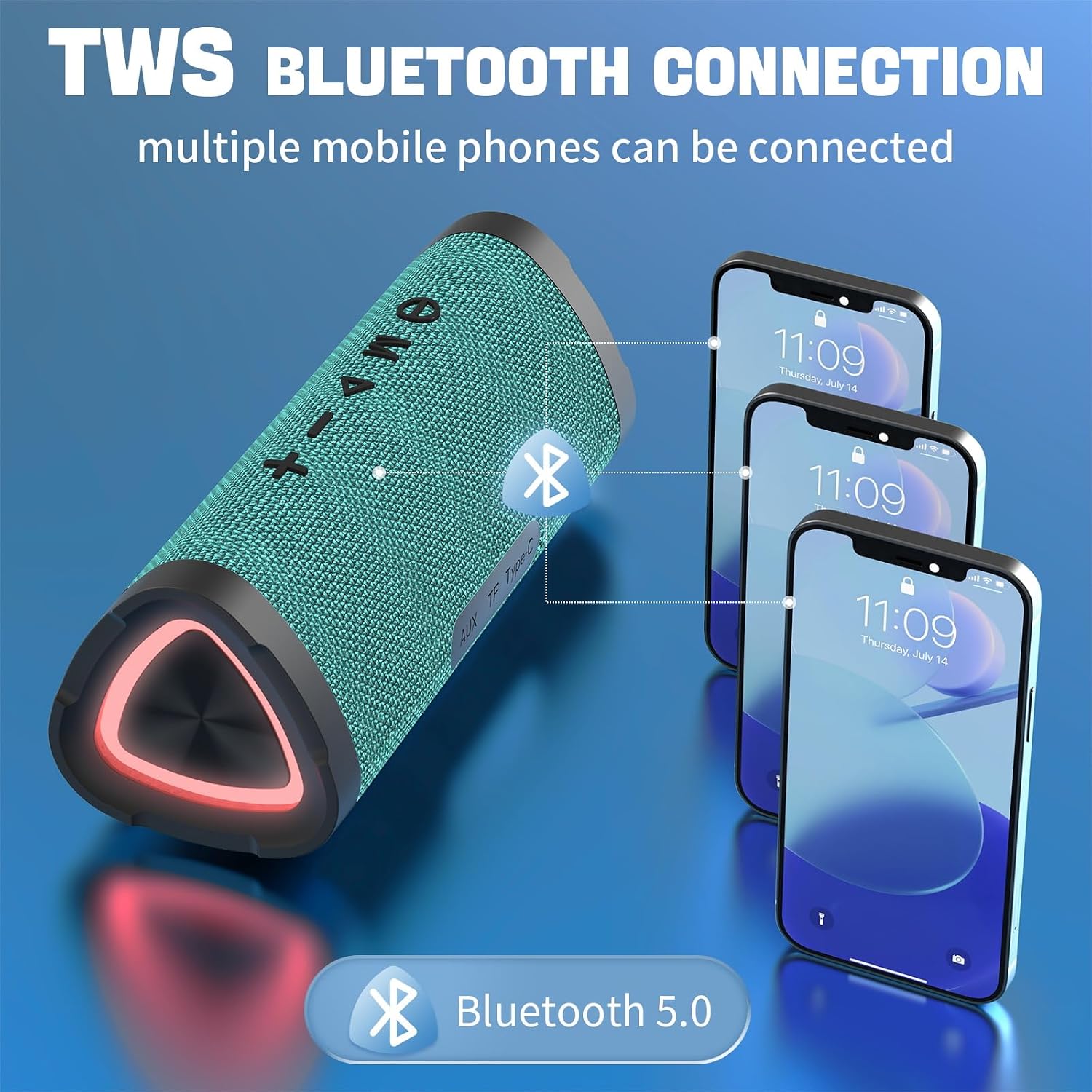
Image: Labeled diagram of the Vanzon V40 speaker's controls and ports.
- Butang Kuasa: Press and hold to power on/off. Short press to switch 3D mode (if applicable).
- Butang Mod (M): Short press to cycle through Bluetooth, TF Card, and AUX input modes.
- Play/Pause Button (►⏸): Short press to play or pause music. Press to answer/end calls.
- Perlahankan suara (-): Tekan pendek untuk mengurangkan kelantangan. Tekan lama untuk pergi ke trek sebelumnya.
- Kelantangan Naik (+): Tekan pendek untuk meningkatkan kelantangan. Tekan lama untuk pergi ke trek seterusnya.
- Charging Interface (Type-C): Connect the provided USB-C cable for charging.
- Pelabuhan Kad TF: Insert a MicroSD (TF) card for direct music playback.
- Aux-in Port: Sambungkan peranti audio luaran menggunakan kabel AUX 3.5mm.
- Rhythmic RGB Light: Integrated lights that respond to music.
- Hanging Buckle: For easy portability and attachment to bags.
5. Persediaan
5.1 Mengecas Speaker
Before first use, fully charge the speaker. Connect the provided USB-C charging cable to the speaker's Type-C port and the other end to a USB power adapter (not included) or a computer's USB port. The charging indicator light will show charging status (refer to LED indicator section in manual for specific light behavior).
5.2 Hidupkan/Mati Kuasa
- Hidupkan kuasa: Press and hold the Power button for approximately 3 seconds until you hear an audible prompt and the indicator light turns on.
- Matikan: Tekan dan tahan butang Kuasa selama lebih kurang 3 saat sehingga anda mendengar gesaan yang boleh didengar dan lampu penunjuk dimatikan.
5.3 Berpasangan Bluetooth
To connect your Vanzon V40 speaker to a Bluetooth-enabled device:
- Ensure the speaker is powered on and in Bluetooth mode. If not, short press the 'M' (Mode) button until you hear the Bluetooth pairing prompt. The indicator light will flash, indicating it's ready for pairing.
- Pada peranti mudah alih anda (telefon pintar, tablet, komputer), dayakan Bluetooth dan cari peranti yang tersedia.
- Select "Vanzon V40" from the list of found devices.
- Once successfully paired, you will hear a confirmation sound, and the indicator light will remain solid.
5.4 Penggandingan Stereo Tanpa Wayar Sebenar (TWS)
To pair two Vanzon V40 speakers for true wireless stereo sound:
- Ensure both Vanzon V40 speakers are powered on and not connected to any other Bluetooth device.
- On one of the speakers (this will be the primary speaker), double-press the Play/Pause button. You will hear a prompt indicating TWS pairing mode.
- Kedua-dua pembesar suara akan mencari dan bersambung secara automatik antara satu sama lain. Sebaik sahaja disambungkan, anda akan mendengar bunyi pengesahan.
- Now, connect your mobile device to the primary speaker via Bluetooth as described in section 5.3. The audio will play through both speakers in stereo.

Image: TWS Bluetooth connection setup for multiple devices.
6. Arahan Operasi
6.1 Penukaran Mod
Short press the 'M' (Mode) button to switch between the following modes:
- Mod Bluetooth: For wireless audio streaming from your paired device.
- Mod Kad TF: Automatically plays music from an inserted MicroSD (TF) card.
- Mod Input AUX: For wired connection to audio devices via the 3.5mm AUX cable.
6.2 Main balik Muzik
- Main/Jeda: Tekan sebentar butang Main/Jeda.
- Kawalan Kelantangan: Tekan butang '+' sebentar untuk meningkatkan kelantangan, tekan butang '-' sebentar untuk mengurangkan kelantangan.
- Lagu Seterusnya: Tekan lama butang '+'.
- Trek Sebelumnya: Tekan lama butang '-'.
6.3 Call Handling (Bluetooth Mode)
- Jawab/Tamatkan Panggilan: Tekan sebentar butang Main/Jeda.
- Tolak Panggilan: Tekan lama butang Main/Jeda.
6.4 Kawalan Cahaya RGB
The Vanzon V40 features rhythmic RGB lights. The lights will automatically activate when the speaker is powered on and playing music. There is no specific button for light control; they are designed to enhance the audio experience dynamically.
7. Penyelenggaraan
- Pembersihan: Gunakan yang lembut, damp kain untuk membersihkan permukaan pembesar suara. Jangan gunakan bahan kimia yang keras atau pembersih yang kasar.
- Penjagaan Kalis Air: Ensure the port cover is securely sealed before exposing the speaker to water to maintain its IPX7 rating. After exposure to water, wipe the speaker dry before charging.
- Storan: Store the speaker in a cool, dry place away from extreme temperatures and direct sunlight. If storing for a long period, charge the battery to about 50% every few months to prolong battery life.
8. Penyelesaian masalah
| Masalah | Kemungkinan Punca | Penyelesaian |
|---|---|---|
| Speaker tidak dihidupkan. | Bateri lemah; Butang kuasa tidak ditekan cukup lama. | Cas pembesar suara; Tekan dan tahan butang Kuasa selama 3 saat. |
| Tidak boleh berpasangan dengan peranti Bluetooth. | Speaker not in pairing mode; Device's Bluetooth is off; Speaker already connected to another device. | Ensure speaker is in Bluetooth pairing mode (flashing indicator); Turn on Bluetooth on your device; Disconnect from other devices. |
| Tiada bunyi atau kelantangan rendah. | Volume too low on speaker or device; Incorrect mode selected; AUX cable not fully inserted. | Increase volume on both speaker and device; Press 'M' button to select correct mode; Re-insert AUX cable firmly. |
| Gandingan TWS gagal. | Pembesar suara terlalu jauh; Satu pembesar suara sudah dipasangkan pada peranti. | Ensure speakers are within close proximity; Disconnect both speakers from any Bluetooth devices before TWS pairing. |
| Kualiti bunyi yang buruk. | Bluetooth interference; Speaker too far from device; Low battery. | Move speaker closer to device; Avoid obstacles; Charge the speaker. |
9. Spesifikasi
- Nama Model: V40
- Jenis pembesar suara: Luar
- Ciri Khas: Mudah alih
- Teknologi Ketersambungan: Bluetooth 5.0
- Julat Tanpa Wayar: Sehingga 66 kaki
- Tahap Rintangan Air: IPX7 Kalis Air
- Kuasa Output Maksimum Pembesar Suara: 24 Watt
- Mod Output Audio: Stereo (with TWS support)
- Kapasiti Bateri: 3600 Miliamp jam
- Hayat Bateri: Sehingga 24 Jam
- Dimensi Produk: 7.87 x 3.27 x 3.23 inci
- Berat Barang: 1.28 paun
10. Waranti dan Sokongan
Vanzon products are manufactured to the highest quality standards. For warranty information or technical support, please refer to the contact details provided on the product packaging or visit the official Vanzon webtapak. Simpan resit pembelian anda sebagai bukti pembelian untuk sebarang tuntutan waranti.


