1. Pengenalan
This manual provides detailed instructions for the Delton 10X Bluetooth Computer Headset. This wireless headset is designed for clear communication and extended use, featuring Bluetooth 5.0 connectivity, a noise-canceling microphone, and a USB dongle for versatile compatibility. Please read this manual thoroughly to ensure proper setup and operation of your device.

Imej 1.1: The Delton 10X Bluetooth Computer Headset and its accompanying USB dongle. This image displays the headset's over-the-head design, single ear cup, adjustable microphone boom, and the compact USB dongle.
2. Kandungan Pakej
Sahkan bahawa semua item terdapat dalam pakej anda:
- Delton 10X Bluetooth Headset
- Dongle USB
- Kabel Pengecasan
- Manual Pengguna (dokumen ini)
3. Ciri-ciri Produk
The Delton 10X headset offers a range of features designed for optimal performance and user comfort:
- Kesambungan Bluetooth 5.0: Memastikan sambungan tanpa wayar yang stabil dan cekap sehingga 30 kaki.
- Mikrofon Pembatalan Bunyi: Reduces background noise for clear voice transmission.
- 270° Rotatable Microphone: Allows for flexible positioning and use on either ear.
- Jangka Hayat Bateri: Up to 15 hours talk time, 18 hours play time, and 160 hours standby time.
- Pengecasan Pantas: Mengecas penuh dalam masa lebih kurang 1.5 jam.
- Adjustable Headband & Plush Ear Cushion: Provides comfort for prolonged wear.
- Ear Gripper T-Pad: Ensures secure fit during movement.
- Keserasian Universal: Works with smartphones, tablets, desktop PCs, laptops, and supports iOS and Windows platforms.

Imej 3.1: A visual summary of the Delton 10X headset's key features, including 15 hours talk time, Bluetooth 5.0, adjustable headband, high fidelity sound, noise-canceling mic, rotatable mic, long battery backup, voice assistant support, and plush cushions.
3.1 Prestasi Bateri
The Delton 10X headset is equipped with a long-lasting battery to support your daily communication needs.
- Masa Berbual: Sehingga 15 jam
- Masa Main: Sehingga 18 jam
- Masa Siap sedia: Sehingga 160 jam
- Masa Pengecasan: Lebih kurang 1.5 jam
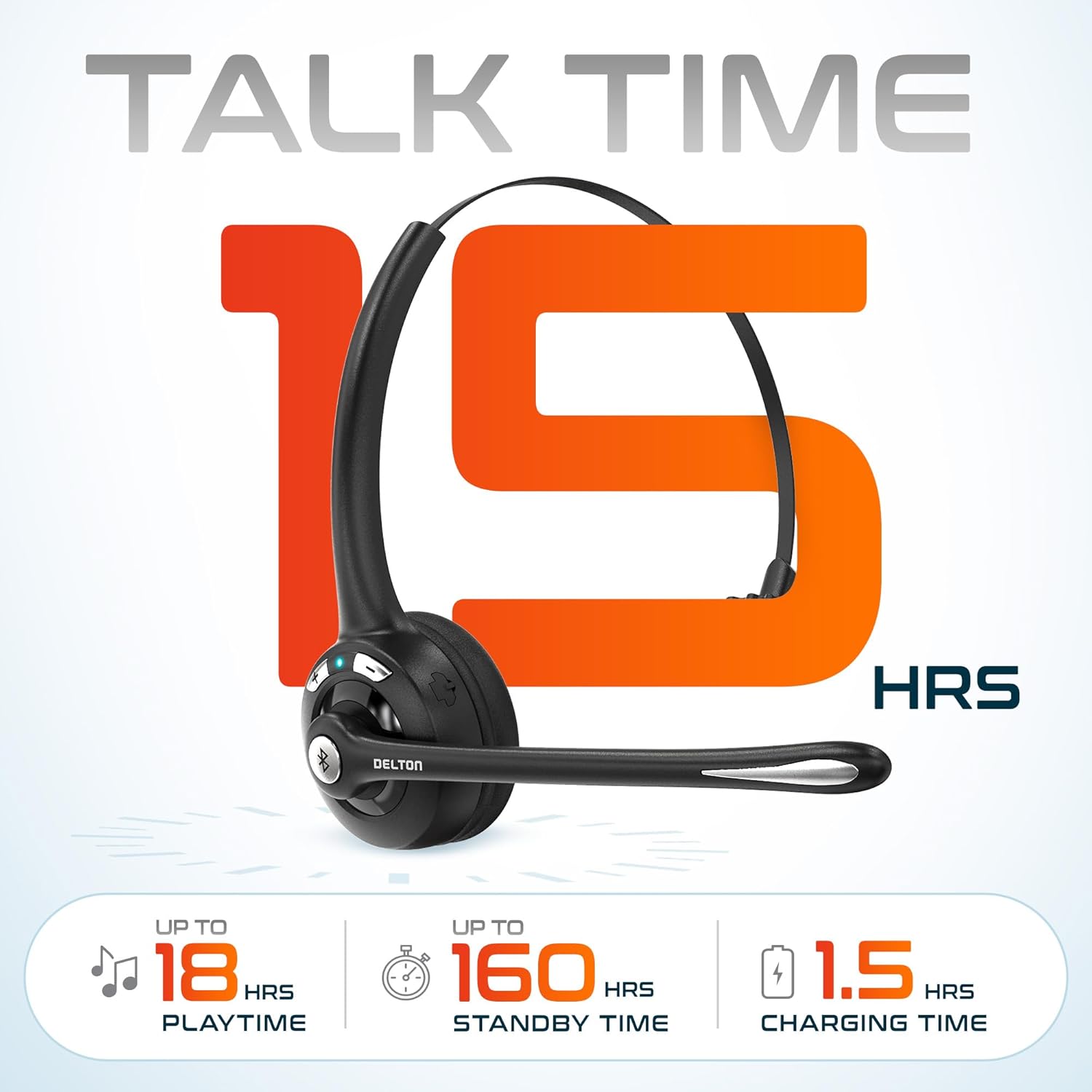
Imej 3.2: An infographic detailing the battery performance of the Delton 10X headset, highlighting 15 hours of talk time, 18 hours of play time, 160 hours of standby time, and a 1.5-hour charging time.
3.2 Advanced Technology
The headset incorporates an advanced chipset for seamless connectivity and improved power efficiency.

Imej 3.3: Satu jarak dekat view of the headset's internal components, illustrating the advanced Bluetooth 5.0 chipset. This image emphasizes the technology that reduces outside noise, improves power efficiency, and provides seamless connectivity up to 30 feet.
4. Persediaan
4.1 Mengecas Alat Dengar
- Connect the provided charging cable to the charging port on the headset.
- Plug the other end of the cable into a USB power source (e.g., computer USB port, wall adapter).
- Penunjuk LED akan menunjukkan status pengecasan. Pengecasan penuh mengambil masa kira-kira 1.5 jam.
4.2 Hidupkan/Mati Kuasa
- Untuk Menghidupkan: Press and hold the Multi-Function Button (MFB) until the LED indicator flashes blue.
- Untuk Mematikan: Press and hold the MFB until the LED indicator flashes red and then turns off.
4.3 Bluetooth Pairing (Direct)
To connect the headset directly to a Bluetooth-enabled device (e.g., smartphone, tablet):
- Pastikan alat dengar dimatikan.
- Press and hold the MFB for approximately 5-7 seconds until the LED indicator flashes red and blue alternately, indicating pairing mode.
- Pada peranti anda, dayakan Bluetooth dan cari peranti yang tersedia.
- Select "Delton 10X" from the list of found devices.
- Setelah disambungkan, penunjuk LED pada set kepala akan berkelip biru perlahan-lahan.
4.4 USB Dongle Connection
For computers without native Bluetooth or for a more stable connection, use the included USB dongle. The dongle provides instant auto-pairing.
- Plug the USB dongle into an available USB port on your computer. The dongle's LED will blink.
- Power on your Delton 10X headset.
- The headset and dongle will automatically pair. The dongle's LED will turn solid blue, and the headset's LED will flash blue slowly once connected.
- Ensure the Delton 10X is selected as the audio input and output device in your computer's sound settings.

Imej 4.1: A visual representation of the USB dongle being inserted into a laptop's USB port. The image highlights the 'Auto-Pair USB Dongle' feature and 'Plug & Play' functionality, indicating no driver installation is required.
4.5 Keserasian
The Delton 10X headset is designed for broad compatibility:
- Peranti: Smartphones, Tablets, Desktop PCs, Laptops.
- Sistem Operasi: iOS, Windows, Linux, Mac.
- Permohonan: MS Teams, Zoom, Google Meet, Slack, Skype.

Imej 4.2: Persembahan ilustrasicasing the wide compatibility of the Delton 10X headset with various devices, including phones, tablets, iOS & Windows laptops, and desktop computers/iMacs. This emphasizes its versatility across different platforms.
5. Arahan Operasi
5.1 Kawalan Alat dengar
Alat dengar ini mempunyai kawalan intuitif untuk mengurus panggilan dan main balik audio:
- Butang Berbilang Fungsi (MFB):
- Press once to Answer/End Call.
- Press and hold for 2 seconds to Redial.
- Tekan sekali untuk Main/Jeda muzik.
- Butang Naik Kelantangan (+):
- Tekan sekali untuk meningkatkan kelantangan.
- Press and hold for 2 seconds for Next Track.
- Butang Turun Kelantangan (-):
- Tekan sekali untuk mengurangkan kelantangan.
- Press and hold for 2 seconds for Previous Track.

Imej 5.1: A detailed diagram of the Delton 10X headset's controls, showing the Volume Down (-), Volume Up (+), and Multi-Function Button (MFB) with their respective functions for call management, track control, and power.
5.2 Penggunaan Mikrofon
The microphone is designed for clear voice pickup and can be adjusted for optimal positioning.
- Melaraskan Mikrofon: The microphone boom can rotate 270 degrees. Position the microphone approximately 1-2 inches from your mouth for best voice clarity.
- Pembatalan Bunyi: The integrated noise-canceling technology helps filter out ambient sounds, ensuring your voice is heard clearly by others.
5.3 Memakai Alat dengar
The Delton 10X headset is designed for comfort and can be worn on either ear.
- Destar boleh laras: Panjangkan atau tarik balik ikat kepala agar muat dengan saiz kepala anda dengan selesa.
- Ear Gripper T-Pad: This feature helps secure the headset in place.
- Left or Right Ear: Rotate the microphone boom to position the ear cup on your preferred ear.

Imej 5.2: An image illustrating the comfort and adjustability features of the Delton 10X headset. It shows the adjustable headband, the Ear Gripper T-Pad, the plush ear cushion, and the 270° rotation of the flexible microphone, demonstrating its usability on both left and right ears.
6. Penyelenggaraan
Penyelenggaraan yang betul memastikan ketahanan dan prestasi optimum alat dengar anda.
- Pembersihan: Gunakan kain lembut dan kering untuk membersihkan alat dengar. Untuk kusyen telinga, sedikitamp cloth can be used, but ensure they are completely dry before use. Avoid harsh chemicals or abrasive materials.
- Storan: Simpan alat dengar di tempat yang sejuk dan kering jauh dari cahaya matahari langsung dan suhu yang melampau.
- Penjagaan Bateri: Untuk memanjangkan hayat bateri, elakkan daripada menyahcas sepenuhnya set kepala dengan kerap. Mengecasnya dengan kerap, walaupun tidak digunakan untuk tempoh yang lama.
- Elakkan Air: Alat dengar tidak kalis air. Elakkan pendedahan kepada cecair.
7. Penyelesaian masalah
If you encounter issues with your Delton 10X headset, refer to the following common solutions:
| Masalah | Kemungkinan Punca | Penyelesaian |
|---|---|---|
| Alat dengar tidak dihidupkan. | Caj bateri rendah atau tiada. | Cas set kepala selama sekurang-kurangnya 1.5 jam. |
| Tidak boleh berpasangan dengan peranti. | Fon kepala tidak dalam mod berpasangan; Bluetooth dimatikan pada peranti; peranti terlalu jauh. | Ensure headset is in pairing mode (flashing red/blue). Turn on device Bluetooth. Move headset closer to device (within 30 feet). Try using the USB dongle. |
| Poor microphone audio quality (others cannot hear me clearly). | Microphone position; computer audio settings; environmental noise. | Adjust the microphone closer to your mouth (1-2 inches). Check your computer's sound settings to ensure the Delton 10X is selected as the input device and microphone volume is adequate. Ensure the noise-canceling mic is facing the correct direction. |
| No sound or low sound from headset. | Headset volume too low; device volume too low; incorrect audio output device. | Increase headset volume using the '+' button. Increase volume on your connected device. Verify that the Delton 10X is selected as the audio output device in your computer's sound settings. |
| Sambungan sering terputus. | Out of range; interference. | Ensure you are within 30 feet of the connected device or USB dongle. Minimize obstacles between the headset and device. |
8. Spesifikasi
Detailed technical specifications for the Delton 10X Bluetooth Computer Headset:
| Ciri | Spesifikasi |
|---|---|
| Nama Model | 10X Monoaural Headset + Dongle |
| Teknologi Ketersambungan | Wayarles (Bluetooth 5.0) |
| Julat Bluetooth | Sehingga 30 kaki |
| Kawalan Bunyi | Sound Isolation (Noise-Canceling Mic) |
| Respons Kekerapan | 20 Hz - 20,000 Hz |
| Hayat Bateri (Masa Berbual) | Sehingga 15 Jam |
| Battery Life (Play Time) | Sehingga 18 Jam |
| Hayat Bateri (Bersedia) | Sehingga 160 Jam |
| Masa Mengecas | 1.5 Jam |
| Jack Fon Kepala | USB (untuk mengecas) |
| Jenis Kawalan | Call Control, Volume Control, Track Control |
| Berat Barang | 1.5 auns |
| Dimensi Produk | 6 x 6 x 2 inci |
| bahan | plastik |
| Penempatan Telinga | Over Ear (Monoaural) |
9. Waranti dan Sokongan
For warranty information or technical assistance, please contact Delton customer support. Details can typically be found on the official Delton website or through your purchase documentation. Please retain your proof of purchase for warranty claims.


