pengenalan
Terima kasih kerana membeliasing the SEMIER Retro Cassette Player Recorder Boombox. This versatile device allows you to enjoy your favorite cassette tapes, record audio, and listen to AM/FM radio. Designed for ease of use and portability, it offers both AC and battery power options, making it suitable for various environments. Please read this manual carefully to ensure proper operation and to maximize your enjoyment of this product.
Produk Selesaiview
The SEMIER Retro Cassette Player Recorder Boombox combines classic audio functionality with modern convenience. Below are the main components and features of your device.
Ciri-ciri Utama:
- Versatile Audio Playback: Play your collected cassette tapes and record external voice or radio directly to cassette using the built-in microphone.
- Superior AM/FM Reception: Equipped with a long antenna and an upgraded DSP chip for clear and reliable reception across AM (520-1710 kHz) and FM (87-108 MHz) frequencies.
- Powerful Sound Quality: Features a robust 6W speaker for excellent sound, plus a 3.5mm headphone jack for private listening.
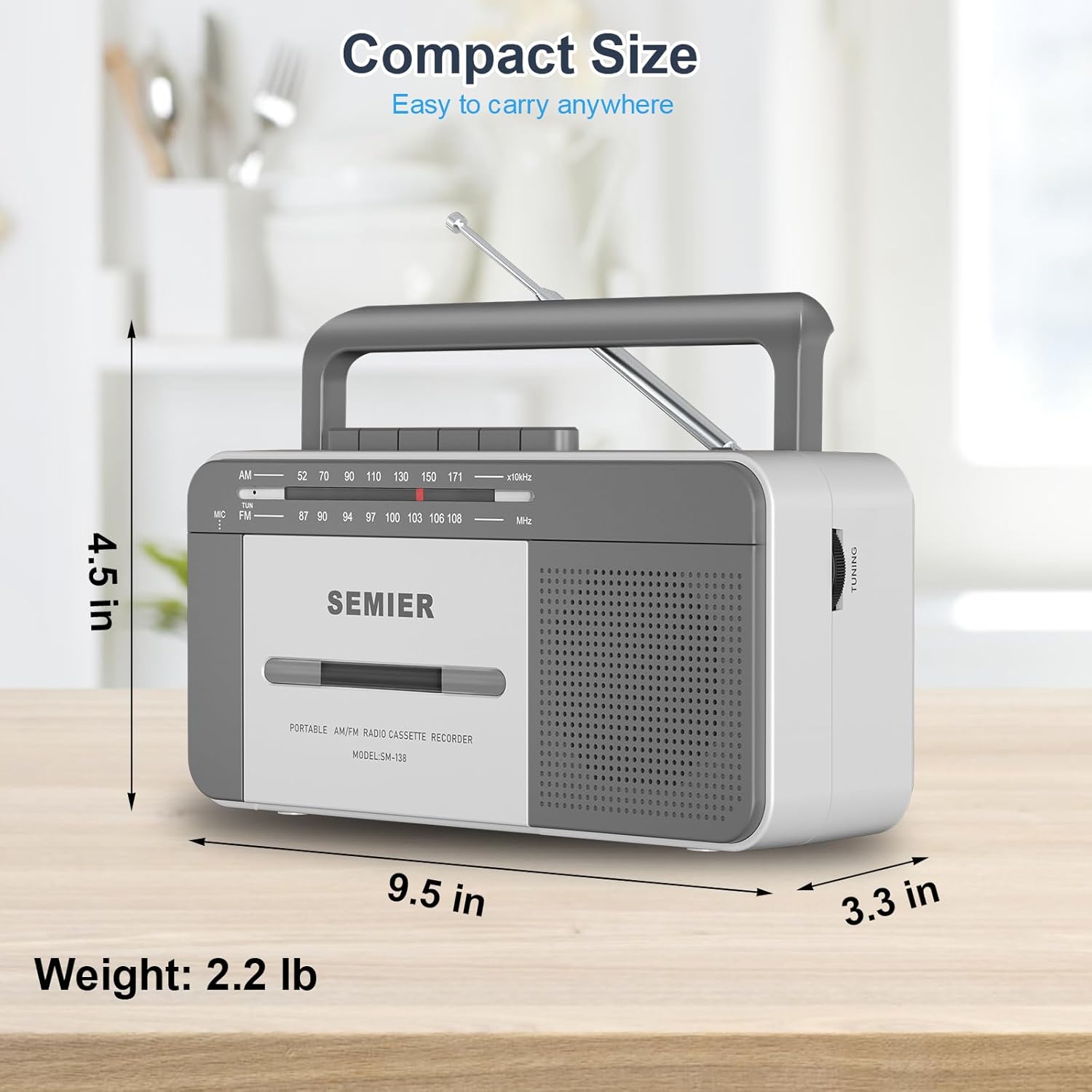
- Portable and Convenient Design: Compact size (9.5 x 3.3 x 4.5 inches, 2.2 lbs) with a portable handle for easy transport.
- Pilihan Kuasa Fleksibel: Can be powered via AC plug-in (cord included) or 4 C batteries (not included).
- Pembinaan Tahan Lama: Made from premium ABS material with large, user-friendly control buttons.
Komponen dan Kawalan:
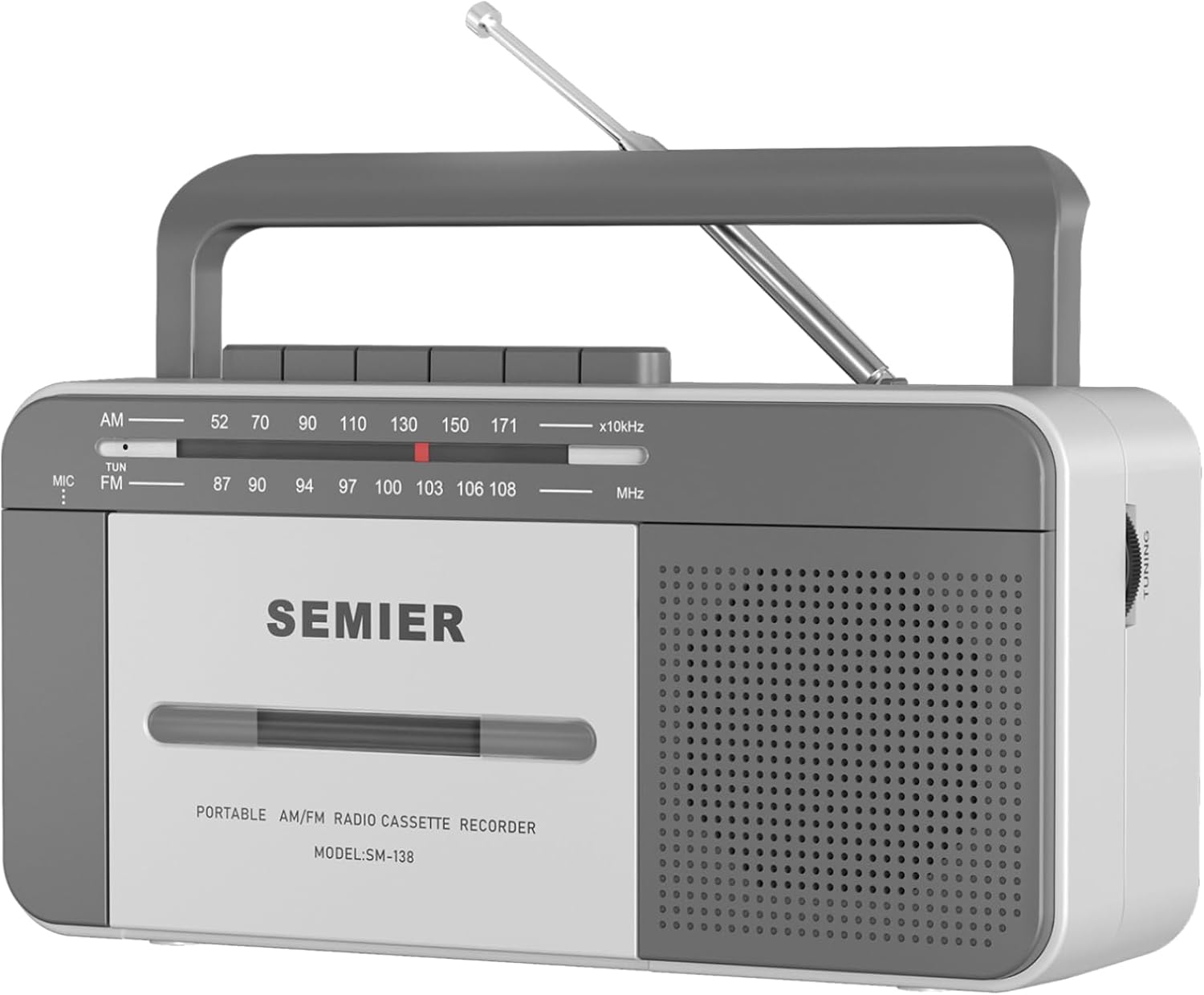
Depan View: Shows the cassette deck, speaker grille, AM/FM tuning dial, and main control buttons (Play, Stop/Eject, Fast Forward, Rewind, Record, Pause).

sebelah View with Earphone Jack: Illustrates the 3.5mm earphone jack for private listening, located on the side of the unit.

Antena: The telescopic antenna extends for improved AM/FM radio reception.
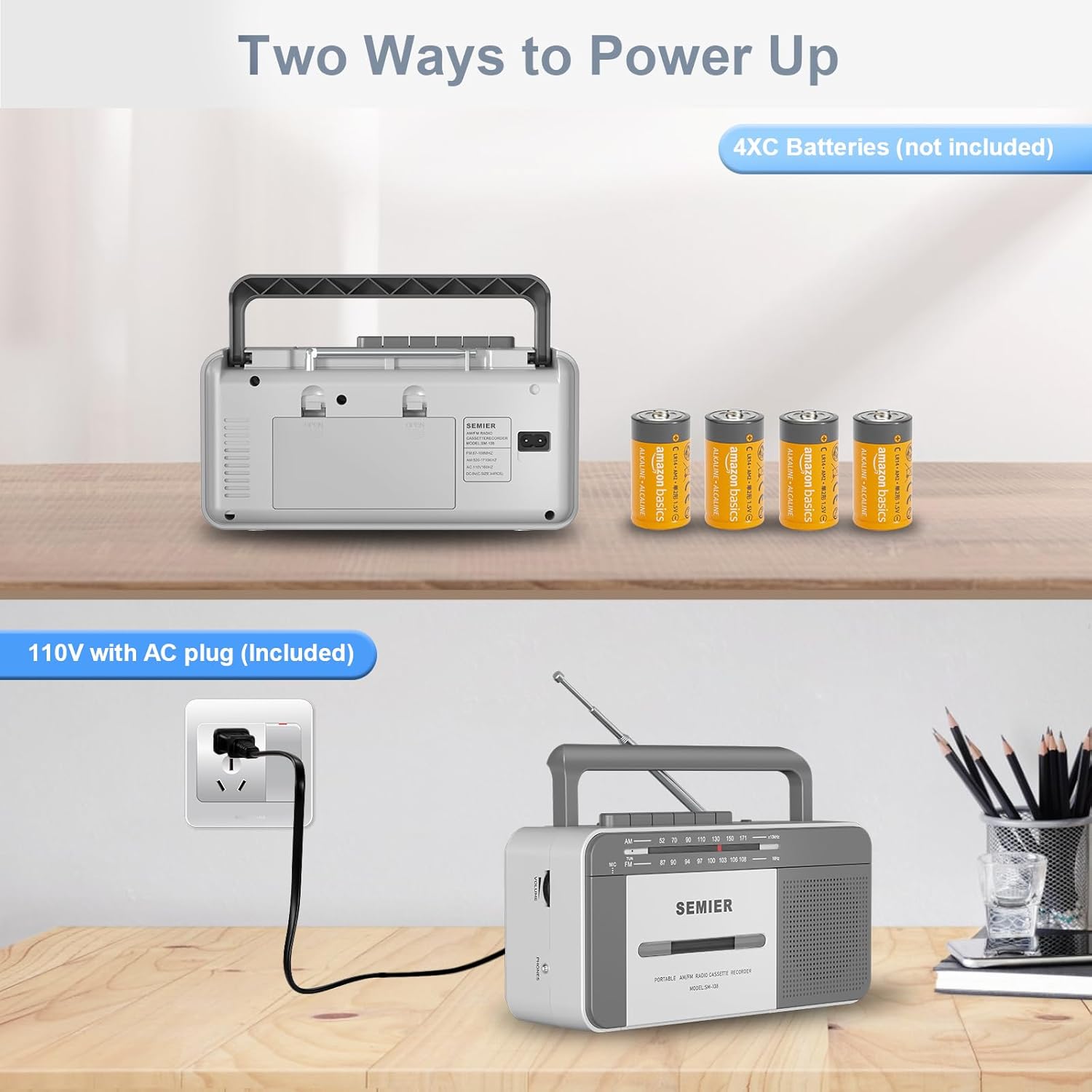
Pilihan Kuasa: belakang view showing the AC power input and the battery compartment for 4 C batteries.
Persediaan
Menguasakan Peranti Anda:
Your boombox offers two power options:
- Kuasa AC:
- Locate the included AC power cord.
- Insert one end of the cord into the AC input jack on the back of the boombox.
- Plug the other end into a standard 110V AC wall outlet.

Connect the AC cord to the boombox and a wall outlet for continuous power.
- Kuasa Bateri:
- Buka penutup petak bateri di bahagian belakang unit.
- Insert 4 "C" size batteries (not included), ensuring correct polarity (+/-) as indicated inside the compartment.
- Tutup penutup petak bateri dengan selamat.
Insert 4 C batteries into the designated compartment for portable use.
Note: When using AC power, batteries are automatically disconnected. Remove batteries if the unit will not be used for an extended period to prevent leakage.
Arahan Operasi
Main Semula Kaset:
- Tekan ke BERHENTI/EJECT butang untuk membuka pintu petak kaset.
- Insert a cassette tape with the open edge facing upwards and the side you wish to play facing you. Gently push the tape until it clicks into place.
- Tutup pintu petak kaset.
- Tetapkan suis fungsi ke PITA.
- Tekan ke BERMAIN butang untuk memulakan main balik.
- Laraskan JILID tombol ke tahap pendengaran yang anda inginkan.
- Untuk ke hadapan pantas, tekan butang F.FWD button. To rewind, press the REW butang. Tekan BERMAIN to resume playback or BERHENTI/EJECT untuk berhenti.
- Untuk menjeda main balik, tekan butang JEDA butang. Tekan sekali lagi untuk menyambung semula.
- Untuk menghentikan main balik, tekan BERHENTI/EJECT butang.
The large, clearly labeled buttons make operation simple and intuitive.
Cassette Recording:
You can record audio from the built-in microphone or from the AM/FM radio.
- Masukkan pita kaset kosong ke dalam petak.
- To record from the built-in microphone:
- Tetapkan suis fungsi ke PITA.
- Tekan ke REKOD button (this will also engage the PLAY button).
- Speak clearly into the built-in microphone located on the front of the unit.

Record external audio directly to cassette using the integrated microphone.
- To record from AM/FM Radio:
- Tetapkan suis fungsi ke RADIO.
- Tune to your desired AM or FM radio station (see Radio Operation below).
- Tekan ke REKOD button (this will also engage the PLAY button). The radio broadcast will now be recorded onto the cassette.
- Untuk berhenti merakam, tekan BERHENTI/EJECT butang.
Operasi Radio:
- Panjangkan antena teleskopik untuk penerimaan optimum.
- Tetapkan suis fungsi ke RADIO.
- Pilih sama ada AM or FM band using the band selector switch.
- Putar MENALA knob to find your desired radio station. The tuning dial will indicate the frequency.
- Laraskan JILID tombol ke tahap pendengaran pilihan anda.
- For best FM reception, adjust the position and length of the telescopic antenna. For AM reception, rotate the unit itself for optimal signal.

The long antenna ensures superior AM/FM reception for clear audio.
Menggunakan Bicu Fon Telinga:
- Plug any standard 3.5mm stereo headphones (not included) into the JACK EARPHONE terletak di sisi unit.
- The built-in speaker will automatically mute when headphones are connected, allowing for private listening.
Enjoy private listening by connecting your headphones to the 3.5mm earphone jack.
Penyelenggaraan
- Membersihkan Unit: Gunakan kain lembut dan kering untuk membersihkan bahagian luar boombox. Jangan gunakan pembersih atau pelarut yang kasar.
- Membersihkan Kepala Kaset: Periodically clean the tape head, pinch roller, and capstan using a cotton swab lightly dampdilarutkan dengan alkohol isopropil. Ini membantu mengekalkan kualiti bunyi dan mencegah kerosakan pita.
- Penjagaan Bateri: If the unit will not be used for an extended period, remove the batteries to prevent corrosion and leakage.
- Storan: Simpan unit di tempat yang sejuk dan kering jauh dari cahaya matahari langsung dan suhu yang melampau.
Menyelesaikan masalah
| Masalah | Kemungkinan Punca | Penyelesaian |
|---|---|---|
| Tiada kuasa | AC cord not properly connected; Batteries are dead or inserted incorrectly. | Ensure AC cord is securely plugged in. Replace batteries with new ones, checking polarity. |
| Tiada bunyi dari pembesar suara | Volume too low; Headphones plugged in; Function switch set incorrectly. | Increase volume. Disconnect headphones. Set function switch to TAPE or RADIO. |
| Penerimaan radio yang lemah | Antena tidak dipanjangkan atau diletakkan dengan betul; Kawasan isyarat lemah. | Fully extend and adjust the telescopic antenna. For AM, rotate the unit. Try moving to a different location. |
| Cassette tape not playing or "eating" tape | Tape head/pinch roller dirty; Old or damaged tape; Tape not inserted correctly. | Clean tape head and pinch roller with isopropyl alcohol. Try a different tape. Ensure tape is fully inserted and compartment is closed. For old tapes, fast forward and rewind completely before playing to loosen the tape. |
| Rakaman tidak berfungsi | Tape is write-protected; Microphone blocked; Function switch not set to TAPE or RADIO. | Check the write-protect tab on the cassette. Ensure microphone is clear. Set function switch correctly. |
Spesifikasi
- model: SM-138
- Jenama: SEMIER
- Dimensi Produk: 9.5 x 3.3 x 4.5 inci (L x P x H)
- Berat Barang: 2.2 paun
- Output pembesar suara: 6W
- Frekuensi Radio: AM 520-1710 kHz, FM 87-108 MHz
- Ketersambungan: 3.5mm Earphone Jack, Auxiliary
- Sumber Kuasa: AC 110V (cord included) or 4 x "C" Batteries (not included)
- Bahan: Premium ABS
- warna: Putih, Kelabu
Reka bentuk padat dan ringan untuk mudah dibawa.
Waranti dan Sokongan
SEMIER is committed to providing high-quality products and excellent customer service. While specific warranty terms are not detailed in this manual, we offer peace of mind with our dedicated customer support.
- For any questions, technical assistance, or support needs, please contact SEMIER customer service.
- Sila simpan resit pembelian anda sebagai bukti pembelian untuk sebarang tuntutan waranti.


