pengenalan
The Yamaha THR30IIA Wireless Acoustic Desktop Amplifier is designed to provide realistic tube-amp tones and feel for acoustic-electric guitars, along with microphone models and flat voicings for various instruments. This 30-watt amplifier offers wireless connectivity, a built-in rechargeable battery, and stereo line outputs for versatile use. This manual provides essential information for setting up, operating, and maintaining your THR30IIA amplebih hidup.

Ciri-ciri
- 30-watt stereo desktop amplifier with two 3.5" (9cm) speakers.
- 3 Authentic-sounding mic models, plus nylon-string and flat modes.
- Professional-quality microphone preamp with XLR input.
- Built-in wireless receiver compatible with optional Line 6 Relay G10T transmitter.
- Bateri boleh dicas semula terbina dalam untuk kegunaan mudah alih.
Persediaan
Menghidupkan
Connect the included power adapter to the DC IN jack on the rear panel and plug it into an AC outlet. Alternatively, the built-in rechargeable battery allows for portable operation. Press and hold the power button on the top panel to turn the unit on or off.
Connecting Your Instrument
For acoustic-electric guitars, connect a standard 1/4" instrument cable to the GUITAR input jack on the top panel. For microphones, use an XLR cable to connect to the MIC/INST input. This input also supports instruments with a 1/4" jack.

Kesambungan Wayarles
The THR30IIA features a built-in wireless receiver compatible with the optional Line 6 Relay G10T transmitter. Simply plug the G10T into the GUITAR input to charge and pair for wireless instrument connection. For audio playback from smart devices, activate Bluetooth on your device and pair with the THR30IIA.
Pemasangan Perisian
Download the THR Remote Editor application for desktop or mobile devices to access advanced editing features and deeper control over the amplifier's settings. The amplifier also includes Cubase AI & Cubasis LE from Steinberg for recording and production.
Arahan Operasi
Pemilihan Nada
Use the TONE SELECT knob to choose between different amplifier models: FLAT, NYLON-STR, TUBE, DYNAMIC, and CONDENSER. Each setting is optimized for specific instrument types or microphone characteristics.
Effects and Reverb
Adjust the EFFECT and REVERB knobs to apply built-in digital effects and reverb to your sound. Further customization of these effects is available via the THR Remote Editor app.
Kawalan Kelantangan
Separate VOLUME knobs are provided for the GUITAR and MIC/INST inputs, allowing independent level adjustment. The overall output volume can be controlled by the master VOLUME knob.
Sambungan Panel Belakang
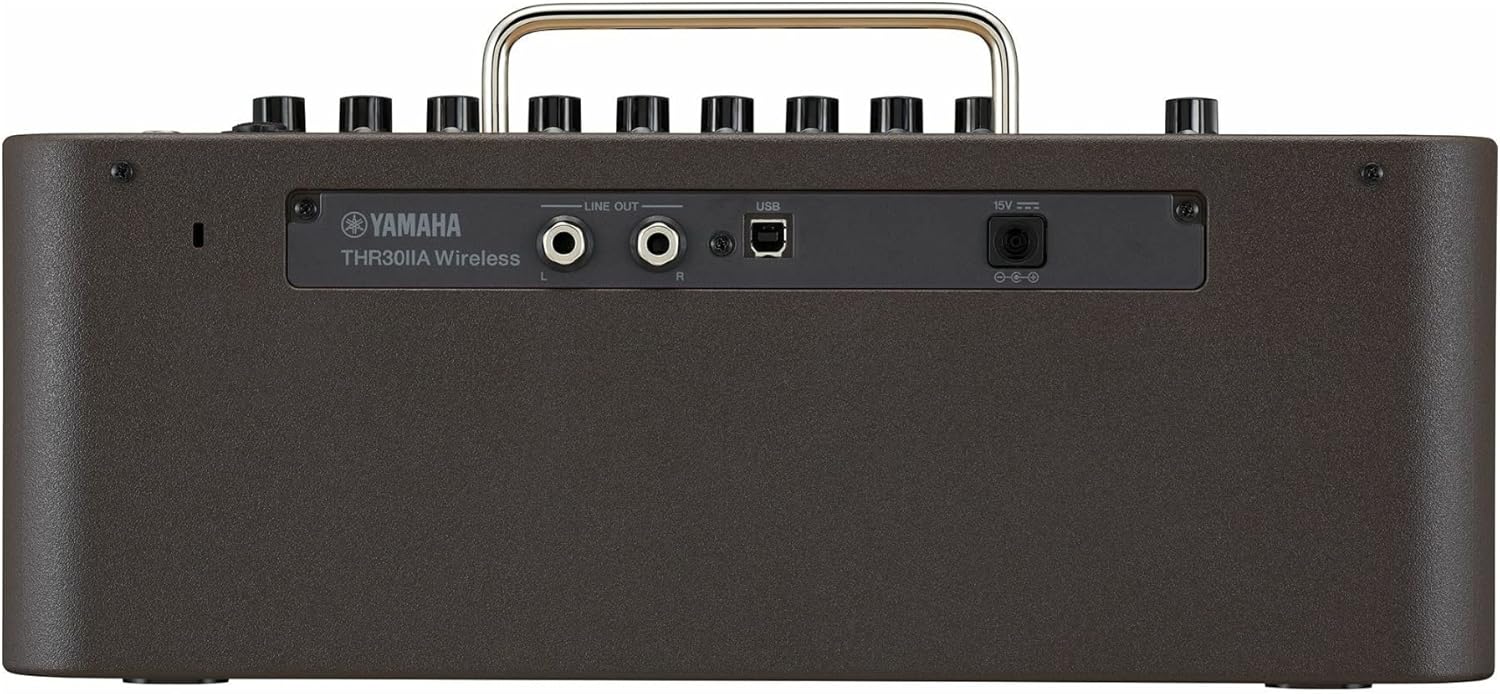
The rear panel includes LINE OUT (L/R) jacks for connecting to a PA system or recording interface, a USB port for computer connectivity (audio interface and THR Remote Editor), and the DC IN jack for power.
Video Tamatview
Penyelenggaraan
To ensure the longevity and optimal performance of your THR30IIA amplifier, ikut garis panduan penyelenggaraan ini:
- Pembersihan: Gunakan kain lembut dan kering untuk mengelap bahagian luar amplifier. Avoid using abrasive cleaners, solvents, or waxes, as these can damage the finish.
- Storan: Simpan amppenyangga di tempat yang sejuk dan kering jauh dari cahaya matahari langsung, suhu yang melampau dan kelembapan yang tinggi.
- Penjagaan Bateri: For models with a built-in rechargeable battery, ensure regular charging to maintain battery health, even if not used frequently. Avoid completely draining the battery for extended periods.
- Sambungan: Periodically check all cables and connections for wear and tear. Ensure they are securely plugged in during use.
Menyelesaikan masalah
If you encounter issues with your THR30IIA amplifier, pertimbangkan langkah penyelesaian masalah biasa berikut:
- Tiada Kuasa: Ensure the power adapter is securely connected and the outlet is functional. If using battery power, check if the battery is charged.
- Tiada Bunyi: Verify that your instrument or microphone is properly connected and the volume knobs (GUITAR, MIC/INST, Master) are turned up. Check the cable connections.
- Wireless Issues: Ensure the Line 6 Relay G10T transmitter is charged and properly paired with the amplifier. Check for interference from other wireless devices.
- Masalah Ketersambungan Apl: Ensure Bluetooth is enabled on your device and the THR Remote Editor app is updated to the latest version. Restart both the amplifier and your device if connection issues persist.
- Bunyi Herot: Reduce the input gain or volume levels on both your instrument/microphone and the amppemanas. Periksa kabel yang rosak.
If these steps do not resolve the issue, please contact Yamaha customer support for further assistance.
Spesifikasi
| Ciri | Perincian |
|---|---|
| Output Wattage | 30 Watt |
| Berat Barang | 1 paun |
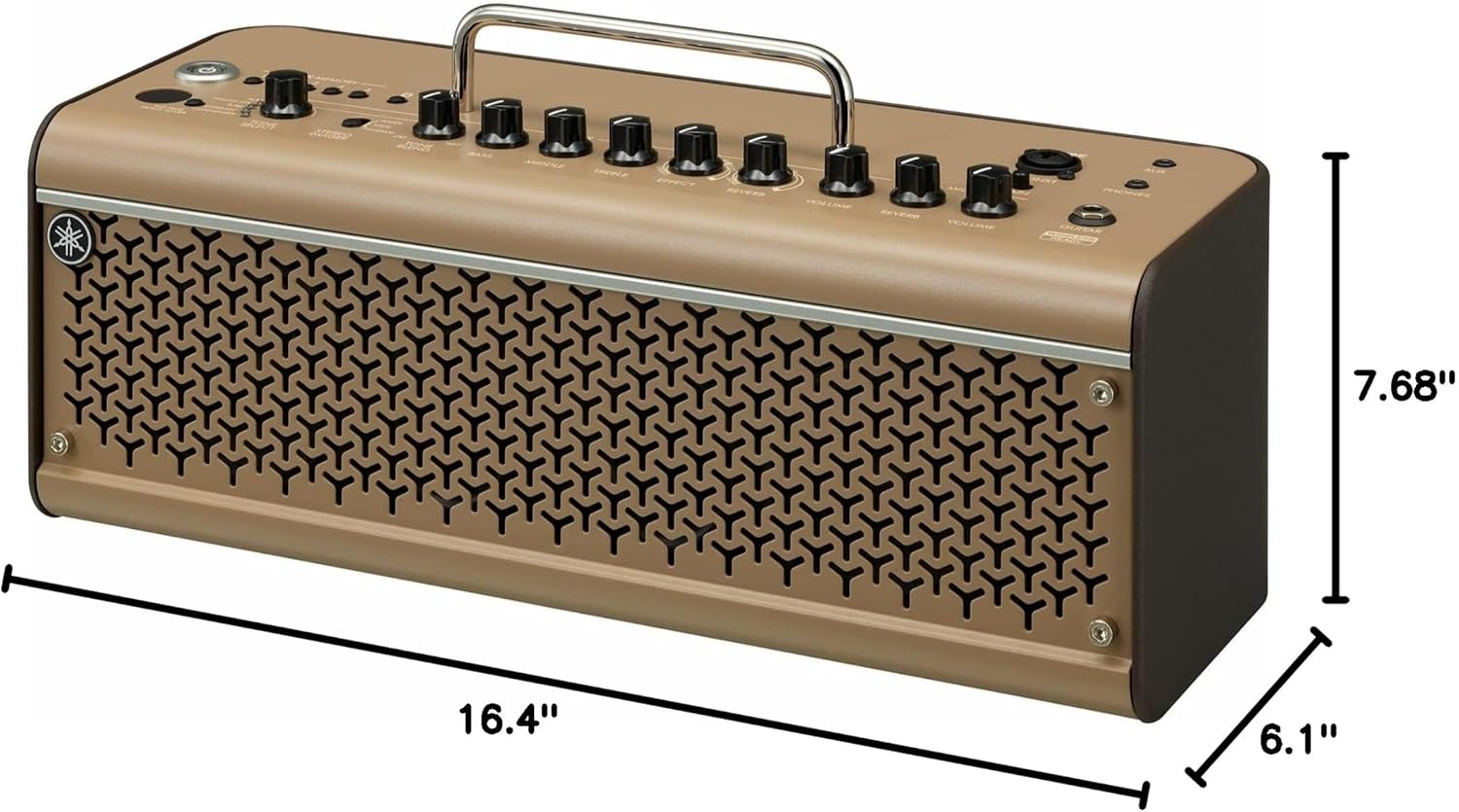
| Dimensi Produk | 16.4 x 6.1 x 7.68 inci |
| Peranti Serasi | Gitar |
| Jenis Penyambung | Tanpa wayar |
| Sumber Kuasa | Dikuasakan Bateri |
| Jenis Bahan | Bateri |
| Tarikh Mula-mula Tersedia | 28 Oktober 2020 |
Apa yang ada dalam Kotak
Selepas membuka pakej, anda harus mencari item berikut:
- Yamaha THR30IIA Wireless Acoustic Desktop Amplebih hidup
- Penyesuai Kuasa
- Manual Pemilik (dokumen ini)
Waranti dan Sokongan
Untuk maklumat lanjut mengenai jaminan produk, sila rujuk kad jaminan yang disertakan dengan pembelian anda atau lawati laman web rasmi Yamaha. website. For technical support, troubleshooting assistance beyond this manual, or service inquiries, please contact Yamaha customer support through their official channels.
Anda boleh mendapatkan sumber tambahan dan maklumat hubungan di Yamaha official webtapak.


