pengenalan
This manual provides comprehensive instructions for the setup, operation, and maintenance of your ROCCAT Burst Core Gaming Mouse. Designed for performance and precision, the Burst Core features an extreme lightweight design, an 8,500 DPI optical sensor, and durable construction. Please read this manual thoroughly to ensure optimal use and longevity of your device.
Produk Selesaiview
The ROCCAT Burst Core is an extreme lightweight optical gaming mouse engineered for core performance. It features a symmetrical ergonomic shape, a solid honeycomb shell, and ROCCAT's Titan Switch Optical technology.
- Symmetrical Ergonomic Shape: Crafted for comfort and performance.
- Reka bentuk ringan: Weighs only 68g due to its solid honeycomb shell.
- Titan Switch Optical: Provides a mechanical feel with optical speed for rapid, precise clicks.
- PTFE Mouse Feet: Ensures exceptional glide across various surfaces.
- 8,500 DPI Optical Sensor: Based on the PixArt PMW3330 sensor for high precision tracking.

Imej 1: Depan-kanan view of the ROCCAT Burst Core Gaming Mouse, showcasing its ergonomic design and scroll wheel.
Persediaan
1. Menyambung Tetikus
- Cari port USB yang tersedia pada komputer anda.
- Plug the USB connector of the ROCCAT Burst Core mouse into the USB port.
- Your operating system (Windows 7, Windows XP, Linux, or newer versions) should automatically detect and install the necessary drivers.
2. Software Installation (ROCCAT Swarm)
For advanced customization options, including DPI control, button assignments, scroll speed, click speed, and RGB lighting effects, it is recommended to install the ROCCAT Swarm software.
- Lawati ROCCAT rasmi webtapak (www.roccat.com/pages/swarm) to download the latest version of ROCCAT Swarm.
- Ikut arahan pada skrin untuk menyelesaikan pemasangan.
- Once installed, launch ROCCAT Swarm to configure your mouse settings.

Imej 2: Atas view of the ROCCAT Burst Core, highlighting the main buttons, scroll wheel, and DPI button.
Arahan Operasi
Fungsi Asas
- Klik Kiri: Tindakan utama, pemilihan.
- Klik kanan: Secondary action, context menu.
- Roda Tatal: Scroll up/down, middle click for universal scrolling or assigned function.
- Butang DPI: Cycles through preset DPI (Dots Per Inch) sensitivity levels. Default settings can be customized via ROCCAT Swarm.
- Butang Sisi: Typically assigned as 'Forward' and 'Back' in web pelayar dan file explorers. Customizable via ROCCAT Swarm.
Advanced Customization with ROCCAT Swarm
The ROCCAT Swarm software allows you to personalize your mouse experience.
- Tetapan DPI: Adjust DPI steps and values to match your preference.
- Tugasan Butang: Reassign functions to any of the mouse buttons, including macros.
- Kadar Pengundian: Configure the mouse's reporting rate to the computer.
- Pencahayaan RGB: Customize the illumination effects and colors of the scroll wheel.
- Profiles: Cipta dan simpan berbilang profiles untuk permainan atau aplikasi yang berbeza.
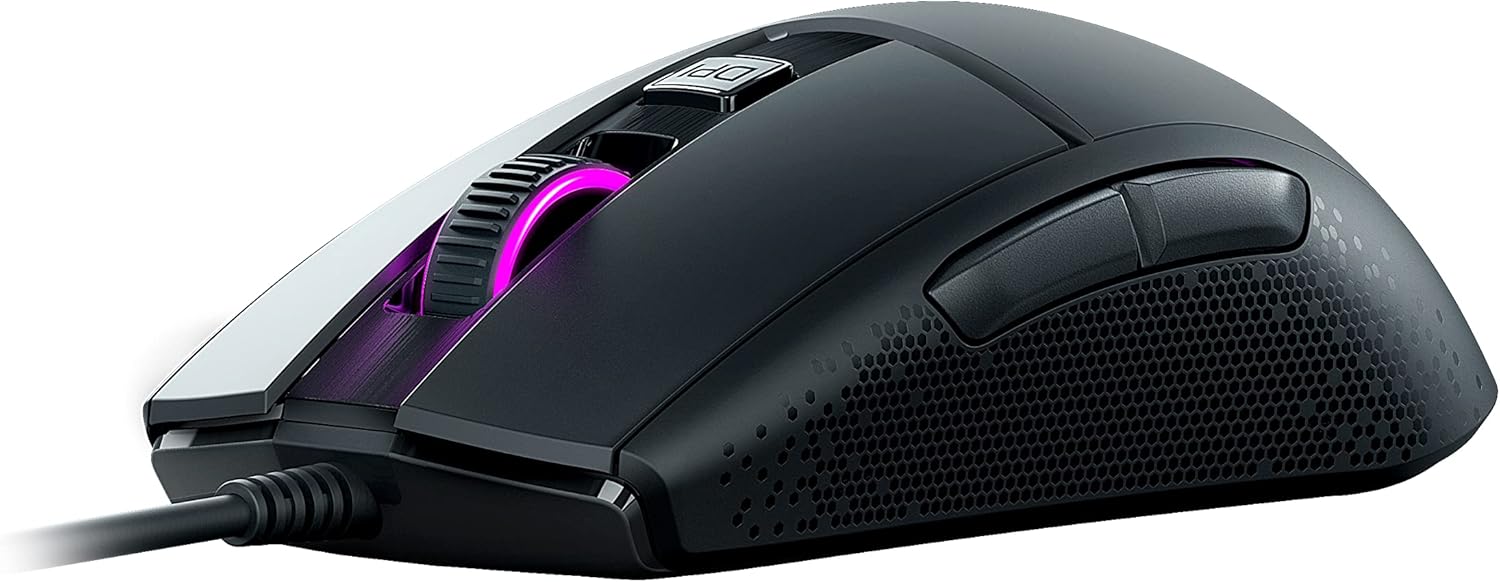
Imej 3: Sisi view of the ROCCAT Burst Core, illustrating the textured hexagonal pattern for enhanced grip.
Penyelenggaraan
Membersihkan Tetikus Anda
- Putuskan sambungan tetikus dari komputer anda sebelum membersihkan.
- Gunakan kain lembut dan tidak berbulu sedikit dampdisapu dengan air atau larutan pembersih lembut.
- Elakkan menggunakan bahan kimia yang keras, pembersih yang melelas, atau pelarut.
- Gently wipe the surface of the mouse. For the optical sensor, use a cotton swab to carefully remove any dust or debris.
- Ensure the mouse is completely dry before reconnecting it to your computer.
Penyimpanan
Store the mouse in a cool, dry place away from direct sunlight and extreme temperatures. Avoid placing heavy objects on the mouse or its cable.
Menyelesaikan masalah
| Masalah | Kemungkinan Punca | Penyelesaian |
|---|---|---|
| Tetikus tidak bertindak balas |
|
|
| Inaccurate tracking or cursor lag |
|
|
| Butang tidak berfungsi |
|
|

Imej 4: Terperinci view of the ROCCAT Titan Switch Optical mechanism, illustrating its internal components.
Spesifikasi
| Jenama | Roccat |
| Nombor Model | ROC-11-750 |
| Teknologi Ketersambungan | USB |
| Teknologi Pengesanan Pergerakan | Optical (PixArt PMW3330 based) |
| DPI maks | 8,500 DPI |
| Berat Barang | 68g (2.4 auns) |
| Dimensi Produk (LxWxH) | 0.63 x 6.69 x 5.28 inci |
| warna | Hitam |
| Platform Perkakasan | PC |
| Keserasian Sistem Pengendalian | Windows 7, Windows XP, Linux (and newer versions) |
| Ciri Khas | Ergonomic Design, Lightweight, Titan Switch Optical, PTFE Mouse Feet |
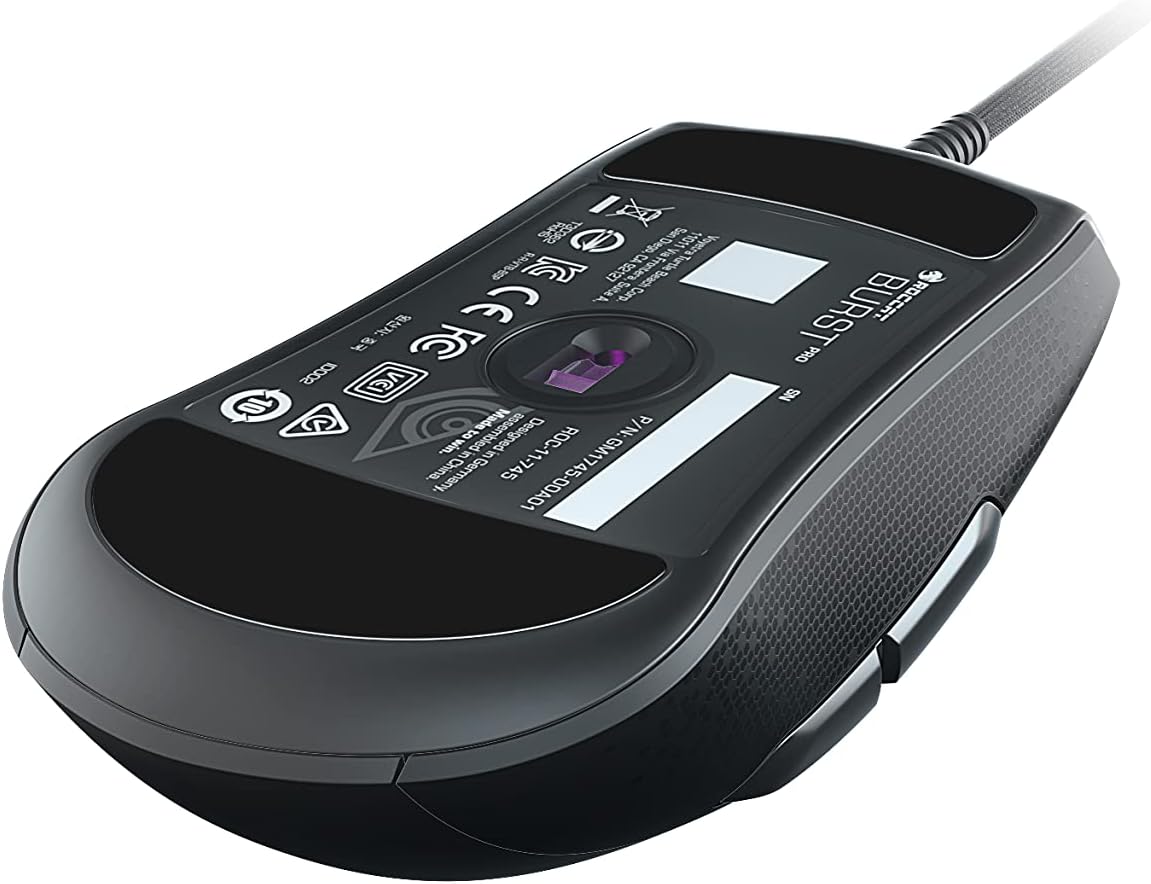
Imej 5: Bawah view of the ROCCAT Burst Core Gaming Mouse, displaying the model number and regulatory certifications.
Waranti dan Sokongan
Maklumat Waranti
ROCCAT products typically come with a manufacturer's warranty. Please refer to the warranty card included with your product or visit the official ROCCAT webtapak untuk terma dan syarat waranti terperinci khusus untuk wilayah anda. Simpan bukti pembelian anda untuk tuntutan waranti.
Sokongan Pelanggan
For technical assistance, troubleshooting, or product inquiries, please contact ROCCAT customer support.
- Webtapak: Visit the official ROCCAT support page at support.roccat.com untuk Soalan Lazim, pemandu dan pilihan hubungan.
- Sumber Dalam Talian: Check for updated drivers and firmware on the ROCCAT webtapak untuk memastikan prestasi optimum.
Maklumat Keselamatan
- Do not expose the device to extreme temperatures, humidity, or liquids.
- Jangan cuba membuka atau mengubah suai peranti. Ini akan membatalkan jaminan.
- Jauhkan peranti daripada kanak-kanak dan haiwan peliharaan.
- Dispose of the device according to local environmental regulations.


